

How your data is protected, in transit and at rest
The answers a security review asks for: the connection is HTTPS only with HSTS, each company has a database of its own, passwords are kept as a one-way hash and saved credentials are stored encrypted, and the certifications are ISO/IEC 27001:2022 for Offision with ISO 27001, ISO 27018 and SOC 1, 2 and 3 for the Azure platform underneath.
A security review asks three things: is the connection encrypted, is the stored data encrypted, and who has audited either. This page answers all three.
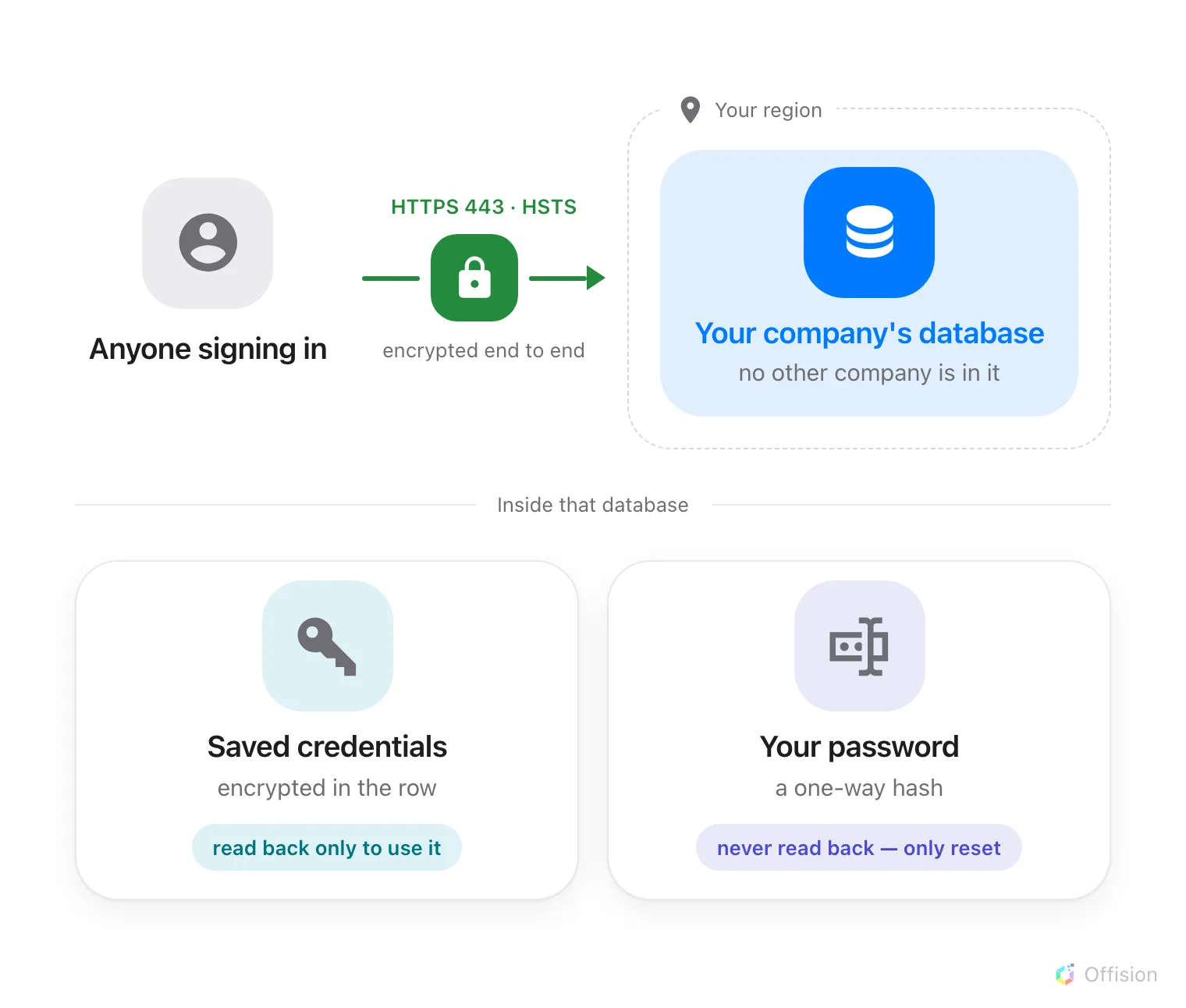
One encrypted connection, into one region and one database — and of the two secrets kept there, the password is the one that cannot come back out.
In transit
Every Offision address is served over HTTPS on port 443, and only outbound — there is no inbound rule for anyone to open. The addresses themselves are in Every address Offision connects to.
A browser that has reached Offision once is told not to come back any other way. The service sends HSTS with a one-year lifetime covering every subdomain, so the browser refuses an unencrypted connection on its own, before a request is made. Session cookies are marked Secure, so they are never sent over a plain connection, and HttpOnly, so page scripts cannot read them.
Certificates are watched rather than remembered: an automated job checks every public Offision address once a week and raises an alarm well before one expires.
At rest
Your company has a database of its own. No other customer’s records are in it, so no query, report or export can reach across from one company’s data into another’s.
Two things inside that database are protected a second time, and not in the same way.
Your password is never stored. What is kept is a salted one-way hash — PBKDF2 with HMAC-SHA256. It cannot be turned back into the password by anyone, Offision included, which is why a forgotten password is reset rather than sent back to you. Where people sign in with Microsoft 365, Google, LDAP or Active Directory there is no Offision password at all — see How sign-in security works.
Credentials Offision has to use again are stored encrypted and decrypted only at the moment they are used — the password for your mail server, an integration’s client secret, a device’s password, a certificate you uploaded. Visitor badge photos are held the same way.
Backups stay in the same region as the data, which is Where your data is hosted.
Who has audited it
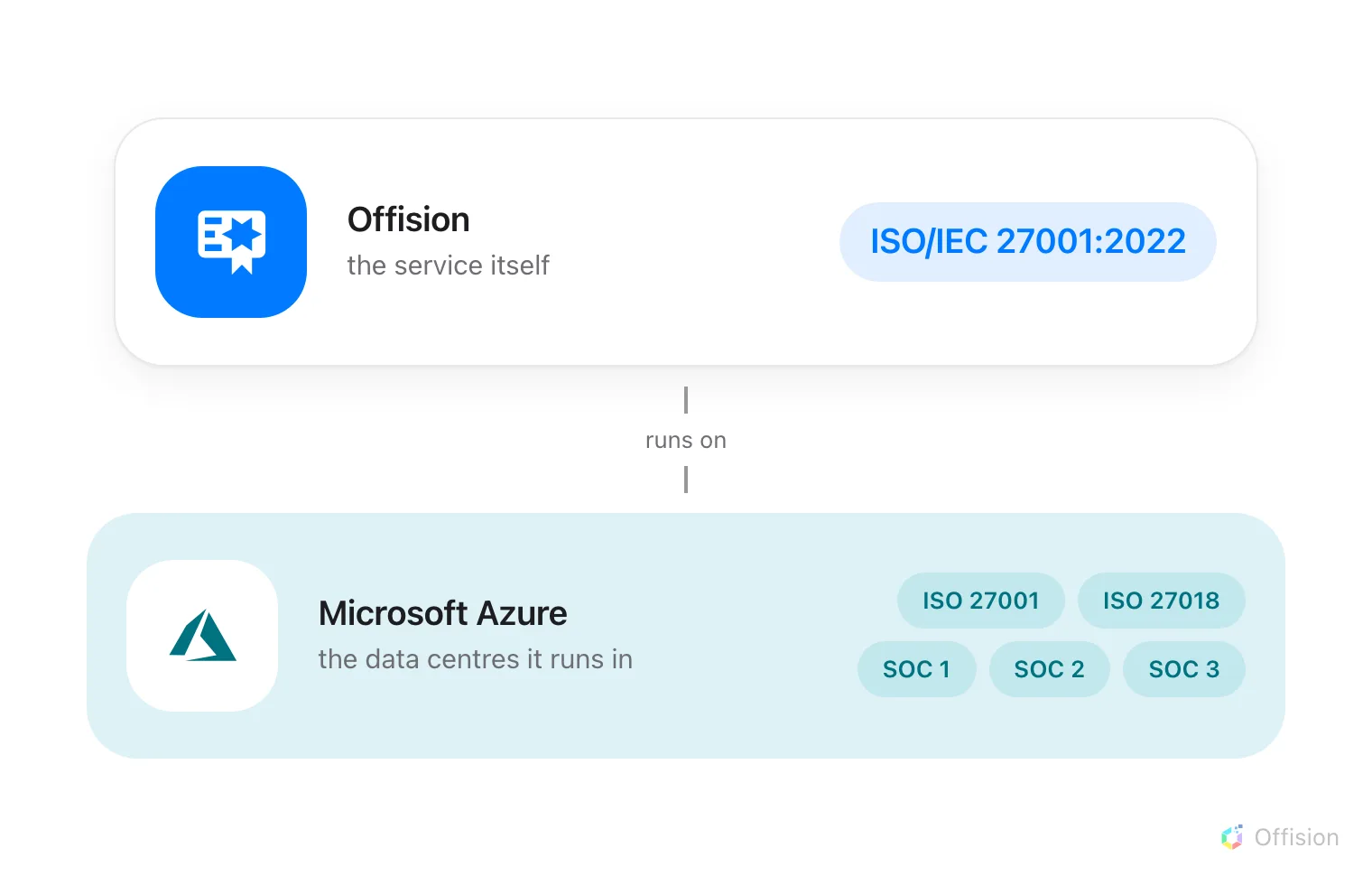
Two certificates at two layers — Offision itself, and the platform it runs on. A reviewer's form usually has a line for each.
Offision holds ISO/IEC 27001:2022 for its information security management system, audited independently. The certificate is published as a PDF at offision.com/security — that is the document to attach to a vendor form.
Microsoft Azure, which hosts Offision, holds ISO 27001, ISO 27018 and SOC 1, 2 and 3 for the data centres it runs in. Those cover the platform underneath rather than Offision’s own practice, which is why both belong on the form.
Where the question is who changed what, the answer is the audit trail, and it exports: What the audit trail records.
What this does not cover
Offision holds no SOC 2 report of its own. The SOC reports above are Azure’s, for the platform. ISO/IEC 27001:2022 is the certification Offision itself holds.
There is no customer-managed encryption key. Keys are managed by Offision; there is no way to supply, hold or rotate your own, and no bring-your-own-key option.
There is no on-premises or self-hosted deployment, so none of this can be moved inside your own network — see Where your data is hosted.
For anything past this page, including the certificate itself, see offision.com/security.