

Both maps
What a building's Google map location is used for
The Google map pin is a working value, not a picture. It sets the building's time zone, the link inside every booking and visitor email, and the centre of the GPS check-in area — and the address it stores is not the Address field above it.
A building’s Google map location is not a picture of where the office is. Several other parts of Offision read it, and one of them refuses to work without it.
The part that surprises people
Address and the Google map location are two separate values. On the building’s Basic page you type a free-text Address. Further down, under Location, the map keeps its own Location name, Location address and Location coordinate, taken from the place you searched for. Nothing keeps the two in step.
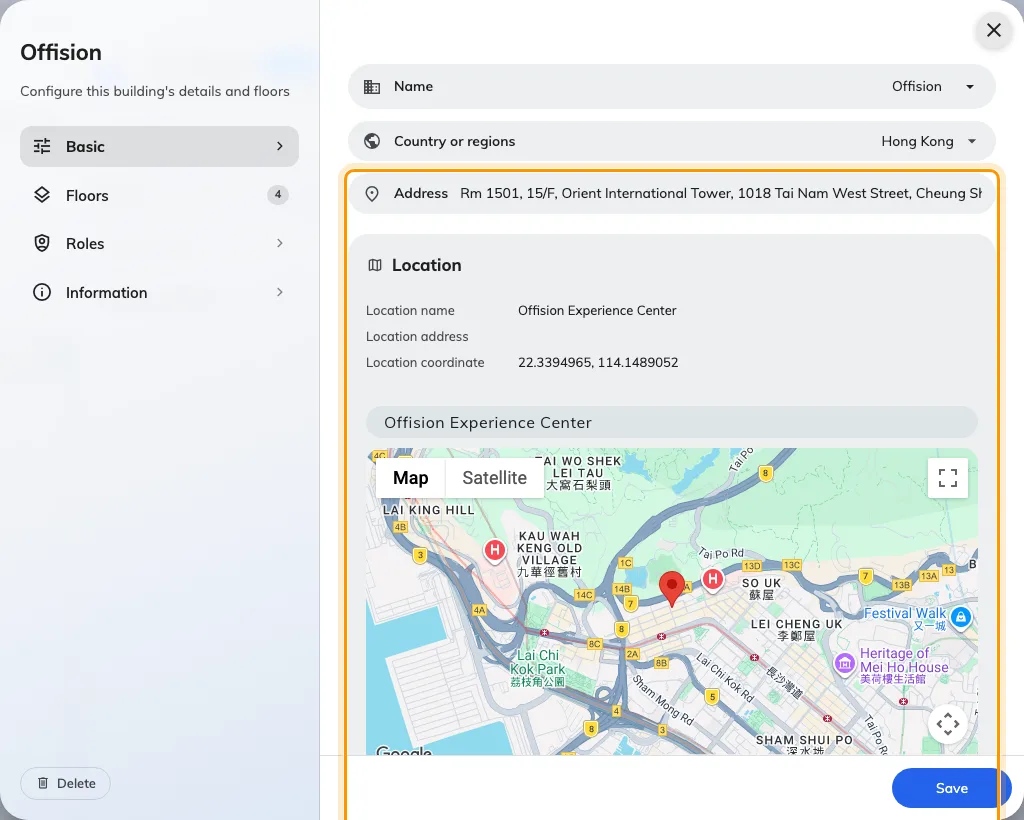
Two addresses on one page. The typed one, and the one the map holds.
It matters most in email. In a booking or visitor invitation, the address the reader sees is the typed one — the map’s address fills in only when that field is blank — while the link behind it always opens the pin. A building whose typed address is out of date therefore sends mail that reads one address and opens another, and neither the sender nor the recipient has any way to notice.
Keep them saying the same thing, or leave Address blank and let the map fill it in.
What the map block holds
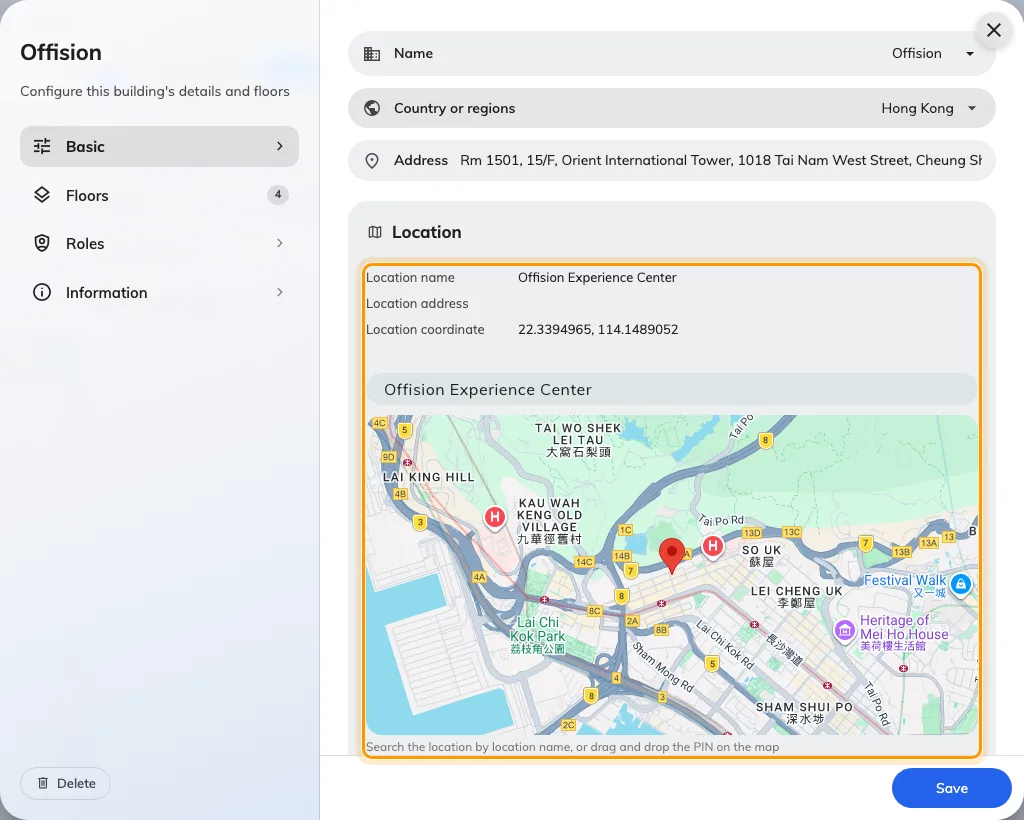
The map block: what it stores, and the two ways to change it.
The three rows above the map are a read-out, not fields. There are exactly two ways to change them:
- Search the place by name. This is the one to use. It stores the venue’s own name in Location name, its address, its coordinates, and the local spelling of the city and country for anyone reading in another language. It also fills in the building’s Country or regions for you.
- Drag the pin. This clears Location name and replaces the address with whatever the map reads back at the new spot. Use it to nudge a pin that landed on the wrong side of a courtyard — not to move a building to a different place, or you will lose the venue name and have to search for it again.
Coordinates cannot be typed in. If the map cannot find the venue, search for the nearest address it does know and then drag the pin the short distance.
Where the location is used
The first two below break when it is missing. The rest simply get quieter and less useful.
GPS check-in — the one that fails outright
Allowed distance on a resource policy is measured from the building’s location. There is no centre stored on the policy, so a building with no pin has no centre, and every check-in for every resource in it is refused. The person at the door is told they are too far away.
So that it is not invisible to you as well, the policy’s GPS check-in page counts the resources whose building has no location and names them on the spot.
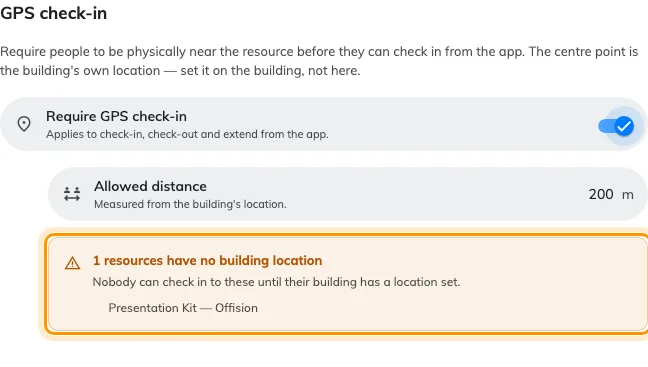
Allowed distance is measured from the building's location, and the page names the resources whose building has none.
The building’s time zone
Worked out from the coordinates, and shown on the building with Detected from the map location underneath it. There is no time-zone field to correct it with.
A building pinned on the wrong side of a city border keeps working. A building pinned in the wrong country runs every booking in it on the wrong clock, and nothing on screen looks broken.
Select the building in the list and its panel says the same thing, so a site’s zone can be checked without opening the editor. A business hour overrides it for the rooms it covers, and a building with no pin and no business hour falls back to the system zone — see Which time zone applies.
On room panels and signage
A room panel takes its clock from the building its room is in. A screen takes its weather from the building it stands in.
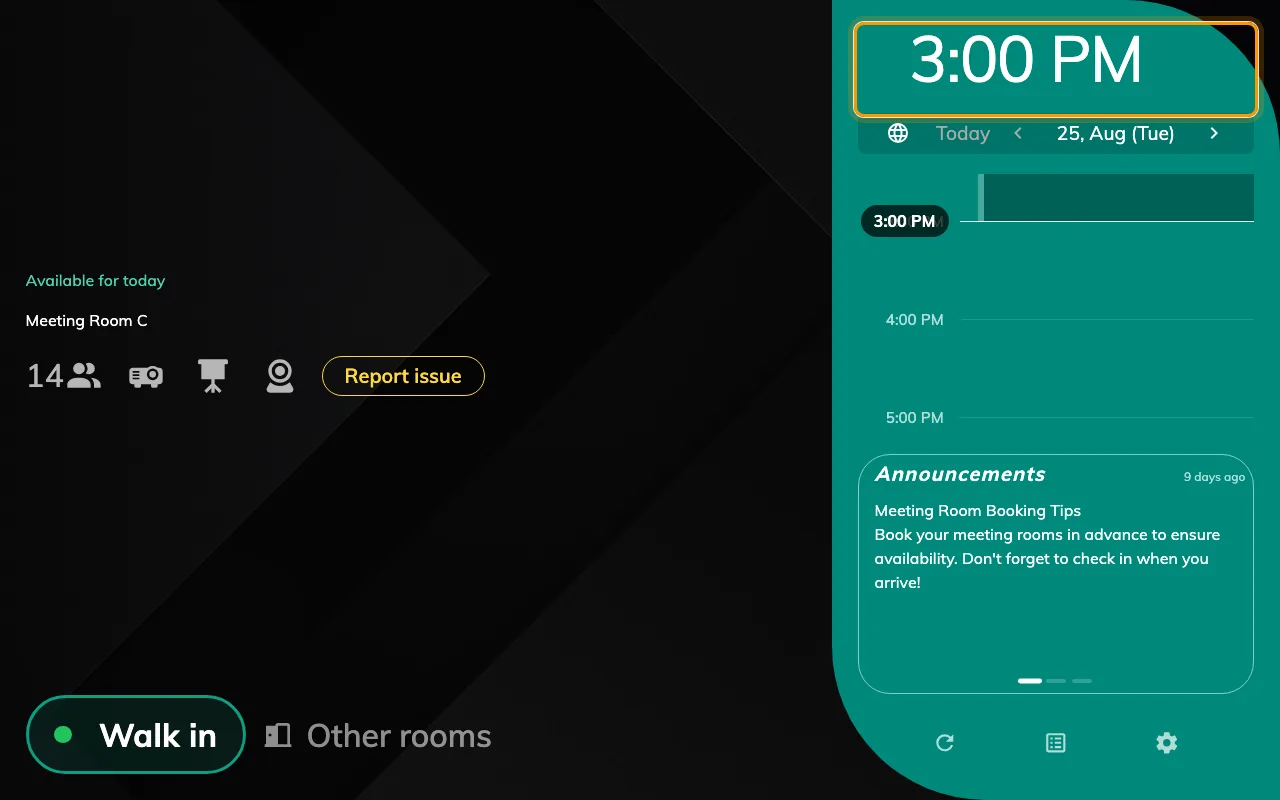
The clock on a room panel is the building's time, not the device's.
Without a pin both fall back to the device: the panel shows whatever clock the hardware is set to, and the screen shows the weather for the city its network appears to be in. That is usually right, which is exactly what makes it hard to notice when it is not.
On a visitor’s badge
A visitor’s badge lists the buildings they are expected at. Under each one is the map’s Location name, and beside it a View map link.
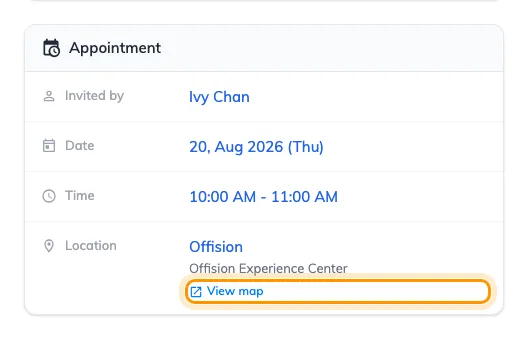
A visitor's badge. View map opens the pin, not a text search for the address.
This is the surface where the pin earns its keep most often: a visitor standing at the wrong entrance of a large site opens the map and walks. It is also why pinning the venue rather than the street matters — the link opens the place you chose, so a pin on the tower lobby sends them to the lobby and a pin on the street sends them to the street.
The same link is on the pre-registration confirmation the visitor sees after registering.
In email and calendar invitations
Booking confirmations, changes and cancellations. Visitor invitations, approval results and cancellations. The visitor badge mail, and event registration and reminder mail. All of them carry a location line whose address is a link, and the link opens the pin.
The same link is written into the calendar invitation itself, so it survives into Outlook and Google Calendar and is still there when someone opens the meeting on a phone.
At an event
An event’s location is one of your rooms, one of your buildings, or a place that is not yours at all. Where it is one of your buildings, the map link on the event page and in the registration mail is that building’s pin. An outside venue carries a pin of its own, set on the event rather than here.
On the building card
Clicking a building’s name — in a list, on a booking, on a visiting record — opens a card carrying Google map location name and a link out to the map. In the user app that card embeds the map itself.
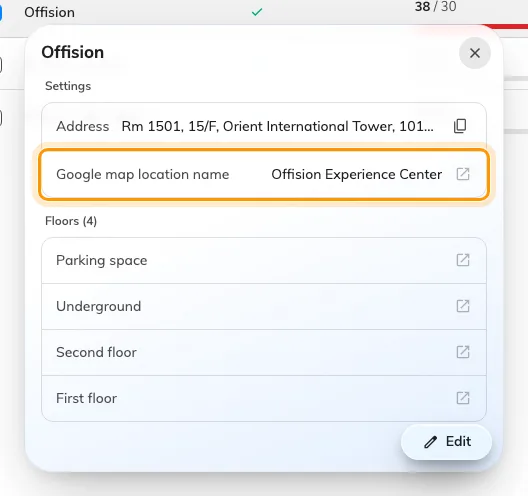
The building card. Google map location name is the map's value, not the typed address.
What it does not control
The floor plan. Show on map on a floor opens the drawing people click to find a room. That drawing is made under Map, using Map 2.0 or Classic, and is separate from the building’s geographic coordinates.
Attendance geofences. Clock-in areas are a separate list on the working schedule, each with its own centre and radius, and the building’s pin is not one of them. They also behave the other way round: a working schedule with no geofences allows clocking in from anywhere, where GPS check-in with no pin allows nowhere.
Whether a room can be booked. Nothing in this block restricts who may book, when, or for how long. Those live on the resource policy.
Open Locations