

How access cards work
A card number is a name Offision knows a person by, and it belongs to one person across the whole account. What the seven card types are, which of them you issue and which arrive on their own, and what a card never decides.
A card number is simply a second name Offision knows somebody by. Tap a card at a panel and the panel reads a number off it; if that number is stored against a person, everything that follows happens as that person.
The surprising part is what the number is. On an ordinary MIFARE, NTAG or DESFire card there is nothing printed on the card that Offision will ever see — what the reader sends is the chip’s UID, in hexadecimal. Only an HID Global card read by an iAdea panel supplies its own encoded number, which is the one on the front. Enrol one card, tap it, and read what was accepted before you type in five hundred.
Open Access cardsOne number, one holder
A card number belongs to one person across the whole account, and Offision will not let two people hold the same one — a second attempt is refused with Card number already exists. Upper and lower case do not matter, so a number enrolled either way still matches.
That rule is per number, not per person: one person may hold several cards, and giving somebody’s existing number to a different slot on the same record moves it there rather than duplicating it.
The types
Every card is one of seven types, and the list shows them all together.
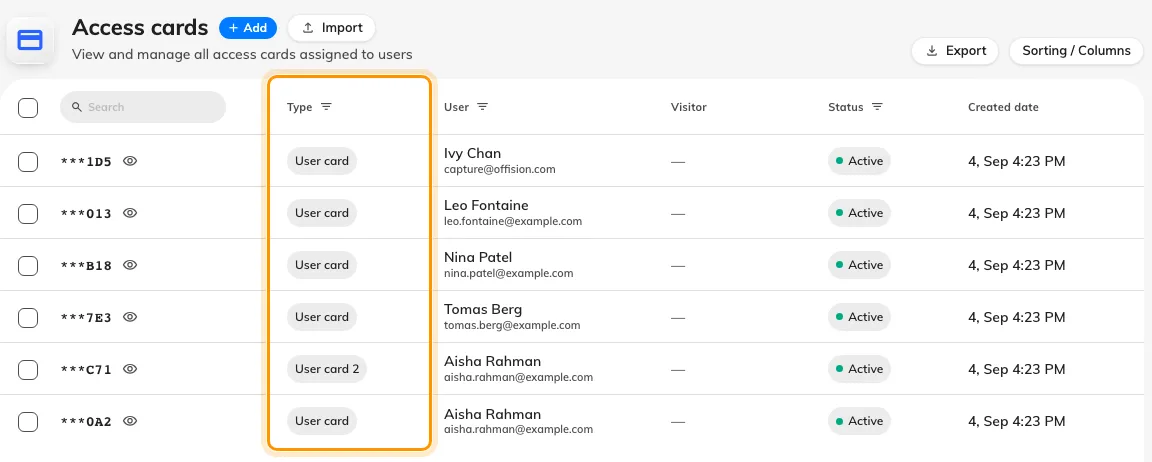
Every card in the account, whoever it belongs to and whatever issued it.
| Type | Where it comes from |
|---|---|
| User card, User card 2, User card 3 | You issue them — three plastic cards per person |
| User mobile pass | Created when somebody adds their pass to Apple or Google Wallet |
| External sync card | Written by an outside system; read-only on the person’s record |
| Visitor mobile pass | Issued with a visitor’s badge, and shown against the Visitor column |
| Visitor card | Legacy. Nothing issues one today |
The person’s own record calls the first three User card 1, User card 2 and User card 3; the list calls the first one just User card. Same slot.
Active, expired, and what is on screen
Status is worked out from the Expired date, not stored: a date in the past reads Expired, and a card with no date stays Active for good. Nothing on this page sets that date — it arrives with the badge or pass that created the card.
Card numbers are masked to their last three characters in the list, with a reveal control on each row, so the page can be shown on a projector without handing out credentials.
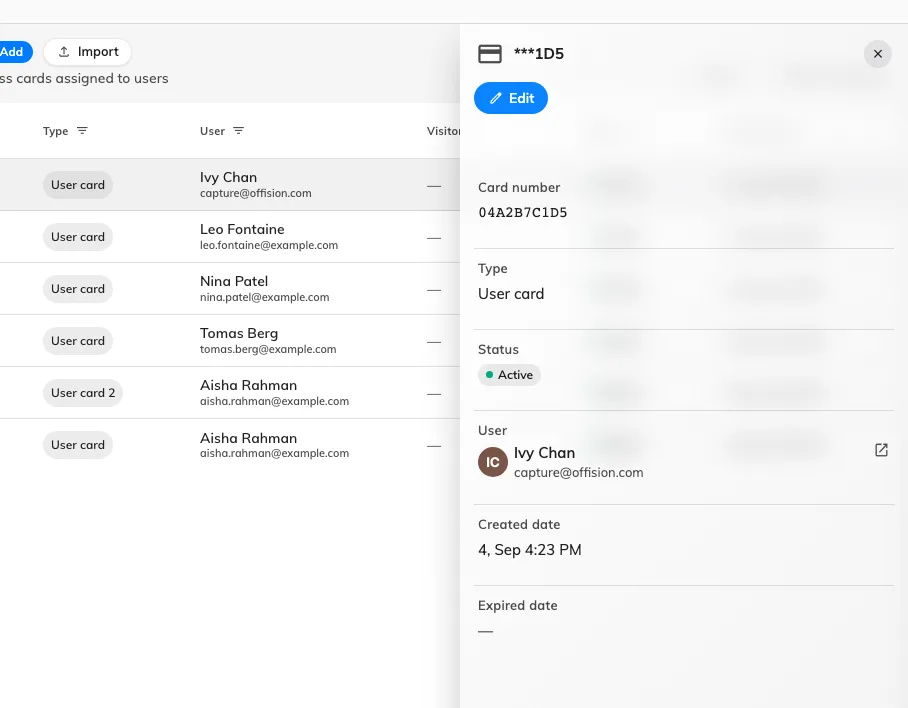
One card: its number, its type, who holds it, and when it was created.
What a card does not decide
- Which doors open. A card says who you are; what that person may open comes from them and their groups. Offision does not push card numbers to a door-control system.
- Whether a panel accepts cards at all. That is a check-in method, set in Booking — see Check in by tapping a staff card.
- What anyone may book. A card gets somebody into a booking they already have.
- Signing in. Cards are read by panels. Nobody signs in to Offision with one.