

How account status works
What Created, Invited, Activated and Deactivated mean, which action moves an account from one to the next, and why Activated is set by the person's first sign-in rather than by an administrator.
Every person in Directory › Users carries a status, and it answers one question only: how far this account is through getting in.
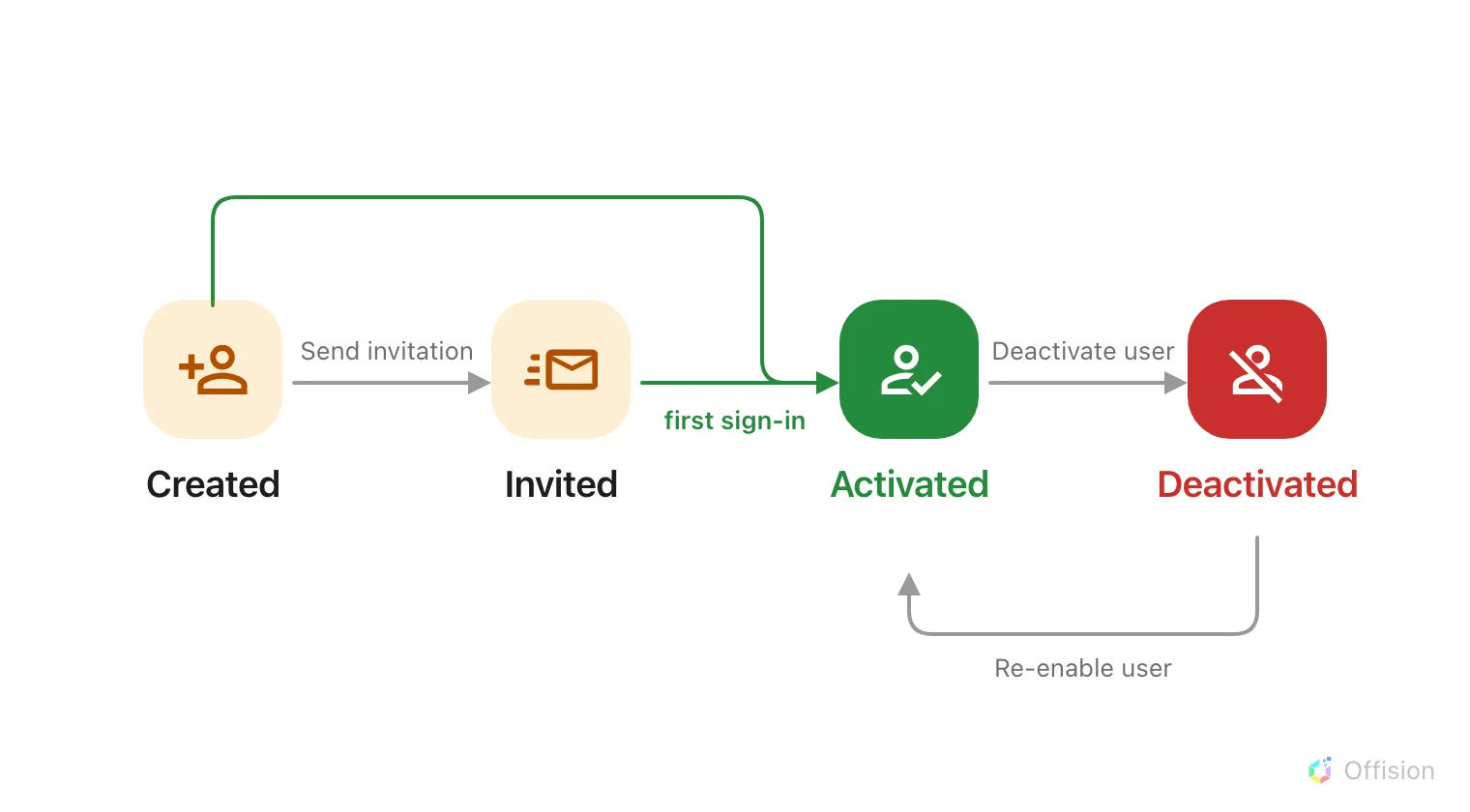
Three of the four moves are an administrator's. The one that reaches Activated belongs to the person signing in.
The part that surprises people
Activated does not mean you approved them. Nothing an administrator does sets it. Offision sets it the first time the person successfully signs in — by setting a password from their invitation link, or by signing in with Microsoft 365, Google or a company directory account.
So an account that has read Invited for a fortnight is not stuck and is not waiting on you. Nobody has opened the email.
What each one means
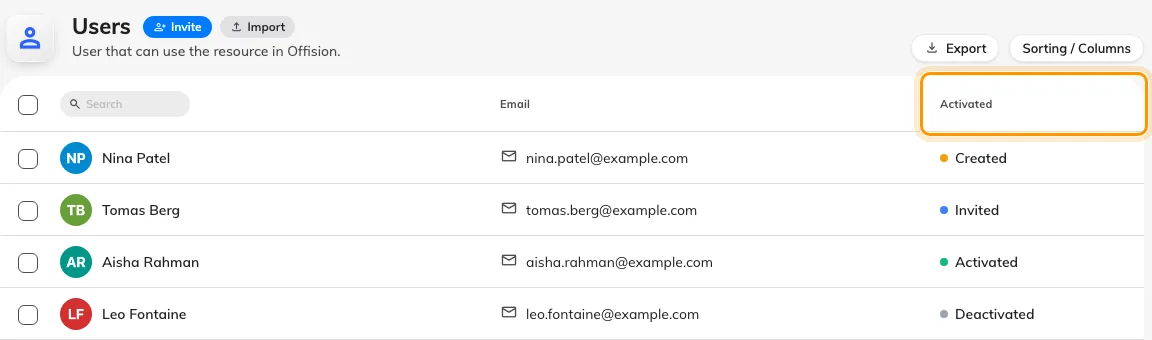
The list labels the column Activated; it holds all four states.
| Status | What it means | An account lands here when |
|---|---|---|
| Created | The account exists. No invitation has gone out | You add someone and choose Set a password now, or import a list without sending invitations |
| Invited | The invitation email has been sent. They have not signed in yet | You add someone and let Offision email them, import with invitations on, or use Send invitation on a Created account |
| Activated | They have signed in at least once | They sign in, any way at all — or you use Re-enable user on a deactivated account |
| Deactivated | They cannot sign in anywhere | You use Deactivate user |
The Activated column header also filters the list by status — see See who has signed in — and who never has.
Created and Invited are the same waiting room. Both mean never signed in, and the only thing separating them is whether an email went out — which is why the action offered on a Created account is Send invitation, and on an Invited one Resend invitation email.
The invitation email
Resending is safe and changes nothing: an Invited account stays Invited, with a fresh link. Sending to a Created account is the one that moves it, to Invited.
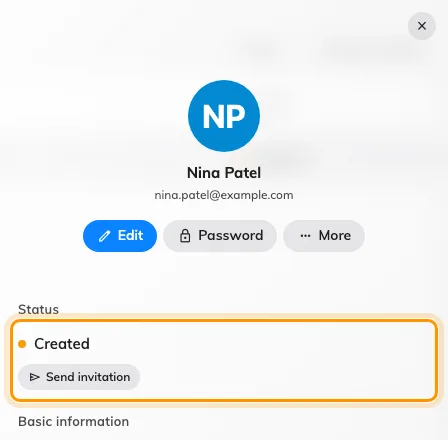
A person's panel carries their status and the one action that moves it.
One thing to know before someone tells you the reset link is wrong: if a person whose status still reads Invited uses Forgot password, Offision sends them the invitation email instead of a reset email. It is the correct link for them — they have no password to reset yet.
Coming back
Re-enable user returns a deactivated account straight to Activated, even if that person never signed in before you deactivated them. Nothing ever sends an account back to Invited, and nothing demotes an Activated account — not a password reset, not a forgotten password, not months of not signing in.
What status does not control
What they are allowed to do. That is their permissions and the groups they belong to. An Activated account with no permissions can sign in and see nothing.
Devices they are already signed in on. Deactivating stops the next sign-in and leaves a phone or laptop already signed in working for up to thirty days. Cut those separately — see Remove someone who has left.
Their bookings. Nothing is cancelled, released or reassigned when an account is deactivated.
Their access card. A deactivated person’s card still names them at a panel, and a door that opened for them still opens. Clear the card separately — see Remove someone who has left.
Whether the record exists. Deactivating and deleting are different actions with different consequences; deactivating is the reversible one.
Deactivated accounts do not count towards your user licence, which is the reason to deactivate rather than leave a leaver Activated.
Open Users