

What a branch is, and what it scopes
Branch management divides one account into a tree — HQ, regions, campuses — and files every building, resource, policy and device under one of them. What an administrator on a branch can see, what they can change, and the six things a branch does not decide — including where the data lives.
A branch decides which slice of the estate an administrator’s console shows them, and which slice of it they can change. One account can hold several campuses, offices or regions, each run by its own administrators, without any of them meeting the others’ rooms.
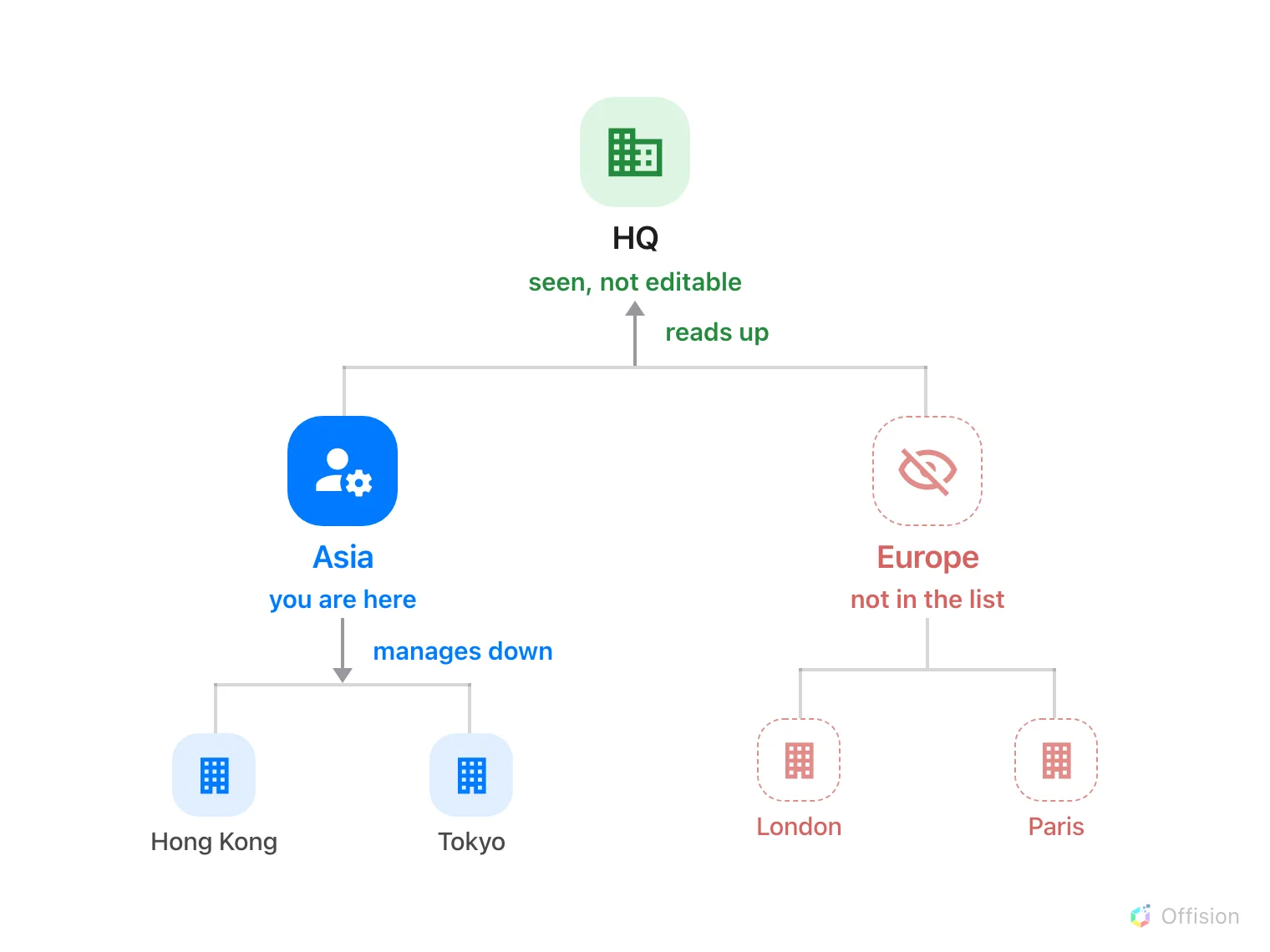
An administrator on Asia reads up the whole line above them, manages everything below them, and never sees the branch beside them.
The tree
The page is called Branch management, and it draws one tree. A single root — HQ in a new account — with branches under it and sub-branches under those, as deep as the organisation actually goes.
Open Branch managementEvery person sits on exactly one branch. So does every building, floor, room, desk, policy, quota, working schedule, panel, screen and connected device. That one field is what all the Organization unit rows elsewhere in the manual are setting: which branch owns this record, and therefore which administrators meet it.
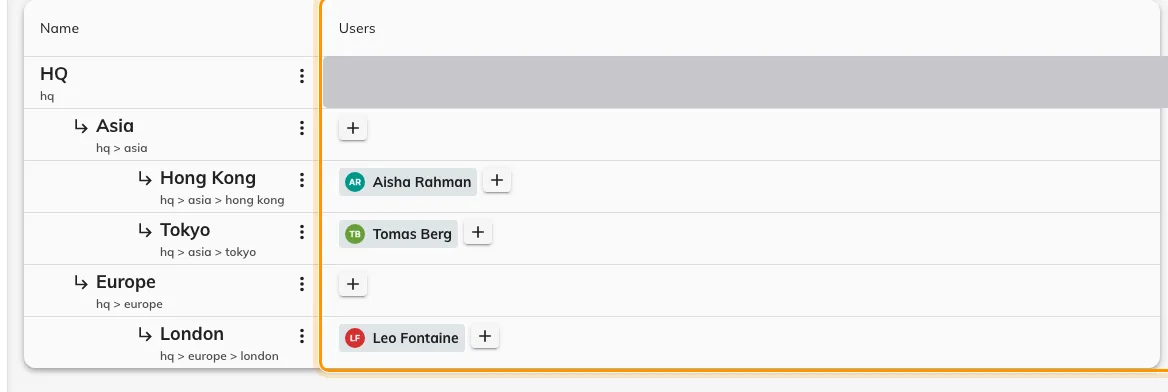
The tree, with the administrators on each branch in the ringed column.
A floor has no branch of its own — it follows its building, and the rooms on it follow the floor. Move the building and the whole site moves with it.
Up is read, down is write
The rule is two rules, and the difference between them is the thing worth knowing.
- Down is write. An administrator changes their own branch and everything beneath it. Asia manages Asia, Hong Kong and Tokyo.
- Up is read. They also see every branch above them, but cannot change it. Asia sees what HQ set for the whole company, and leaves it alone.
- Sideways is nothing. A branch beside theirs is not greyed out or locked — it is absent. Its buildings are not in the list, its rooms are not on the calendar, and its sub-branches vanish with it.
Read runs upward because a campus needs the rules HQ set for everyone: it has to be able to see the policy its rooms are actually running under. Write does not, because changing an HQ policy would change it for every other campus too.
An administrator on the root branch is the exception in both directions — HQ sees and changes everything.
Knowing which branch you are in
With branch management on, the top bar carries the branch between the company
name and the page: Company / Branch / Module / Page. Switching it reloads the
page against a different slice, so it is both the label and the control.
Ancestors appear in that list as read-only.
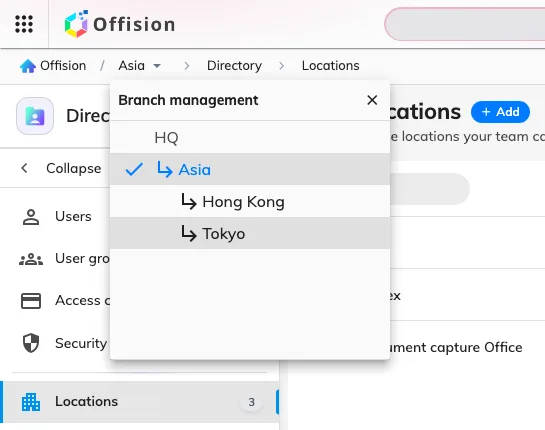
The branch list in the top bar — the branches this administrator can reach, with ancestors marked read-only.
The page carries a (Beta) badge, and has for several releases; it is in use in production accounts.
What a branch does not control
- Permissions are still permissions. A branch narrows the estate, not the module list. A Booking manager is a Booking manager — on their own branch. Who may open the console at all is set on the person’s Permissions page.
- Who may book a room. That comes from the resource and from team spaces, not from a branch — see Give a department its own rooms. A room can be visible to every employee and still be managed by one campus.
- What a connected system sends. A connection is filed under a branch, and the devices or spaces it syncs land there. It does not narrow the far side: a Microsoft 365 connection approved for the whole organisation still syncs the whole organisation, however it is filed.
- Where the data lives. A branch named Europe does not put European data in Europe. The whole account sits in one Azure data centre, chosen when it was created — see Where your data is hosted.
- Every report. The manager screens a branch administrator works in are narrowed to their branch, and so is Resource usage analytics. The scheduled email reports are not, and neither are the sensor-driven analytics dashboards — they cover the whole account, whoever opens them.
- The tree itself. Branch management, along with account, email and audit settings, opens only from the root branch. A campus administrator is scoped, and cannot re-scope themselves.
Branch management divides the console. It is a way to stop administrators tripping over each other’s configuration — not a wall between two companies sharing one account.