

See who has signed in — and who never has
Filter the user list's Activated column to split the people who have signed in from the ones still sitting on an invitation, then send or resend invitations to the stragglers in one batch.
1. Open the people list
Everyone lands in Directory › Users, and every row carries a status. A person who has signed in at least once reads Activated; someone still sitting on their invitation reads Invited or Created.
Open Users2. Filter the Activated column
The filter lives on the Activated column header itself — the funnel icon beside the column name.
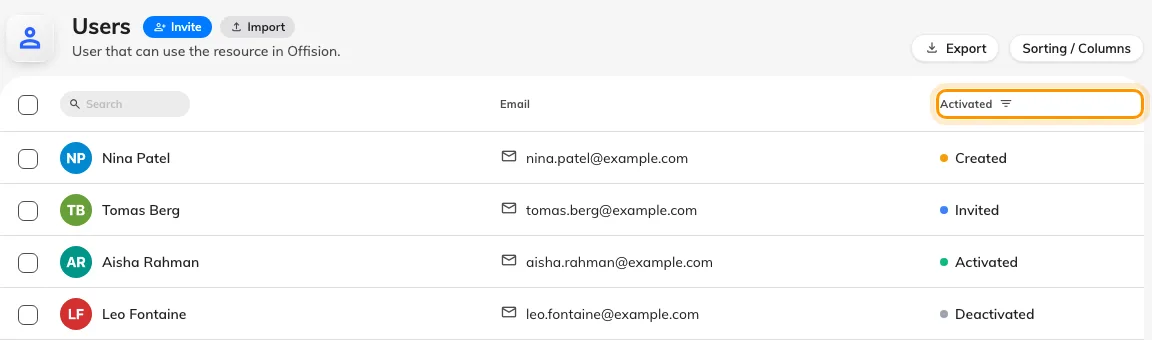
The funnel on the Activated header is the filter.
Click it and tick the statuses you want to see:
- Activated — everyone who has signed in already.
- Invited and Created together — everyone who never has. Both mean never signed in; the only difference is whether an invitation email went out.
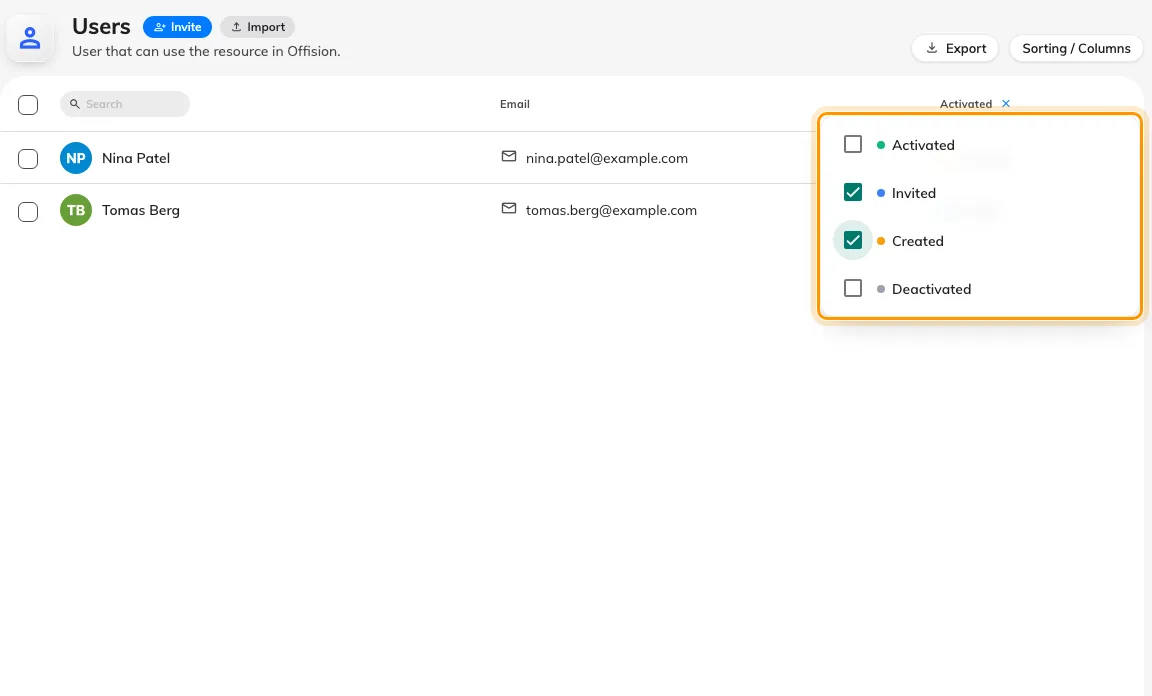
The Activated header filters the list; Invited plus Created is everyone who has never signed in.
Nothing you do here moves anyone’s status — Offision sets Activated the first time the person signs in, not when an administrator approves them. See How account status works for what each state means and what moves it.
3. Chase the ones who never signed in
With the list filtered to Invited and Created, select the rows with the checkboxes on the left edge. The bar that appears offers the right nudge for each state: Send invitation for Created accounts, Resend invitation email for Invited ones. The same two actions sit on each person’s own panel.
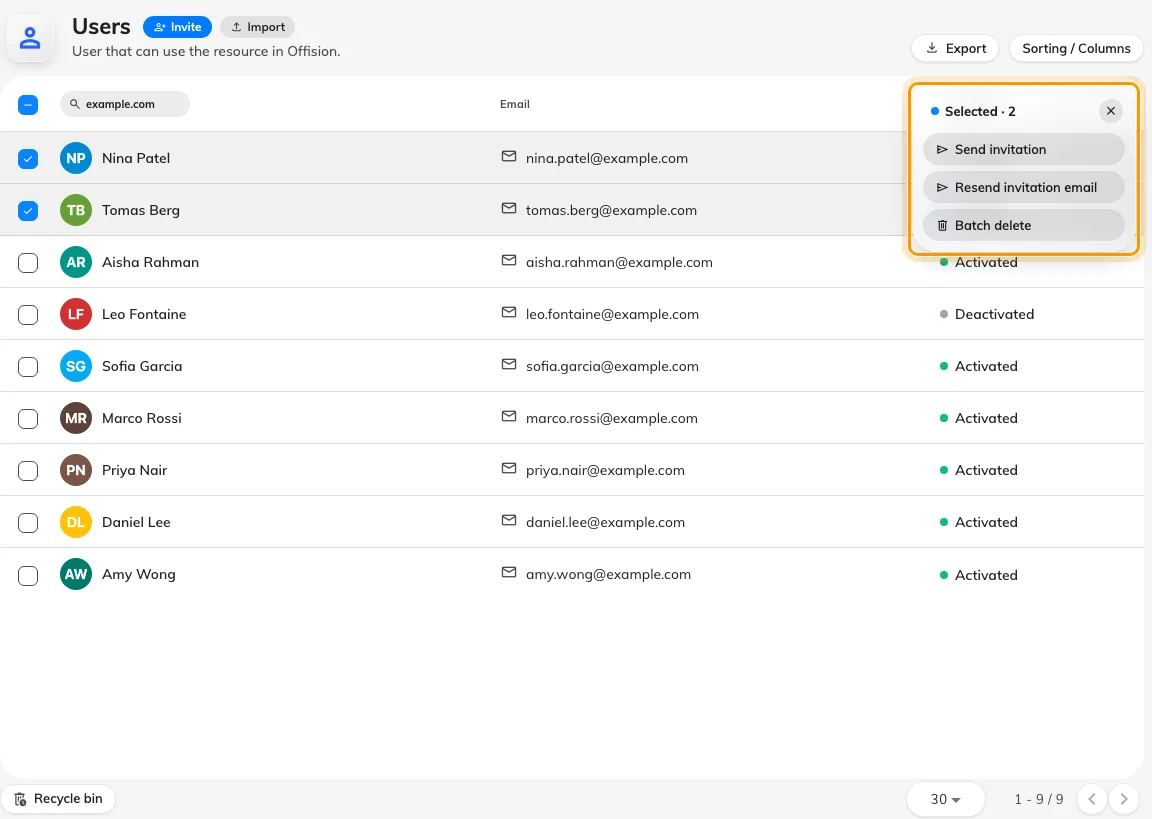
Select the stragglers and send or resend their invitations in one batch.
Resending is safe — an Invited account stays Invited, with a fresh link.
4. Activated is not “signed in right now”
Activated means they have signed in at least once, ever. To see who is signed in at this moment — and on what — open Directory › User devices, which lists every live session with its device and last-active time. A person who signed in once and signed out again appears as Activated in the user list but has no row there.
Open User devices5. Check it worked
After the invitations land, filter by Activated again a few days later. The people who followed their link have moved out of Invited on their own — anyone still there needs a word rather than another email.