

Can we limit Offision to our office network?
Yes for the people who sign in — an IP restriction on their security profile closes the management console and the user portal to everything but the addresses you name — and yes for your own software, on the API credential. There is no one account-wide switch, and the four settings called "IP restriction" do not cover the same things.
Yes, for the two things that matter most. People are held to an IP restriction on their security profile, which closes the management console and the user portal together. Your own software is held to one on its API credential. There is no single account-wide switch that does both, and both are set per profile or per credential rather than once for the company.
The word is used four times in Offision, for four different settings, and they do not cover the same ground. Which one you want depends on what you are trying to close.
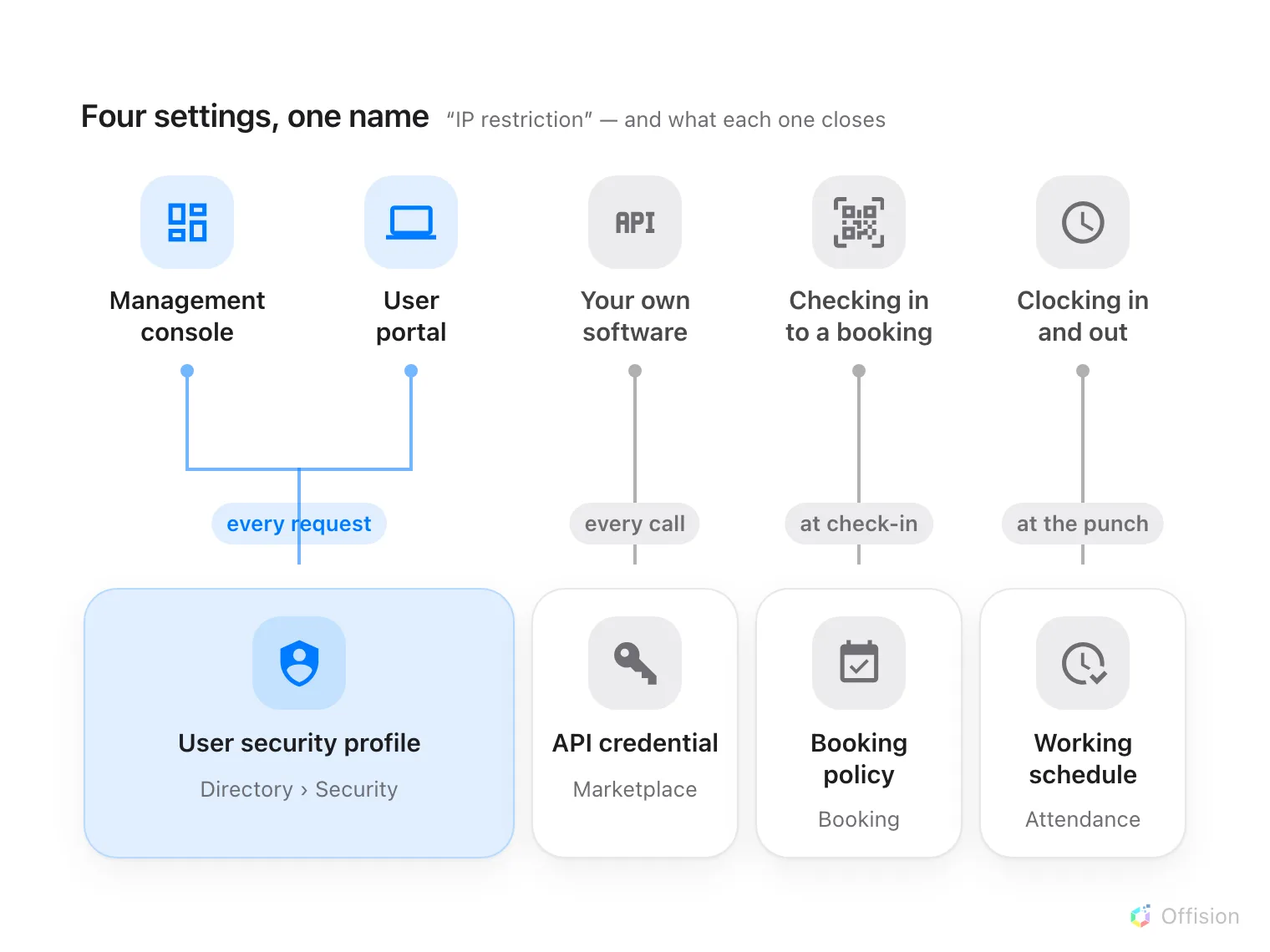
Four settings share the name. Only the one on a security profile closes the management console.
The people who sign in
User security profiles, under Security, carry an IP restriction.
Enter the addresses your people arrive from — a single 192.168.0.1, a range
192.168.0.1-100, a comma-separated list, or 192.168.0.0/24 — and Offision
tests every request against it once they are signed in. It covers the management
console and the user portal alike.
Two things decide whether this does what you want.
The sign-in itself still succeeds. The password is checked before the profile is read, so someone outside the range signs in as normal and then every screen they open comes back empty, refused. If what you need is for the password box itself to refuse them, this is not that.
It is per profile, not per company. Assign one profile to head office and another to the people who travel, and only the first is held to the addresses. That is the point — but it also means a profile you forget to set is a way in.
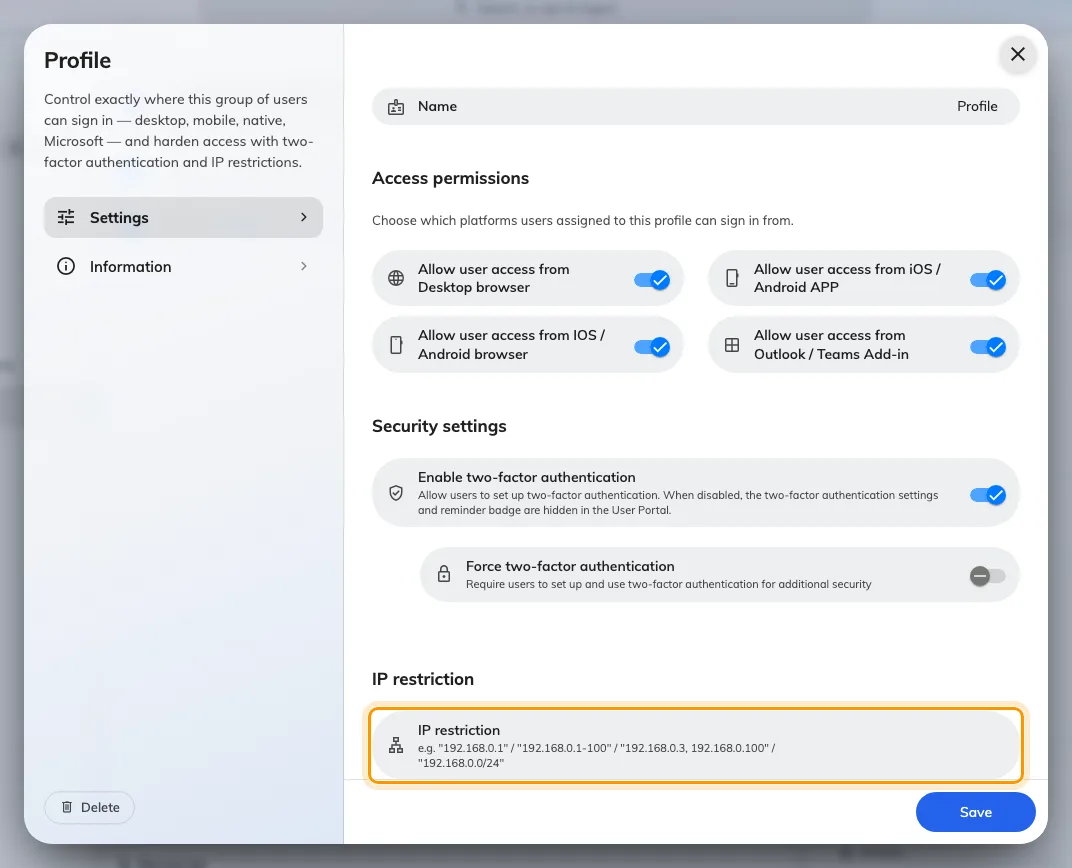
The IP restriction at the foot of a user security profile. The toggles above it are a separate control, checked by the app rather than the server.
The rest of that screen, and how it sits beside the password policy, is in how sign-in security works.
Your own software
An API credential carries its own IP restriction, and it is the one to use when a script or a system of yours calls Offision from a fixed address. A call from anywhere else is refused before it reaches anything. The credential also carries a list of websites that may call it from a browser, which is a different guard for a different problem. Both are on the same form, in connect your own systems.
Two that are easy to mistake for it
Neither of these limits who can sign in. They are worth knowing about so nobody sets one expecting the other.
- User Portal check-in IP restriction, on a booking policy, decides where somebody may check in to a booking from — the reason a printed sticker on a door cannot be scanned from home. Choose where a resource can be booked from.
- Allowed IP ranges, on a working schedule, decides where somebody may clock in and out from. Verify clock-ins with GPS, IP and selfies.
What this does not control
Which websites may embed Offision is a list of addresses on the web, not of networks. It names the sites allowed to hold the user app or the visitor app in a frame, and it never applies to the management console at all — see the admin console will not open inside our own site and choose which websites may embed Offision.
The way out of your network is a separate list. Panels, players and the mobile app reach Offision outbound on 443, and a locked-down network has to allow the names they use: the network allowlist.
A session already open is not closed by adding a restriction to a profile it does not belong to. Ending a session is Login devices.