

Classic map
Wayfinding gives no directions on a floor
The map draws, the rooms are there, and asking for directions produces nothing. Four causes, starting with the one the console will tell you about if you look at the right chip.
The floor has no wayfinding licence
Most commonWayfinding is licensed one floor at a time, and an unlicensed floor behaves exactly like this: everything looks complete, the map draws, and no route is ever produced.
The console says so in two places. On the floor list, the chip beside the floor’s title reports the state and opens the dialog that changes it. In the editor’s Route mode, an unlicensed floor carries a warning — “Routes you draw here are still saved. Wayfinding will not run on this floor until a license is assigned to it.”
That wording is the thing people misread: the network you drew is safe. Only the running of it is gated.
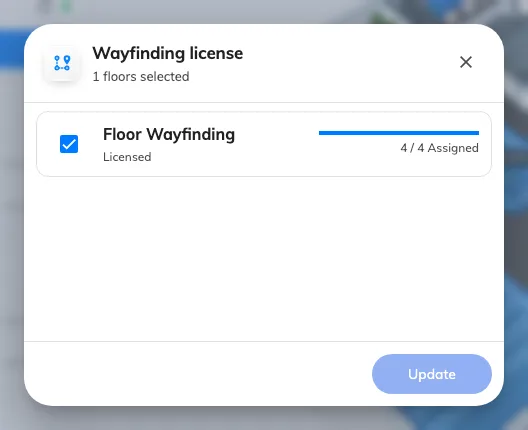
The seats the tenant holds, and whether this floor has one.
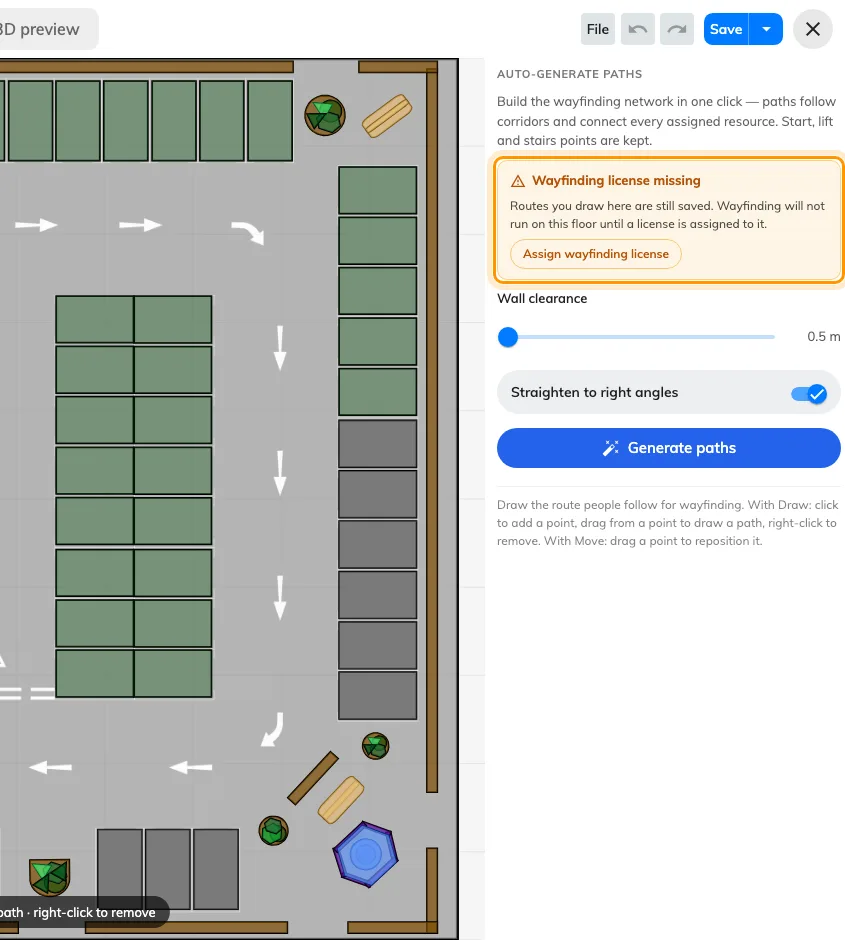
Route mode on an unlicensed floor. The drawing is kept; only running is gated.
No paths were ever drawn on it
Most commonA map and a route network are two separate drawings on the same floor, and finishing the first does nothing for the second. A floor drawn by somebody who never opened Route has no network at all.
Open the floor, switch to Route, and look. Empty is empty. The fastest fix is Generate the walking paths automatically, then correct by hand.
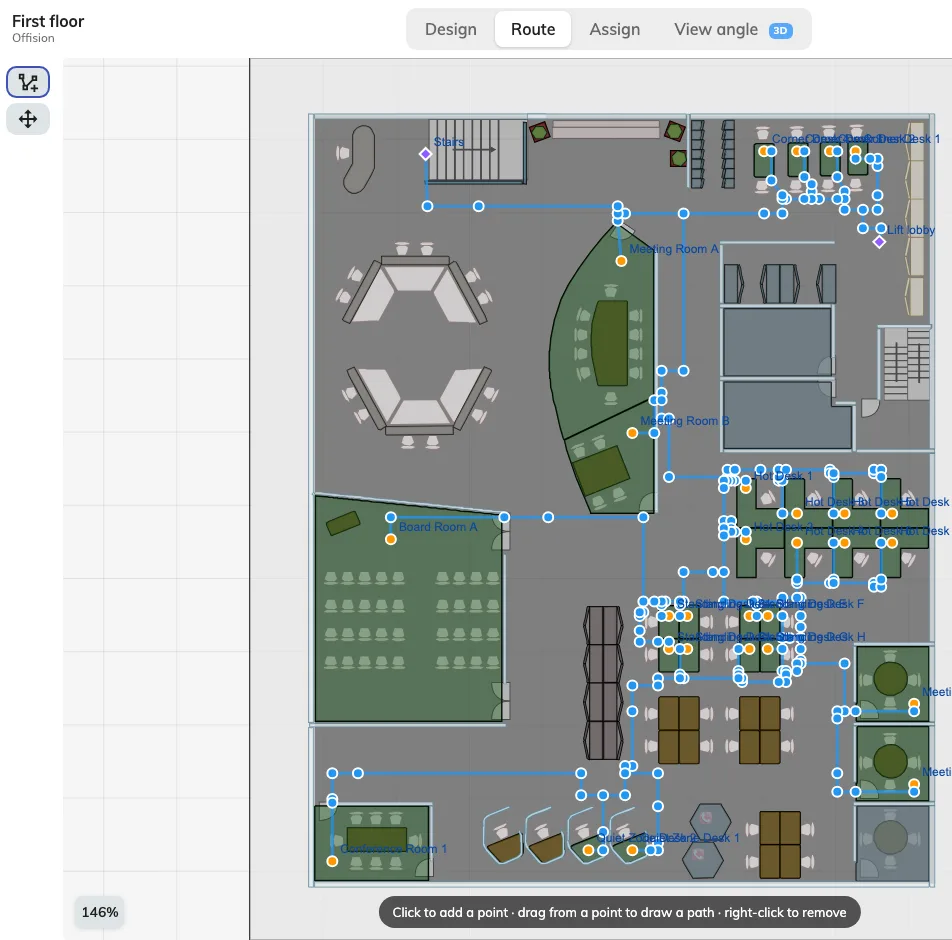
What a drawn network looks like. If Route mode shows nothing like this, there is none.
This and the licence together account for almost every report, and they are easily told apart: the licence chip is on the floor list, the empty network is in Route mode.
The destination is not assigned to an area
CommonRoutes connect assigned resources. A room that has no place on the map has nothing to route to, so directions to it fail while directions to its neighbours work — which reads as an intermittent fault and is not one.
Check the room in Assign mode: a row saying Not yet linked to a map is your answer. See A room or desk does not appear on the map.
The same thing explains a count that looked wrong when you generated: Connected N resources only ever counts assigned ones.
Routes work on a floor but not between floors
CommonA different failure with the same symptom, and worth separating because three of the causes above will not explain it.
A route leaves one floor at a lift or stairs, and those are facilities that must be marked on both floors, with the network reaching them on each. A building whose floors each have a fine network and no lift marked routes perfectly within a floor and refuses to go between them.
Check that every floor involved is licensed, too. One unlicensed floor in the middle breaks every route that would have passed through it.
The commonest version of this is two separate facilities called Stairs, one per floor, instead of one facility with a position on each — which connects nothing. See Connect floors with lifts and stairs.
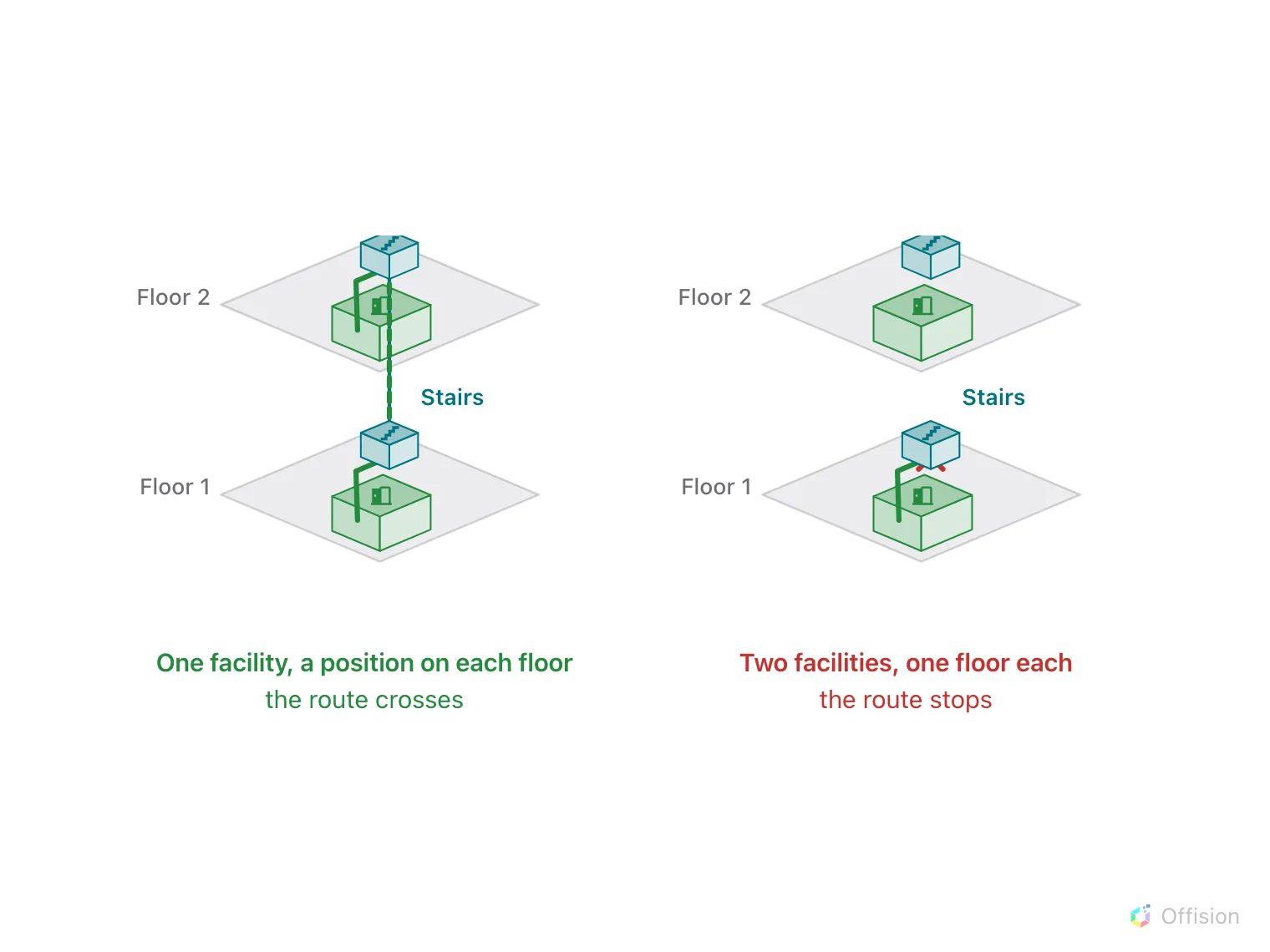
One facility with two positions joins the floors. Two facilities with one each join nothing.