

Map
A map draft could not save
Distinguish unsaved 3D map edits, save failures, and another editor's version conflict. Export your current drawing before reloading and check the published map separately.
The latest edits are still a draft
Most commonDraft means not all changes are saved yet, and Saving means a save is in progress. Finish the drag or placement and wait for Saved before leaving. Edits made during a save trigger another save afterward. Saved does not mean published. Click Update separately to review and publish changes.
The save failed
CommonWhen Could not save appears, keep the 3D designer open and check your connection. Once the connection recovers, make the next edit or click Update again if you are ready to publish. Update saves the draft first and publishes only after the save succeeds. Do not close the designer assuming a failed save recovered on its own.
Before reloading, open File in the header and click Export map to download a .ofp2 copy of the drawing on screen, including unsaved drawing edits. Confirm that the download finished. Exporting backs up the drawing rather than resource assignments. If Exported without some pictures appears, keep the original picture files as well.
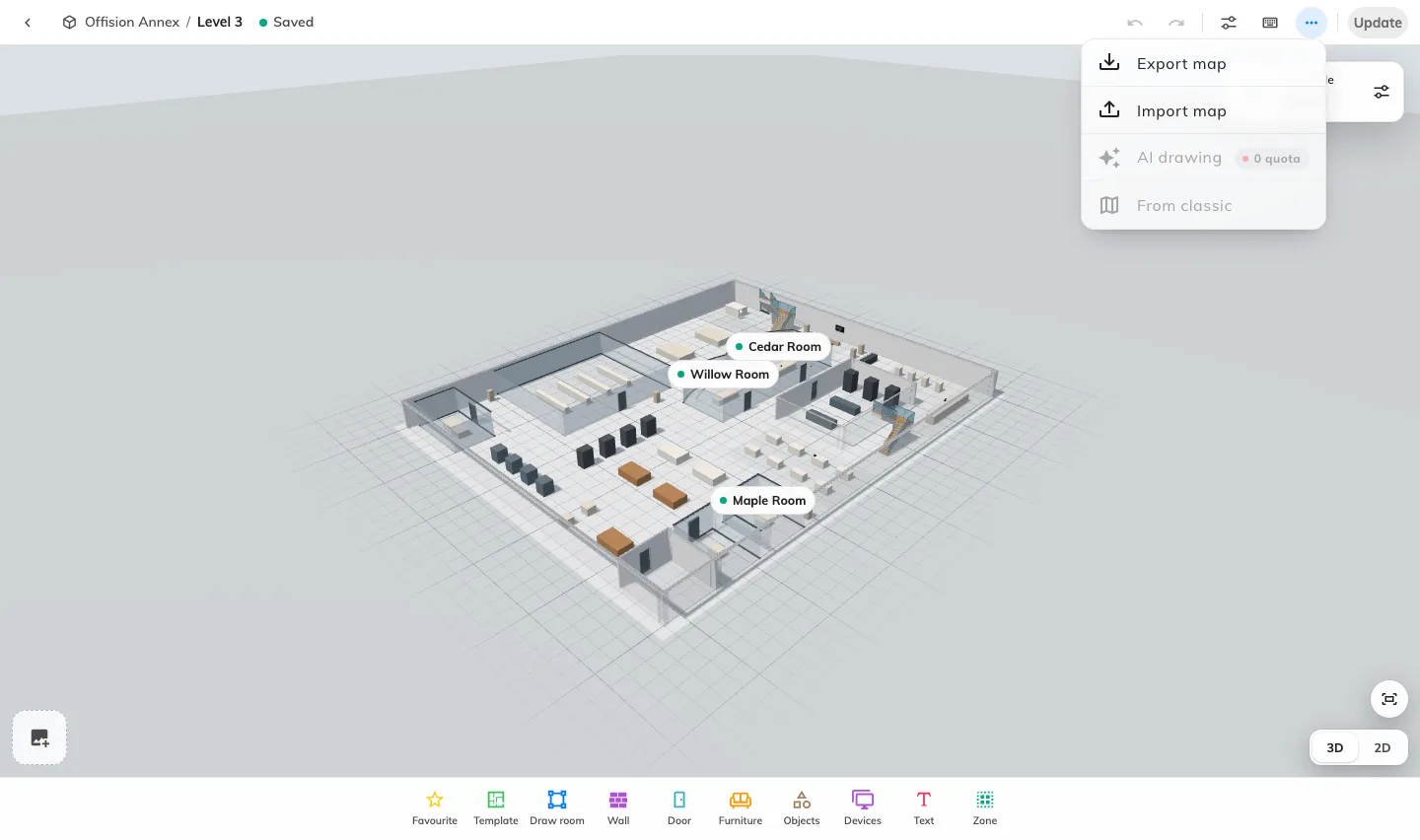
Use the File menu in the 3D designer to export a copy of the drawing before reloading. Export does not publish or back up resource assignments.
Another editor changed the draft
Less commonChanged elsewhere. Reload. means the draft on the server has changed. Autosaving stops to prevent overwriting it, and retrying Update will not clear the conflict. Coordinate with the other editor and export your current drawing before reloading. Reopen the floor to load the saved draft, compare the changes, and reapply the edits you want to keep.
Importing an exported .ofp2 file replaces the current draft rather than merging competing edits. Use Import or export a 3D floor map only after deciding which drawing to keep. Server revisions do not add a restore button in the 3D designer.