

Migration
Move from Classic map to Map 2.0
Import a Classic floor into a Map 2.0 draft, review assignments and geometry, then update. Classic stays stored; this is a migration guide, not a combined editing procedure.
Before moving
Classic map remains available for existing maps. It is not announced as deprecated or scheduled for removal. Keep using Classic instructions if you are maintaining that drawing.
The new-map view is an account-wide choice. Floors with a Map 2.0 scene can use it, while floors without one continue using Classic. Review the effect on other floors before switching the account.
Import and review
- Open the Map 2.0 editor for the same floor. On a floor without a new scene, choose From classic. It is offered only when the floor has a Classic drawing to import.
- Wait for the import. It creates a Map 2.0 draft and carries assignments across; it does not delete the Classic drawing.
- Check the imported walls, doors, scale and room or desk assignments. Review any items the designer flags. Conversion is a starting point, not a guarantee that every shape looks or behaves identically.
- Check walking space using Map 2.0 directions guidance. Classic Route-mode paths are not the Map 2.0 repair procedure.
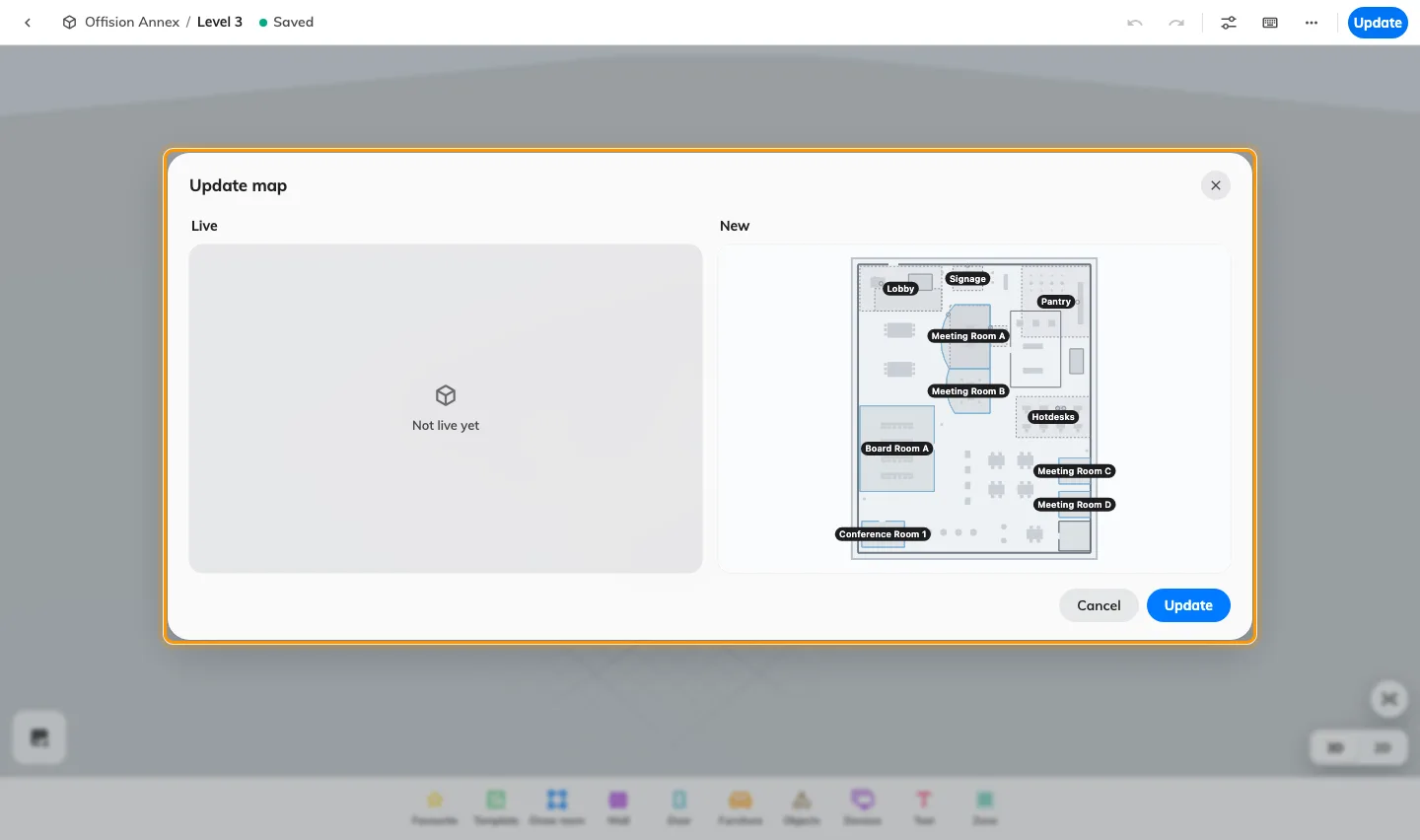
- Follow Review and update to publish the checked draft.
A first Classic import is held until its first update: people keep seeing Classic while you review it. Later edits follow the Map 2.0 draft and Update workflow. The two drawings do not synchronize after import; editing one does not update the other.
If the floor already has a Map 2.0 draft, the initial From classic choice is not offered. Review that draft before taking any replacement action. Do not delete it just to expose the starting choices.
Import a Classic floor into a Map 2.0 draft, review assignments and geometry, then update. Classic stays stored; this is a migration guide, not a combined editing procedure.