

Classic map
How rooms and desks link to the map
A shape on the map and a room in your estate are two different things. What joins them, what the link does and does not carry, and which kinds of thing are placed somewhere else entirely.
A rectangle you drew and a room people book are not the same object, and keeping them apart is deliberate. Assign mode is where you say which is which.
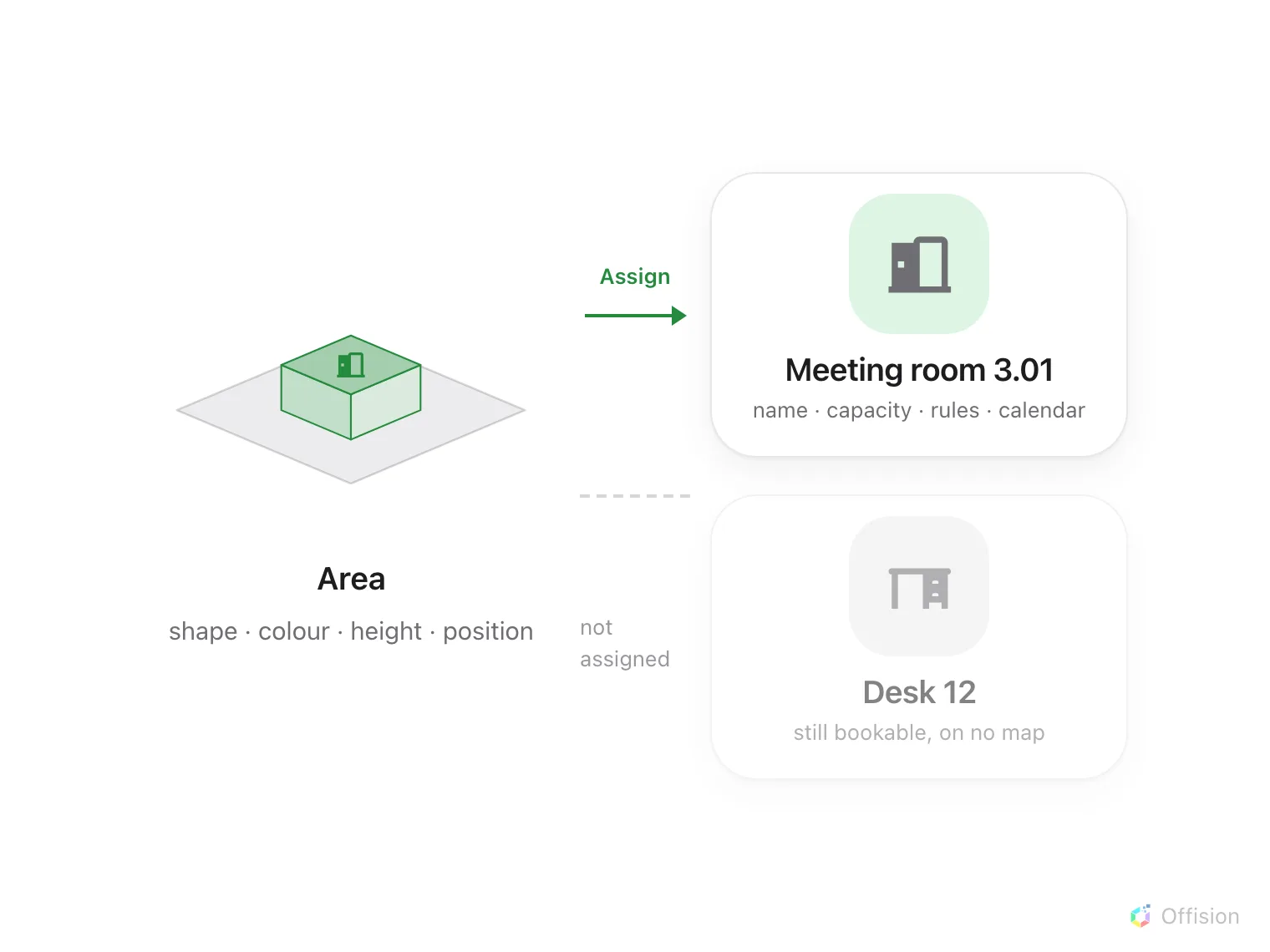
An area and a resource are two objects. Assign is the one link between them.
Two things, one link
An area is a shape on a floor: a size, a colour, a height and a position. It knows nothing about bookings.
A resource is something in your estate — a meeting room, a desk, a piece of equipment, a parking space. It has a name, a capacity, rules about who may book it, and a calendar. It knows nothing about where it is.
Assigning joins the two, and that link is the only thing that puts a bookable thing on a map.
Why they are separate
Because a floor gets redrawn and a room does not. Rebuild the whole plan, move every wall, change the shape of the room — the bookings, the rules and the history all stay where they are, because they never belonged to the drawing.
It also runs the other way. A room can exist with no place on any map. It is still bookable; it simply cannot be found by pointing at it.
The list tells you which is which
In Assign mode the panel lists your resources, grouped by floor and building, with the floor you are editing marked This floor. Each row says whether it has a home:
- Linked to a map location — this resource is on a map.
- Not yet linked to a map — it exists and is bookable, but no map shows it.
That second state is not an error, and on a big estate it is normal for a while. It is only a problem when somebody expects to find the room by looking.
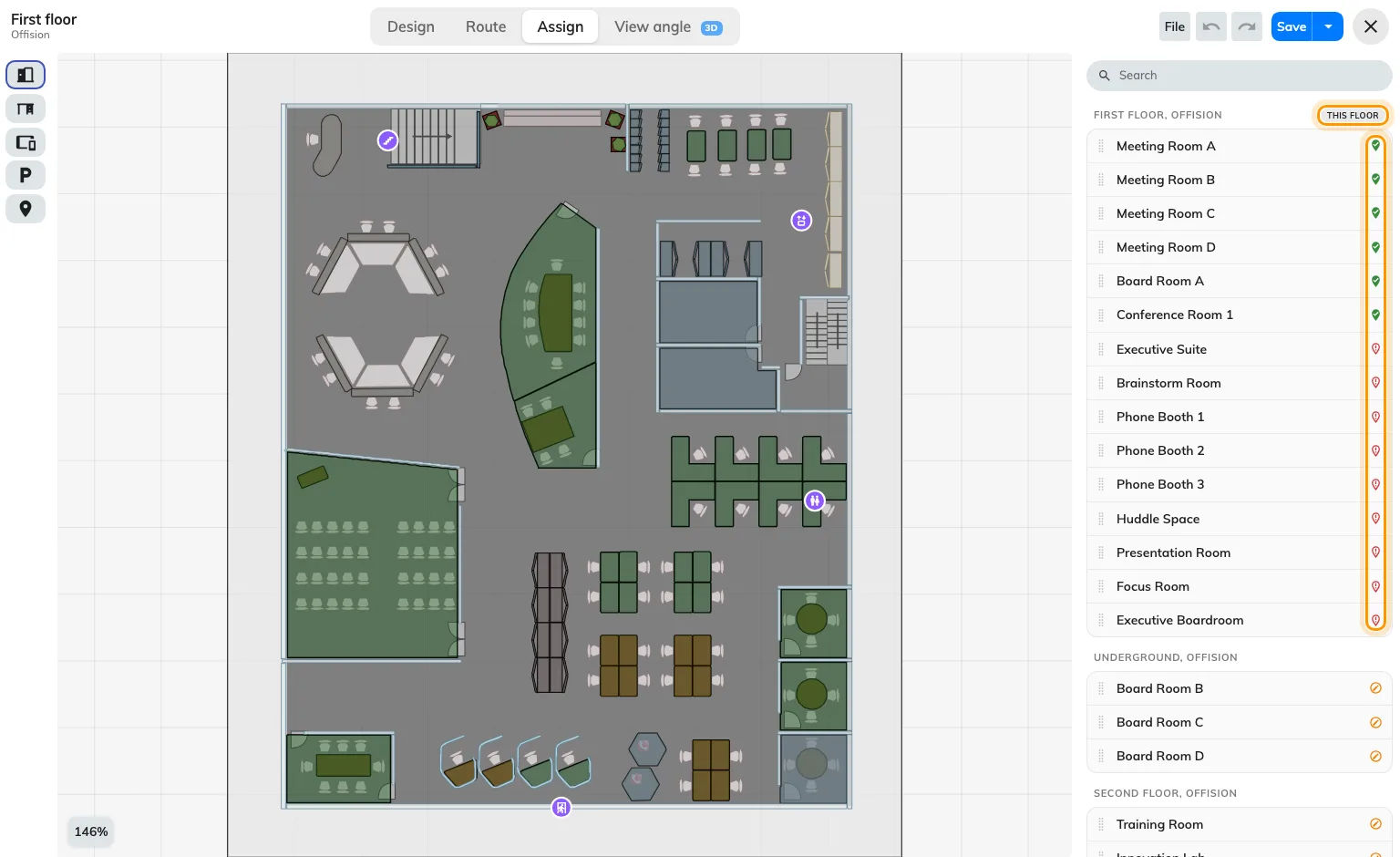
This floor, and each row's marker: linked to a map location, or not yet linked.
One area, one resource
An area carries at most one resource, and a resource sits in at most one place. Assigning a resource that is already somewhere else moves it — it does not appear twice.
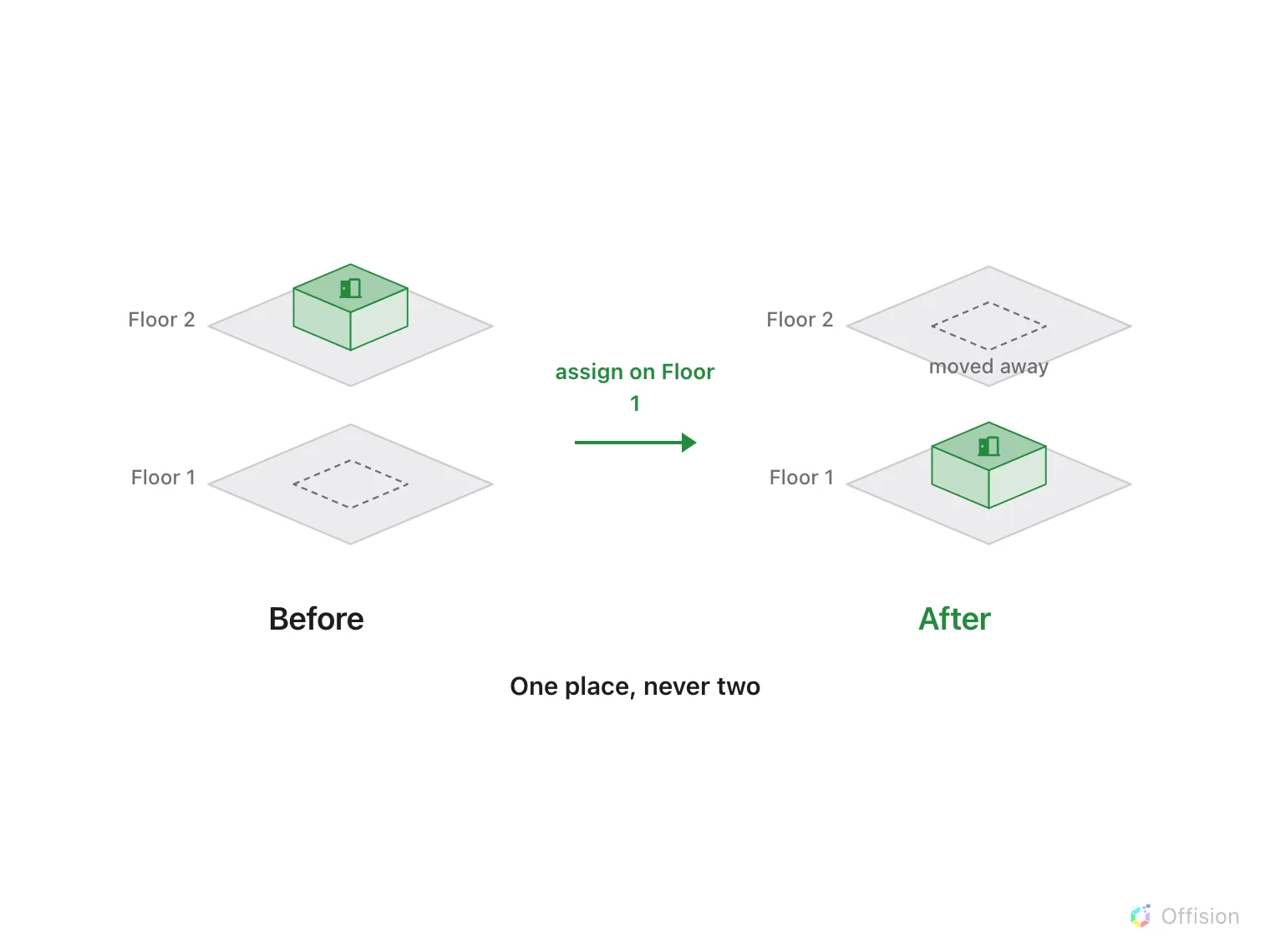
Assigning a resource somewhere else moves it. It never appears twice.
Two rooms that were knocked into one are therefore two areas or one, never one area with two names. And a resource that genuinely spans two places — a corridor of parking bays — is that many resources.
What the link does not carry
- Bookability. Assigning a room does not make it bookable, and unassigning it does not stop it. That is the resource’s own settings.
- Permissions. Who may book it, and who may even see it, is decided on the resource. A map never widens or narrows that; people simply do not see what they could not see anyway.
- The name on screen. What a map draws over an area is the resource’s name, not the area’s. The area’s own name is for you, in the editor.
- Colour. The area’s colour is its own. Availability colouring — free, busy, occupied — is applied over it by whatever surface is drawing the map.
What is not assigned here
Assign mode covers rooms, desks, equipment, parking spaces and facilities. Everything else that has a place on a floor is put there from its own form, each with its own map dialog:
- Lockers, from the locker’s settings.
- Sensors and IoT devices, from the device.
- Panels and signage screens, from the player.
They all draw on the same map. They are simply not placed from this screen.
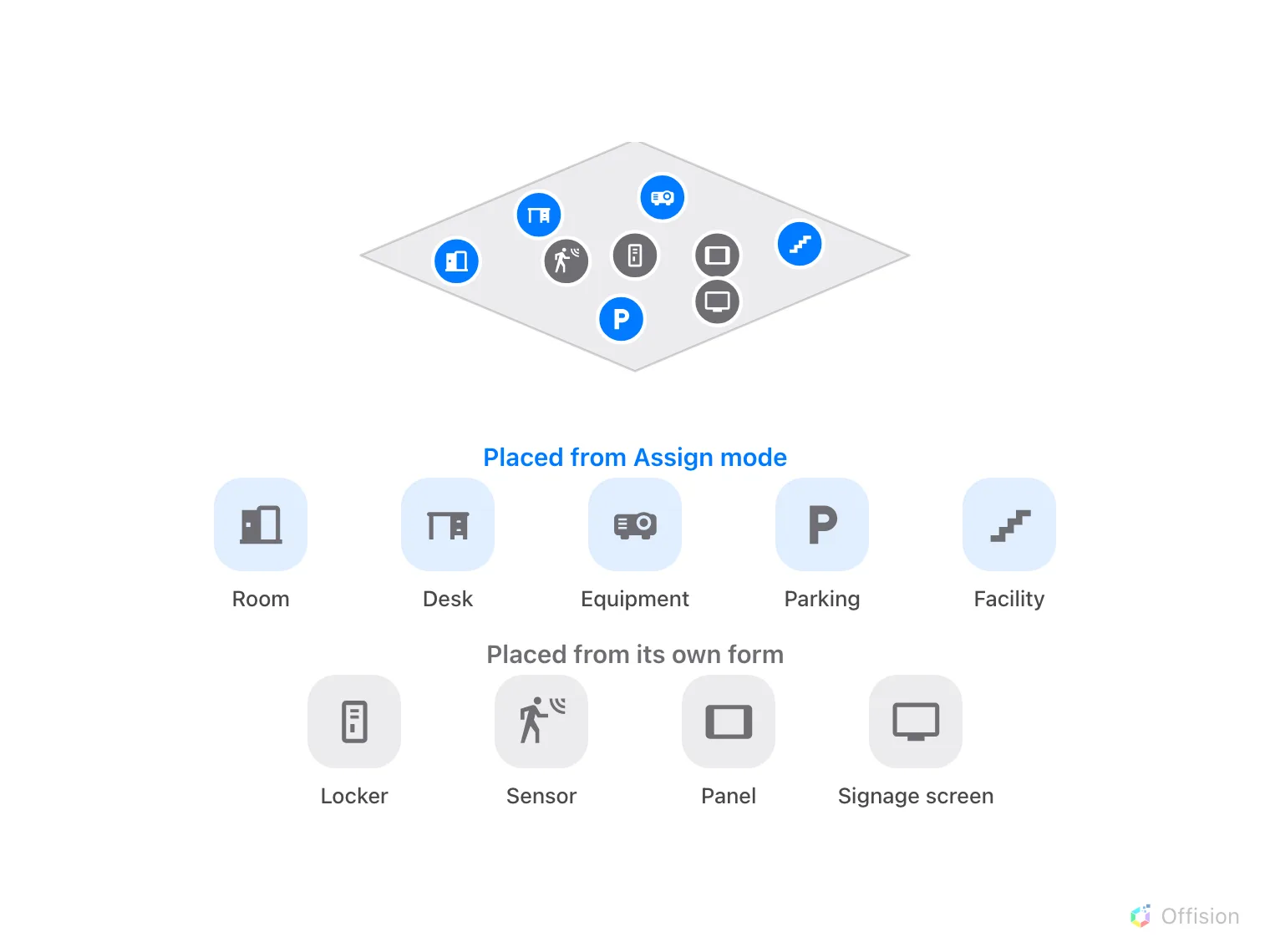
Same map, two doors in: Assign mode for the bookable things and facilities, each device's own form for the rest.