

Classic map
Work in the map editor was not saved
An afternoon of drawing that is not on the floor any more, or a map that has gone back to how it was. Five causes, and the two recovery prompts most people dismiss without reading them.
The editor was closed on the warning
Most commonClosing with unsaved work asks first — “The map is not yet saved. Are you sure to close?” — and it is easy to dismiss at the end of a long session, when the close button was what you were reaching for anyway.
There is a second chance, which is the reason to read on rather than start again. Reopen the same floor. If the editor finds work from a session that ended without saving, it offers it back: “Unsaved floor plan changes were found from an interrupted editing session. Recover them?” Accept, check the floor is as you left it, and press Save straight away.
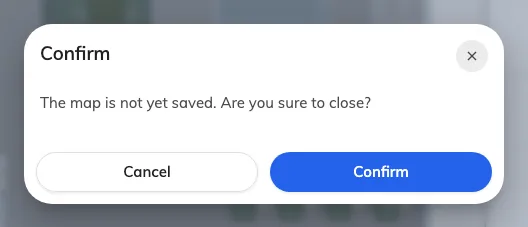
The warning on closing. Cancel, then Save.
That offer lives in the browser you were working in. It will not appear on another machine, in another browser, or after browsing data has been cleared.
Open MapSomebody else saved the floor while you had it open
CommonA floor carries a version, and a save based on an older one is refused rather than silently applied — “The floor plan was modified by someone else. Reload the editor before saving.” Without that, whoever saved second would erase the first person’s afternoon and neither would know.
Your work is still in front of you; theirs is on the server. There is no merge, so decide which to keep:
- To keep yours — File → Export Map (.ofp) first, then reopen the floor to pick up their version and import your file over it.
- To keep theirs — close without saving and start from what is on the floor now.
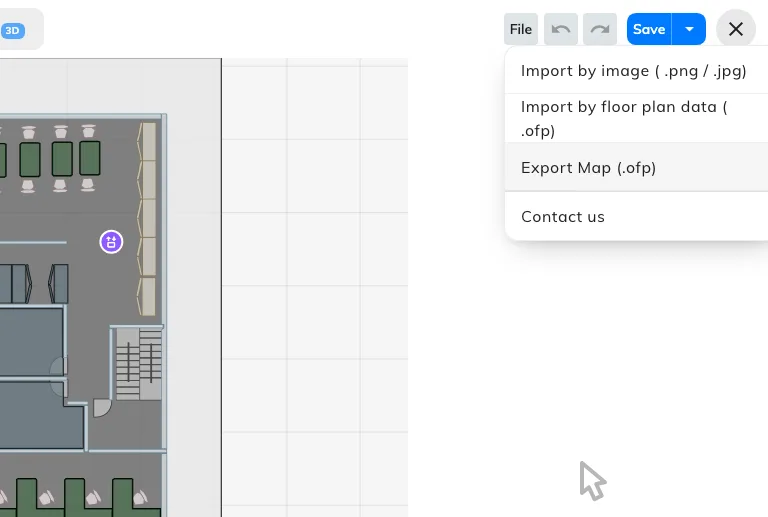
File: Export keeps a copy of yours; either import replaces the whole map.
Better avoided than resolved: a floor is one drawing, and two people editing it at once always end here.
The recovered copy was offered and then refused
Less commonA variant of the first two, and the one that surprises people, because it throws work away by asking a question that sounds routine.
When you reopen a floor, the editor compares the interrupted session it saved locally against the version now on the server. If somebody else has saved in the meantime, your copy cannot be merged onto theirs, so instead of offering to recover it the editor offers to discard it — “The floor plan changed on the server, so its older recovery copy cannot be restored safely. Discard the outdated recovery copy?”
Answer no and the local copy is kept, so you can come back to it. Answer yes and it is deleted. Either way the editor opens on the server’s version, not yours.
If you still need what was in that session and have not discarded it, the way back is to open the floor on the same machine and browser, decline the discard, and take a copy of anything you need before saving over it.
An import replaced the whole map
Less commonImport by image and Import by floor plan data both replace the entire drawing, and both say so first — “Current map import will overwrite the existing map”.
If the import has not been saved, Undo steps back past it. If it has been saved, the previous drawing is gone unless somebody exported it.
To change only the picture behind the drawing, the control is Update floor image in the tool rail. That one keeps everything drawn on top of it.
The work went onto a different floor
Less commonThe floor list reopens on whichever floor you last looked at, so it is possible to spend an hour on Second floor believing you are on First.
The editor’s header carries both the floor and the building — First floor / Offision. That is the thing to check before drawing rather than after.
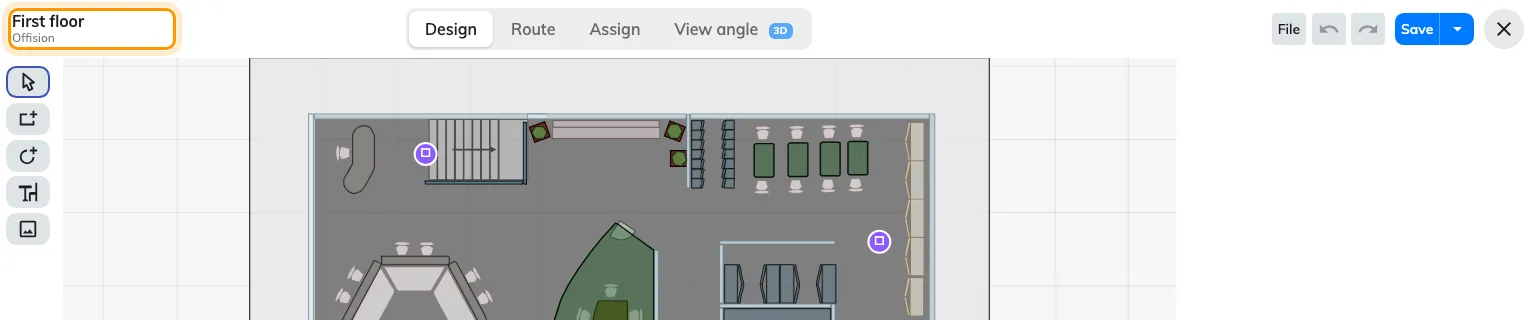
Floor and building, in the header. Read it before drawing.
If this is what happened, nothing is lost; the work is on the other floor.