

Both maps
Put a QR start point in the lobby
A printed sticker bound to one spot on one floor. Somebody scans it, the map knows where they are standing, and directions can start from there. About five minutes.
Directions need two ends. The room is the easy one. This is the other: a fixed point in the building that a phone can be told about by pointing a camera at it.
The scanned page can display Classic or Map 2.0, according to the floor’s active map family. Check the starting position after a map-family change. Classic routes use the drawn network; Map 2.0 uses the scene’s walkable space and openings. Test the actual printed code on the intended floor before putting it up.
1. Create the key
Open Location access key under Map and add one.
Open Location access key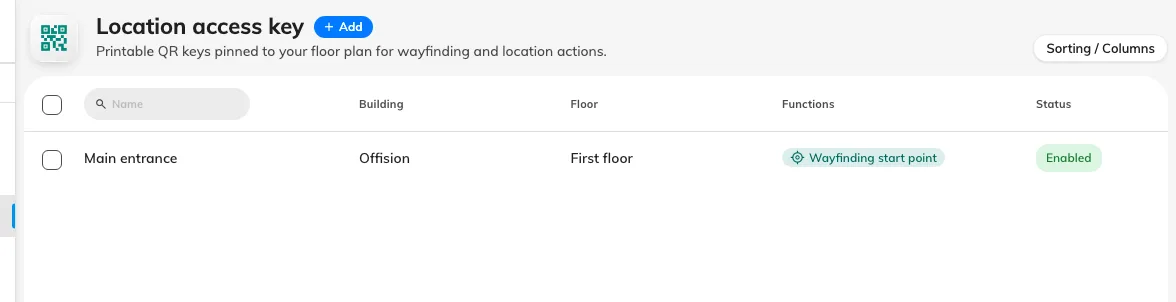
One row per printed sticker.
Name it for the physical place the sticker will be stuck — Main entrance, Lift lobby, level 3. That name is what you will match against a sticker on a wall in two years’ time, and it is the only way to tell two keys apart once they are printed.
2. Bind it to a spot
A key belongs to a building and a floor, and can additionally be pinned to a coordinate on that floor’s map.
The coordinate is what makes it worth doing. Without one, a scan places the person on the floor in general; with one, it places them at the door, and the route starts from where they are actually standing. Pin it wherever the sticker will physically go.
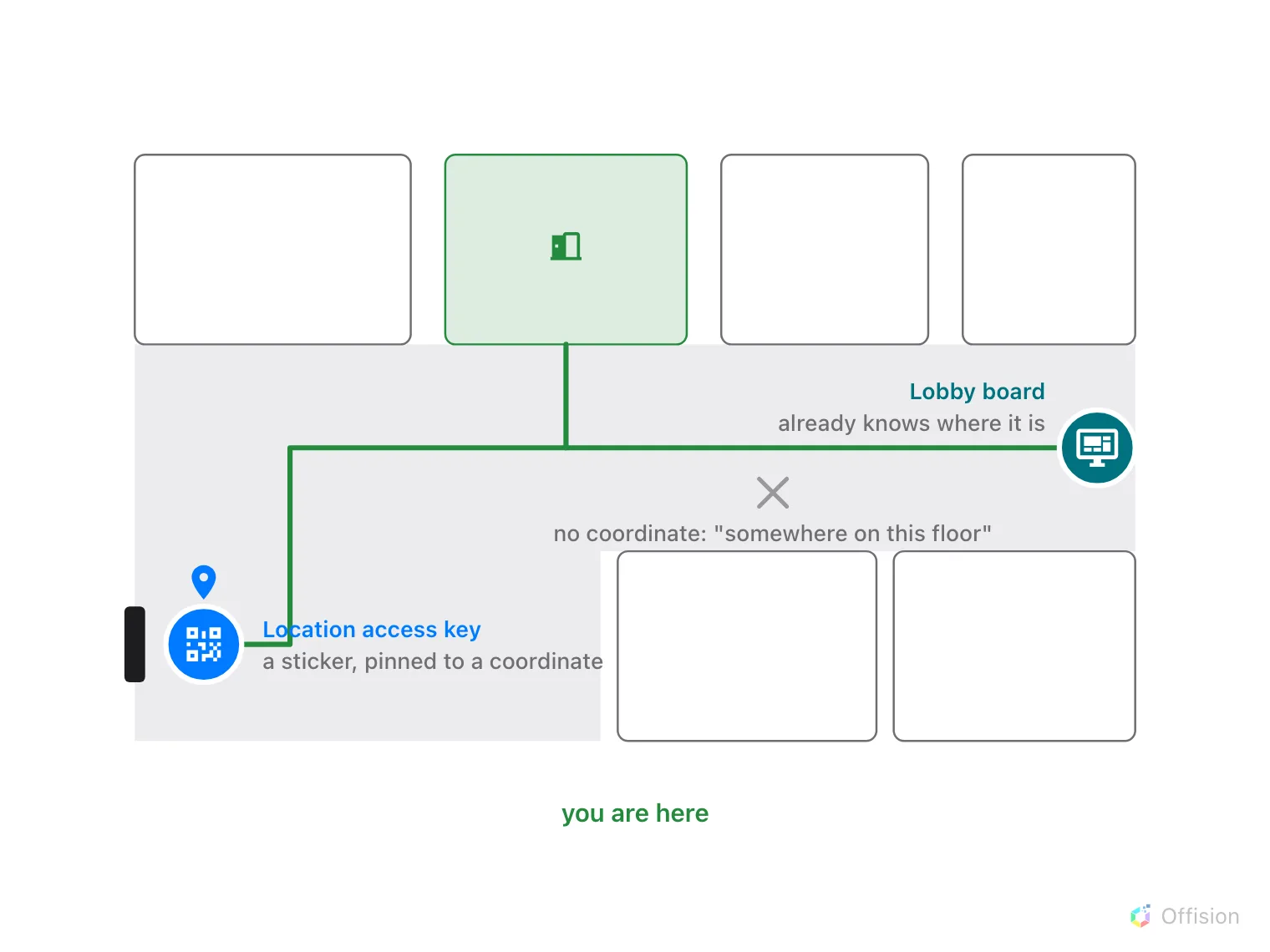
Pinned to a coordinate, the route starts at the sticker. Without one, it starts somewhere on this floor.
3. Leave it enabled
A key can be turned off without being deleted, which is what you want when a sticker is coming down for a refurbishment — the printed code stays valid for when it goes back up.
4. Print it and put it up
The code behind a key is permanent and generated by Offision; it is never something you choose. That is deliberate, because it is going onto something physical: it has to keep working long after whoever created it has forgotten it.
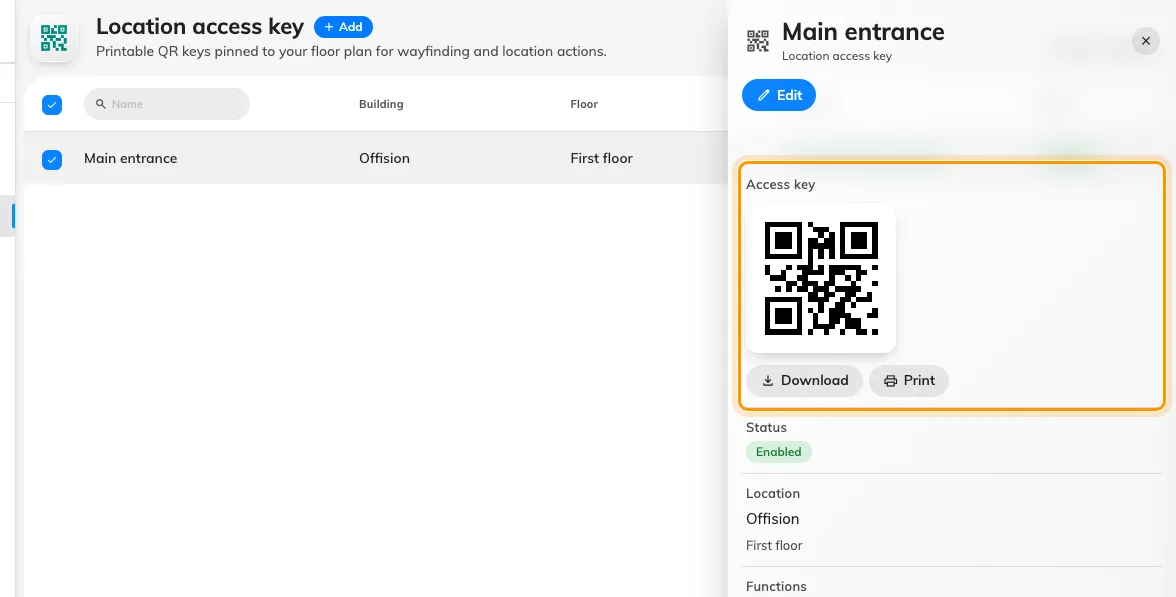
The code is generated by Offision. Download or print it from the key.
Put the sticker where somebody standing lost would look — beside the door, by the lifts, at the top of the stairs — and at a height a phone can reach comfortably.
5. Check it worked
Scan it with a phone that is not signed in, which is the case that matters: most people scanning a lobby QR are visitors. The floor opens with “you are here” on the spot you pinned, and the only thing in front of them is a search field.
Pick a room: the map flies to that room’s own floor and a card names it, with one button — Take me there. Tap it, and the first step should read Start here at your sticker rather than somewhere in the middle of the floor. The whole sequence is What a visitor sees after they scan.
What this does not control
- Who may see what. A scan opens the map; it does not sign anybody in or grant them anything.
- Where the route goes. Classic uses the network drawn in Route mode; Map 2.0 uses walkable scene space. A key provides the starting context.
- Screens. A lobby board already knows where it is, so it needs no key. This is for walls, not for hardware.