

Classic map
How wayfinding finds a path
Routes are a network of points and paths drawn over the floor, separate from the plan itself. What connects to what, how a route crosses floors, and the per-floor licence that decides whether any of it runs.
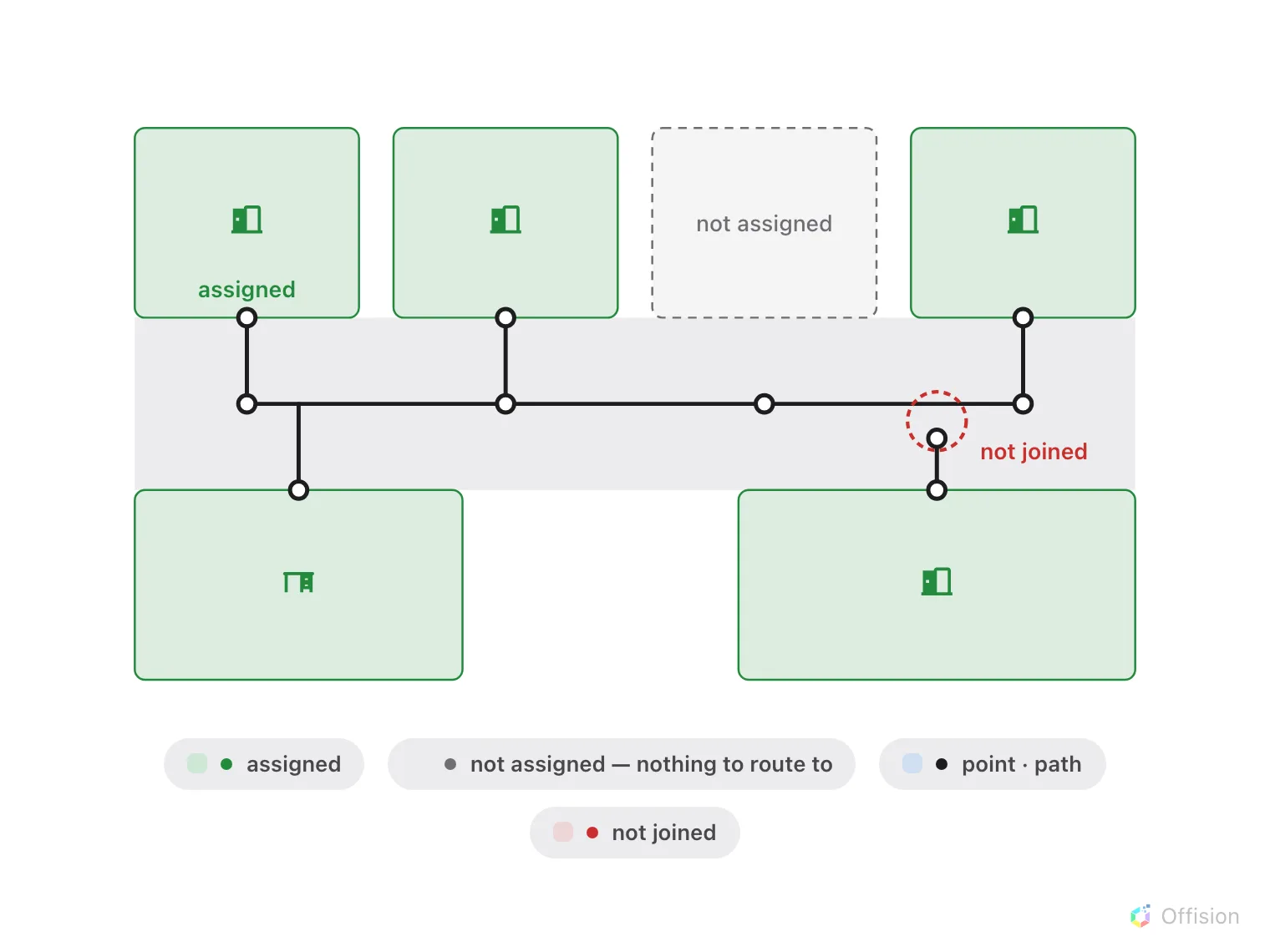
A route exists only along joined points. Nearly touching is not joined, and an unassigned room is not on the network.
A map shows somebody where a room is. Wayfinding tells them how to walk there, and that is a different problem — a picture of a floor says nothing about which gaps between the walls a person can actually get through.
Routes are a second drawing
Route mode draws a network over the plan: points, and paths joining them. It is drawn on the same floor, it is saved with the same map, and it is otherwise independent of the shapes. Moving a wall does not move a path.
That independence is why a floor can look perfect and give no directions at all: the plan is done and the network was never drawn.
A route exists only along the network
Wayfinding does not find its way across open floor. It walks the paths you drew, so a route between two rooms exists only if their points are joined by an unbroken chain.
Two consequences worth knowing before you draw:
- A path that nearly touches another is not joined to it. Points connect; proximity does not.
- A resource joins the network by being assigned. A room with no place on the map has nothing to route to, however complete the corridors are.
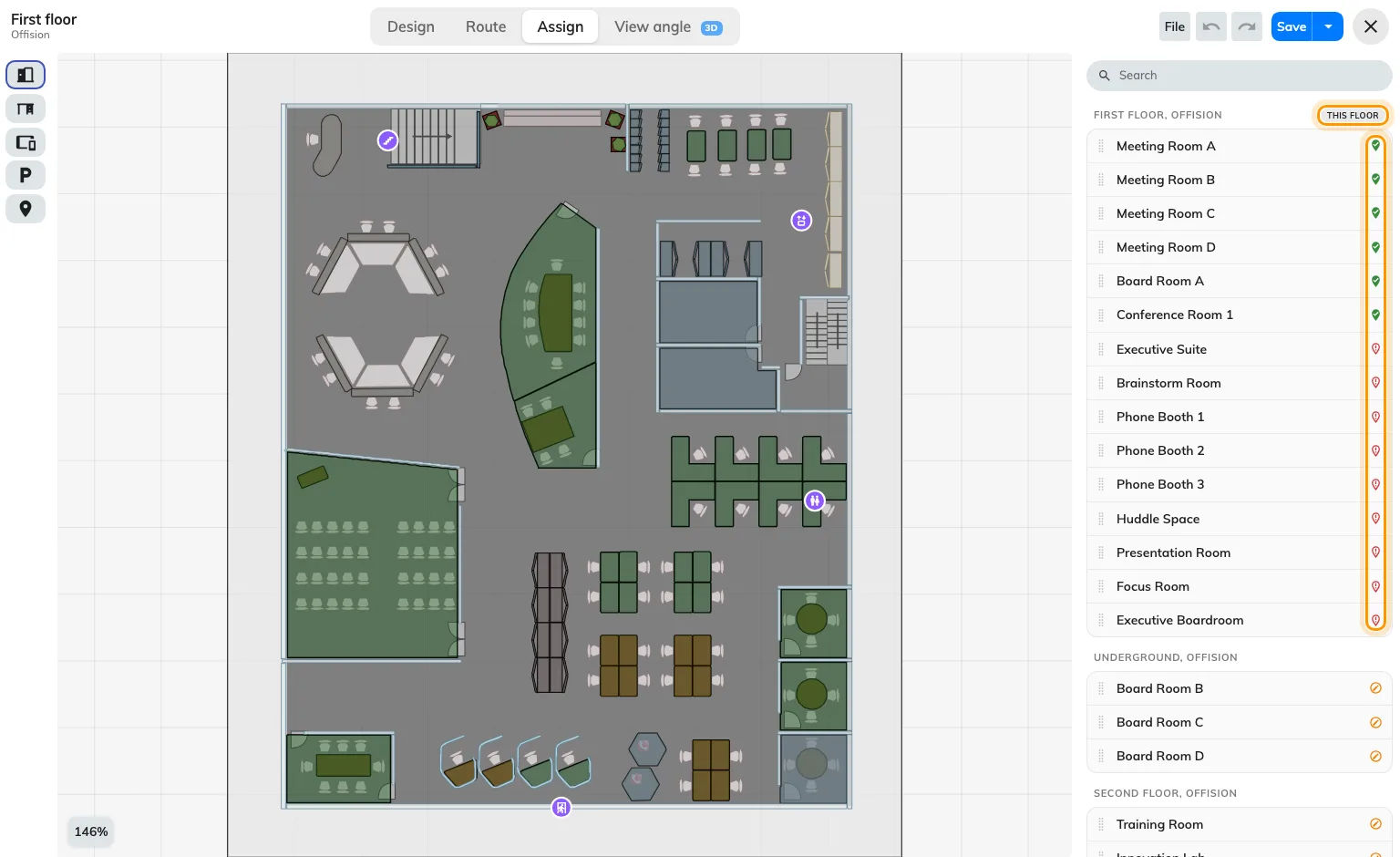
The assign panel: a badge marks what already has a place on this floor, and a status icon each resource.
Crossing floors
A route from the lobby to a room upstairs is two floors’ networks joined at the place people actually change floor — a lift or stairs. Those are facilities, marked on both floors, and marking them is what lets a route leave one floor and arrive on the next.
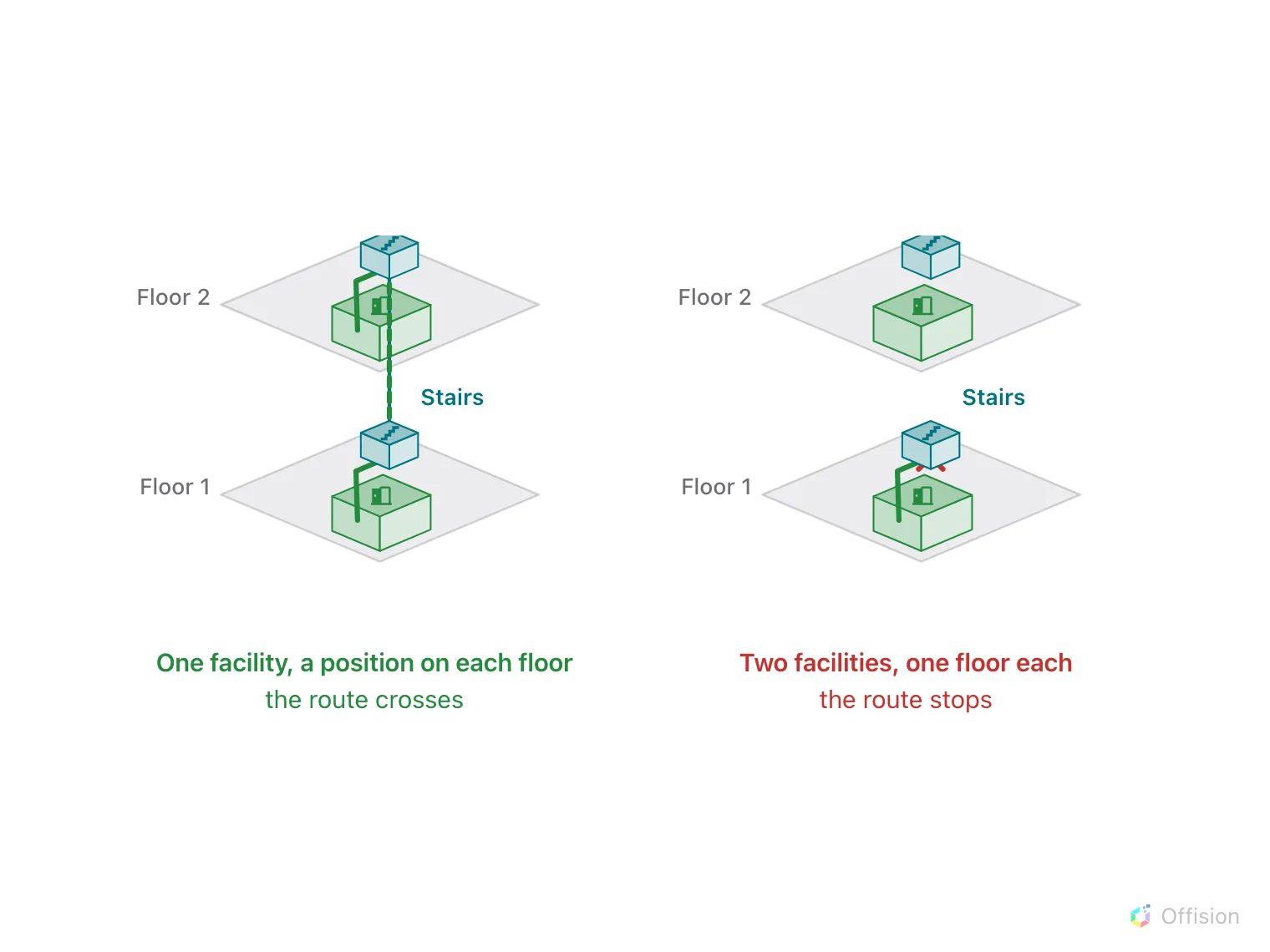
A route changes floor only where one facility has a position on both floors.
A building whose floors each have a perfect network and no lift marked will route beautifully within a floor and refuse to go between them. There is more to that join than marking it — see Connect floors with lifts and stairs.
Where a route starts
Somebody asking for directions has to be somewhere. That “you are here” comes from whichever of these applies:
- A location access key — a printed QR sticker bound to a spot on a floor. Scanning it says where the person is standing. See Put a QR start point in the lobby.
- A screen that knows where it is — a lobby board or a signage screen has a place on the floor, so a route from it starts at the screen.
Either way the person ends up on their own phone, walking the route a step at a time — see What a visitor sees after they scan.
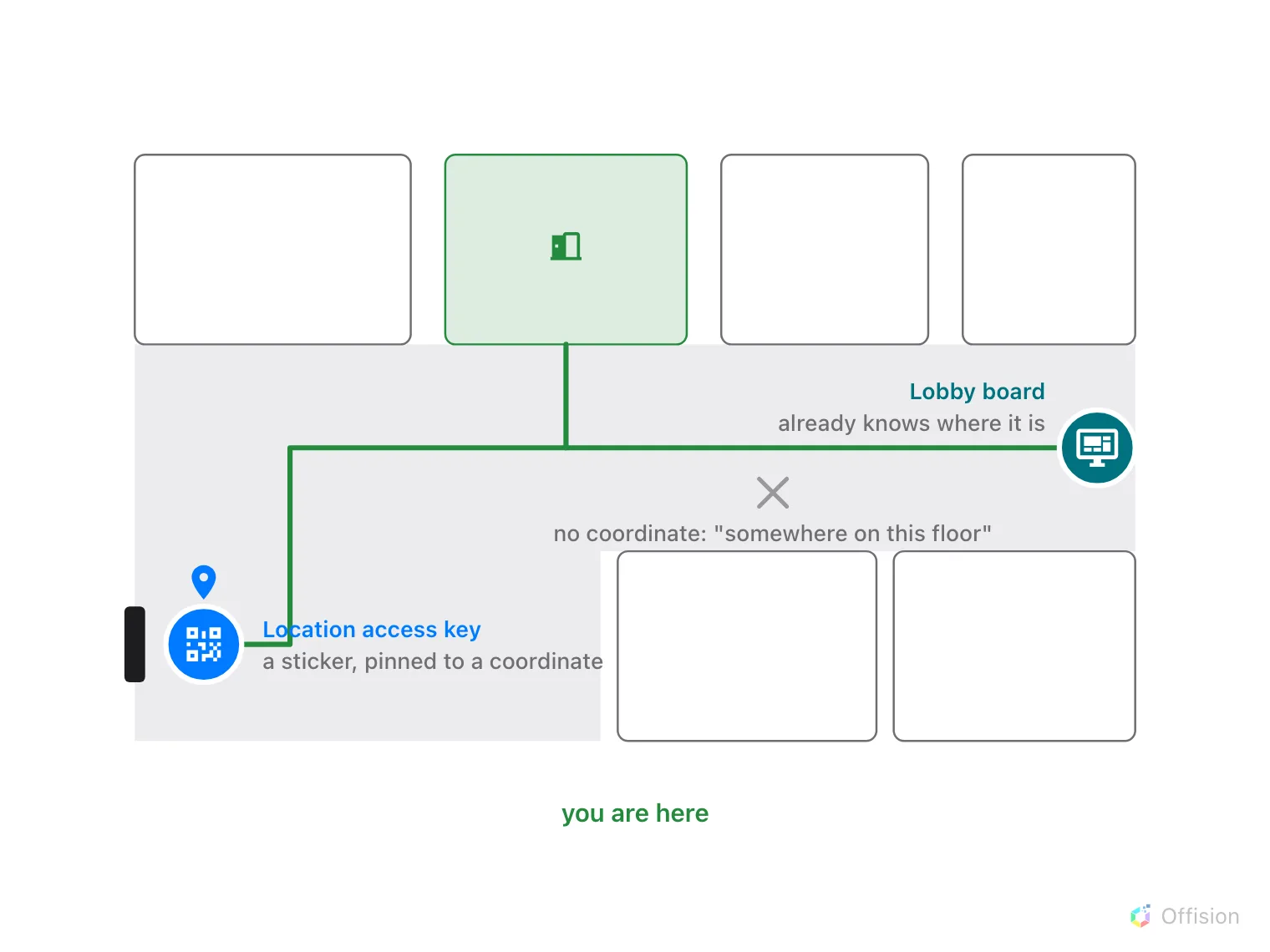
You are here comes from a pinned sticker or a screen that knows its spot. Without either, it is just somewhere on this floor.
The licence is per floor, and it gates running, not drawing
Wayfinding is licensed one floor at a time. The editor says so plainly when a floor has no licence: “Routes you draw here are still saved. Wayfinding will not run on this floor until a license is assigned to it.”
Read that carefully, because it is the opposite of what people assume. You can draw and save the whole network on an unlicensed floor and lose nothing. What does not happen is anybody getting directions on it.
The floor list shows the state per floor, and the chip there both reports it and opens the dialog that changes it.
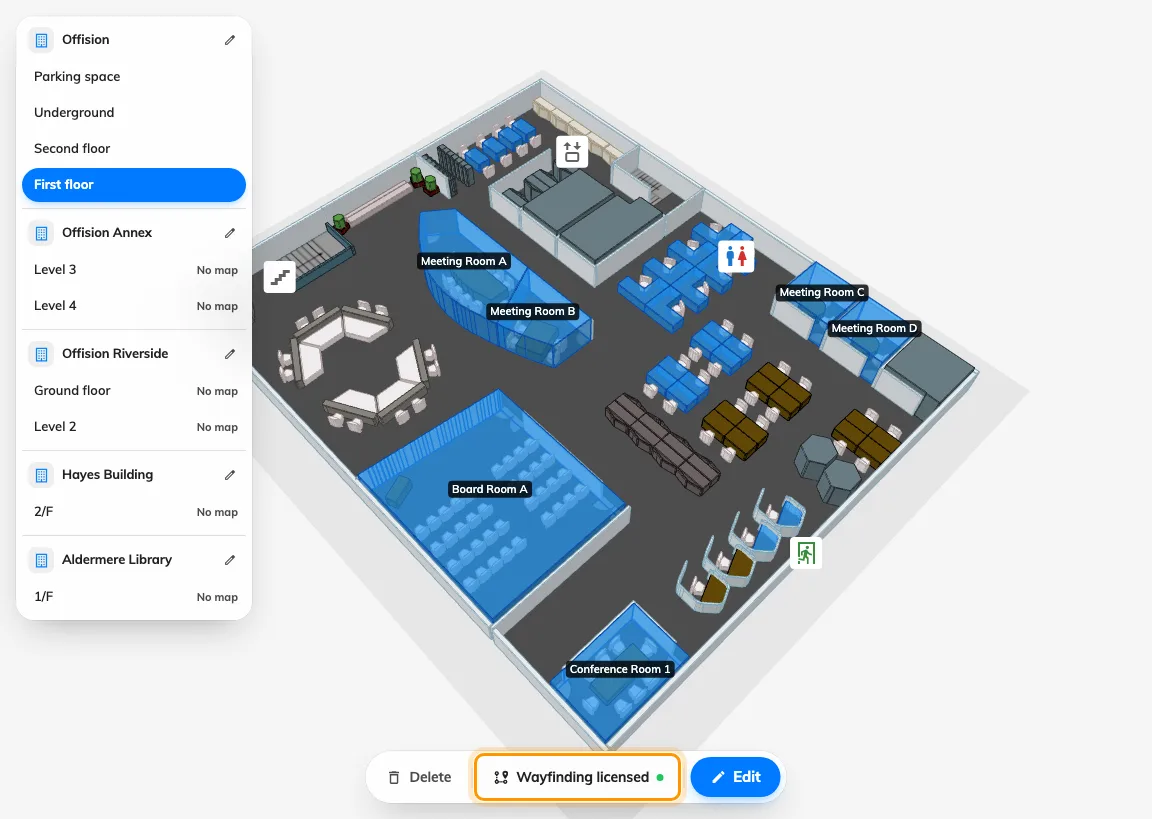
The chip reports the floor's licence and opens the dialog that changes it.
What it does not do
- It does not avoid people, doors or lifts that are out of service. The network is a drawing, not a live model of the building.
- It does not know your building’s rules. A path through a secure area is a path unless you decline to draw it.
- It does not update itself when the floor changes. Redraw the walls and the old paths stay exactly where they were, quietly routing people through them.