

Both maps
Map 2.0 or Classic map?
Recognize which map editor you are using before choosing instructions.
If you are editing an existing floor, identify the editor from these controls. Software version alone does not identify the map: a floor can have both map types.
Map 2.0
For a new map, use Map 2.0. Its editor shows a draft status and an Update button. Draft changes and the live map are separate.
A Saved status means the draft has been saved; use Update to review and publish it. A never-published floor can already show its draft when the new map is enabled; a first Classic import is held until its first update.
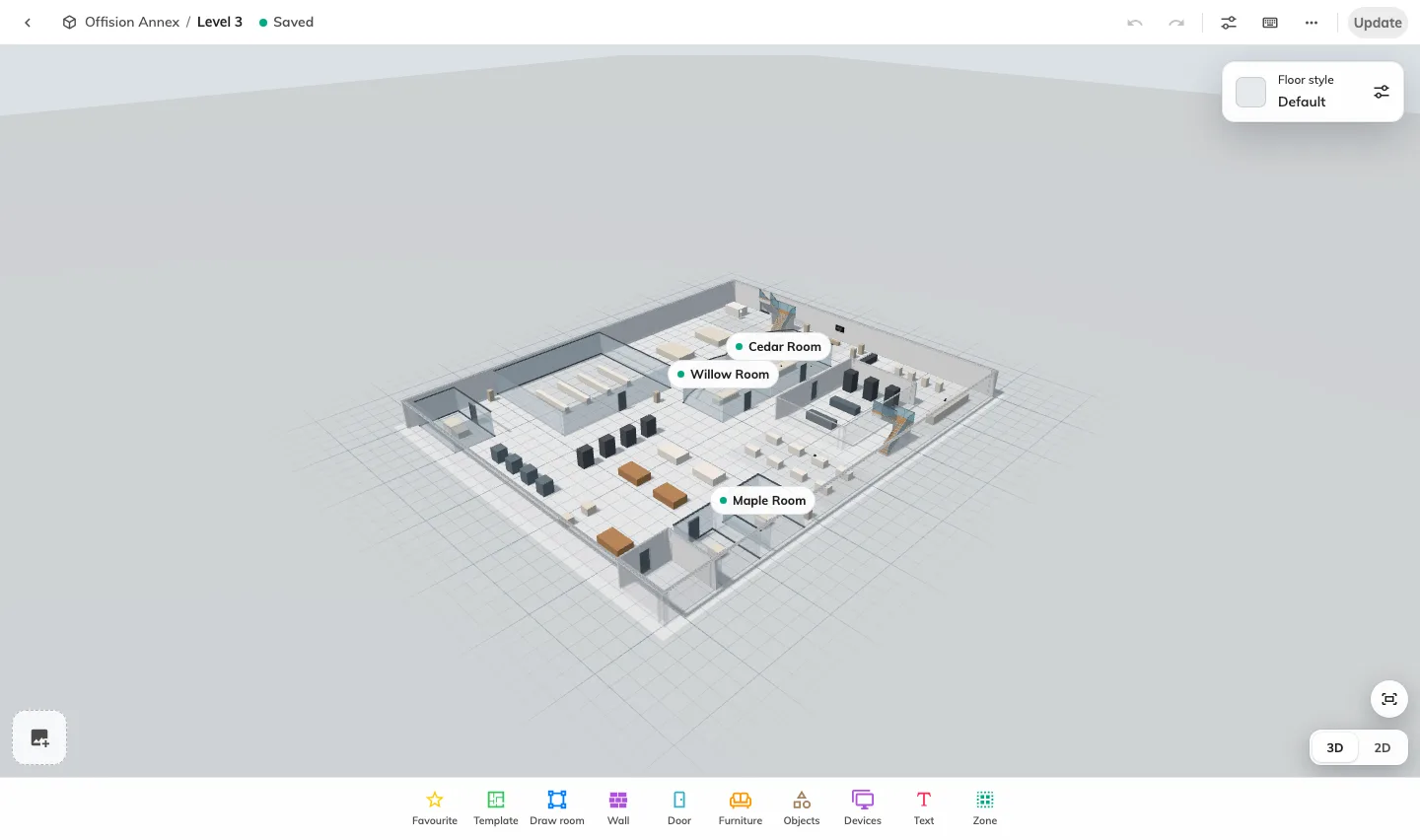
Map 2.0 editor, with the draft status and Update button.
Display settings stay beside the map in the same editor.
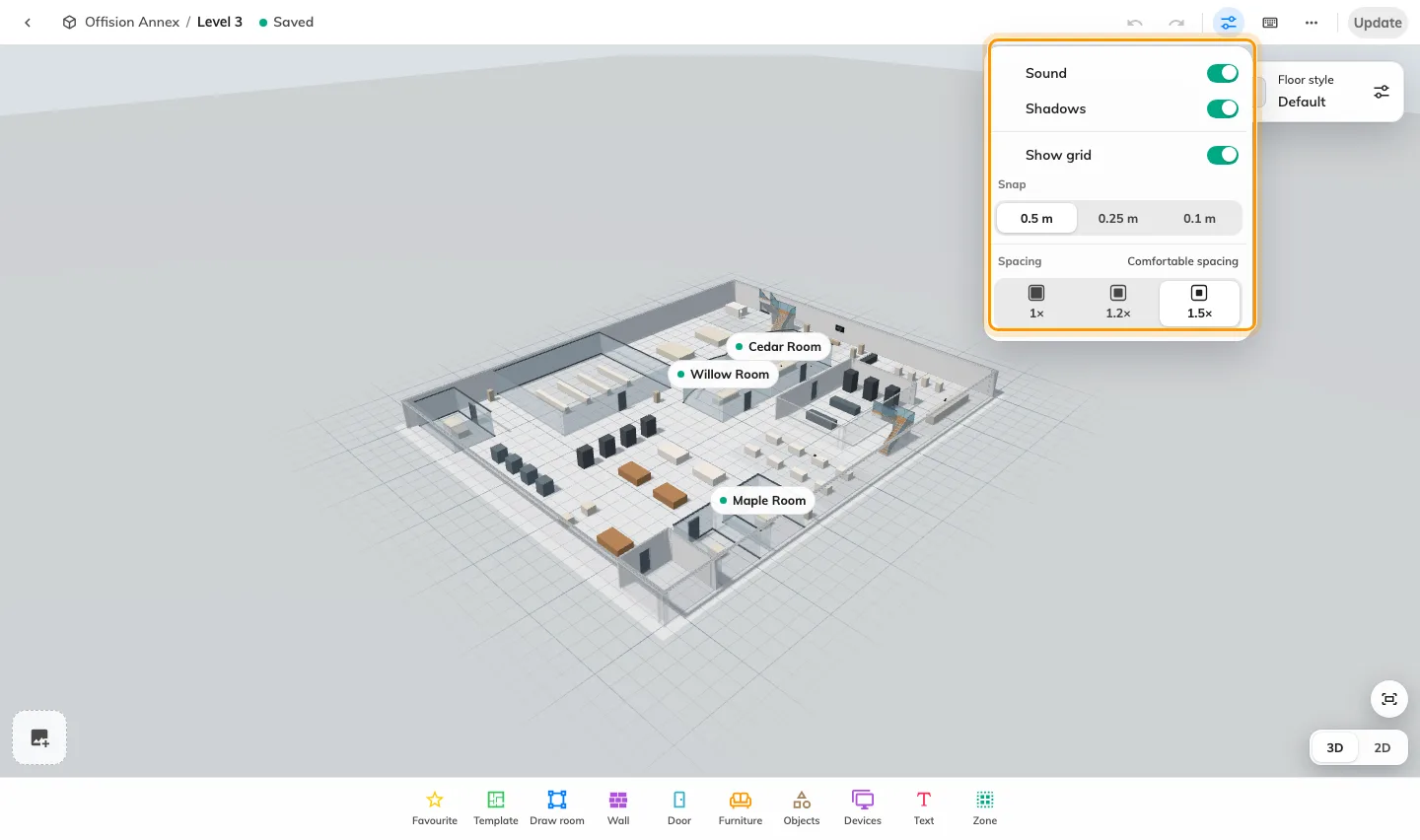
Map 2.0 display settings.
Update opens a review of the live map and the new draft before publication. This example is a first update, so the live side has no map yet.
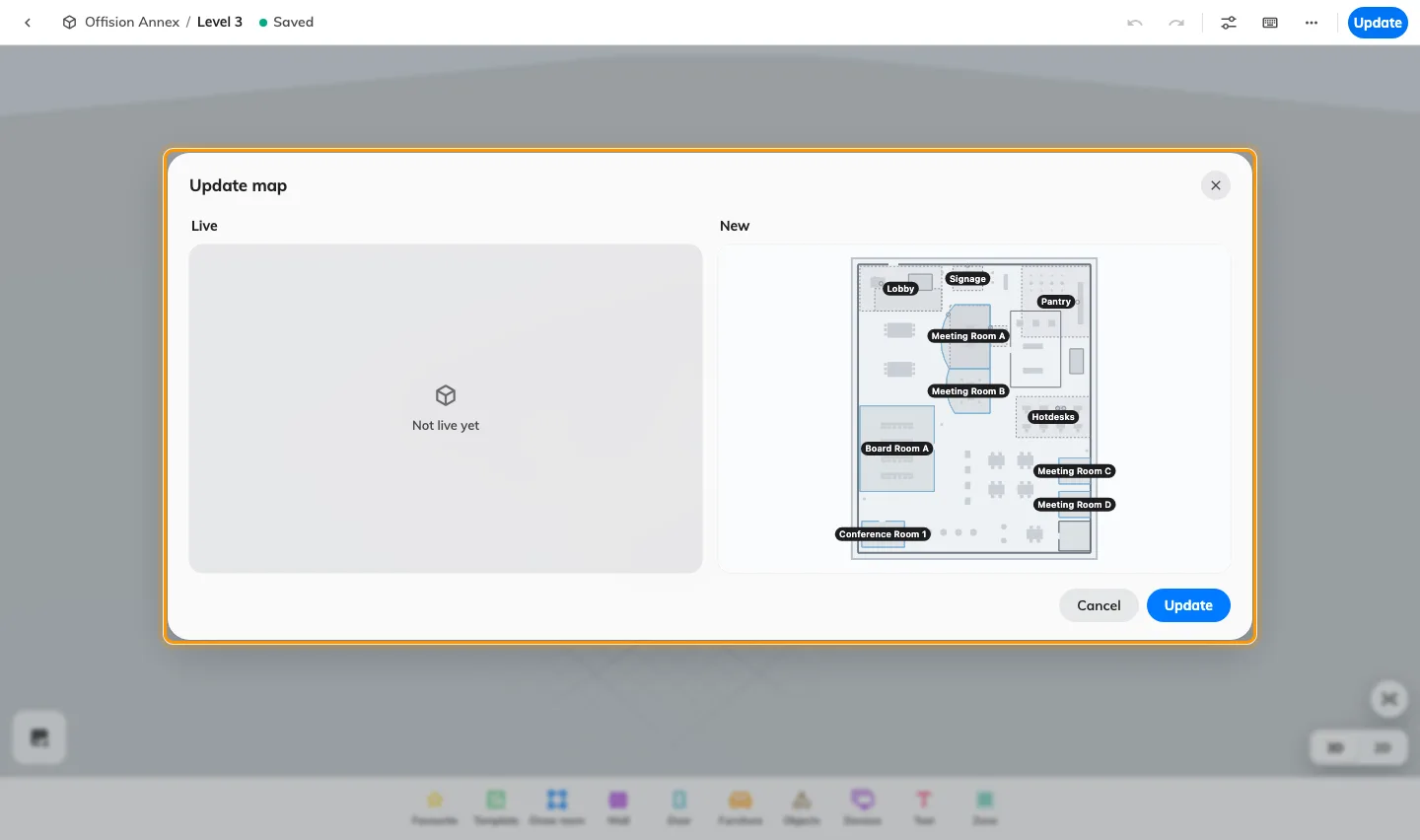
Review the live map and the new draft before updating.
Classic map
Classic instructions apply to the editor with Design, Route and Assign modes and a Save action. See Create a map for a floor.