

Classic map
A room or desk does not appear on the map
Somebody is looking at the floor plan and the room they want is not on it. Five causes, in the order worth checking, and the one that looks like a bug and is a view filter.
It was never assigned to an area
Most commonBy far the usual answer, and it is visible without opening the editor. Open the floor, switch to Assign, and find the resource in the list: a row that has no place says Not yet linked to a map.
This is what a half-finished floor looks like — the rooms were assigned and the desks were not, because the type rail was never switched to desks. Assign it and save. See Assign rooms and desks to the map.
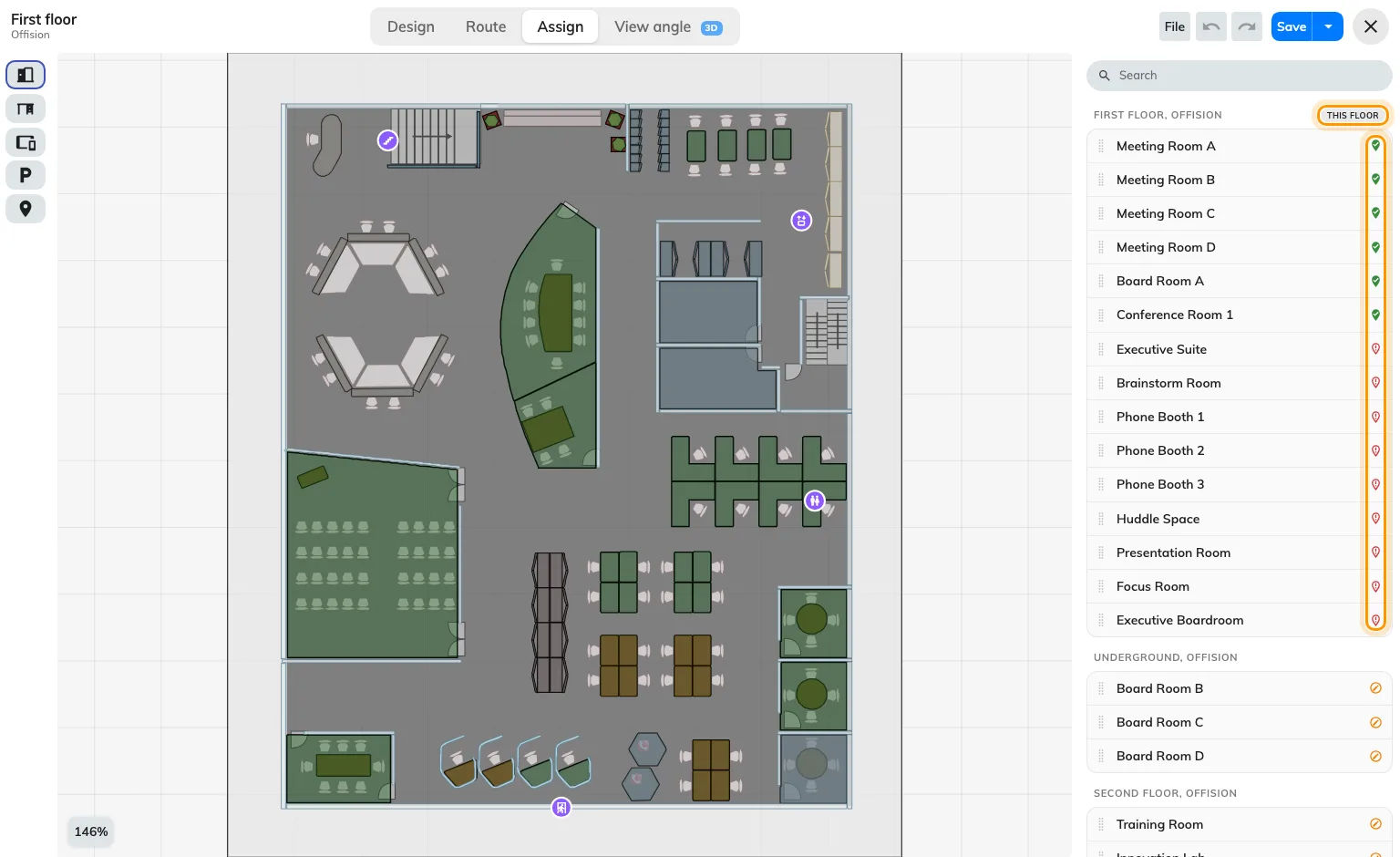
The row's marker says whether it has a place; the heading says which floor.
It is assigned, but on a different floor
CommonA resource sits in one place only, so assigning it on Second floor silently took it off First. It is not missing; it is somewhere else.
The list groups resources by floor and building and marks the one you are editing This floor, so a room that has drifted shows up under the wrong heading. Assign it where it really is, and it moves.
The same thing explains a room that vanished from a floor nobody edited: somebody was working on the floor above.
The map was never saved
CommonAssignments are part of the map, not a separate thing that saves itself. An afternoon of assigning that ended without Save is an afternoon that did not happen.
Reopen the floor. If the editor offers to recover an interrupted session, take it and save immediately — see Work in the map editor was not saved.
A view filter is hiding it, in the editor only
Less commonThis one looks like a bug and is not. Two controls hide objects from you, while you are drawing, and neither changes what anybody else sees:
- The Height filter in the layers panel narrows the drawing to a band of heights. Pulled down to a metre, every wall disappears. Reset clears it.
- The eye beside a layer hides that layer.
If a shape is missing from the editor but present on the app’s map, it is one of these two. Nothing has been lost.
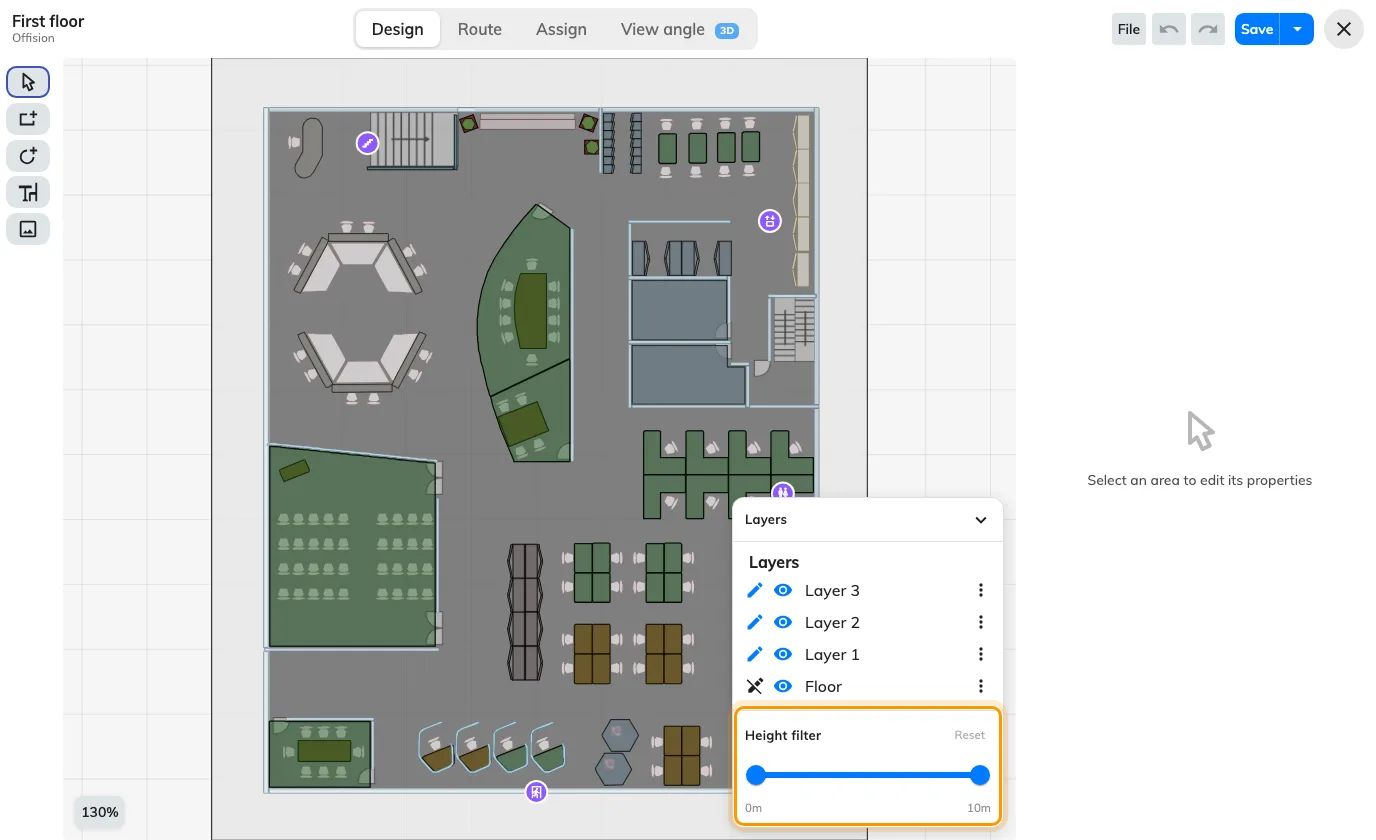
The height filter and the layer eyes hide things from you, not from anybody else.
It is not a room, a desk, equipment or a parking space
RareLockers, sensors, panels and signage screens all draw on the map, and none of them is placed from Assign mode. Each is placed from its own form, so a locker that is not showing was never given a coordinate on its own settings page.
Assign covers rooms, desks, equipment, parking spaces and facilities. Everything else is somewhere else — see How rooms and desks link to the map.
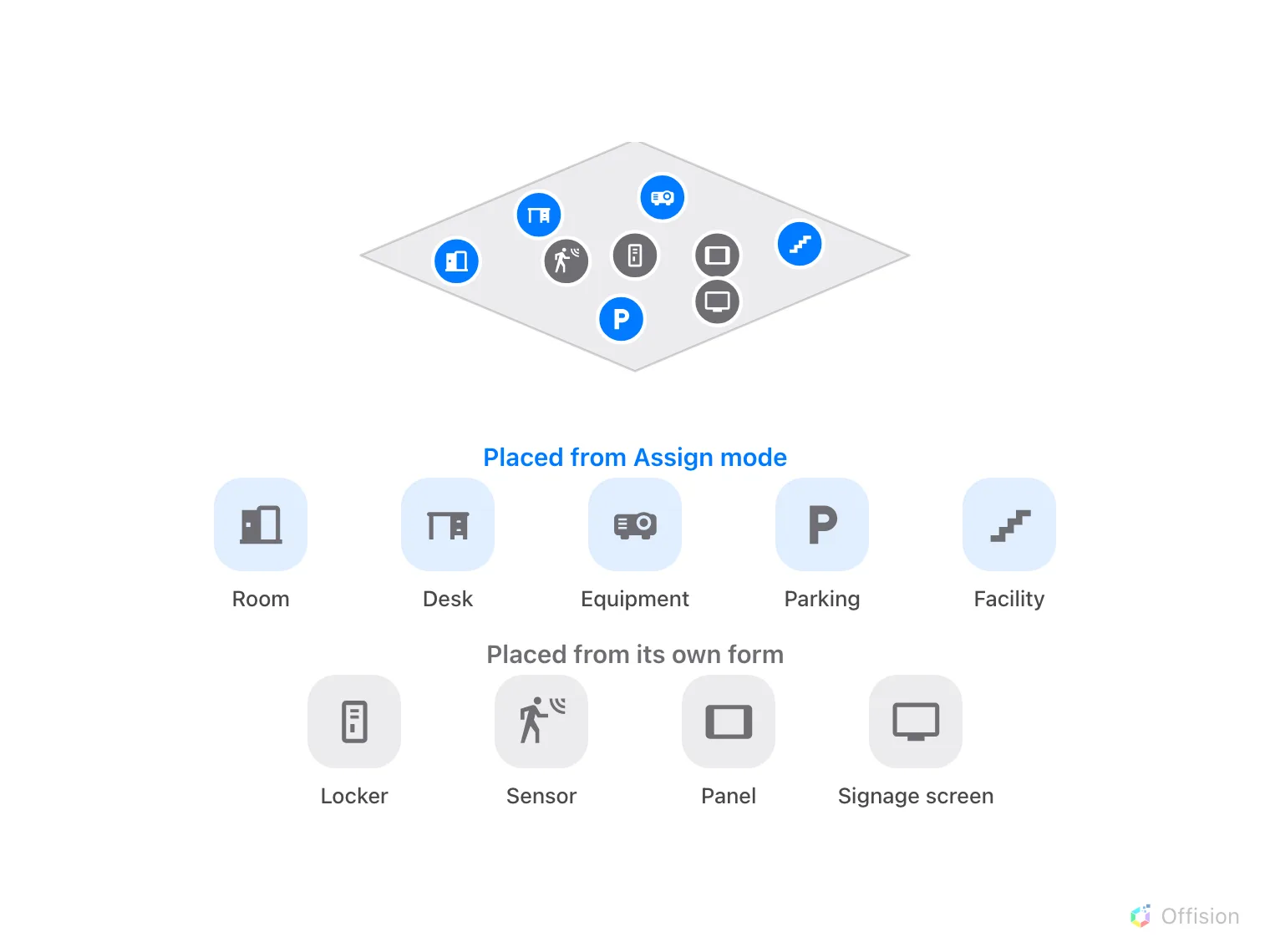
Only the blue group is placed from Assign mode.