

Classic map
Draw the walking paths by hand
Route mode's two tools — click to drop a point, drag from one to lay a path, right-click to remove. When hand-drawing beats generating, and the mistakes that leave a network with a hole in it.
1. Switch to Route
Open the floor in the editor and choose Route. The plan greys back, the rail narrows to two tools, and the canvas carries a hint telling you what each click does.
Open Map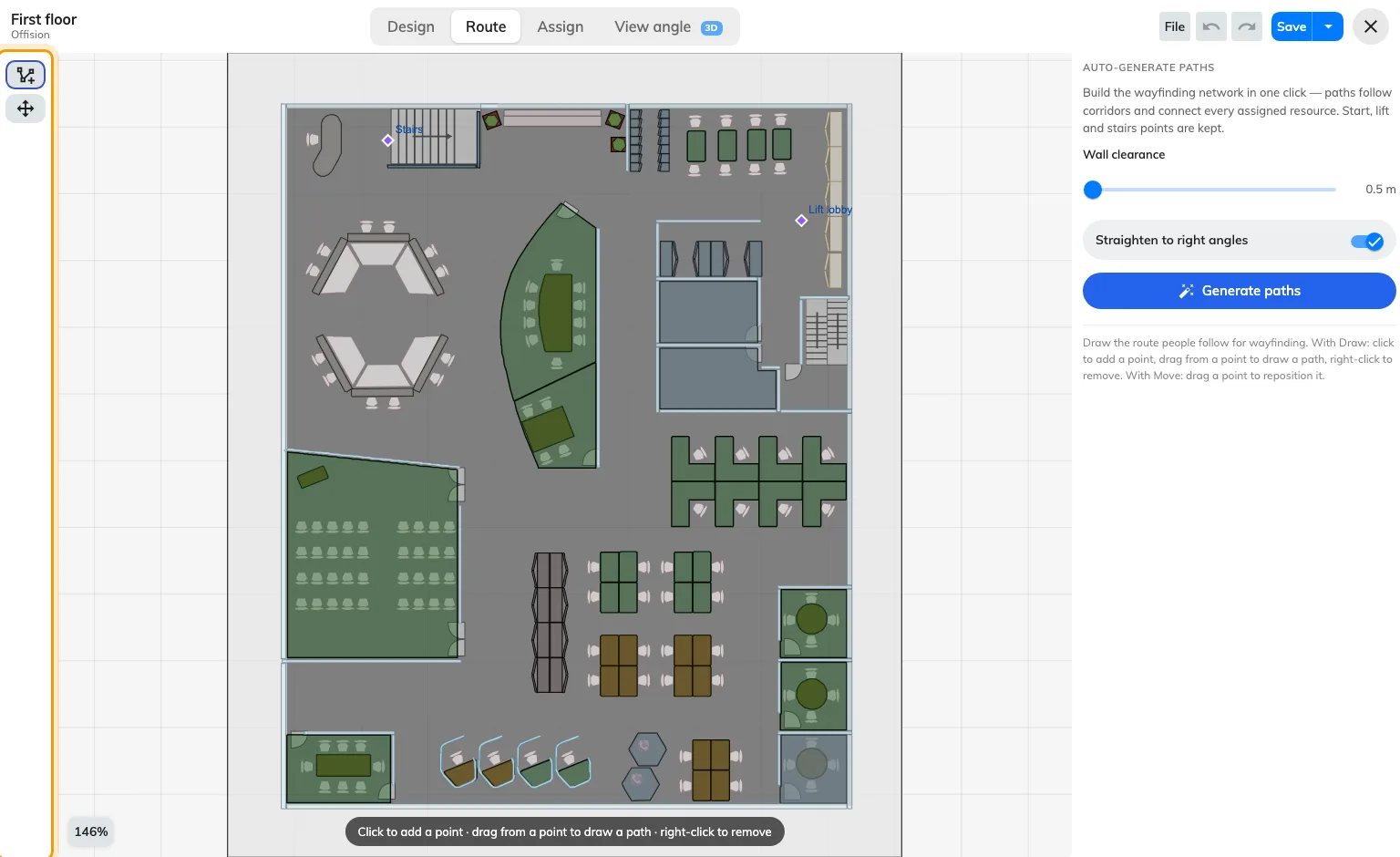
Two tools: Draw, and Move.
2. Draw
With Draw armed, three gestures are the whole tool:
- Click on empty floor to drop a point.
- Drag from an existing point to lay a path to wherever you release. That is how points get joined — clicking two points near each other does not connect them.
- Right-click a point or a path to remove it.
Work along the corridors, not around the rooms. A network is a skeleton of the routes people walk: down the middle of each corridor, a branch to each door.
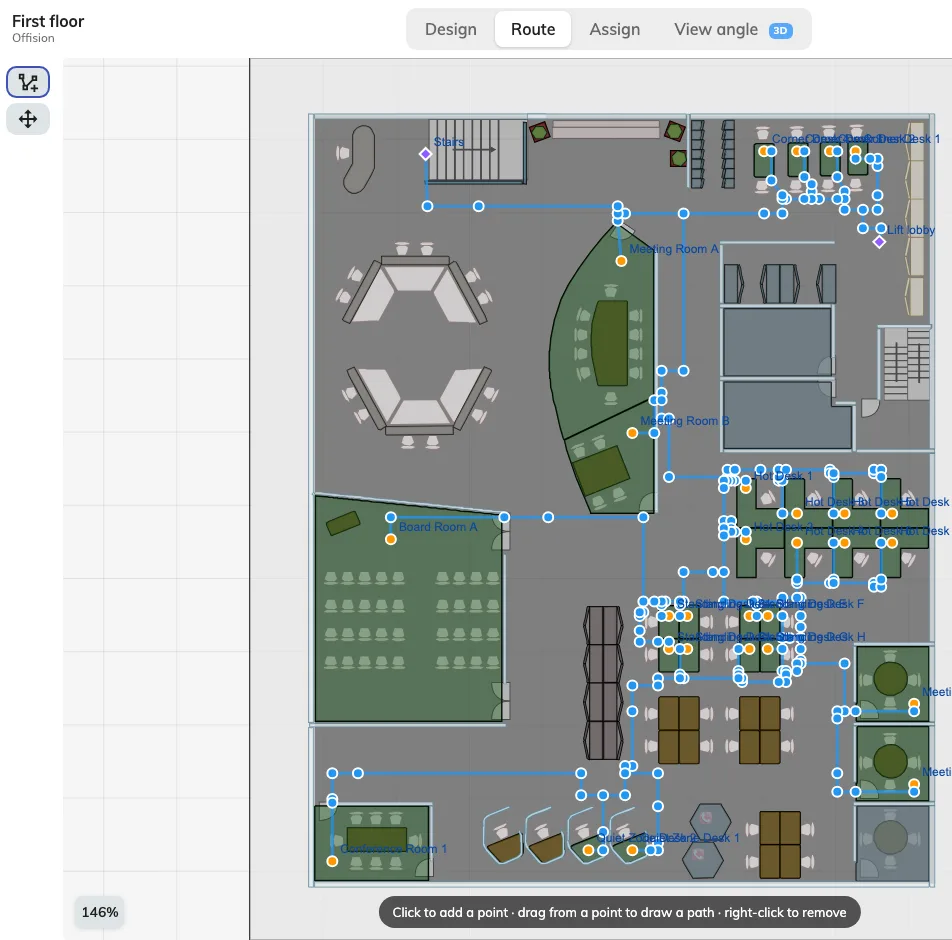
A network: a spine down each corridor, a branch to each door.
3. Move
Move drags an existing point without redrawing anything joined to it — the paths follow. Use it to nudge a corridor line off a wall, and to pull a branch onto a door it landed beside.
4. Join everything to everything
The failure that is hard to see is a network in two halves: each half is fine and no route crosses between them. It happens where two people drew different wings, and where a corridor was drawn as two paths that visually meet but share no point.
Two habits avoid it:
- Start every new path by dragging from an existing point, not by clicking a fresh one nearby.
- Follow one loop of the floor end to end before branching off to rooms.
5. Mark where floors join
Lifts and stairs are how a route leaves the floor, and they are facilities rather than route points. Mark them on every floor they serve, and put a route point at each one, so the network reaches the place the route changes level.
The rule that catches people is that it must be one facility with a position on each floor, not one facility per floor — see Connect floors with lifts and stairs.
6. Save
Save in the header. Routes are part of the map, so nothing is written until you do — and that is true on an unlicensed floor as well. The licence gates whether wayfinding runs, never whether your drawing is kept.
7. Check it worked
Ask for directions to a room on the floor, from the app or from a lobby board. Then ask for one on another floor, which is the test that catches a missing lift.
A route that appears but takes an odd path is usually a missing branch rather than a wrong one: the network found the only way it had.
What this does not control
- Which rooms can be reached. A room joins the network by being assigned to an area, not by having a path drawn at it.
- Whether directions are offered at all. That is the per-floor licence — see How wayfinding finds a path.
- Doors, locks and access rights. A path is a line. It does not know whether the person following it may go through what it crosses.