

Guest booking page settings reference
Configure a guest booking page’s five flows, public booking types, room order and layout, schedules, guest details, agreements and follow-up. Explains each editor tab and conditional controls; save the whole page and verify the published result.
Open a page in Guest booking. Save publishes all tabs; preview does not.
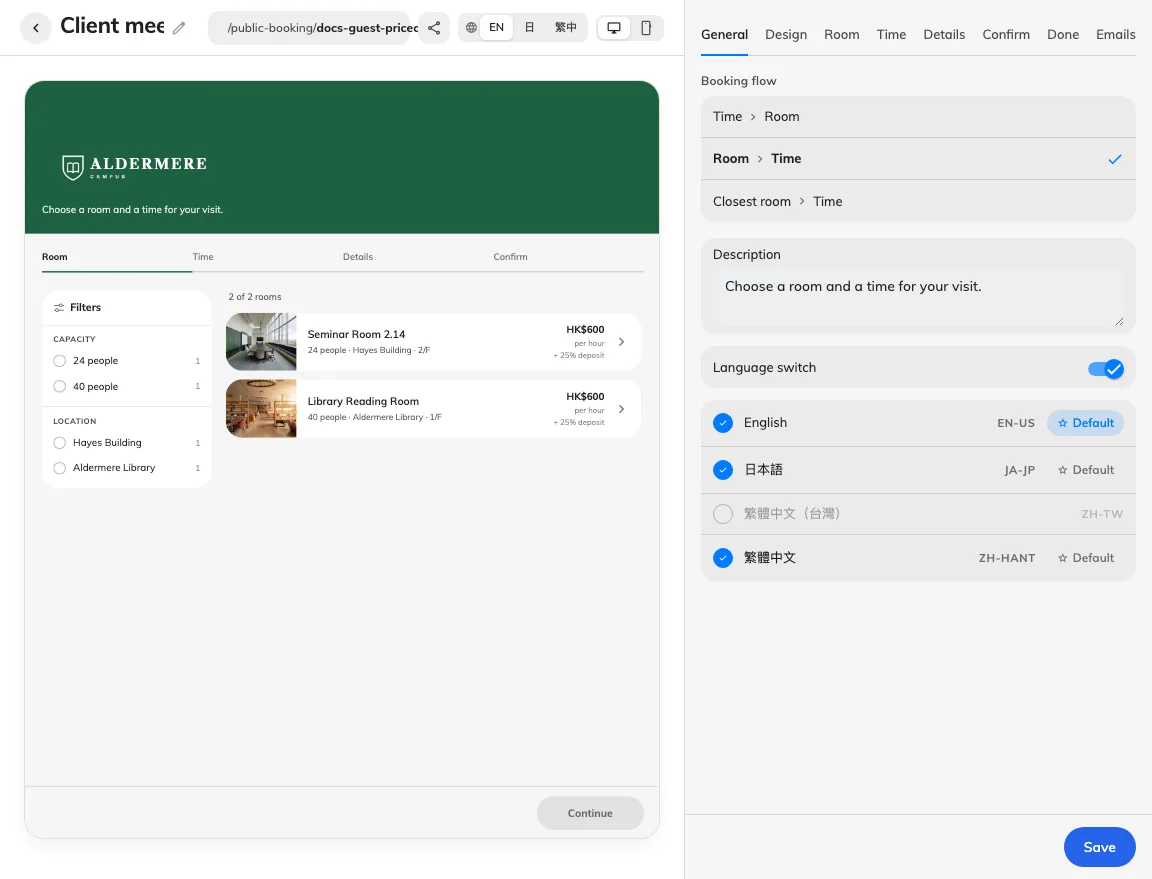
Page identity and flow.
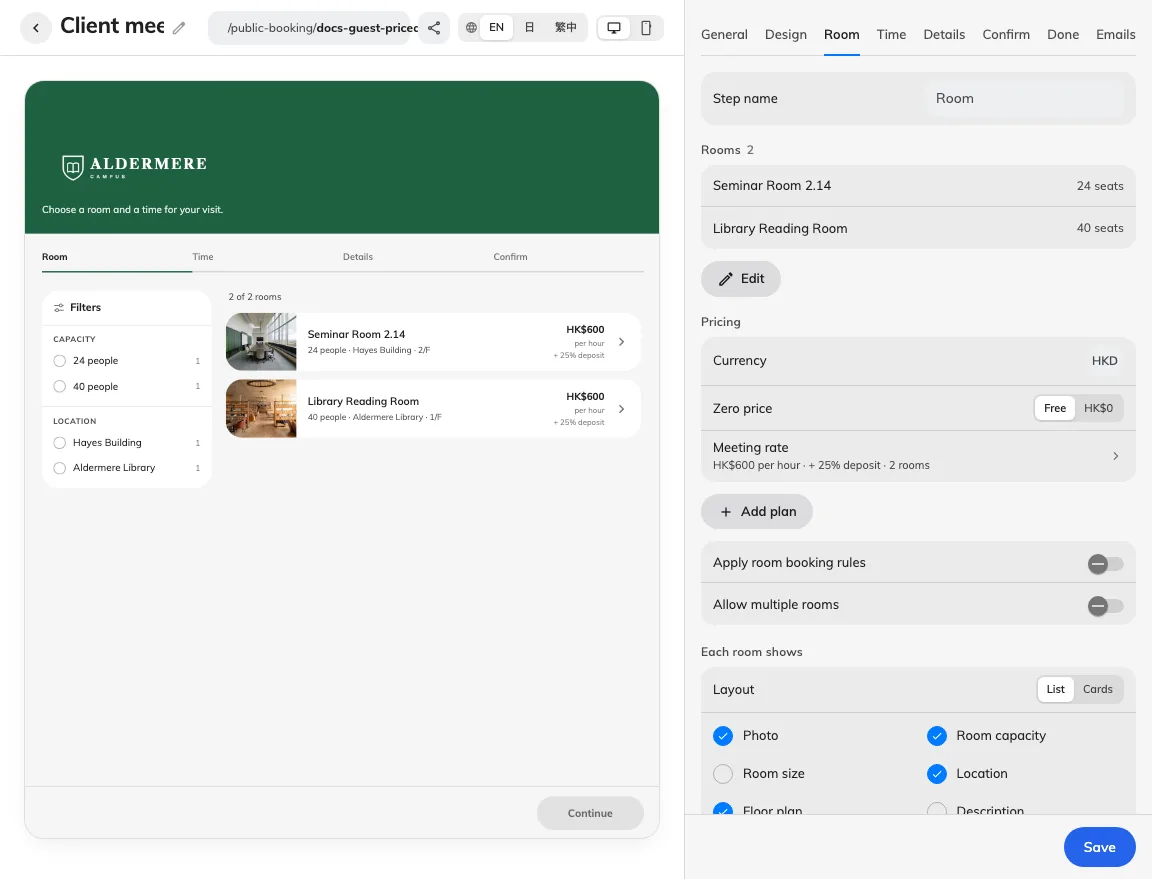
Rooms and prices.
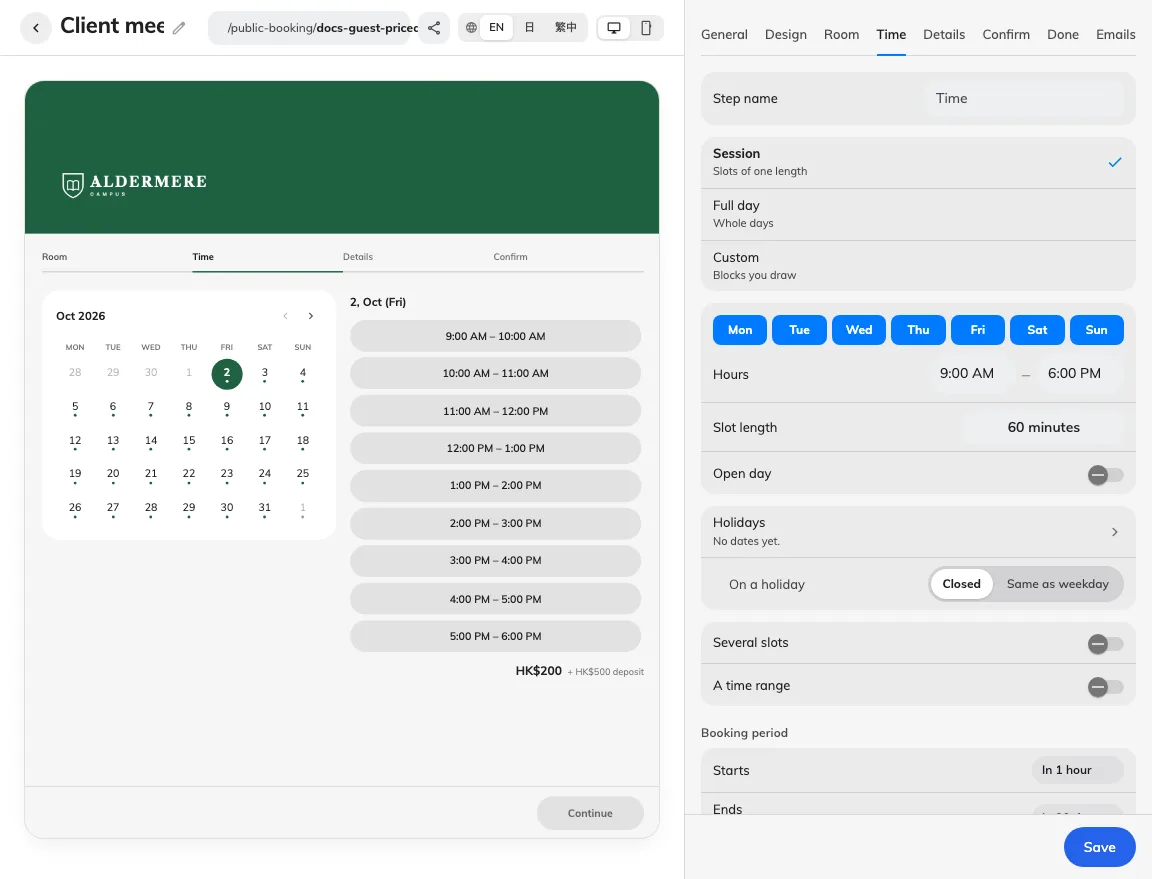
Sessions and date limits.
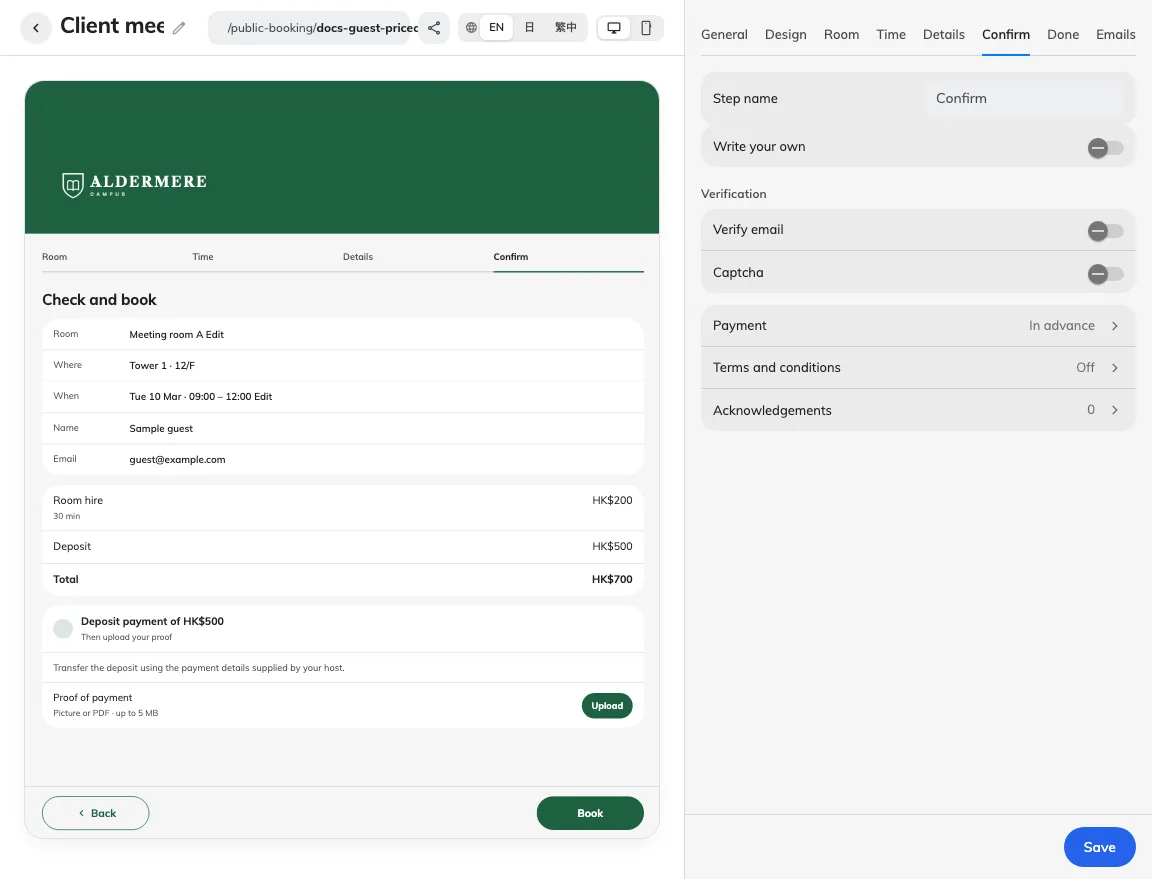
Verification, payment and agreements.
Configure rooms, licences, email and review policies separately. Approval, clashes, maintenance and licences apply independently of Apply room booking rules.
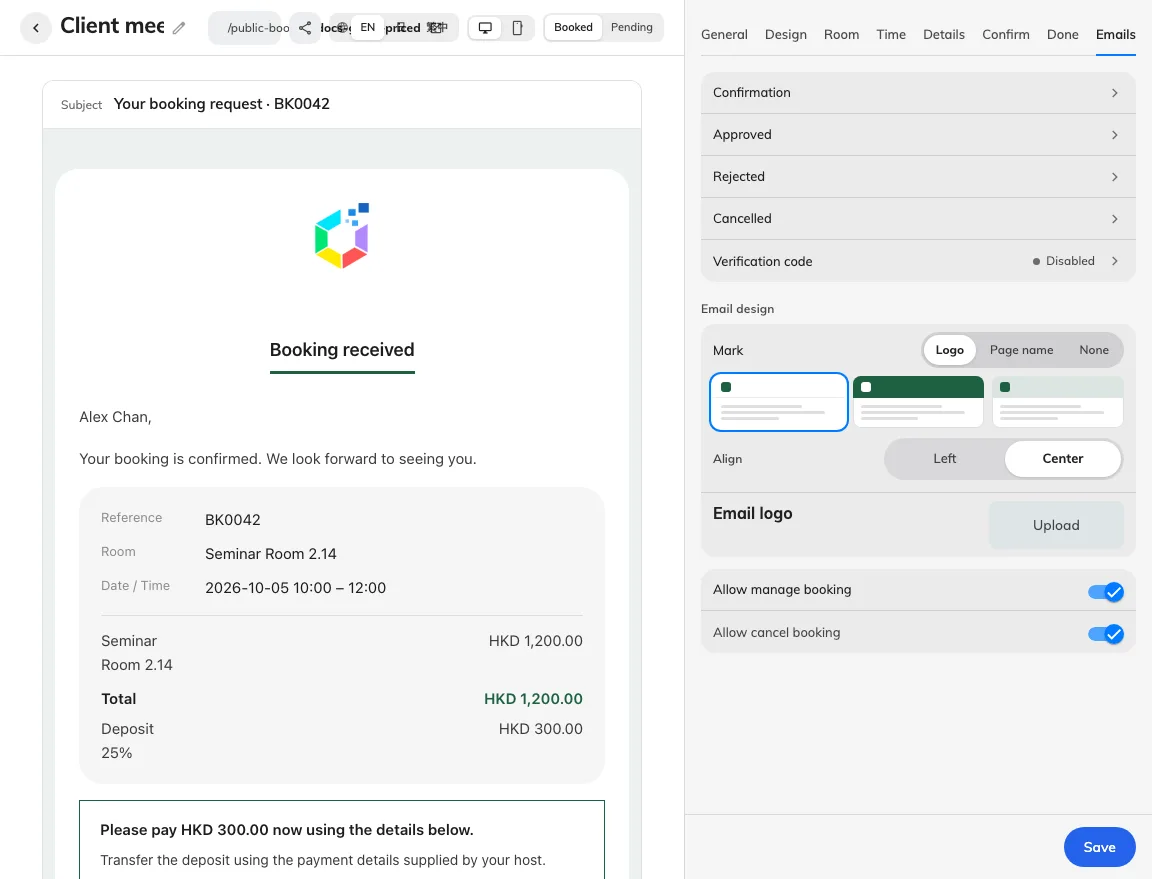
Emails and follow-up links.
General
| Setting | Guest effect |
|---|---|
| Name | Name in each page language. |
| Address | Guest link identifier; update shared links after changing it. |
| Booking flow | Five room, time, map or type-based flows; open More for the two type choices. |
| Description | Introductory text, translated per language. |
| Language switch | Whether guests can switch offered languages. |
| Languages | Enabled page languages and one default. |
Design
| Setting | Guest effect |
|---|---|
| Style | Five coordinated presets or individual customization. |
| Logo | Page logo; removing an upload restores company fallback. |
| White backdrop | White plate behind the mark. |
| Banner | Show banner; its child choices apply while visible. |
| Background | Pattern, plain fill or cover image. |
| Mark | Page name, logo or none. |
| Align | Left or centre placement. |
| Step bar | Show progress and choose rail, bars, tabs or chevrons. |
| Colour | Page accent; also used on guest controls. |
| Appearance | Automatic, light or dark appearance. |
| Font | Choose the page font. |
| Apply to | Headings or all text. |
Type
This tab appears for Type › Room › Time and Time › Type › Room. Choose a type to edit it, or Add public booking type to create one. Save the whole page after editing. See Booking flows for the guest order and eligibility rules.
| Setting | Guest effect |
|---|---|
| Name | Translated name of the type the guest chooses. |
| Guest description | Translated explanation displayed with the type. |
| Remarks | Hide remarks, allow them, or require them at the type step. |
| Room options | Offer all page rooms or select a subset of them. |
| Type order | Move types up or down to arrange their guest order. |
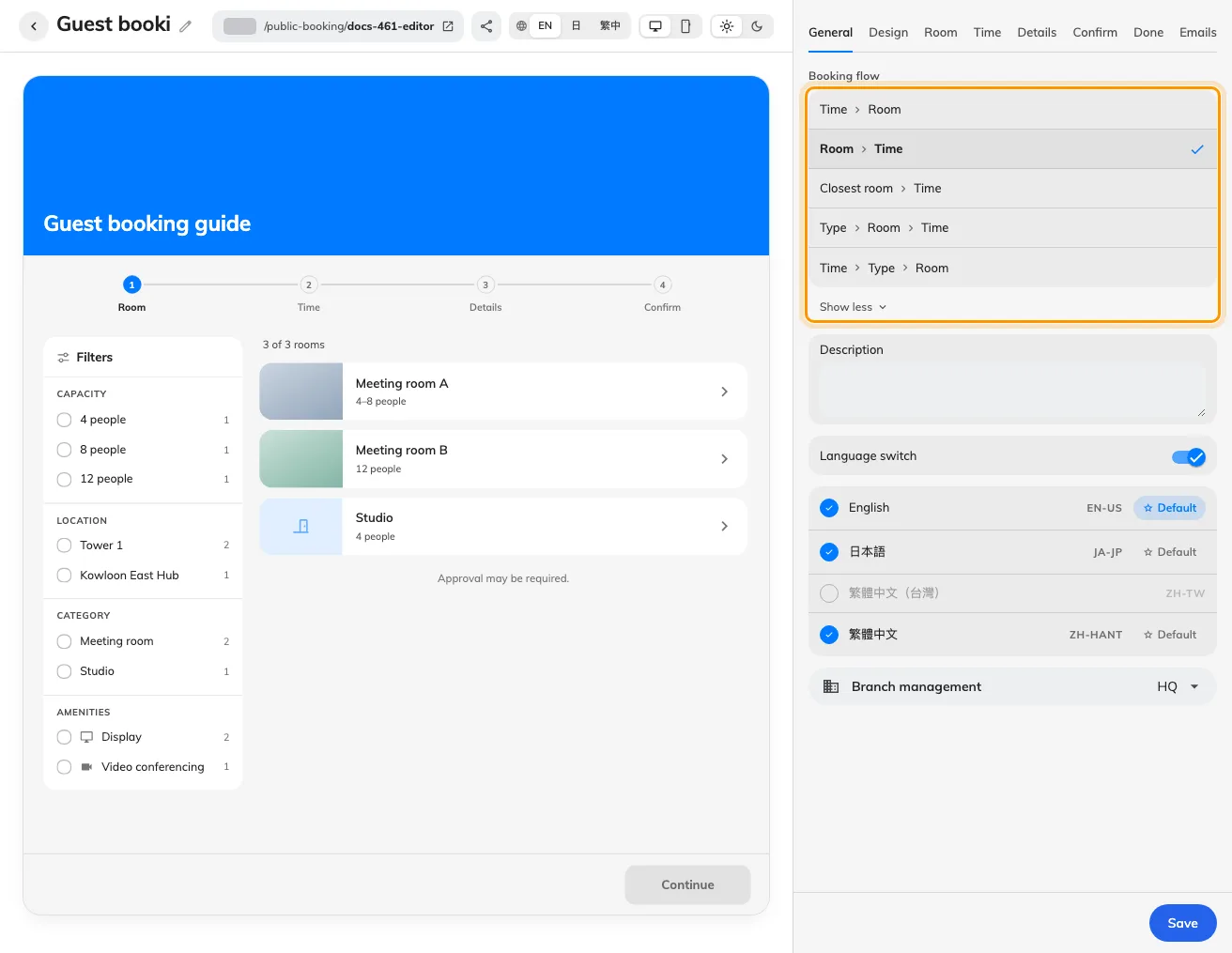
General offers five booking flows; More reveals the two type-based choices.
Room
| Setting | Guest effect |
|---|---|
| Rooms | Room membership and guest-booking licence assignment. |
| Room order | Drag the selected rooms into the order guests see. |
| Layout | List, or Cards while room photos are shown. |
| Pricing | Currency, zero wording, plans and their room assignments. |
| Apply room booking rules | Add room policy restrictions; off by default, approval remains. |
| Allow multiple rooms | Select several rooms; requires two or more. |
| Most rooms per booking | Maximum rooms while multi-select is enabled. |
| Room capacity | Display existing room capacity. |
| Room size | Display existing area and its unit. |
| Floor plan | Open a plan when the room has mapped geometry. |
| Photo | Show the room’s existing photo. |
| Location | Show building and floor. |
| Description | Show the room description. |
| Category | Show the category. |
| Amenities | Show configured amenity glyphs. |
| Deposit | Show the deposit when applicable. |
| Guests filter by | Capacity, location, category, amenities and price; one-answer filters hide. |
| Public booking attachments | Page-specific files; save to publish. See room discovery. |
| Price table | Default and weekday/holiday rates. See prices and deposits. |
| Plan name | Staff-only pricing-plan name. |
| Per hour | Amount per hour; prorated for booked duration. |
| Per booking | One amount per booking. |
| How much | Fixed amount or percentage of the priced total. |
| Round to | Off or 1/10/100; percentage deposits can round up, nearest or down. |
Time
| Setting | Guest effect |
|---|---|
| Time selection | Session, custom blocks or whole days. |
| Hours | Simple-mode common opening window. |
| Slot length | Length of each simple-mode slot. |
| Open day | Add a whole opening-window choice in session mode. |
| Timetable | Custom blocks or full-day windows for each weekday. |
| Holidays | Page holiday dates, country sync and last-sync state. |
| On a holiday | Closed, weekday schedule or own holiday blocks. |
| Several slots | Individual slot checklist; not in whole-day mode. |
| Different room per slot | Different room for each selected slot; needs two rooms. |
| A time range | Reserve a continuous span rather than one slot. |
| Across days | Permit a range across nights where offered. |
| Include weekends & public holidays | Always, Never or Let guest choose (initially on). Full intervals stay held. See weekends and holidays. |
| Limit hours per booking | Enable duration cap and set Max hours. |
| Starts | Relative minimum notice or Specified date, starting at room-local midnight. |
| Ends | Relative advance limit or Specified date, including that date. See available hours. |
| Slot price | Show slot prices when charged. |
| Availability dots | Calendar availability markers. |
| Week starts on | First weekday shown in the calendar. |
Details
| Setting | Guest effect |
|---|---|
| Summary card | Show the current pick beside guest details. |
| Form | Contact and room-form rows: order, labels, mode and prefill keys. |
| Name | Name row: hidden, optional, required or read-only when offered. |
| Email row: hidden, optional, required or read-only when offered. | |
| Company | Company row: hidden, optional, required or read-only when offered. |
| Phone | Phone row: hidden, optional, required or read-only when offered. |
| Booking subject | Subject row: hidden, optional, required or read-only when offered. |
| Number of people | Head count row: hidden, optional, required or read-only when offered. |
| Remarks | Remarks row: hidden, optional, required or read-only when offered. |
Confirm
| Setting | Guest effect |
|---|---|
| Wording | Standard or own heading/message; field picker inserts live values. |
| Verify email | Require a verified email before booking. |
| Captcha | Captcha requires configured module keys. |
| Payment | Arrival/advance, amount due, instructions, document and proof mode. |
| Terms and conditions | Title, text/PDF, inline/dialog, scroll requirement and agree wording. |
| Acknowledgements | Additional ticks with wording, content/file and required/scroll rules. |
| Title | Guest-facing document heading. |
| Show as | Inline or dialog display. |
| Require scrolling to the end | Read to the end before agreeing. |
| Agree wording | Agreement checkbox wording. |
| When guests pay | Arrival or in advance. |
| How to pay | Payment instructions; does not process payments. |
| Button wording | Name of the attached payment-document link. |
| Proof line | Optional instruction beside the proof upload. |
Done
| Setting | Guest effect |
|---|---|
| Add to calendar | Offer calendar download where the result supports it. |
| Register as visitor | Visitor registration and visiting purpose; verify actual visitor records. |
| Wording | Standard or own completion title/message; keep pending meaning clear. |
| Make another booking | Show the repeat-booking action after completion. On by default for existing and new pages. |
Emails
| Setting | Guest effect |
|---|---|
| Emails | Five templates: subject, custom body, fields and send settings. |
| Email design | Header mark/background/alignment and embedded email logo. |
| Allow manage booking | Allow private booking management link. |
| Allow cancel booking | Allow cancellation within permitted state; requires manage. |
| Send this email | Review results only: send or suppress this message. |
| Write your own | Use your wording; switching off preserves edits. |
| CC | Visible CC recipients; unavailable for verification codes. |
| Subject | Subject with supported field values. |
| Body | Custom message body with field picker. |
| Booking summary | Keep or hide booking summary. |
| Price & payment | Keep or hide price summary. |
| Manage button | Keep or hide the action button where supported. |
| Ends with | Closing text below the message. |
| Add before the footer | Additional rich content below standard sections. |
Additional editor controls
Use Share & embed → Sharing image for link artwork, separate from the banner and browser icon. Without an upload, the logo/theme artwork includes a decorative calendar; see sharing.
On Details, Allow different details per booking selects which fields repeat; contacts and read-only rows stay shared. See guest details.
Confirm → Terms and conditions opens its own settings page in the column; back returns to Confirm. Confirm heading/message changes do not replace agreements.
The guest’s Make another booking action retains contact details and resets booking choices and verification. See Booking outcomes, including removal of Back to booking home.
Public holiday calendars sync daily and retain manual dates. Guest floor plans use Classic map, including combined rooms; see room discovery.