

View or cancel a booking from its email link
Open the manage button in the booking’s email. Its private token refers to that booking; keep it private and do not substitute a general page link. The page must allow management for this link to work. The current status can be confirmed, awaiting approval, declined or cancelled.
Why use this feature
A private manage link gives the guest access to the reservation they already made, without creating an account. Viewing helps them check current arrangements; permitted cancellation lets them release a reservation they no longer need. This reduces routine follow-up for the host while keeping actions tied to the specific booking. Keep the original email so you can use the correct link and reference.
1. Open the private link
Open the manage button in the booking’s email. Its private token refers to that booking; keep it private and do not substitute a general page link. The page must allow management for this link to work. The current status can be confirmed, awaiting approval, declined or cancelled.
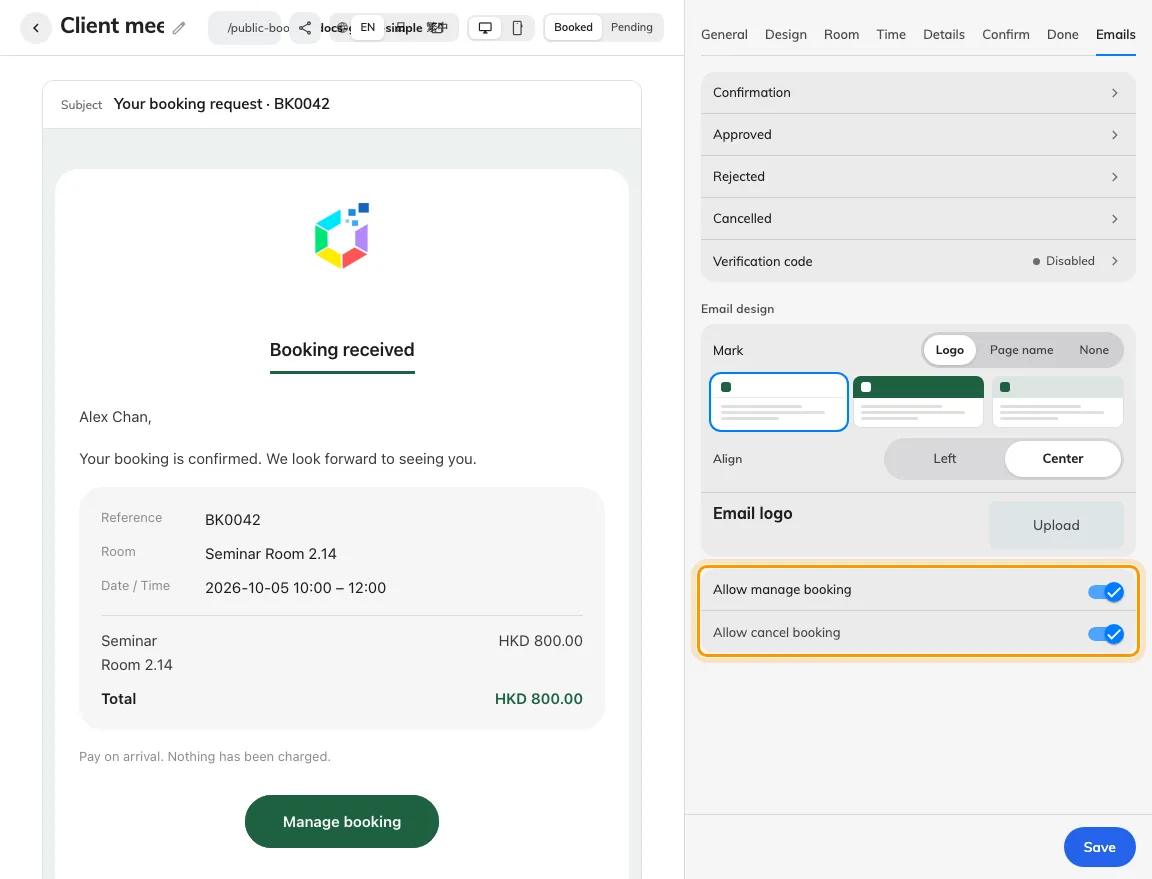
Allow manage and Allow cancel control the private follow-up link.
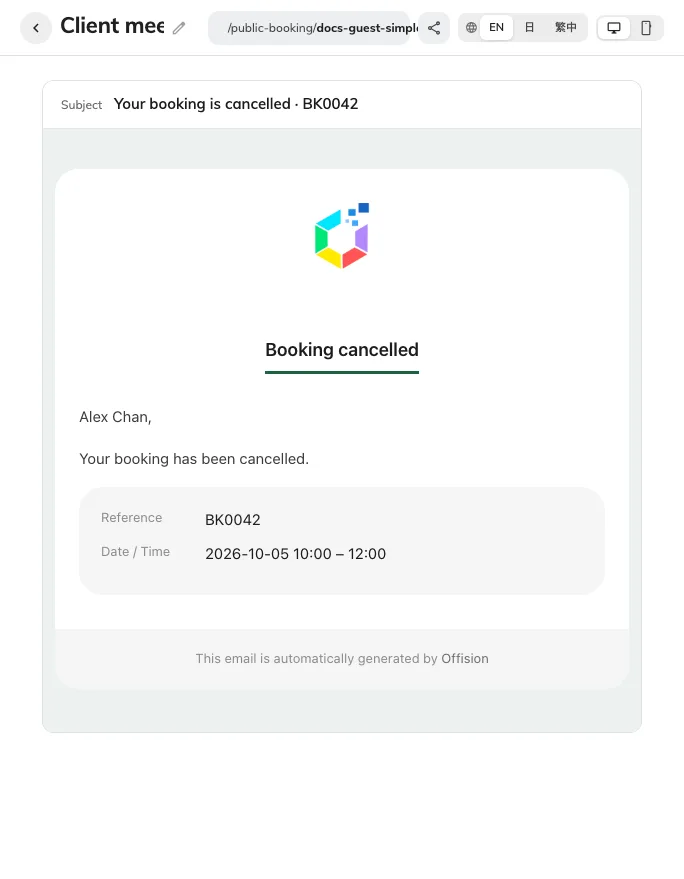
The editor previews the cancellation message; delivery needs a mailbox test.
2. Check the reservation
Check the booking reference, room and period before cancelling. The cancel action appears only while cancellation is allowed for this booking. Allowing cancel depends on allowing manage; the page’s Emails tab controls both. This page provides viewing, permitted cancellation and payment-proof follow-up where applicable; it does not provide a general reschedule action.
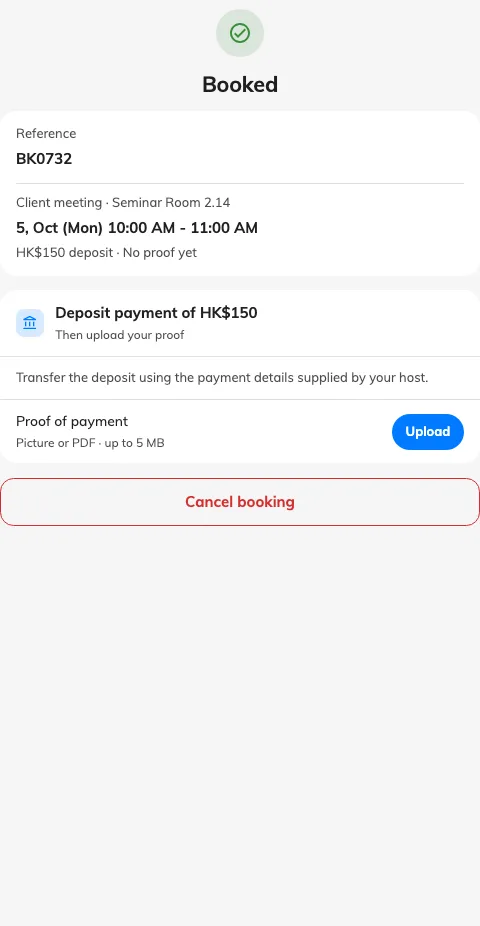
The original private link shows the booking and permitted follow-up actions.
3. Cancel and verify
Use Cancel booking and complete any confirmation shown. Wait for Booking cancelled, the current screen confirms cancellation. Reopening the private link afterwards may report Link unavailable. Staff should check that no active reservation with that reference still holds the original period. If the link is unavailable, ask the host with the reference; repeated edits to its token will not restore access.
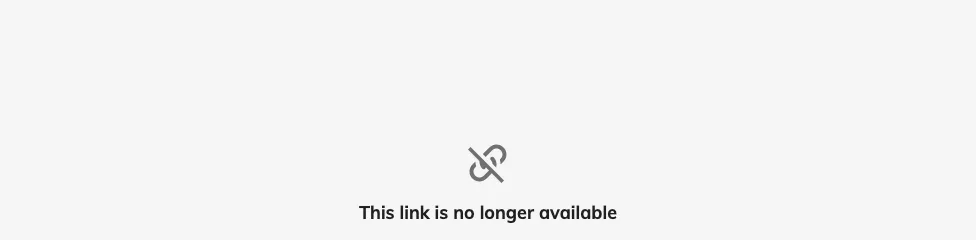
After cancellation, reopening this private link reports Link unavailable.