

Choose how guests pick time
Open the page editor’s Time tab. The three time modes solve different needs: Session divides open hours into slots of one length; Custom offers named blocks you create; whole-day selection uses each day’s own opening window. Changing the mode changes the picker, not room availability.
Why use this feature
Match the time picker to what you sell or provide. Equal sessions suit short appointments; named blocks make a morning or afternoon package easy to recognise; whole days suit day-based use. The value is a choice the guest understands without calculating the duration themselves. Decide whether adjacent periods may be combined before enabling a range or multiple selections.
1. Open the page
Open the page editor’s Time tab. The three time modes solve different needs: Session divides open hours into slots of one length; Custom offers named blocks you create; whole-day selection uses each day’s own opening window. Changing the mode changes the picker, not room availability.
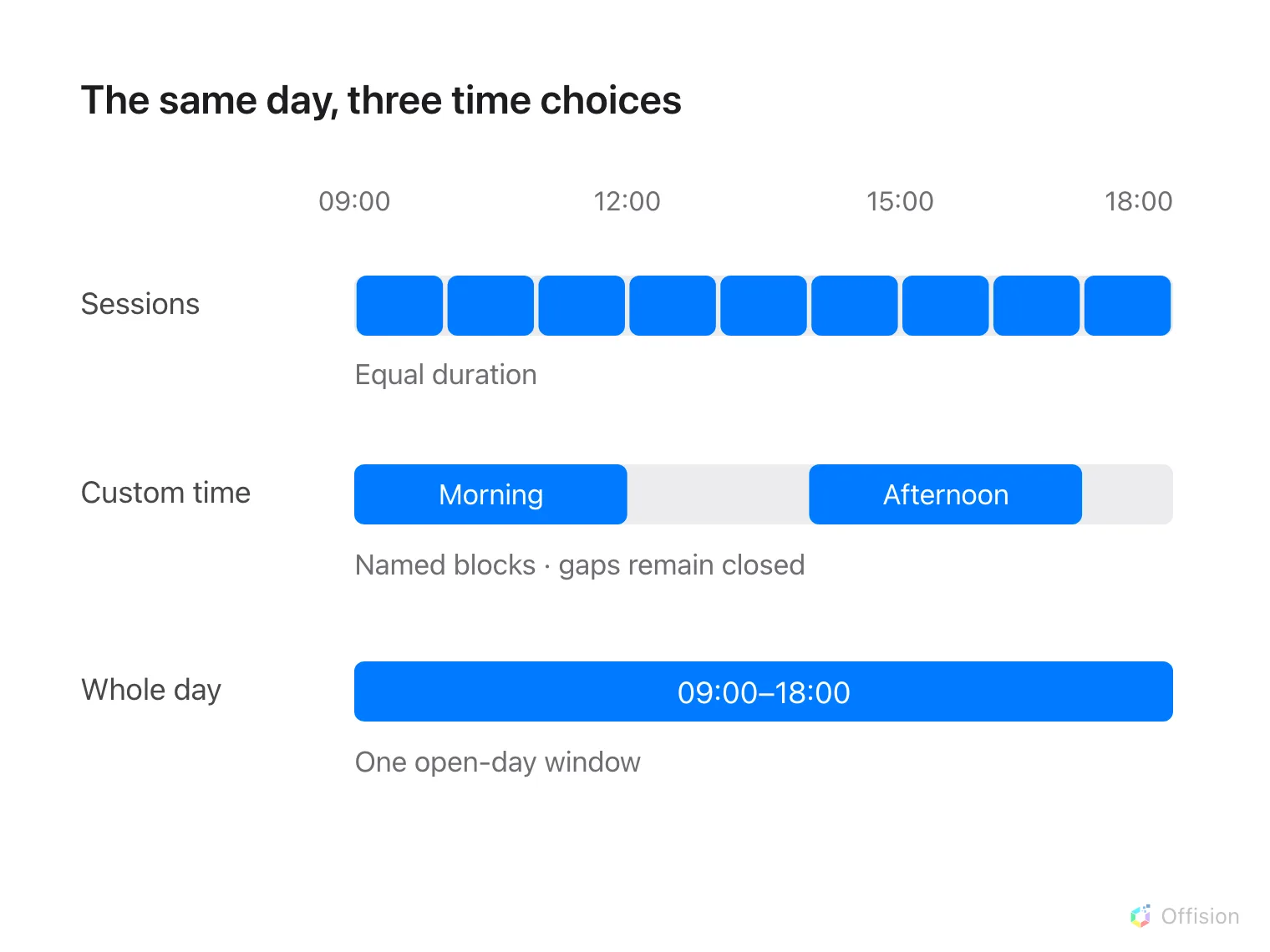
Equal sessions, named blocks and whole days divide the same open hours differently.
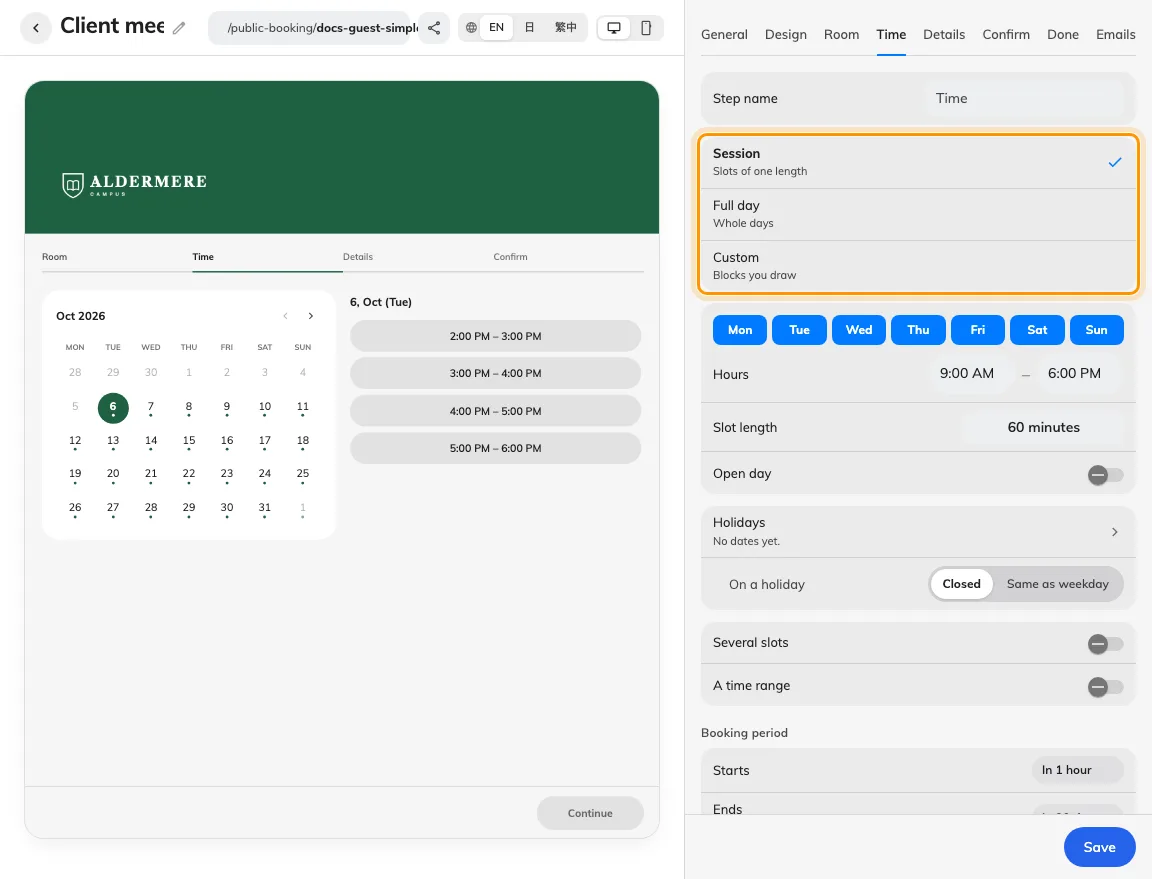
The time mode changes the guest picker.
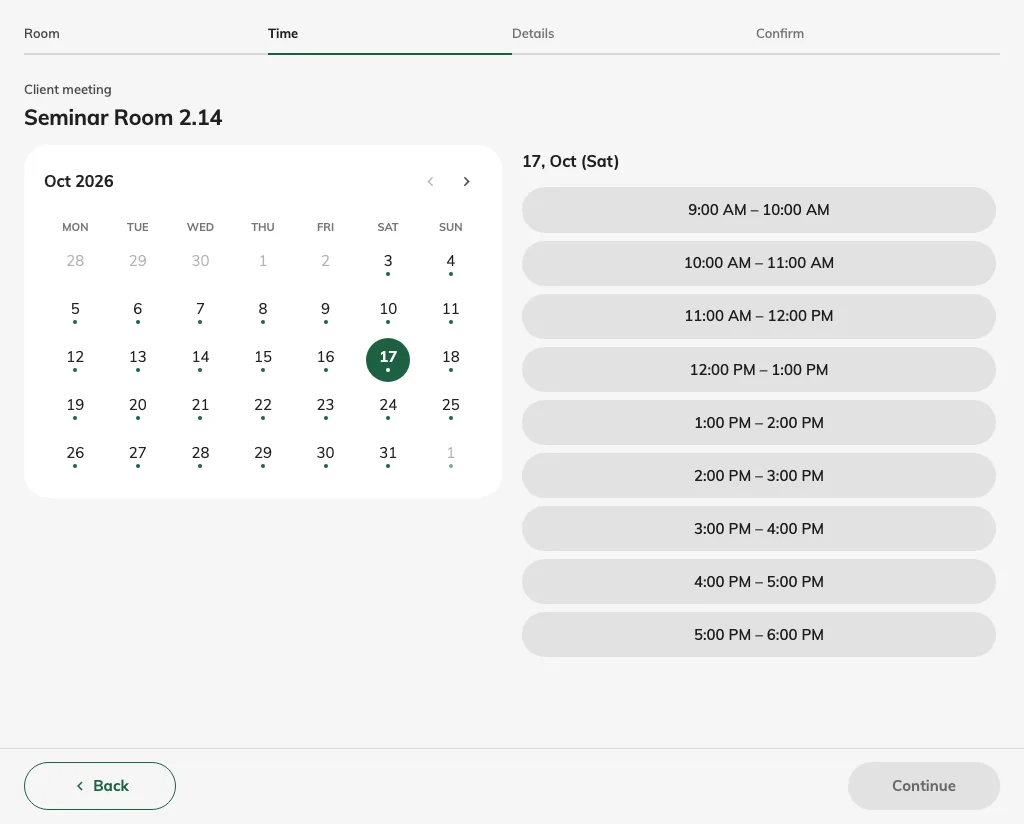
Sessions offer equal-length slots.
2. Set the guest experience
For sessions, choose the weekdays, hours and one slot length. For custom time, open the timetable, create blocks with start/end times and names, and check overlap warnings. For whole days, enter the opening window for each offered day. Keep closed days empty. Use A time range only when a guest may reserve a continuous run; several separate slots are a different setting.
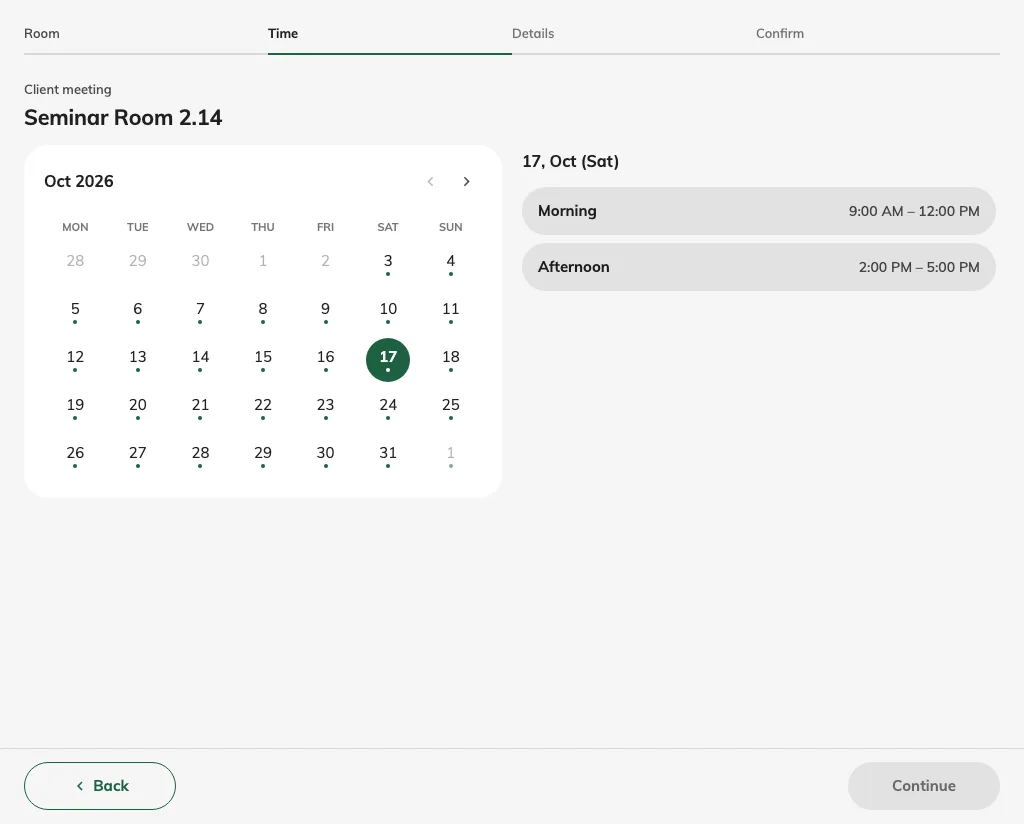
Custom time offers named blocks.
3. Check the result
Save and compare the guest calendar and recap for the same intended visit. A one-hour session, a morning block and a whole day reserve different periods. For across-day ranges, check weekend and holiday inclusion. Closed weekends and page holidays can be bridged without charge, while the full interval remains held. Check the displayed start, end and total before submission.
For a single whole-day booking, select a date on the calendar. The selected date is highlighted; the desktop panel changes from Select a day to the chosen date. That panel is hidden on phones. Guest recaps, completion, manage pages and booking emails show booked dates without clock times. A range ending at midnight lists the last booked date, without adding the following day. The room still uses its configured opening window.
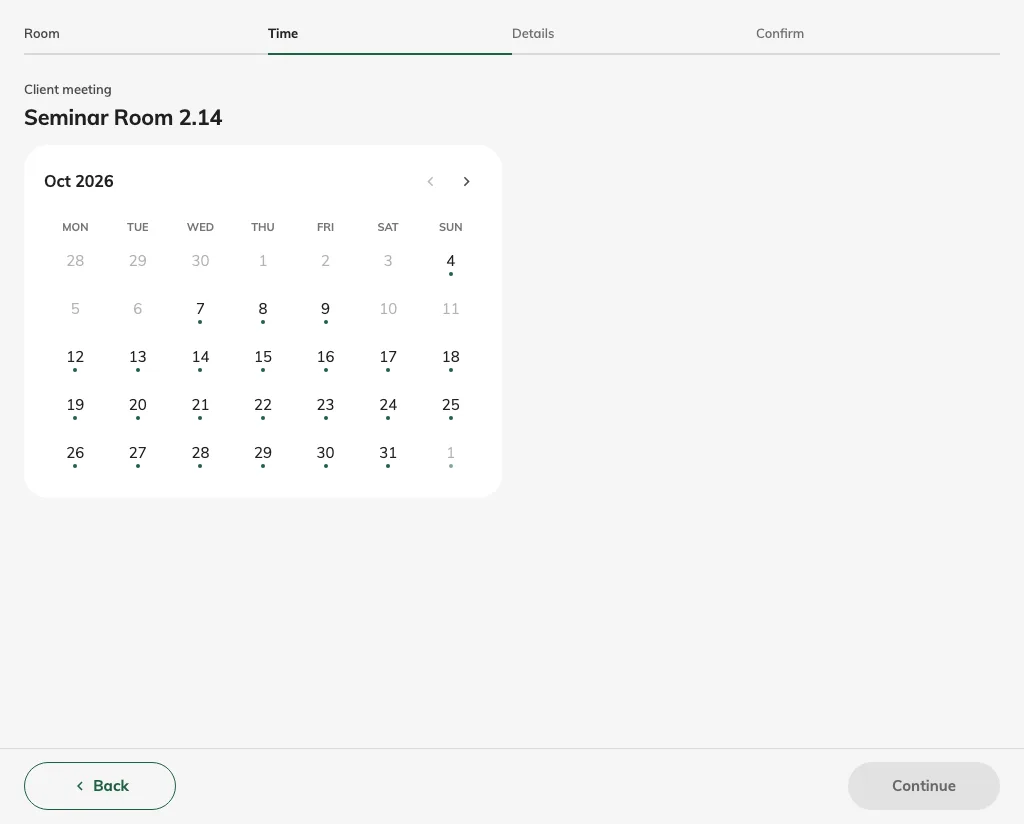
The whole-day picker highlights the chosen date and shows its desktop date summary.
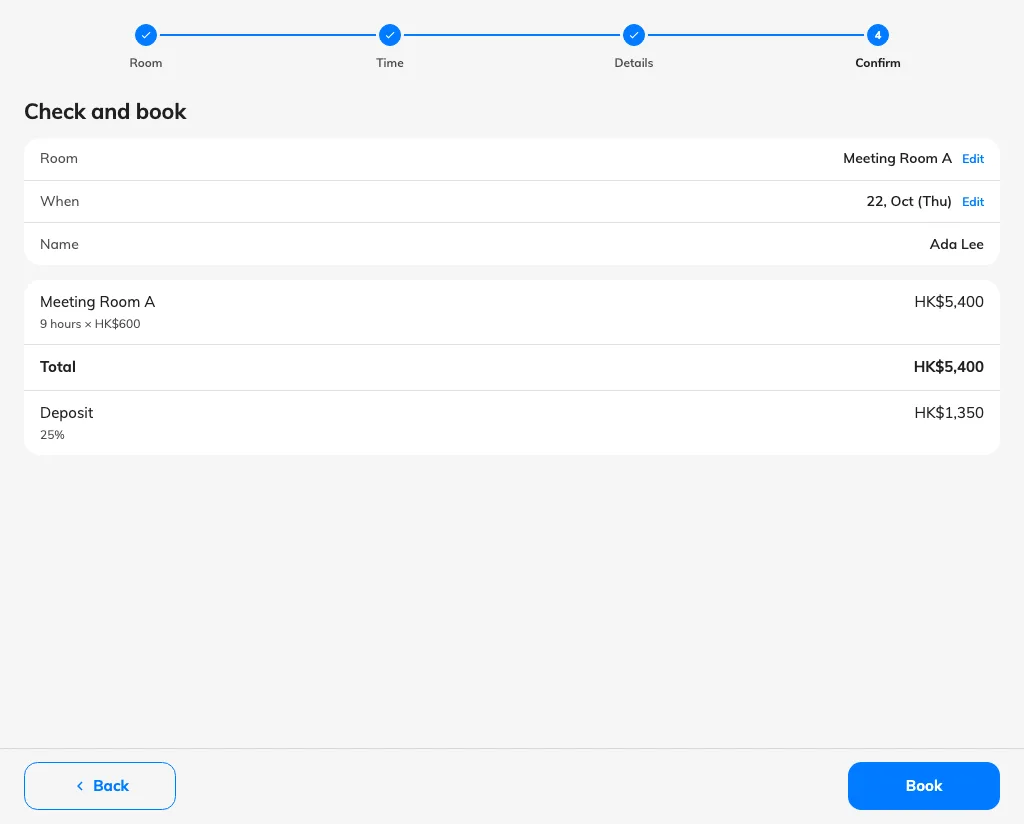
The guest reviews the booked date without clock times before submitting.