

See who changed what on an event
The audit trail for every event: who did it, from which app, and what the record looked like before. Including a naming quirk to expect when you read it.
Every change to an event is recorded — created, edited, published, paused, closed, cancelled, deleted — and so is every change to the people on it: invited, attended, no-show, cancelled, deleted, and each of the two kinds of self-registration.
It is the page for questions with a who in them. Who cancelled it. Who took that person off the list. Whether somebody registered themselves or was added.
Open Event log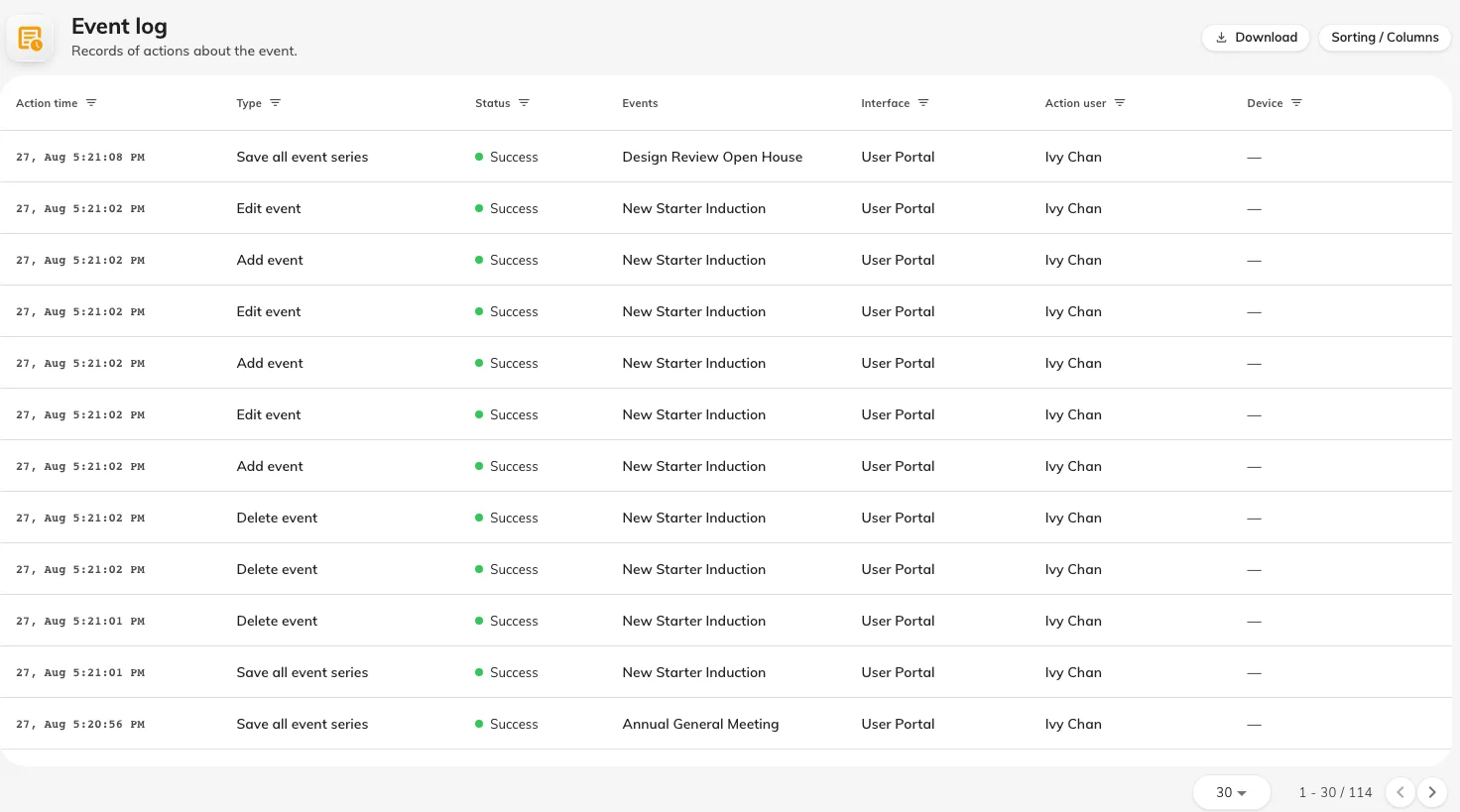
The audit trail: who did it, from which app, and when.
What each entry tells you
| Column | What it holds |
|---|---|
| Action time | When it happened |
| Action user | Who did it. Blank where the actor was an external visitor, who is named in their own column instead |
| Interface | Which app it came from — the console, the app, or a public page |
| Access from | Where the request came from |
| Original snapshot | What the record looked like before the change |
| Request | What was asked for |
Original snapshot is the column that earns the page. A log saying an event was edited answers very little; the snapshot is what lets you see what it was before somebody edited it.
The Interface column is what separates a self-registration on a public page from an organiser adding the same person by hand, which is often the real question behind “did they sign up, or did we put them down?”.
What is not here
- Reading. The log records changes, not who looked at something.
- Sign-ins and permission changes. Who signed in, and who was granted or revoked access, is in the audit trail, not here.
- Emails. Whether a message was sent, and whether it arrived, is not recorded here.
- Anything about the event’s content. The log tells you a description was edited, not what it now says.