

How Offision tells colleagues from guests
Internal means one thing only — the person has an Offision account — and that has a consequence for anybody invited by email address.
Offision splits every participant into Internal and External, and the rule behind it is simpler than people expect: a participant is internal if they are an Offision user, and external if they are not.
That is the whole test. It is not about which page they registered on, not about whether they work for you, and not about how they were invited.
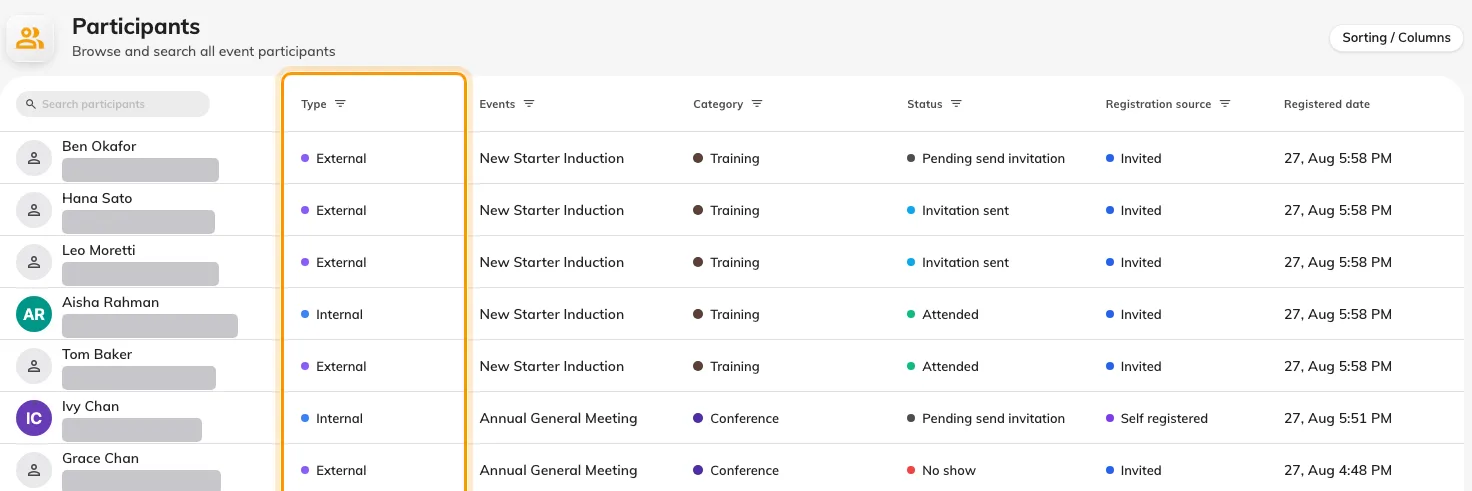
The Type column marks each person internal or external, one row at a time.
Why the distinction is drawn there
An internal participant is a pointer to an account that already exists. Their name, department and address come from your directory, they are kept up to date there, and nothing about the registration duplicates them.
An external participant is a set of answers typed into a form. Everything known about them was collected at that moment, and it belongs to that registration — which is why the external form asks for company, phone and job title while the internal one asks for nothing at all.
The case that surprises people
An organiser inviting somebody by email address does not choose which side they land on — Offision looks the address up. If it matches an existing account, the participant is internal, even though the organiser was thinking of them as an outside guest.
That is usually right: a colleague is a colleague however you thought of them. But it has visible consequences, because internal participants are never asked the external questions. A guest invited at an address that happens to match a staff account will never be asked for their company or dietary requirements, however carefully those were made required.
If someone appears under the wrong type, that is what to check first — not the event’s settings.
Where the split shows
Participants carries a Type column and filters by it, and it is the only console screen that does. The dashboard counts both audiences together, and the events list does not mention the split at all.
Open Participants