

Find any event in the console
Every event in the company on one page, what each column is telling you, and the one column worth switching on before you go looking for a public link.
Events is every event in the company, whoever built it. It is the page to start from when you have a name and need the event, and the only place an administrator can create or delete one.
Open Event list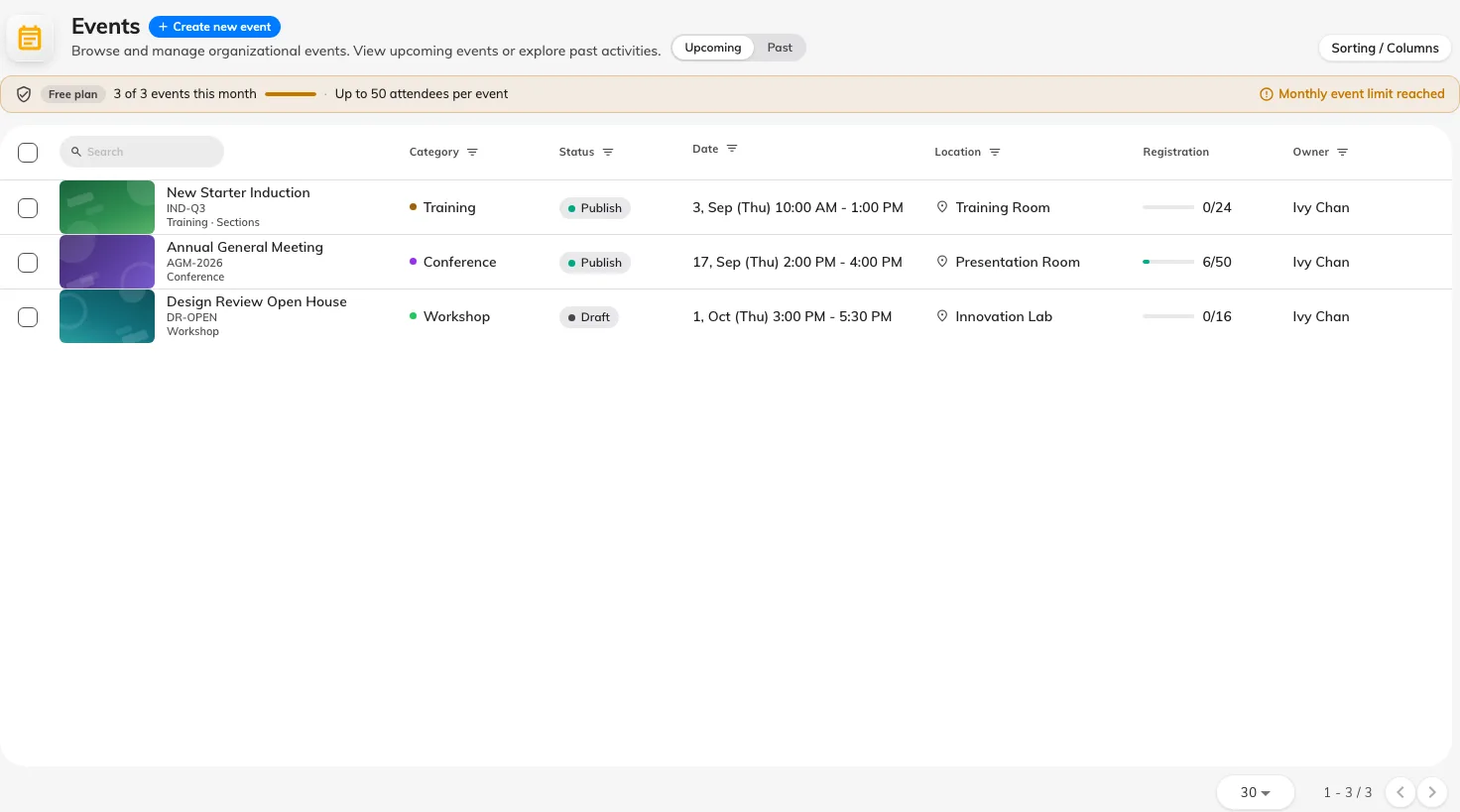
Every event in the company, whoever built it.
The header row is the filter row
The thing to notice first is that most columns have no title. Where you would expect a heading, the events list puts the filter for that column instead: a date range over the dates, a status picker over the statuses, a person search over the owners, and pickers for location, building and category.
So filtering is not hidden behind a button — you narrow the list by typing into the top of the column you care about. Only four columns carry a plain text heading: Online meeting, Sections, Registration and Public page.

Where a column heading would be, the events list puts that column's filter.
What each column holds
| Column | What it tells you |
|---|---|
| First column | The event’s name, with its category colour |
| Dates | The period it runs for. Its header is a date-range filter |
| Status | Draft, Publish, Pause, Closed or Cancelled. Its header picks one |
| Owner | The person the event belongs to — not necessarily who created it |
| Location and Building | Where it is. An event with an external location shows that instead |
| Online meeting | Whether it has a meeting link |
| Sections | How many a series event has. Blank for an individual event |
| Registration | How the event’s registration stands |
| Public page | Whether it has a working external page right now |
Public page is off by default and worth turning on. It is a single yes/no that folds together everything that has to be true for an outsider to reach the event — published, visible to external participants, and the company-wide page switches on. When somebody says their event link is dead, this column answers it in one glance instead of three.
Open a row and its panel carries the public address itself, ready to copy.
Creating and deleting
Create new event starts an event here, and it is the same event the organiser then builds in the app — the console gets you as far as the form and no further.
Deleting is permanent and takes the registrations with it. An event that has happened is better Closed: it leaves the record intact and moves it out of everybody’s way.
What this page does not do
- Publish anything. Status changes happen inside the event.
- Show you who is coming. That is the event’s own participant list, or Participants for the whole company.
- Filter by audience. Whether an event is internal, external or both is not a column here.