

Send reminders before an event
Reminders are set per event, in one of two ways, and there are four separate reasons a scheduled one never sends.
Reminders belong to the event, not to the company: there is no company-wide “warn everybody a day before”. Each event carries its own list, set by whoever runs it, and an event with an empty list sends nothing.
That is worth saying to organisers plainly, because the absence is silent. A carefully built event with a hundred registrations will remind nobody unless somebody adds a reminder to it.
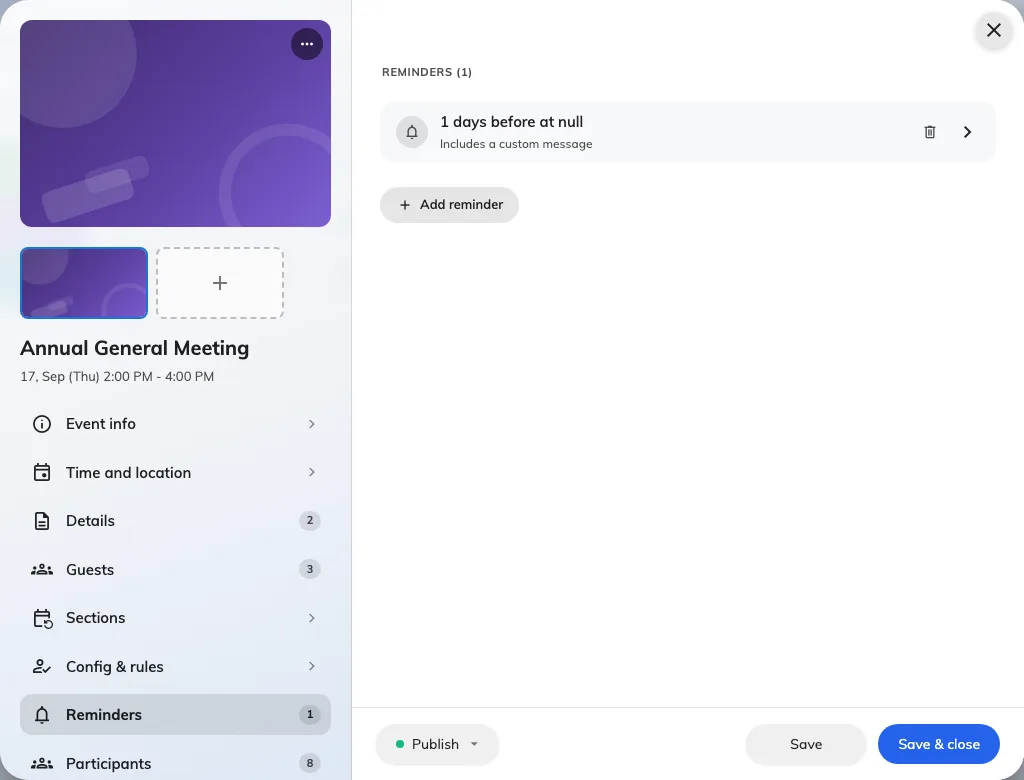
Reminders are set per event, on the editor page for that event.
The two ways to time one
Before start counts backwards from the event — 30 minutes, 2 hours, 3 days. This is the one to use for almost everything, because it follows the event if the date moves.
Exact time fires at a moment you name. Use it when the reminder is tied to something other than the event’s own start, like a catering deadline.
A Before start reminder measured in Days also asks for a Send at time, because “three days before” without an hour would fire in the middle of the night. Left blank it sends at 09:00, in the time zone the event itself is in.
Each reminder can carry an Extra message — a line added to the standard mail, for parking, dress code, or what to bring.
Who receives one
Everybody still expected: people invited, people whose invitation has been sent, and people already checked in. Anybody cancelled or marked no show is excluded, so a reminder never chases somebody who has already told you they are not coming.
Both audiences are treated the same here. A colleague who signed themselves up and received no confirmation email will still get reminders.
What this does not control
- The confirmation email. That is sent once, when somebody registers, and is a different message entirely.
- The language. A reminder is written in the event’s email language, or in the company’s where the event has not set one — never in the recipient’s. The choice is the Email language card on the event’s Public design page, and it governs the confirmation and the wallet pass at the same time.
- Anything on a section. Reminders timed with Exact time belong to the event as a whole; only Before start reminders follow each section of a series.