

Internal events and external events
Every event is opened to your own staff and to the outside world separately, with its own switches and its own registration window. What the two audiences are asked for, and why external is asked for more.
Every event is opened to two audiences, and they are set independently. Internal is your own staff, who find the event in the app and sign up with the account they already have. External is everybody else, who find it on a public page and fill in a form.
An event can be open to one, to both, or — easily, by accident — to neither. That last case is the commonest reason somebody reports that nobody can see their event: it was published, and simply never shown to anyone.
The two are not mirror images
Each audience has the same three switches: whether they can see the event at all, whether they may sign themselves up, and a registration window of their own. The windows are genuinely separate, which is what lets external sign-ups close a week early while colleagues can still put their name down the night before.
Beyond those three, the external side carries things the internal side has no equivalent of at all.
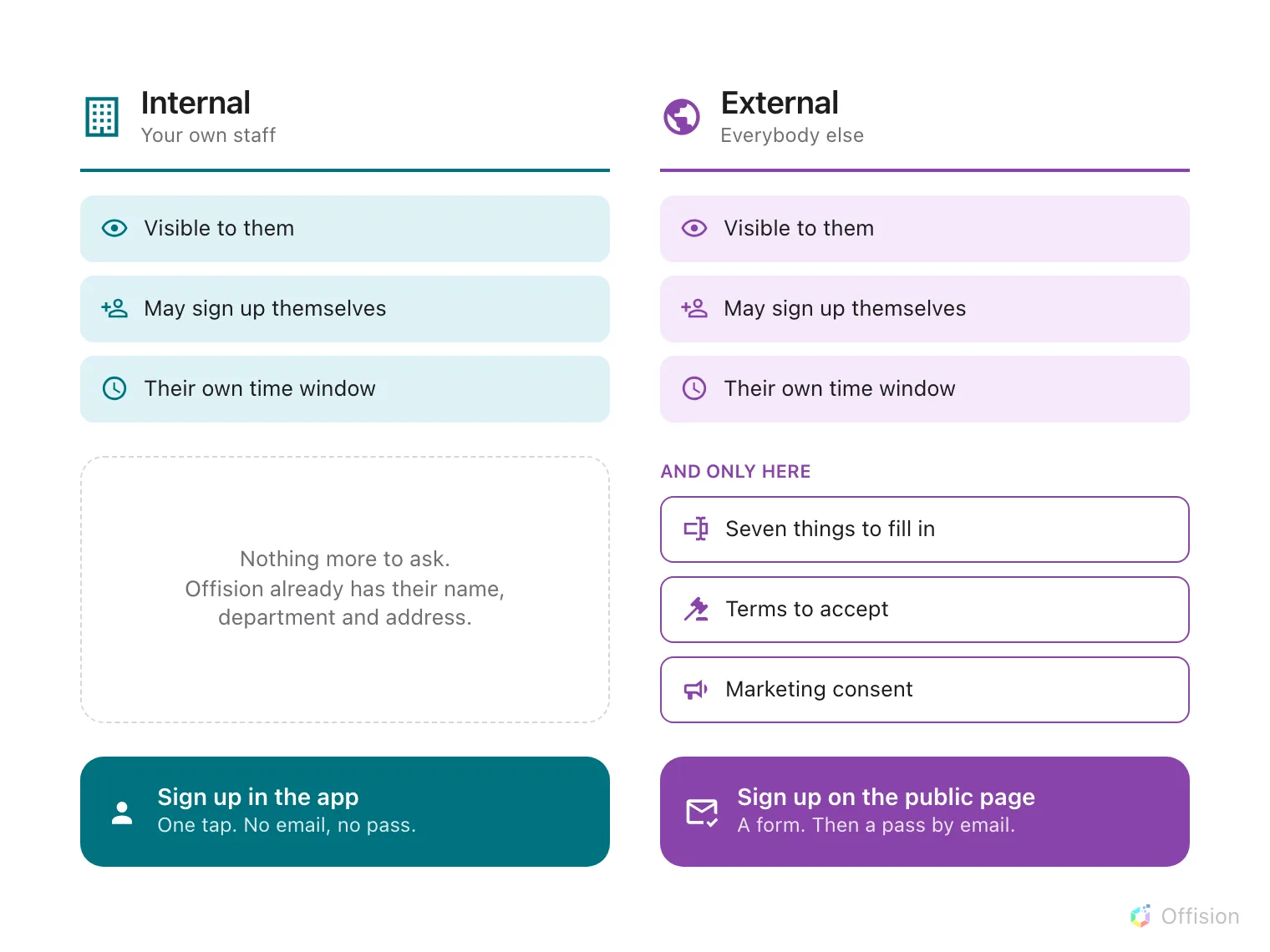
Internal is a strict subset of external: the same three switches, and none of the three below them.
The reason is worth saying plainly, because it explains the whole shape: a colleague is already a record in Offision. Their name, department and address are known, so there is nothing to ask them and nothing to get consent for. An external registrant is a stranger typing into a form, so everything you need from them has to be asked for — and anything you intend to do with it has to be agreed to.
Three events, and how they are set
| Staff town hall | Customer open day | Partner briefing | |
|---|---|---|---|
| Internal | Open, no window | Off | Open |
| External | Off | Open, closes 2 days early | Visible, but no self sign-up |
| In practice | Never touches a public page | Never on a colleague’s list | Public page shows it; you invite the guests by name |
The partner briefing is the one that proves the switches are independent — and it has a wrinkle worth knowing before you meet it. Turning off external self-registration leaves the public page saying No registration needed, which is the same thing it says for an event that genuinely needs no sign-up. The page is doing what it was told; it just cannot tell the two apart.
Open Event listWhat this does not decide
- Whether public pages exist at all. That is a company-wide pair of switches, and an event marked visible to external participants still has nowhere to be seen if they are off — see turning the public event pages on or off.
- What the public page looks like. The sections it shows are set on the four Public page design pages, and adjusted per event.
- Which of the two an individual belongs to. That is decided by whether they have an Offision account, not by how they were invited.