

See everyone registered, across every event
One list of every participant in the company, what each status means, and the two filters that answer most questions asked of it.
Every event keeps its own list of who is coming, and the organiser works from that. Participants is the other view: every registration in the company, on one page, whoever created the event and whatever it was.
It is the right place for the questions that cross events — has this person registered for anything, who is coming to everything this month, which of our guests never turned up — and the wrong place for running a single event, which is done in the app by the people running it.
Open Participants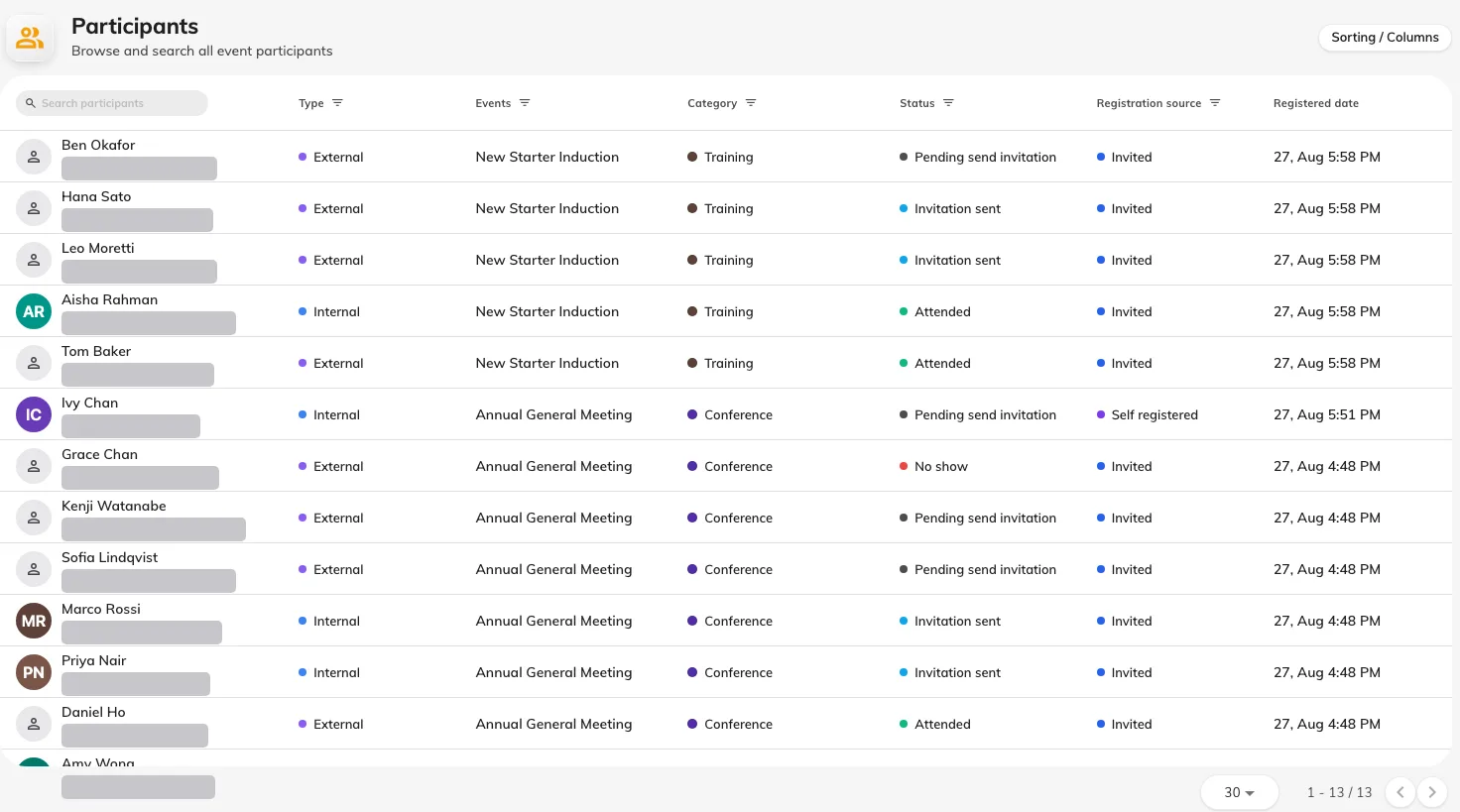
Everyone registered across every event, with the status each one is in.
What a status means
A participant carries an attendance status, and the wording rewards a careful read.
| Status | What it means |
|---|---|
| Pending send invitation | On the list, but nothing has been sent to them yet |
| Invitation sent | Their registration email has gone out |
| Attended | Checked in at the door. The time is stamped once, on the first scan |
| No show | Marked as not having turned up |
| Invitation cancelled | Their place was withdrawn. This is the only status that frees up a seat |
Two are easy to misread. Pending send invitation is the normal state of somebody added to an event that has not been published — it is not a failure, and it clears as soon as invitations go out. Invitation cancelled covers a place withdrawn for any reason, including a participant asking to be taken off.
The two filters worth knowing
Type splits the list into Internal and External — colleagues with an Offision account, and everybody else.
Self-registered splits it by how they got there: people who signed themselves up, against people an organiser added.
Used together they answer the question this page exists for. Internal plus self registered is the group that received no confirmation email at all, because a colleague signing themselves up is the one route that sends nothing. When somebody reports that a participant never heard anything, that pair of filters tells you in one look whether it is a fault or the way it works.
What this page does not do
- It does not run an event. Inviting, reminding and checking people in happen on the event itself, in the app.
- It does not show a seat count. How full an event is belongs to the event.
- It does not create anybody. Participants exist because somebody registered or was invited.