

Help a guest show their pass
Walking somebody through their own phone at the door: where a colleague's ticket lives, why an outside guest has no app at all, and what to do when neither of them can produce a code.
Most of the queue arrives with the code already open. The rest are standing in front of you tapping around their phone, and getting them to the right screen is faster than anything else you can do.
A colleague: My events
Their ticket is in the app, on the Events page, under the second tab.
- Open Events.
- Switch from Discover to My events.
- The next event they are going to is already open at the top, with its QR beside it. Nothing else to press.
Anything further off — and anything already past — is a compact row lower down instead. Those open on a tap, and the QR appears on the row itself.
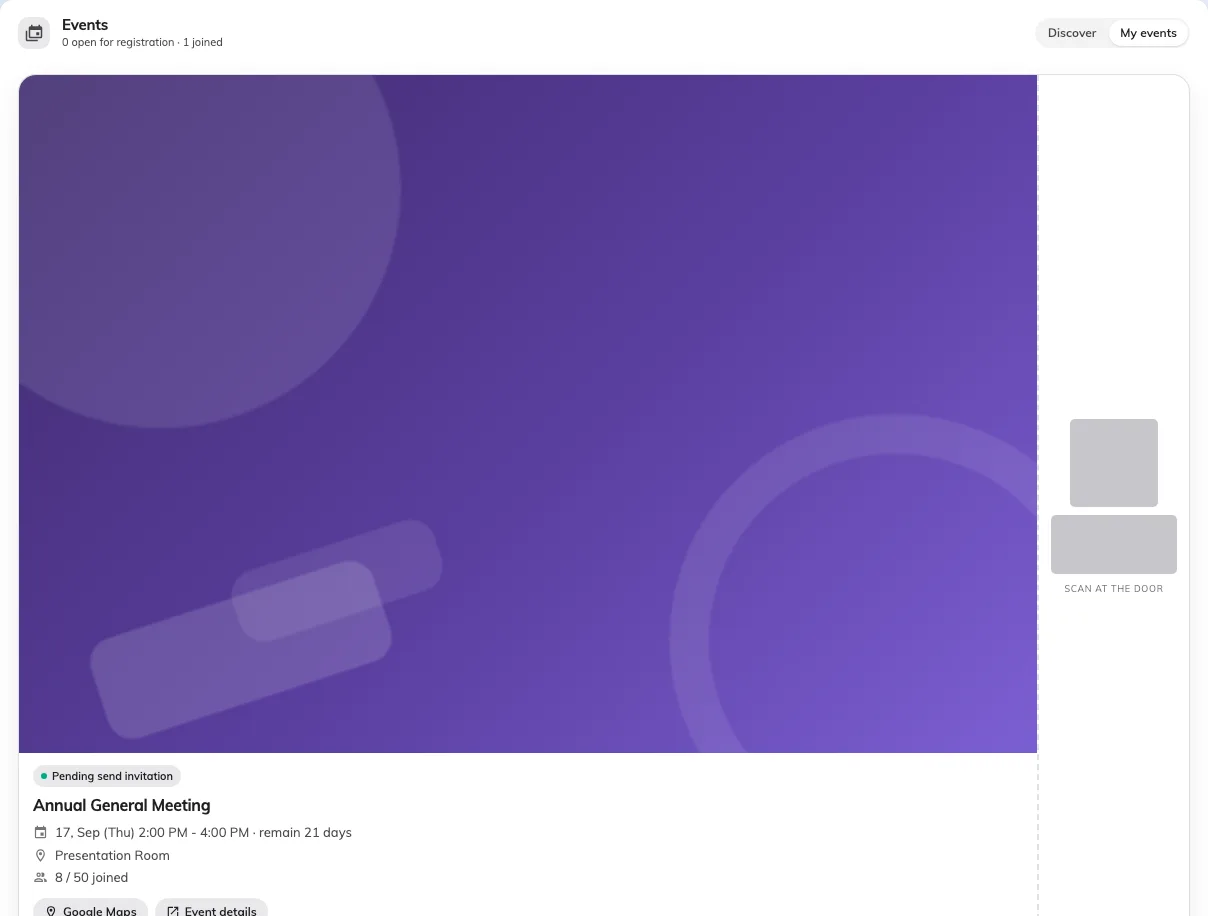
My events. The code is covered here; on their screen it is the one you scan.
The full article on the guest’s side of this is your events and your QR code — worth sending to anybody who asks you the same thing twice.
An outside guest: their email
Somebody from outside the company registered on a public page and the code was emailed to them. There is no app and no My events to look in — send them to their inbox, and to the spam folder after that.
If they saved it to Apple or Google Wallet when they registered, it is on their lock screen and that is the quickest thing to ask for.
Series events have a ticket each
A course or a repeating session gives one ticket per section, and the list shows N section tickets on the row. The scanner reads the section, not just the event — so somebody holding up last week’s ticket scans as Not in this session. Get them to open the right one rather than checking them in by hand.
When there is no code at all
Do not send anybody away over a missing pass. Guest list, search their name, check them in from there — the record is identical to a scan.
What you cannot fix for them
A cancelled registration and a name that is genuinely not on the list are the organiser’s call, not yours. Check in anyway exists for when they say so — ask, do not decide.
If the code reaches the scanner and still will not read, that is a different problem and it is covered in a pass won’t scan at the door.