

Add sections to a series event
Each date of a course is a section with its own place, capacity and status — and three behaviours that differ from the event as a whole.
A series event holds sections: the four dates of a course, the same induction run every Monday, the three streams of a conference day.
Each section carries its own period, its own location and its own capacity, and people can sign up to the whole series or to individual sections.
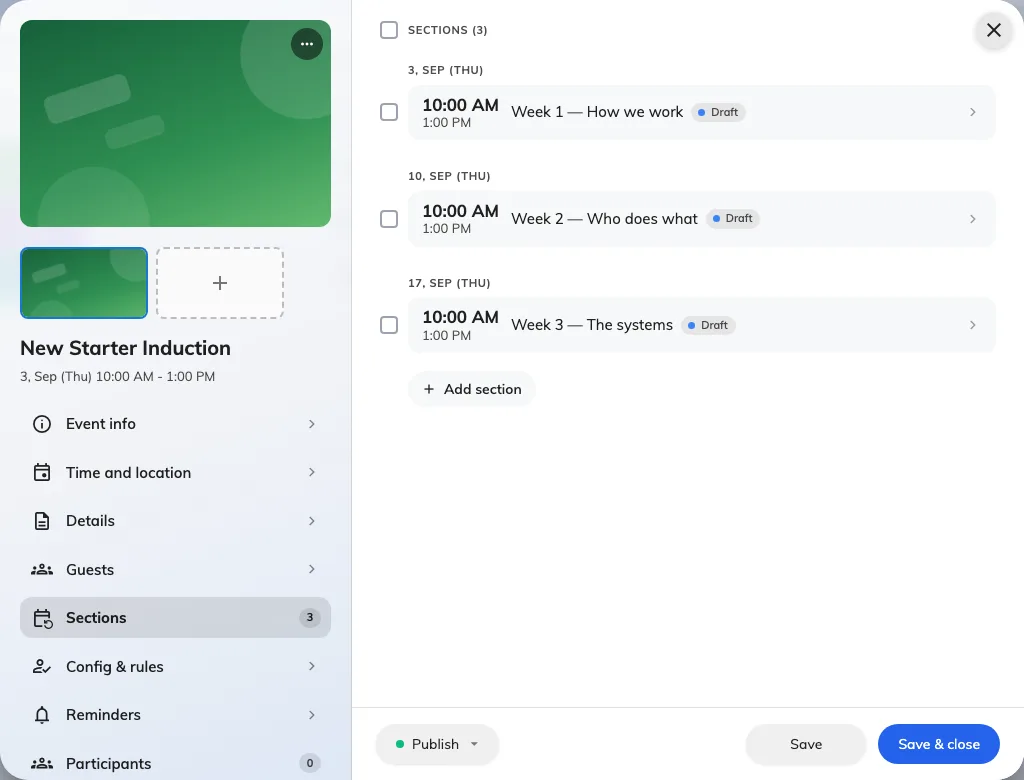
Three sections under one series, each carrying its own status.
Adding them
Add section on the event’s Sections page. Give each one a period and, if it differs from the event, a location of its own.
There is no limit on how many an event may have, and no requirement that they be regular — a course with three sessions a fortnight apart and one a month later is perfectly ordinary.
Three things that behave differently
Signing up for one section sends nothing. No confirmation email and no wallet pass, for either audience. Somebody registered against the whole event does get them. If you need everybody to hold an emailed ticket, register them at event level rather than per section.
Reminders behave differently too. A reminder set as Before start follows each section, so a four-section course produces four reminders. One set to an Exact time belongs to the event and fires once.
Publishing them
Sections carry their own status. Publishing the event does not publish its sections — each one is published in its own right, which is what lets you open a course one term at a time.
An event that looks published but shows nobody a date is usually this: the event is live and its sections are still in draft.