

Limit how many people can join
One number covering both audiences, whether to publish it, and the ceiling your licence puts above it.
Enable maximum participant limit puts a ceiling on how many people can register. Leave it off and the event takes as many as turn up.
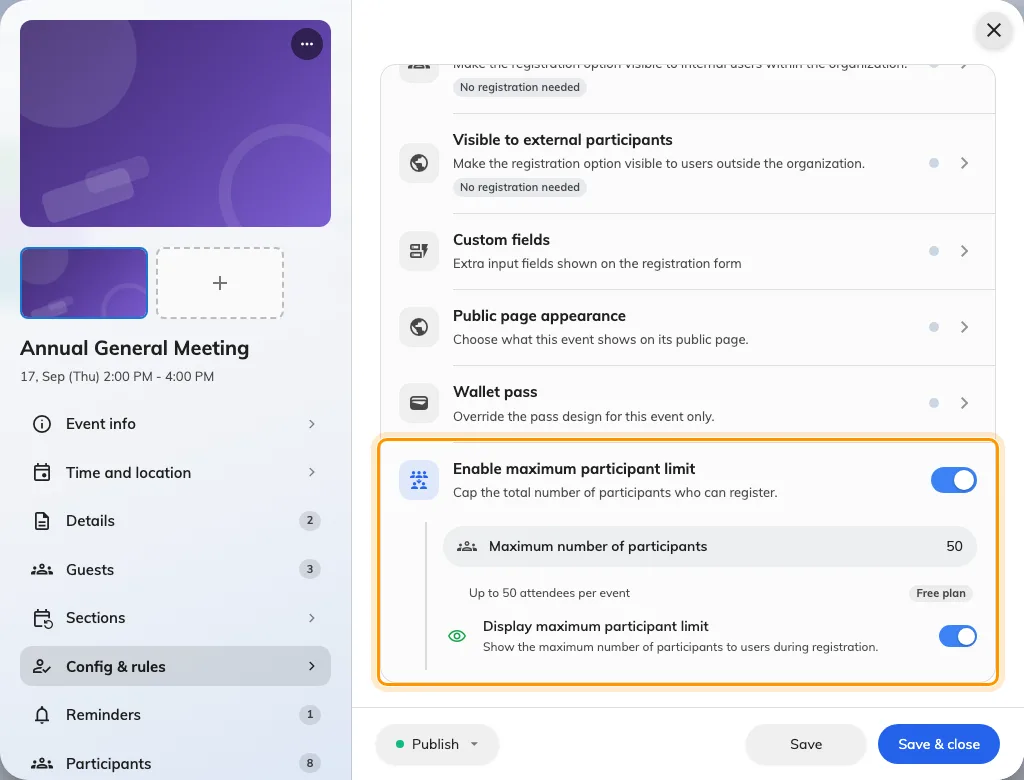
The cap sits at the foot of Config & rules, with its own switch.
One pool, both audiences
The number covers colleagues and external guests together. There is no way to hold back seats for one side — if you need to guarantee places for your own staff, invite them before you open external sign-ups, because an invited place is already taken.
Whether to show it
Display maximum participant limit publishes the count, and guests then see N places left on the public page.
On a popular event that creates useful pressure. On a quiet one it advertises that nobody is coming, which is rarely what you want a fortnight out. It is one switch you can change at any time, so turning it on once the event has filled a little is a perfectly reasonable tactic.
On a series event
Capacity applies per section, not across the series. Twenty on a four-section course is twenty each time, which is usually right — each session has a room — but it is not what people assume when they type the number.
Freeing a place
Only cancelling somebody’s registration gives a seat back. Marking them as a no-show afterwards does not, and neither does the event ending.
That matters when a full event has a waiting list: to let the next person in, you have to cancel the one who dropped out rather than leaving them on the list.