

Add owners, editors and assistants
Three roles on your event, what each can do, and the one thing to check before you rely on an assistant turning up.
Event team is who else can work on your event. Adding somebody here gives them nothing anywhere else in Offision — it is per event, and it is yours to give.
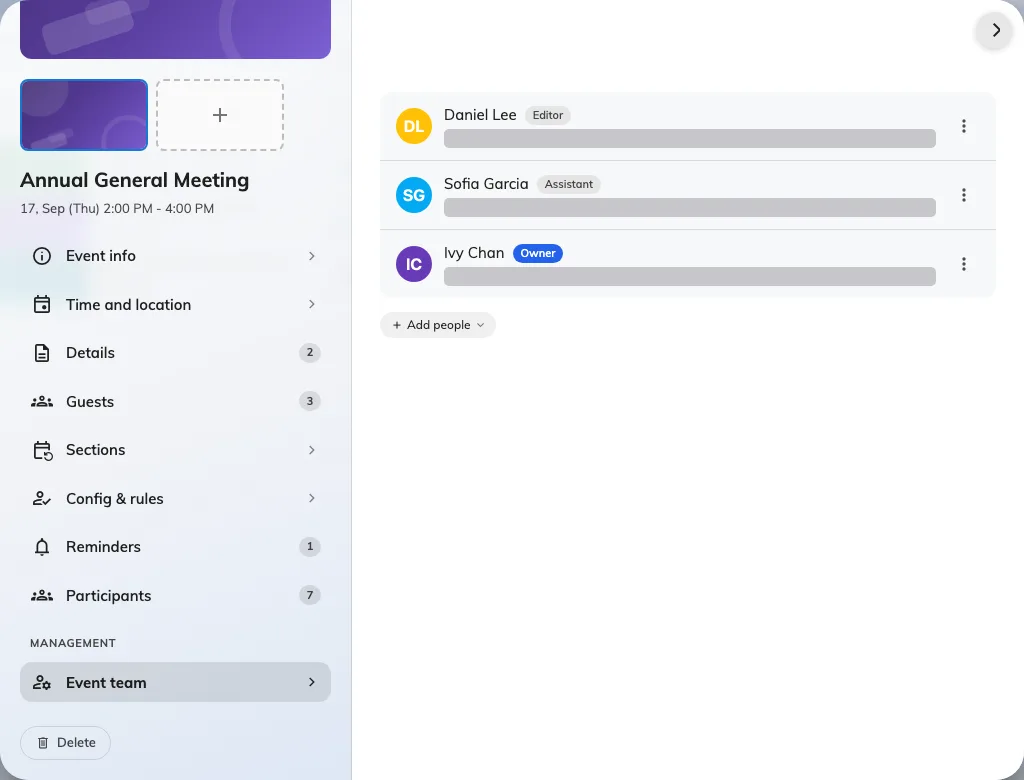
One owner, one editor, one assistant on a single event.
The three roles
Owner is you, because you created it. There is exactly one, and making somebody else the owner hands the title over rather than adding a second — you stay on as an editor.
Editor can do everything you can: edit the details, manage the team, invite people, publish and close. Use this to share an event properly, rather than handing over ownership.
Assistant is for the door. They can see the event, where it is and how many are registered, and they can take attendance. They cannot open the editor, cannot see who the participants are, and cannot publish or cancel anything.
Who to add, and when
Add an editor as soon as somebody else is genuinely working on the event — before you go on leave, not after. An event whose only owner is unreachable cannot be edited by anybody except an administrator, who has to add themselves to the team to do it.
Add assistants shortly before the day. They only need it for the door, and a smaller team is easier to reason about.
Changing a role
Roles can be changed at any time from the same page — an assistant can become an editor and back again. Removing somebody takes their access away and leaves the event untouched.