

Open an event to your colleagues
Three switches, and that is the whole of the internal side — plus what to do when you need something from your colleagues that this side cannot ask.
Internal participant settings has three controls and nothing else. That is not a gap — it is because Offision already knows who your colleagues are.
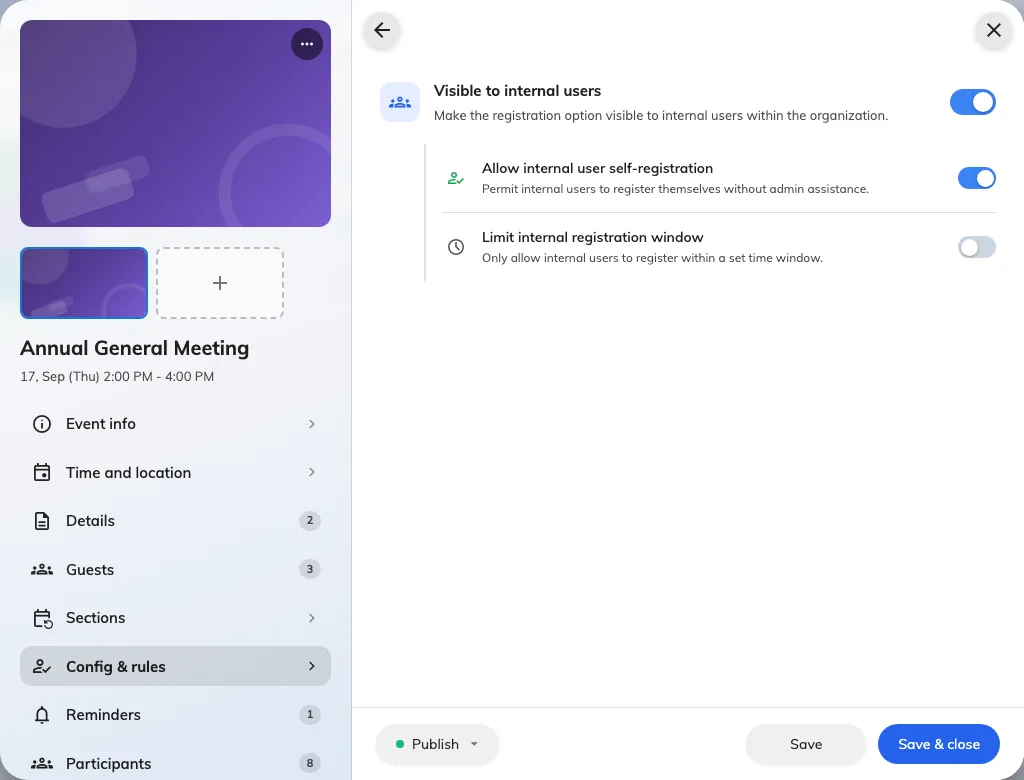
What colleagues get, set on its own page.
The three
Visible to internal users decides whether the event appears on the app’s Event list at all. Off, and no colleague will ever find it, however published it is.
Allow internal user self-registration decides whether they may put their own name down. Off means the event is visible but has no sign-up control — which is right when you are inviting a specific group and do not want the whole company joining.
Limit internal registration window sets a start and an end. Leave it off and sign-ups run until the event starts.
The combination people get wrong
Visible on with self-registration off is a real and useful setting: the event is advertised, and you invite by name. But it is also what an event looks like when somebody meant to open it and forgot the second switch.
If colleagues say they can see an event but cannot join it, that pair is the first thing to check.
Check it worked
Ask a colleague not on your event’s team to open Event list and look. What they see is what everybody sees — your own view is not a fair test, because you are on the team.