

Publish, pause, close or cancel
Publishing is what turns everything on, and it sends nothing. The three ways to end an event differ only in what your guests are left holding.
An event you have built is in Draft, and in draft it exists for your team and nobody else. Publishing is what makes it real.
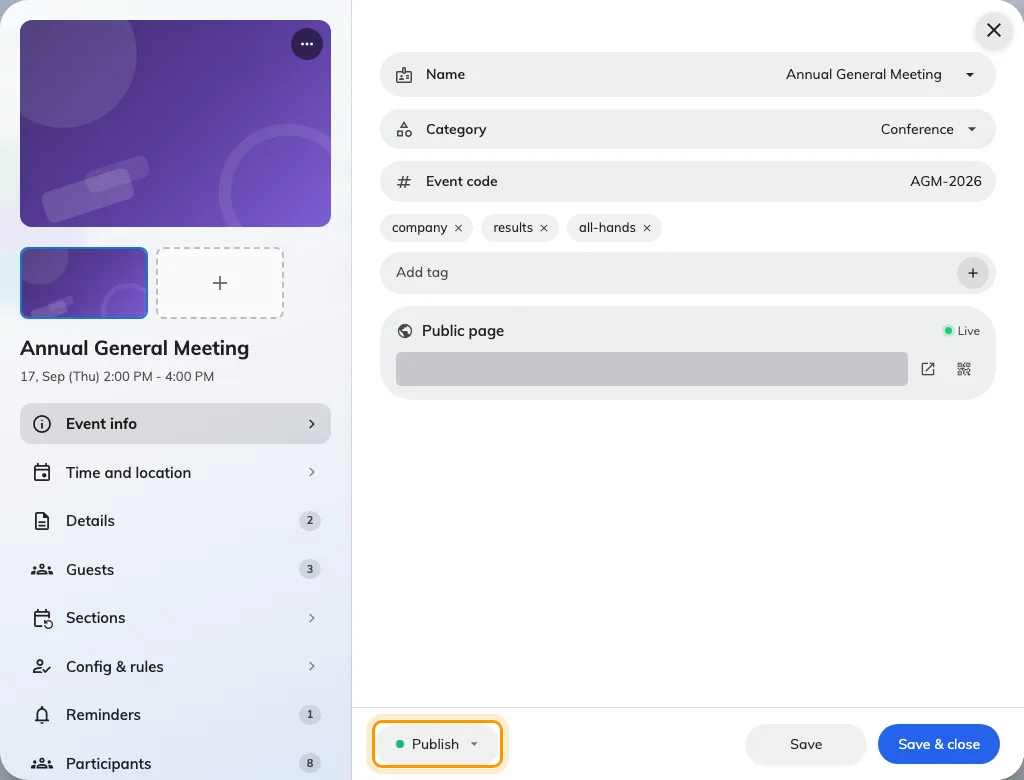
The status pill in the editor footer is where the whole lifecycle lives.
What publishing turns on
Staff can find it. The public page opens, if you have opened the event to external participants. Invitations can be sent. Reminders start counting down. And on the day, attendance can be taken.
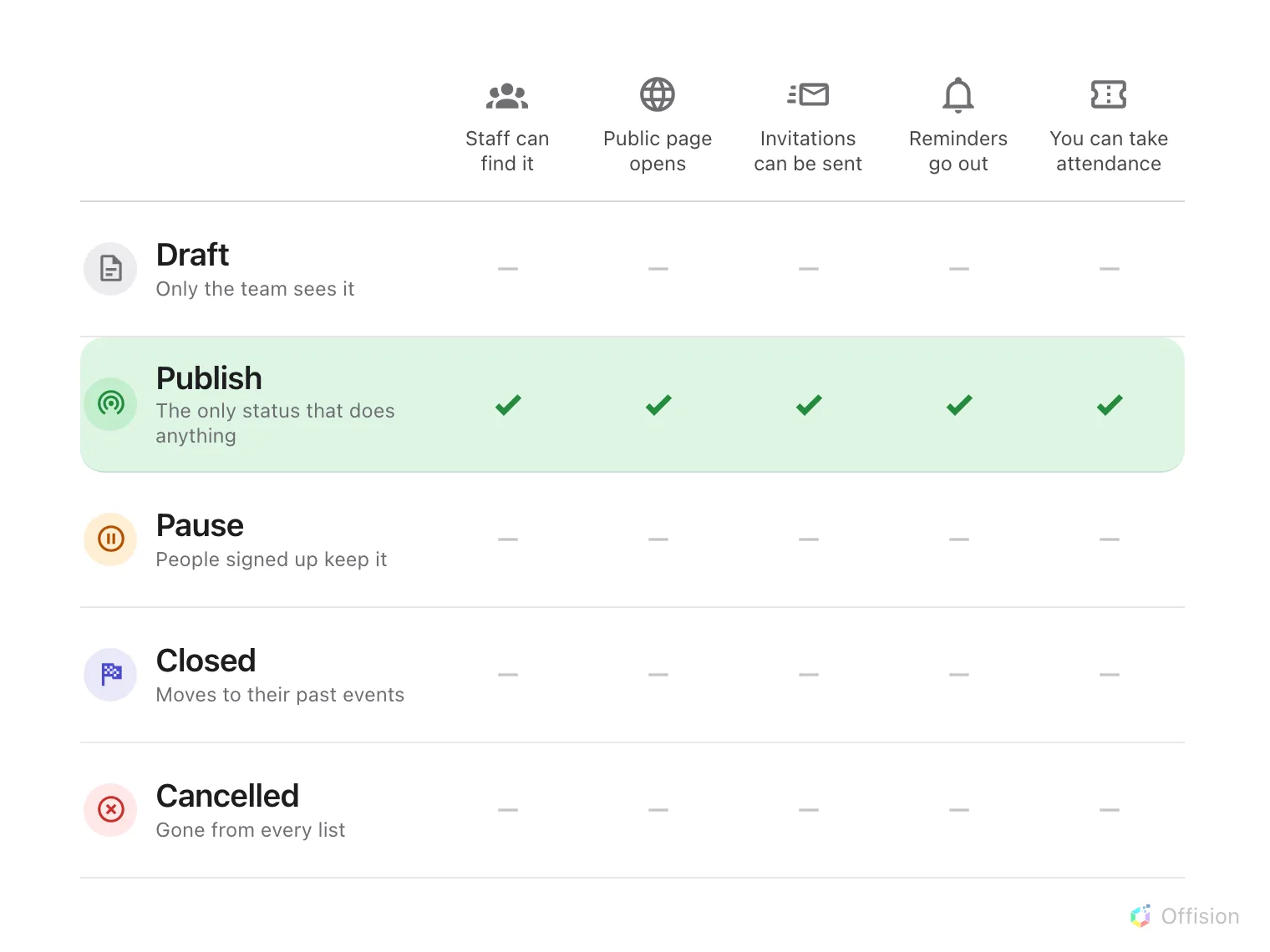
Publish is the only status in which anything happens.
The three ways to end one
Pause takes it off both lists but leaves it with the people who already signed up. Use it while you rearrange something — a venue falls through, a speaker pulls out — and publish again when it is settled.
Close is the ordinary end. The event moves into everyone’s past events and the record stays intact. This is what a finished event should be.
Cancel removes it from every list, including your registrants’. Use it for something that is not happening — but tell people yourself first, because cancelling sends no notification either.
Deleting
Deleting is permanent and takes the registrations with it. An event that has happened should be Closed, not deleted — the record is worth keeping, and it stays out of everybody’s way either way.
Sections publish separately
On a series event, publishing the event does not publish its sections. Each is published in its own right.