

What an assistant can do
You have been added to somebody's event to help on the day. What you can see, what you cannot, and what to check before you turn up.
Somebody has added you to their event as an Assistant. It is a small, clear job: you are there to check people in.
You do not need to know how the event was built and you are not expected to change anything. Everything you need is one button.
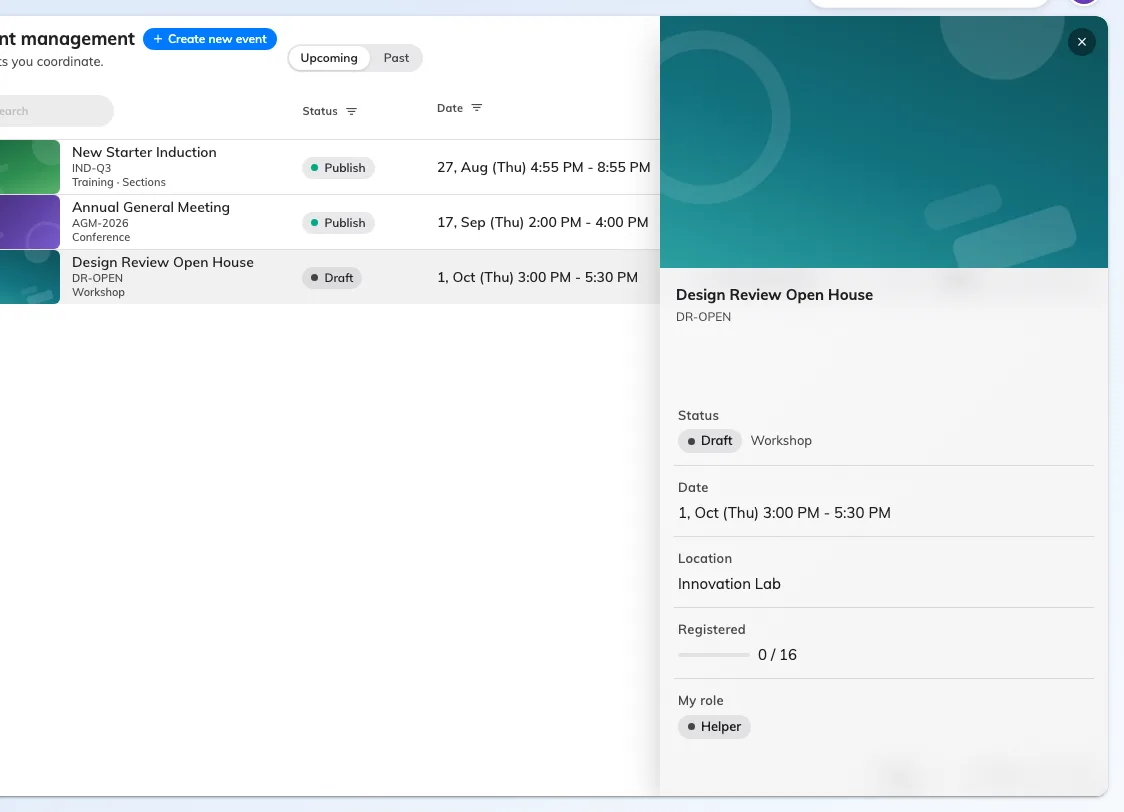
An event you assist on: the essentials, your role, and no way to edit it.
What you can see
The event, where it is, and how many people are registered. That is deliberately all — an assistant does not see who those people are, because you do not need the list to work the door.
What you cannot do
You cannot open the editor, change any detail, invite anybody, or publish, pause or cancel the event. If something about the event is wrong, tell whoever runs it; there is nothing on your side to fix it with.
What you can do
Open the event and press Take attendance. That is the job, and it is covered in take attendance as an assistant.
Two things worth knowing
Attendance only opens on the day. The button is not there beforehand, and the app says why. That is not your account being wrong.
Your check-ins are the attendance record. The numbers the organiser sees afterwards come entirely from what was scanned at the door — so an event nobody checked anybody into reads as an event nobody came to.