Neat 裝置
 Crestron

產品更新
Offision 已更新
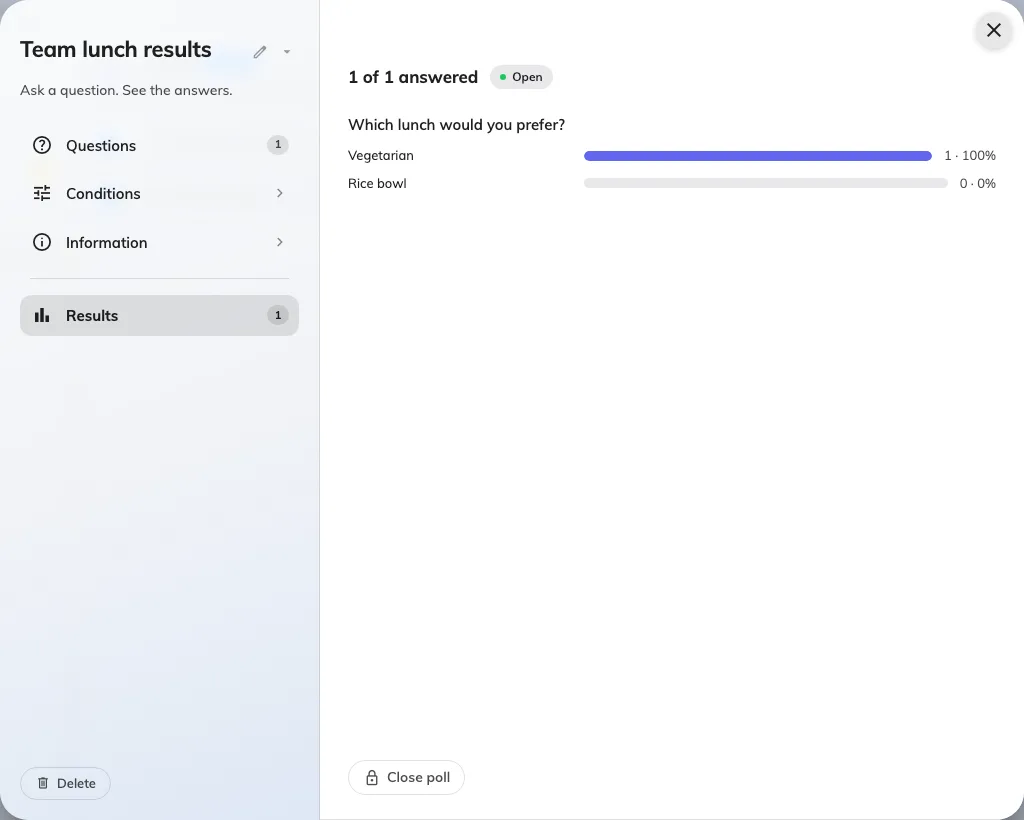
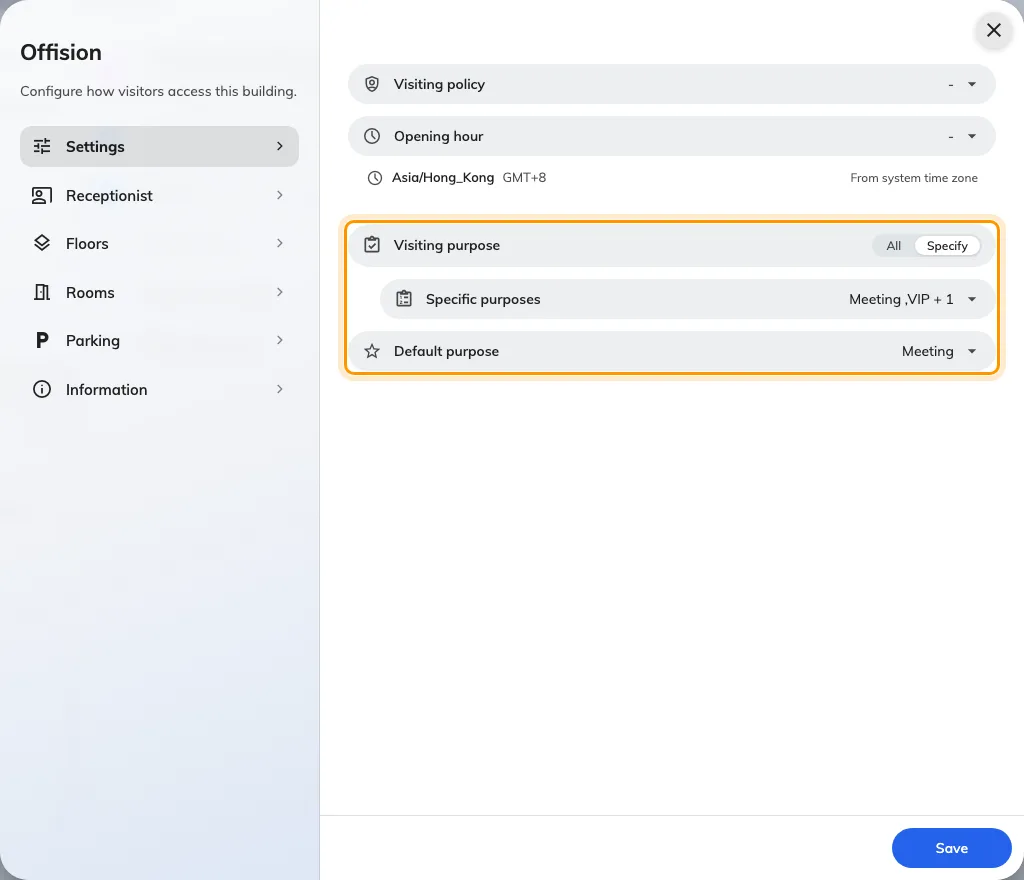
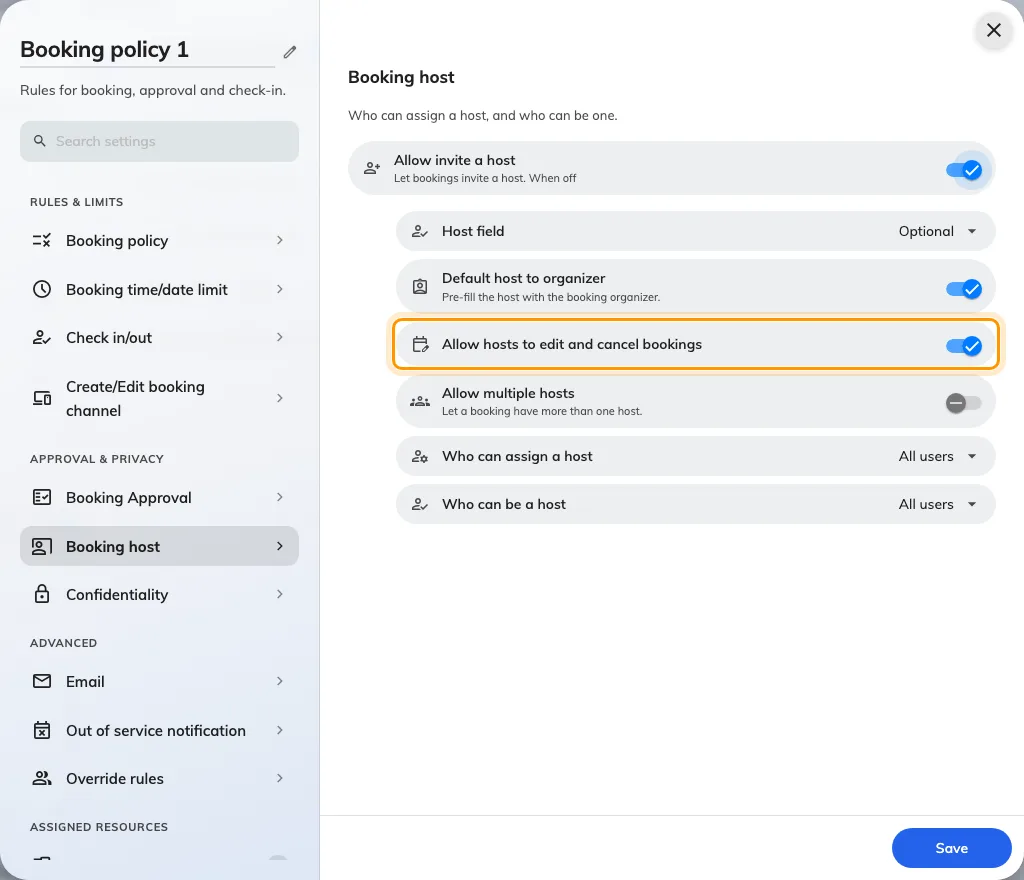
Booking hosts can manage their reservations, named polls show who answered, and visiting purposes can be tailored to each building.
Booking hosts can manage their reservations, named polls show who answered, and visiting purposes can be tailored to each building.
Meet the new Map Editor and Guest Booking: build your workplace in 3D, then welcome guests with booking pages shaped around your rooms and services.
Panels and signage now recover on their own after a failed load, Google Calendar rooms keep syncing, and check-in leaves a meeting's time zone alone.
Import bookings straight from the app, and a sheet with a bad cell now stops before it books. Panels get a new console, announcements a simpler form.
A visitor who scans your lobby code is now walked to the room one step at a time, and an export is bounded by the rows it holds rather than by two months.
Google Calendar repeating meetings are fixed: a series with no end date now books a year of the room, not a decade.
Signage now asks which device you are hanging and sizes itself to it. Logos take a white or black ground, and the calendar header stands aside for the grid.
Search the calendar at last — by subject, room or booking reference — then choose the columns you export and set a floor to read flat on every screen.
New this release: the in-room panel says when a meeting is nearly over, a Host column in the import sheet, pasted attendee lists, and an audit-trail export.
New this release: a flat 2D map for signage, a weekly look back at your bookings, the day your week starts on, and cancelling a meeting you checked into.
New this release: usage by user group, who fills in each visitor detail, a rotating visitor QR, a colleague's booking card, and a design page per event page.
New this release: free times suggested before you pick a room, a live preview while you configure a panel, more board layouts, and a simpler app menu.
New this release: time and weather on your boards, a floor plan you can turn and tilt, and a link from every device group to its module.
Manual resync of the organizer appointment for integration bookings, visitor registration by name only, and a secure panel passcode.
Signage V2 layout editor and schedule (Beta), booking control buttons in the user app, new booking history page, and Apple Wallet and visitor badge fixes.
Booking form field visibility respected on stickers, panels and signage, review emails for integrated bookings, and a new user app home page.
Booking Operator setting and collapsible timeline for panels, panel navigation buttons, custom booking fields on signage, and new integration modes.
Automatic licence assignment for new resources, new resource and user import dialogs, better visitor self check-in, and a default service panel layout.
Attendance for bookings, GPS check-in within building range, Player Remote Control (Beta), redesigned booking approval and event lists, and a new License page.
Default booking purpose before a resource is picked, visitor host email settings, no second photo at check-in, and autocomplete on panels.
Signage V2 (Beta), rotating visitor QR codes on signage, visitor import from the visiting calendar, booking IDs on stickers and reports, and a new console home.
Per-member limits on user group quotas, better booking reminder emails, pinnable items in the management console menu, and fixes for import booking times.
Time suggestions and booking purpose in the booking form, booking host, user group quotas, visitor and user attributes, and a new floor plan editor.
Conditional approval above a booking count limit, better camera scanning on devices, and fixes for booking history export and Outlook recurring series.
Combined-room labels and merged blocks on the calendar, automatic data-centre switching for devices, event registration QR code, and floor plan search.
Booking import, cancel a whole series at once, conditional approval outside business hours, easier room and attendee selection, and manual 2FA disable.
Rate limits on high-volume actions for free accounts, with automatic tenant blocking after three violations.
Fixes for the Offision player on older Chromium WebView versions (90 and above are now supported).
Booking Series from a single form, manual resync for integrated resources, account lockout after failed logins, and scheduled Neat device restarts.
Editable long-term visitor badge email, redesigned quota history and policy pages, new API authentication page, and hover submenus in the management console.
Auto-cancel of no-show recurring series, editing ongoing bookings, visitor vehicle field, user device sessions, and new booking and visiting forms.
Redesigned management calendar, support ticket chat, attendance records in the user app, new booking cards, and Deleted Items on booking and visiting pages.
Booking manager notifications, rejection suggestions, report export column picker, user self-registration, digital name card, and a Deleted Items recycle bin.
Recurring bookings with no end date, restricted timeslots in business hours, one unified Integration page, and new service and invitation stickers.
Clearer missing-token warning on devices, and fixes for Outlook time changes resetting ongoing bookings and IAdea screenshots in Device Monitoring.
Conditional approval time units in hours, three re-approval conditions for edited bookings, and fixes for QR check-in and Outlook edits skipping re-approval.
Quick Booking dialog in the user app and signage, batch approval and approval history for bookings, per-user 2FA toggle, and booking sticker check-in.
Import and export of event participants, improved attendance report, badge printing toggle on the signage Visitor widget, and hidden QR code on Qbic E-Paper.
Faster startup for QBIC, IAdea and Neat devices with a pre-bootstrap redirect that loads the player interface directly.
Redesigned booking panel with optional confirmation page and multi-card scanning, faster booking log and export, new visitor badge design, expanded audit trail.
Overlap policy in booking override rules, reworked resource usage reports, long-term visitor badge download, and panel energy-saving outside business hours.
Refreshed user app booking dialog and in-calendar editing, floor plan widget auto-flipping with building order and preset labels, and visitor form fixes.
Improved booking form timeline, QR code manager per resource type, redesigned Reception page with an On-Site People list, and location-based invite policy.
Approval reminder in the booking form, a dedicated Access Cards page, duplicate checks in Invite User, and Wi-Fi QR codes on the signage walk-in flow.
2FA via email, configurable booking PIN length, sensor auto check-in limited to business hours, booking panel skin previews, and integration mode conversion.
Clearer recurring bookings in the form, optional room-user count field, auto-selected building on the visitor form, Client Wi-Fi dialog, and card import fixes.
New floor plan label display modes, refreshed My Calendar booking menu and filters, a unified company-account switcher, and drag-and-drop navigation menu.
Resource usage and monthly user usage reports, hourly walk-in QR codes with direct visitor check-in, visitor and service daily reports, and API rate limiting.
Fixes for policy exception rules that could not be created, and visitor long-term badges missing from Apple Wallet Quick Access on iPhone.
Font size preference in the user app, customizable email templates, user licence API endpoints, and a new date-range picker for management console reports.
Faster floor plan saving, and fixes for disappearing floor plan objects, the Fixed Seat module, the visitor walk-in form, and approval-booking slot colours.
Attendance module release, bulk import of bookable resources, rooms and parking under visiting locations, and occupied-parking markers on floor plans.
Filters on My Calendar, non-overlapping floor plan labels, a new daily service report layout, and fixes for time fields and announcement text wrapping.
Refreshed user app home page style, and a fix for Single Sign-On failing on custom integrations.
Integration icon on synced user profiles, weekday shown on the user app home page, and fixes for the non-manager login error and Visitor Wi-Fi saving.
2FA via Microsoft Authenticator or email, parking space resources with an EV charger filter, quick view dashboards, and service auto-assignment.
Download attached images and PDFs from the preview, current time in the floor plan resource dialog, fixes for saving tickets and staff card deletion.
Light bar support on IAdea devices, fixes for management calendar booking buttons, Enter to submit the password and private M365 meetings shown as Reserved.
Refreshed login and reset password pages, faster initial loading with floor plan caching, local storage cleared on logout, iPad visitor label printing fix.
Non-square logo cropping and rounded logos in emails, clearer booking PIN, smaller YouTube notices on signage, fixes for floor plan and walk-in-only rooms.
Mobile Pass for Long-Term Badges, walk-in and check-in with Mobile Pass or HID cards on panels, HSTS and XSS hardening, automatic No Show and Check-in sync.
Invite visitors from the booking form, QR code after walk-in to view the badge on a phone, redesigned badge emails, Teams contacts in M365 manual setup.
Two-button reception walk-in form, curated badge styles with larger QR codes, signage walk-in for Long-Term Badge holders, resource ordering in booking form.
Redesigned booking and visitor forms with file uploads, room layout and attendee availability, Outlook contacts, sub-service items, user security profiles.


©2026 ONES Software Ltd. All rights reserved.