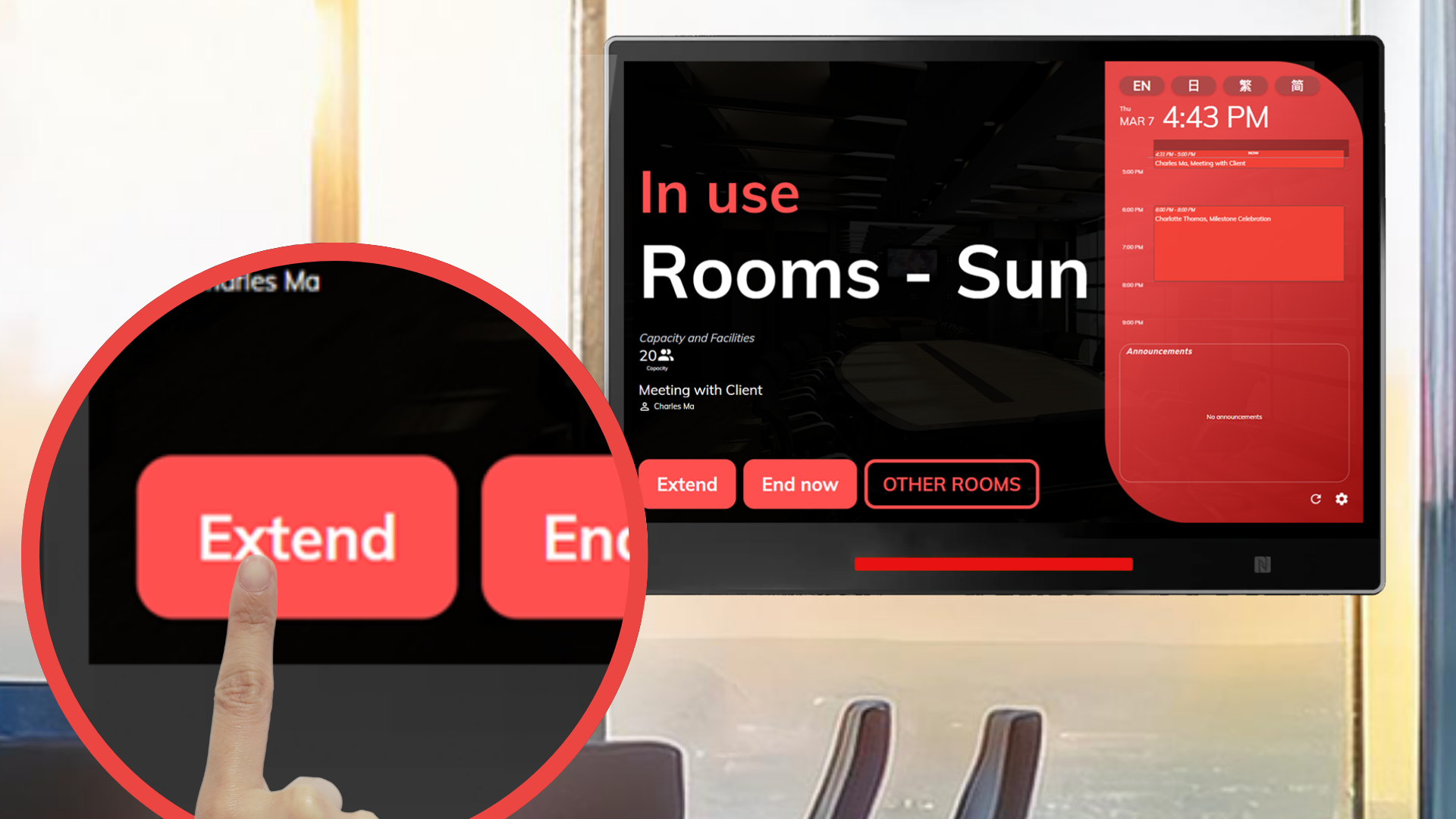
Offision’s room panel feature lets users extend their current bookings quickly and easily. This ensures flexibility, enhances convenience, and supports efficient resource management for all users.
洞察與最佳實踐,協助您優化工作空間
Offision's Extend Your Booking from the Room Panel feature offers users a convenient way to extend their current bookings without needing to leave the resource location. This feature is designed to provide flexibility and enhance user experience by allowing seamless control over ongoing bookings, directly through the room panel.
This feature is particularly useful for meetings or events that run longer than expected, allowing users to adjust their bookings on the spot. Designed with fairness and efficiency in mind, Offision ensures that all users benefit from a smooth, well-managed booking system.
User Convenience
Flexibility and Adaptability
Efficient Resource Management
Improved User Experience
Streamlined Operations
Real-Time Updates
Fairness in Usage
Offision’s Extend Your Booking from the Room Panel feature is a valuable addition for users who require flexibility and convenience. While it relies on system functionality and room panel availability, the feature’s ability to simplify extensions, manage resources fairly, and enhance user satisfaction makes it an essential tool for efficient booking management.
請依照以下步驟操作
Navigate to "Booking panel" and add a new booking panel or connect device
Navigate to “Advanced policy” and create / edit a policy
Navigate to “Booking policy” tab and enable “Allow user on-site extend the booking”
Navigate to “Device configurations” of booking panel and create / edit a device configuration
Navigate to “Screen functions” tab and enable “Show extend button”
Navigate to "Booking panel" and add a new booking panel or connect device
Navigate to “Advanced policy” and create / edit a policy
Navigate to “Booking policy” tab and enable “Allow user on-site extend the booking”
Navigate to “Device configurations” of booking panel and create / edit a device configuration
Navigate to “Screen functions” tab and enable “Show extend button”
備受全球機構信賴
加入數百間使用 Offision 提升工作空間管理效率的企業


©2026 ONES Software Ltd. All rights reserved.

 Neat 裝置
 Crestron