

Can the time we don't use be released automatically?
Yes, and two different things can do it. An occupancy sensor can hand a room back on its own once everybody has left, and anyone in the meeting can hand it back by pressing End now. Both shorten the booking to the moment it really ended, so the leftover time is free for somebody else straight away. What each one needs turned on, the one toggle that switches off both, which devices can do it — a people count from a Neat or Webex room device works as well as an occupancy sensor — and where the reclaimed hours are counted.
Yes — by a sensor, with nobody pressing anything, or by hand in a couple of seconds. The two are worth telling apart, because only one of them needs hardware.
The short answer
A room with an occupancy sensor can release itself. Once the sensor has reported the room empty for long enough, Offision ends the booking there and gives the rest of the slot back.
Any room can be released by hand. A meeting that has started shows End now, in the app and at the room. Pressing it does the same thing the sensor would have done.
Without either, a room stays booked until its end time even if everyone left an hour ago. The booking has no way of knowing.
What “released” actually means
The booking is shortened, not cancelled. Its end moves to the moment the meeting really finished, and the rest of the slot is free everywhere at once — the floor plan, the panel at the door, everyone else’s search. On a room synced from Microsoft 365 or Google, the shortened period is pushed back to that calendar too.
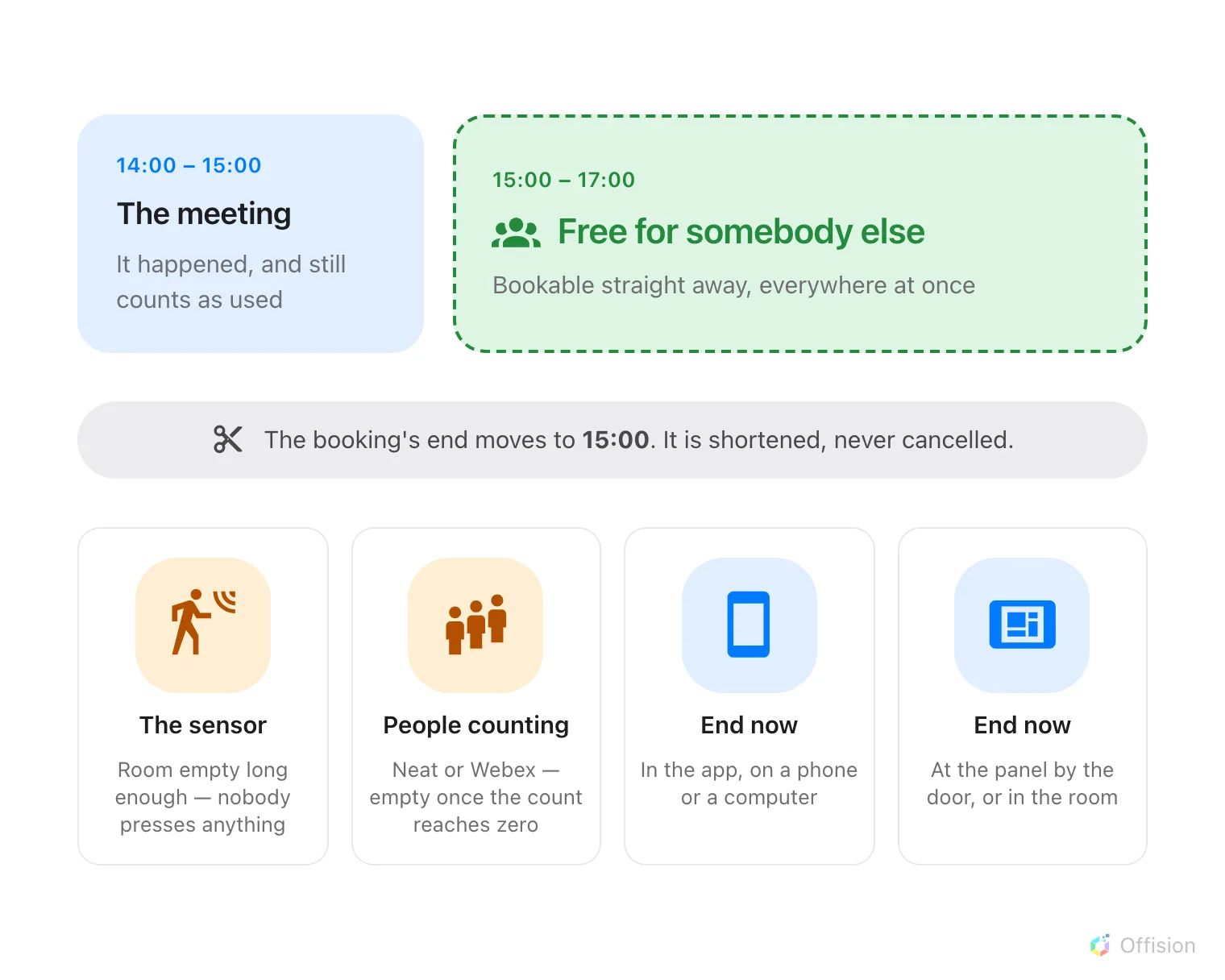
Whoever makes the cut, the result is the same: the time you did not use goes back.
The meeting still happened. It stays in the record, it still counts as a room you used, and your own calendar entry keeps the time you originally booked — only the room’s hold is shortened.
The automatic way: an occupancy sensor
Two settings, on the booking policy’s Others page under Sensor:
- Enable auto checkout by the occupancy sensor
- Continuous no presence duration (in minutes) — how long the room has to stay quiet first. Five minutes is the lowest it accepts; long enough to survive somebody stepping out for coffee is the point.
Every field, and the sensor’s other two jobs, are in Let an occupancy sensor check in, check out and extend a booking.
It only ever acts on a booking somebody has already checked into. A booking nobody arrived at is released by the check-in window instead, which is a different mechanism — see How check-in and no-show work.
The by-hand way: End now
The same button, wherever the person happens to be:
- In the app, on the in-use bar — a pill at the top of the screen on a computer, along the bottom of the home screen on a phone. See Extend a meeting, or end it early.
- On the booking’s own card, opened from My bookings or either calendar.
- At the room — the panel by the door and the in-room panel both offer it once the meeting is running. See Check in at the booking panel.
- By scanning the resource sticker on the way out. See Check in and out by scanning a sticker.
Counting people does this too
Booking reads one thing from a sensor: whether the space is occupied or empty. It does not need a headcount — which is why an inexpensive occupancy sensor is enough on its own.
But a count answers that question perfectly well, and two of the four supported connections work exactly that way:
- Neat Pulse — the room counts as occupied while the people count is above zero.
- Webex Control Hub — derived from the people count, falling back to whether the device says anybody is present.
Logitech Sync gets there without counting anybody: a Spot or a Rally Board 65 reports its own presence reading, and that is all a release needs. No Logitech device reports a people count at all.
So a floor already fitted with Neat, Webex or Logitech room hardware can release rooms automatically without buying a sensor. Which models report occupancy, and how each connection is set up, is in Which occupancy sensors work with booking.
What does not work is a device that reports only a number and never an occupied-or-empty state. Where the headcount itself is the question — how full the room actually was — that is a report rather than a release, in Check whether the room was actually full.
What it is worth
Time given back is counted, not lost. It lands in the Resource-recycle rate — see What a room’s usage rate counts — so a floor that hands rooms back early reads as a floor with rooms to spare rather than a floor that needs more of them.