Open Broadcast → Poll. You need the Announcement feature enabled and permission to create data-source entries.
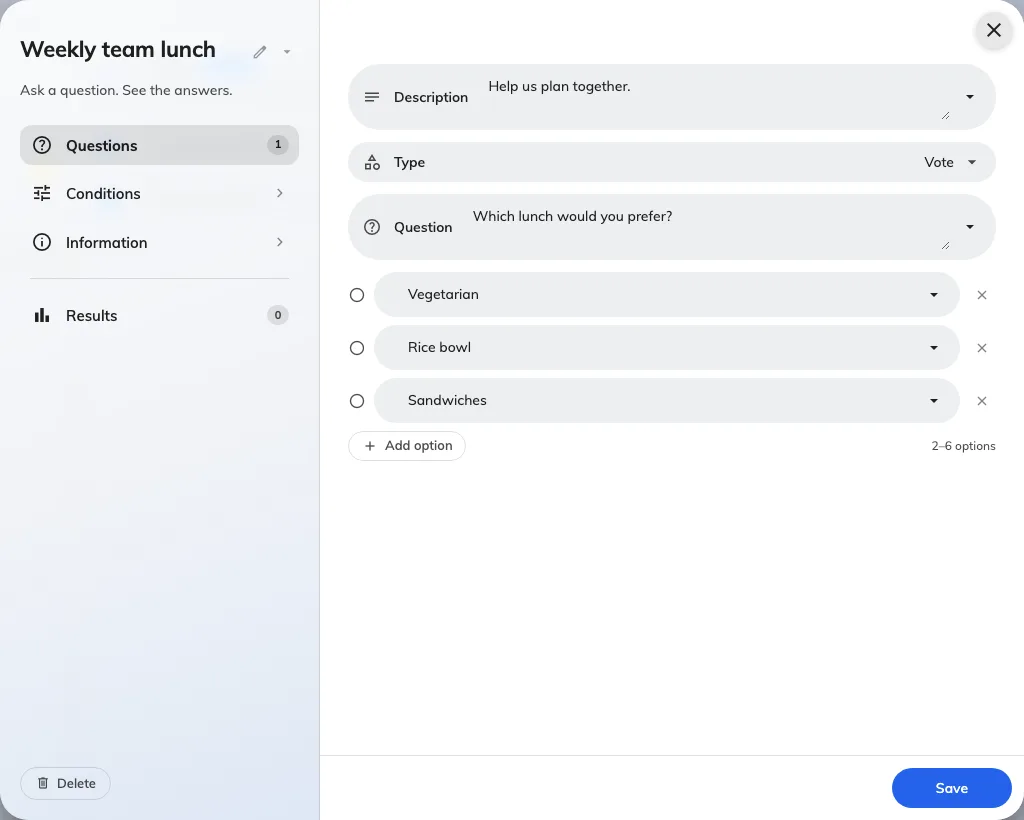
Add a poll and enter a title and description.
Select Vote. Write one question and 2–6 choices; the question is required and employees choose one answer.
Translate the title, question, and options into the audience’s languages.
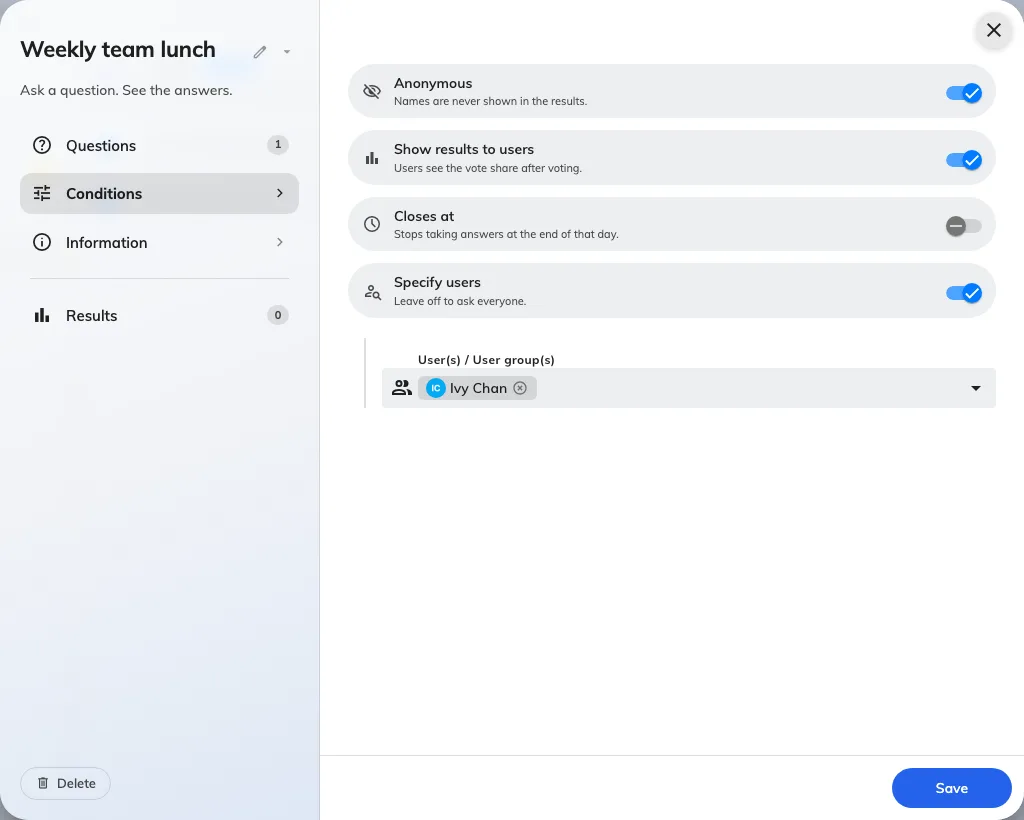
Open Conditions. Choose the users or groups, anonymity, whether respondents see vote results, and an optional closing date.
Save, then verify the poll appears on Home for a targeted employee.
A selected closing date ends at the end of that day. Check the displayed date before saving. Once someone responds, questions and anonymity cannot be edited. Read results or close the poll.
A vote has one required question and its choices.
Conditions set the audience, anonymity, and closing date.
create a vote. new poll. vote choices. poll audience. 投票を作成. 投票の選択肢. 投票対象. 建立投票. 投票選項. 投票對象
Which Offision?
Pick the region your company is on. You can change it any time.