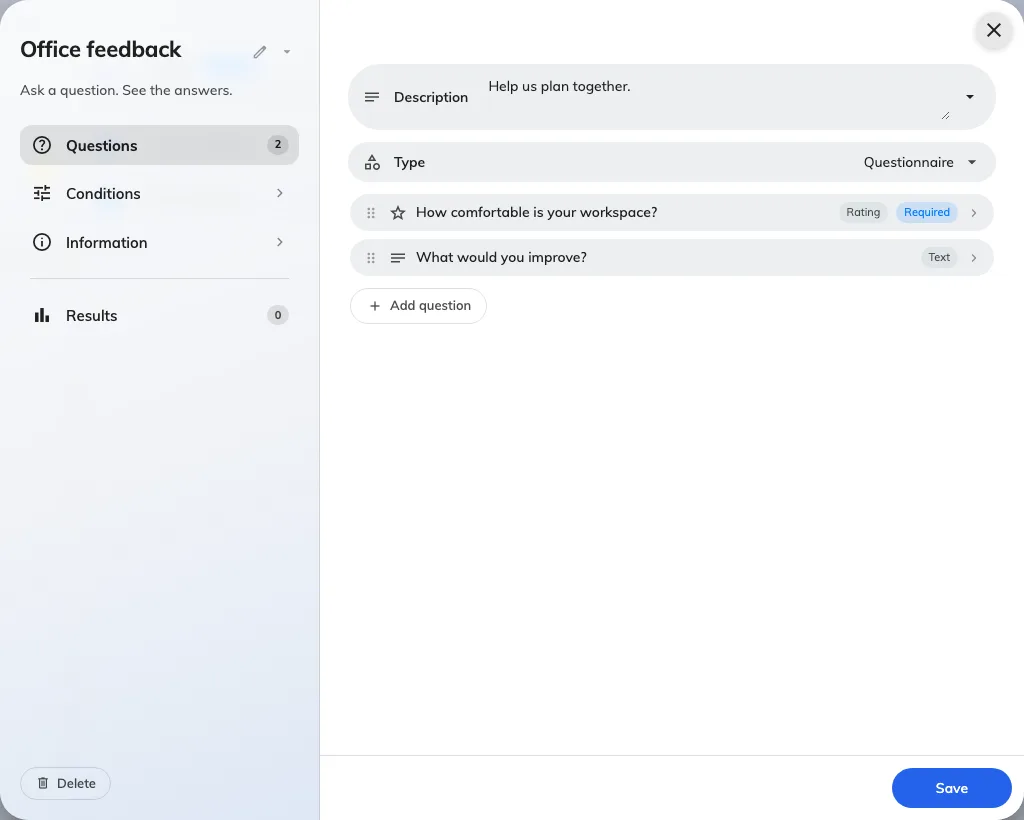
Open Broadcast → Poll, add an entry, and select Questionnaire.
Enter and translate the title and description.
Add 1–50 questions. Choose single choice, multiple choice, text, or rating. Choice questions need 2–20 options; ratings run from 1 to 5.
Mark the questions required or optional, order them, and translate the questions and options.
In Conditions, choose the audience, anonymity, and optional closing date.
Save and check the questionnaire on the targeted employee’s Home. They answer one question at a time before submitting.
Text answers accept up to 2,000 characters. After the first response, you cannot change the questions, type, or anonymity. Questionnaire results are for administrators; the vote-only employee result switch does not apply. Read results.
Questionnaire questions can use different answer types.