

Choose who handles reported issues
Putting people on Support staff, and what that list changes about who is emailed, who is notified, and who a ticket can be assigned to.
Support staff is the list of people who fix things. It is the first thing to set up in Ticketing, because until somebody is on it a reported issue is announced to nobody and can be assigned to nobody.
1. Open Support staff
Open Support staffThe list shows who is on it today, and against each one how many issues they are currently Handling — which is the number to look at before giving anybody anything else.
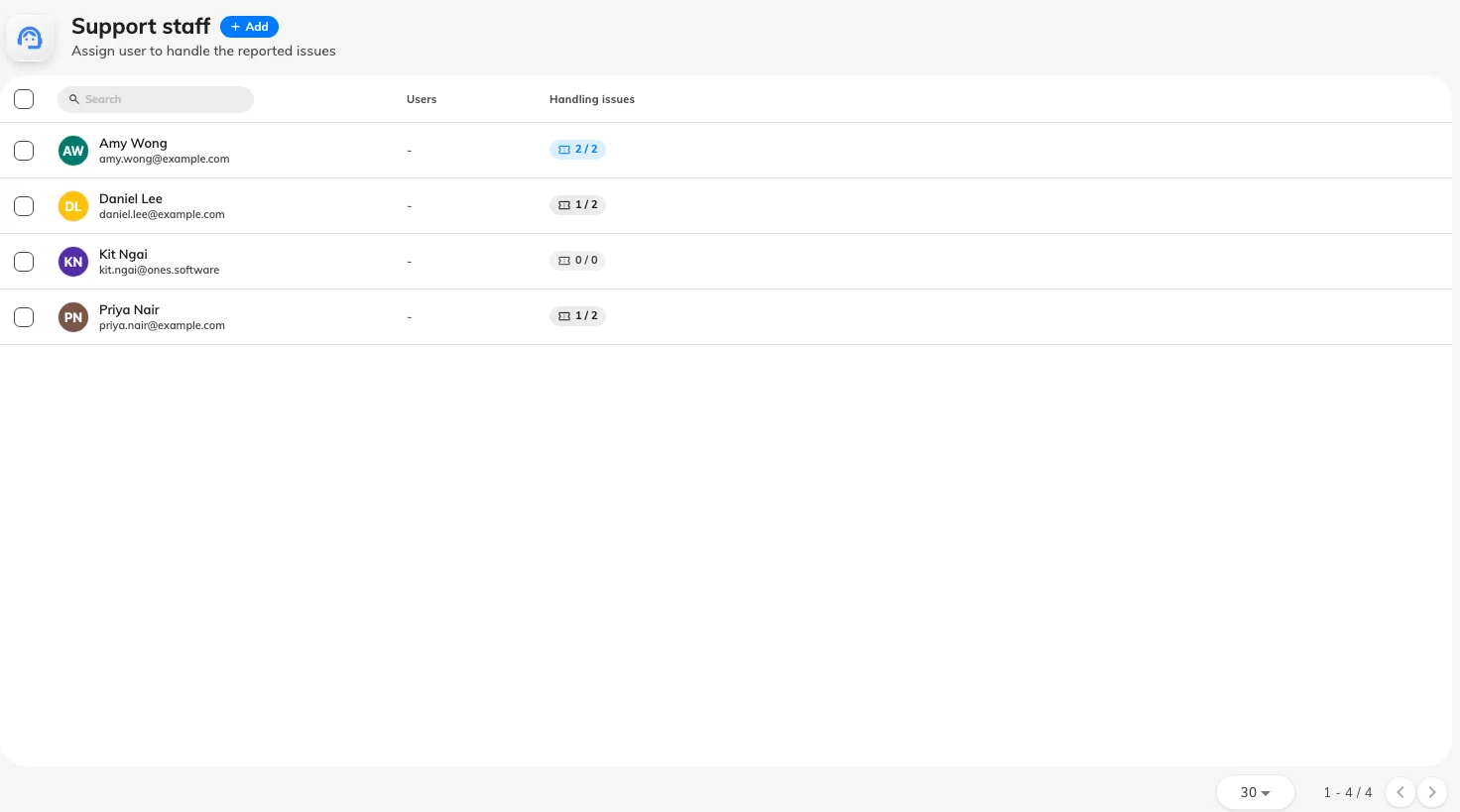
Support staff, with each person's current workload.
2. Add the people
Add offers two routes:
- Add user — one person at a time. Use it for a facilities team of four.
- Add user group — everybody in an existing group, and everybody added to that group afterwards. Use it where the team changes and you would rather maintain the group than this page.
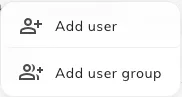
Adding a person or a whole user group to support staff.
Removing somebody takes them off the list. It does not touch tickets already assigned to them, so check their Handling count and reassign first — otherwise those tickets stay pointed at somebody who is no longer looking.
3. Know what the list actually changes
Being on Support staff does three things, and it is worth reading them as three rather than one:
- A ticket can be assigned to them. The assignee picker in the queue is this list.
- They are notified in the app whenever an unassigned issue is reported — anywhere in the estate.
- They are emailed about the same reports.
What this page does not do
- It does not assign anything. Offision never picks a person for a ticket — no round-robin, no least-loaded. Every assignment is somebody’s decision in the queue.
- It does not scope anyone to a building. Everybody on this list hears about every unassigned report, estate-wide. Narrowing who hears about which rooms is what a ticket policy is for.
- It does not set working hours. Ticketing has no equivalent of service hours; a report at 3 a.m. is announced at 3 a.m.
Check it worked
Report a test issue against any room. Everyone you just added should get the New issue reported email, and see it in the app. Then open the ticket in the queue and confirm they appear in the Assign to list.