

Route report emails to the right people
A ticket policy emails whoever holds a chosen role on the reported room, or on its building — so a floor manager hears about their own floor. Every field, and the scope rule that catches people out.
By default, an unassigned report is emailed to every support manager and every member of support staff, wherever in the estate it came from. A ticket policy adds the people who care about those particular rooms — the manager of that floor, the owner of that lab — without putting them on support staff and subscribing them to everything.
Open Assignable roles1. Create the policy
Open Ticket policyAdd opens the policy form. Give it a name — it has to be unique, and it is what the list sorts by.
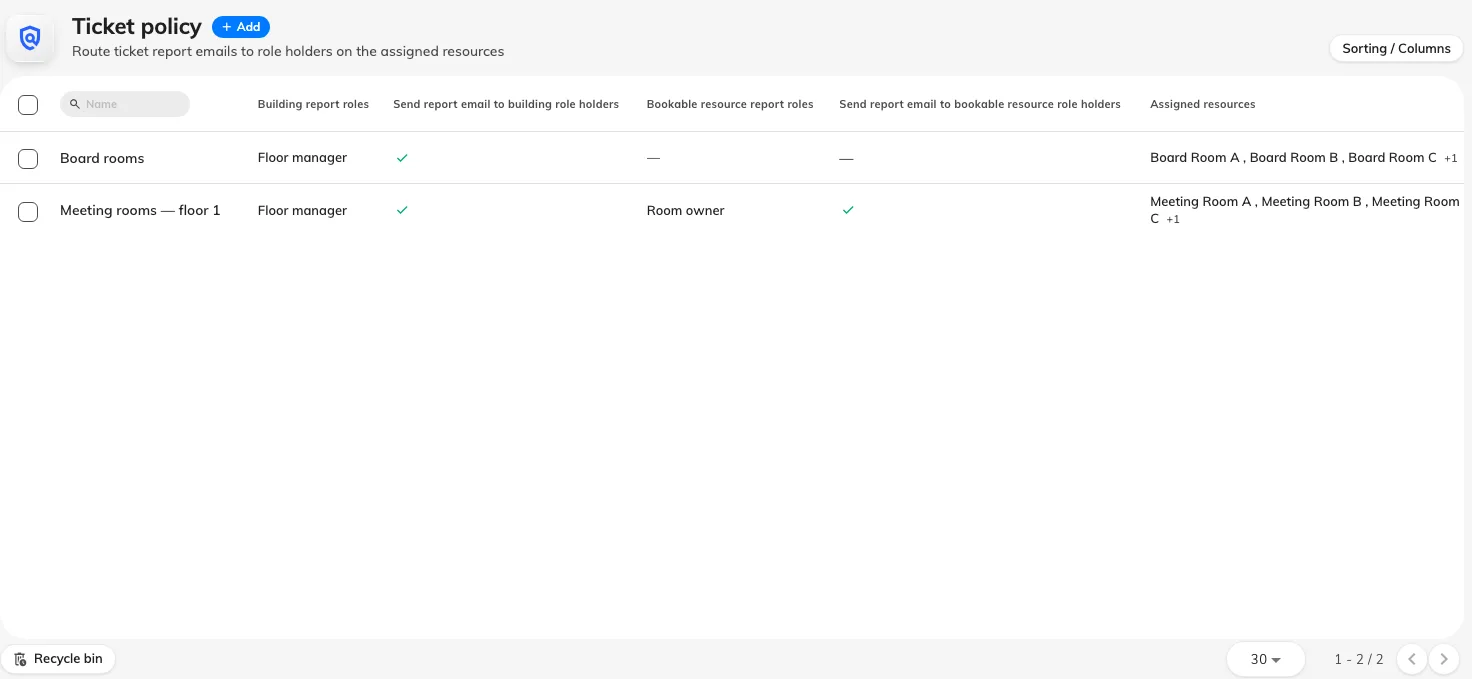
Ticket policies, each showing its report roles and which rules are on.
2. Turn on the rules and pick the roles
The Report email section has two rules, each with its own list of roles under it:
- Send report email to building role holders — roles held on the building the reported resource sits in.
- Send report email to bookable resource role holders — roles held on the reported resource itself.
Turn a rule on and its role list becomes selectable. Tick the roles whose holders should receive the report email.
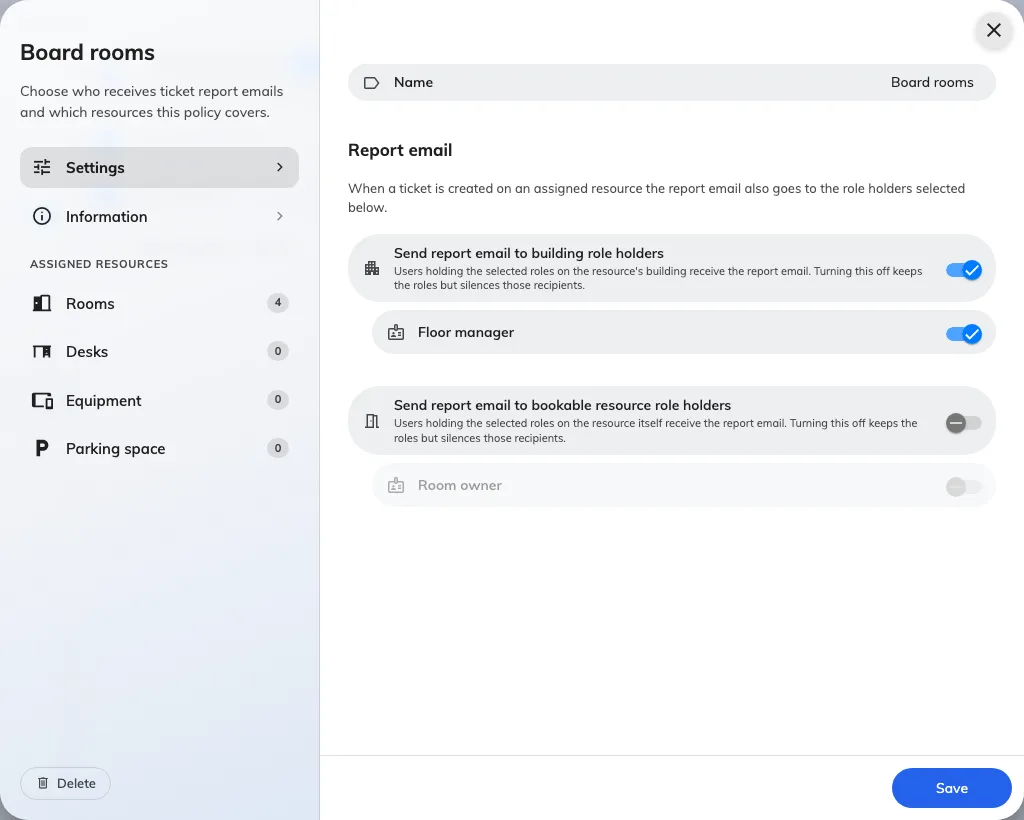
The two report-email rules, each with the roles it can draw on.
3. Assign the resources it covers
The left of the form lists the resource types. Open one and tick the rooms, desks or equipment this policy covers, with the count shown against each type.
A resource belongs to at most one policy. A resource already covered elsewhere cannot be picked here, which means there is never a question of two policies racing on one room — but it also means moving a room between policies is a removal and an addition, not a copy.
A resource with no policy at all is fine, and common. Reports on it simply reach the base support-staff list and nobody else.
All settings
| Field | What it does | When to change it |
|---|---|---|
| Name | Identifies the policy in the list. Must be unique | Name it after the scope it covers — “Tower A floors 4–6” — because the list is how you find it again |
| Send report email to building role holders | Turns the building half of the policy on. Off, the building roles below are kept but reach nobody | Off while you are still assigning roles, so half-configured routing does not start mailing people |
| Building report roles | Which roles, held on the building, receive the report email | When a role is added to your estate that should hear about faults across a whole site |
| Send report email to bookable resource role holders | Turns the resource half on. Same keep-but-silence behaviour when off | Off when a room’s own owners should stop being mailed but you expect to restore it |
| Bookable resource report roles | Which roles, held on the resource itself, receive the report email | When faults should reach the person responsible for that particular room rather than the site |
| Assigned resources | Which rooms, desks and equipment this policy covers | Whenever the policy’s scope changes. A resource can be in one policy only |
| Branch management | Which branch owns the policy. Only shown where branch management is enabled | Leave it as inherited unless one branch must administer this policy on its own |
What a ticket policy does not control
- It only adds recipients. It never removes the support-staff or support-manager emails, so a policy cannot be used to make reports quieter.
- It is email only. Role holders receive no in-app notification and no push — see who gets told.
- It does not affect the assignment email. Support ticket assigned to you goes to the assignee and nobody else, policy or no policy.
- It cannot assign a ticket. Being emailed about a room does not put its tickets in anybody’s name.
Check it worked
Report a test issue against a room the policy covers, using an account that is neither support staff nor a role holder. The New issue reported email should reach the base support-staff list and the role holders you selected — and somebody holding one of the roles on a room the policy does not cover should get nothing.