

Run your support day from the app
The Support page as a working day — the two halves the queue is split into, the four states a ticket moves through, the two ways to look at them, and how to find one ticket fast when the list is long.
The Support page is one list — Reported issues — carrying every fault reported anywhere in the estate, from the app and from every room panel. The day’s work is moving each one along.
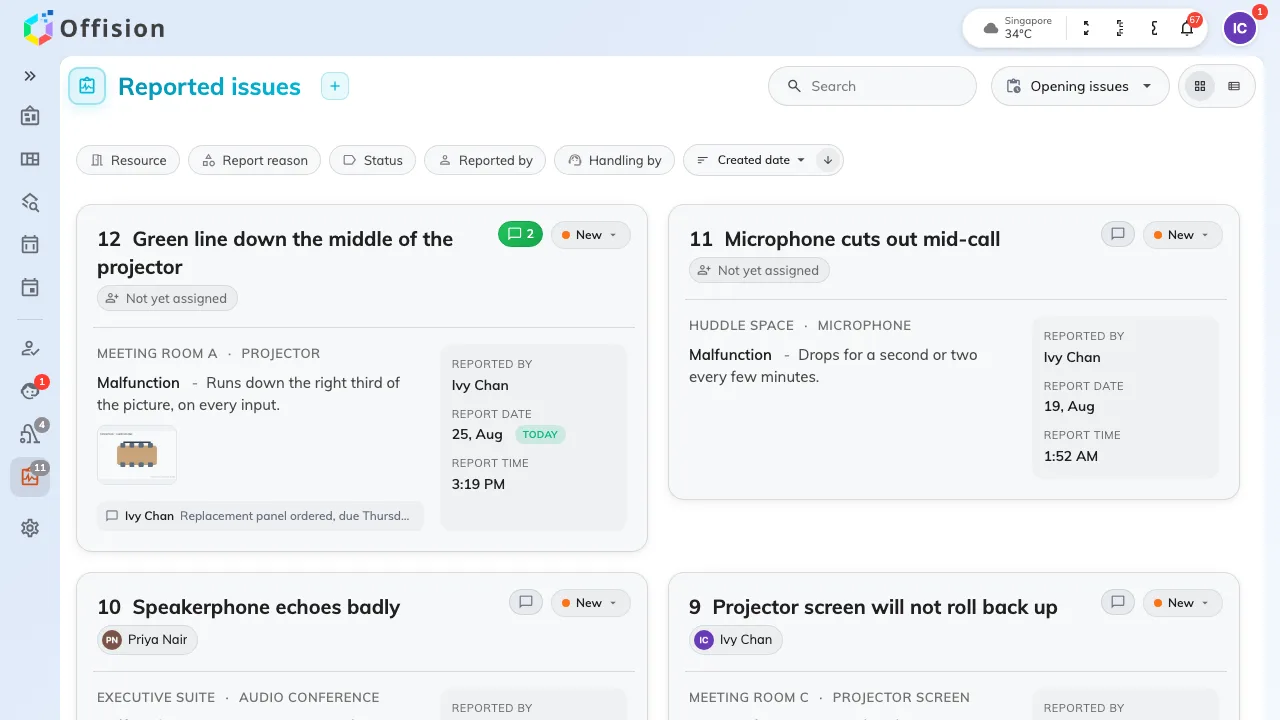
The queue: the room, what is wrong, who reported it and who has it.
Two halves, never both
The control at the top right decides which half of the queue you are looking at:
- Opening issues — everything not yet closed, so New, In progress and Resolved together. This is where you work.
- Closed issues — everything finished with.
There is no view that shows both, and it is worth knowing before somebody tells you a ticket has vanished: it was closed. The page remembers which half you left it on.
The four states
Every ticket is in one of four, and the pill on it says which:
- New — reported, and nobody has picked it up.
- In progress — somebody has, and the rest of the team can see that.
- Resolved — the fault is fixed.
- Closed — finished with, and out of the working queue.
Nothing else moves a ticket. Moving one is Move a ticket from new to closed.
Two ways to look at the same queue
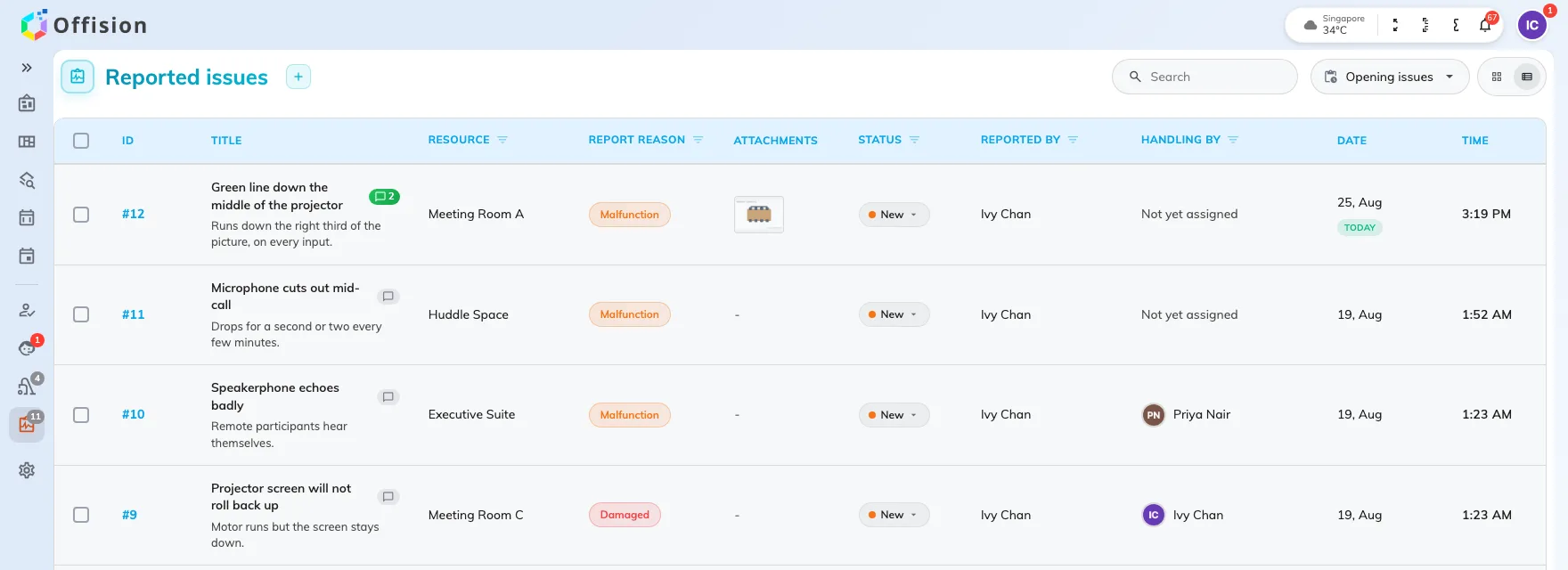
List view: a column per thing you sort or filter by.
- Card view — one card per ticket, with the description, the photographs and the latest comment on its face. This is the one phones get, whatever you chose.
- List view — a row per ticket, with a column for the ID, the title, the room, the report reason, the attachments, the status, who reported it, who is handling it, and the date and time it came in. Five of those headings filter on themselves.
Finding one ticket
Search matches the room, the amenity, the title, the description, and the names of the person who reported it and the person handling it — so a room name or half a sentence from the description both work.
The filters narrow it instead, and they combine: Resource, Report reason, Status, Reported by and Handling by. Two of them answer the questions that come up most:
- Handling by set to yourself is your own workload.
- Resource is how you tell that the same room has been reported four times this month.
Beside them, sort by created date, title or last modified, ascending or descending — and the page count at the bottom, which is where a queue longer than one page hides.