

Move a ticket from new to closed
Taking a ticket, moving it between the four states, putting a name on it, and clearing a batch at once — plus the one thing none of that does, which is tell the person who reported the fault.
The status pill carries the whole job. It sits on the corner of every card, and in the status column of every row.
1. Move it along
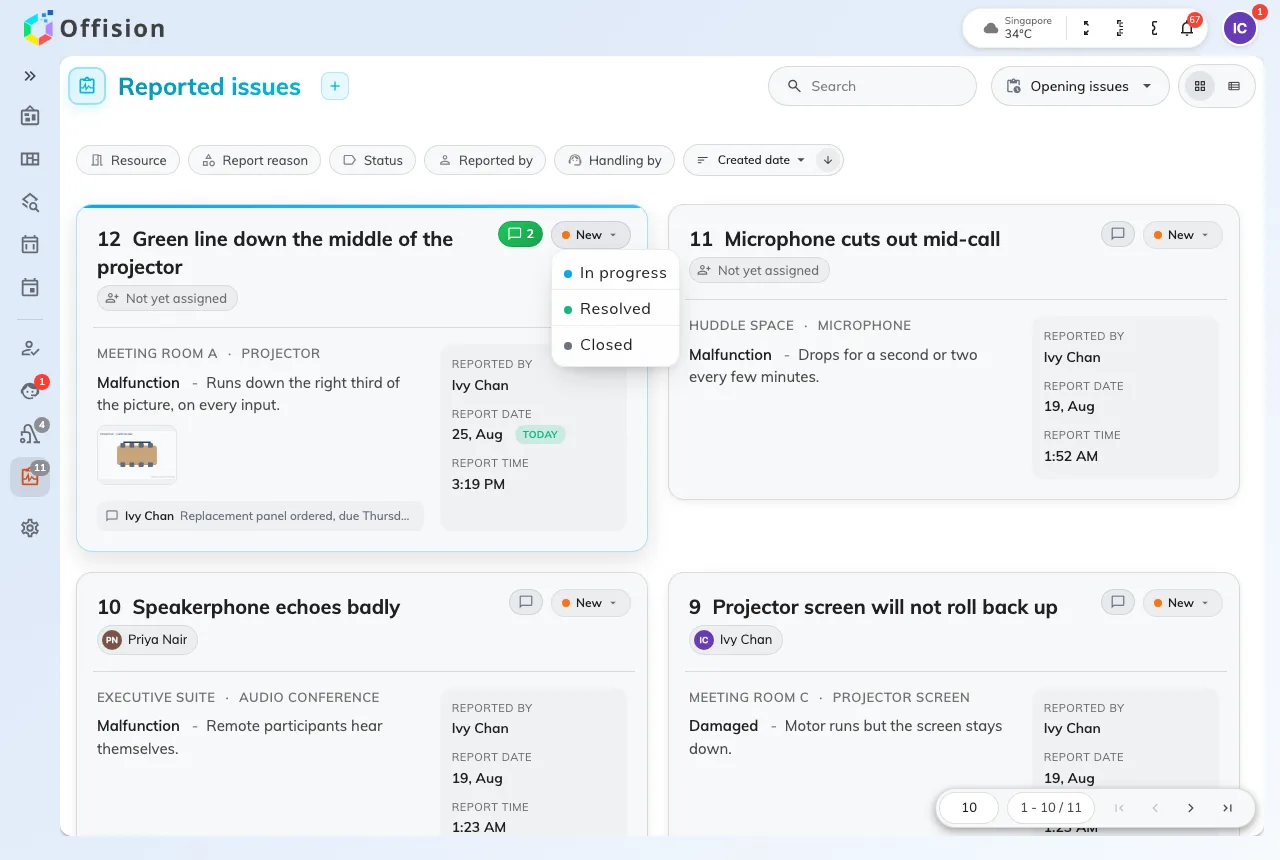
The status pill offers the three states the ticket is not already in.
Tap the pill and pick where the ticket goes. It offers the three states it is not already in, and any of them is allowed from any other:
- In progress when you pick it up — that is what tells the rest of the team the ticket has an owner.
- Resolved when the fault is fixed.
- Closed when you are finished with it, which is what takes it out of Opening issues.
The change lands immediately; there is nothing to confirm and nothing to fill in.
New is on the same menu, and that is how a mistake gets undone. A fault that comes back a week later goes back on the same ticket rather than a second one, so the room’s history stays in one place.
2. Put a name on it
The badge under the title is the assignee — a name, or Not yet assigned. Tap it and pick somebody; the list you are picking from is support staff.
Assigning is what turns a general announcement into one person’s job. The moment a ticket has an assignee, that person is emailed and notified, and the wider announcements about it stop. Reassigning tells the new person and says nothing to the previous one, so if you are handing something over, say so in a comment as well.
Picking yourself is the normal way to take an unassigned ticket.
3. Clear a batch at once
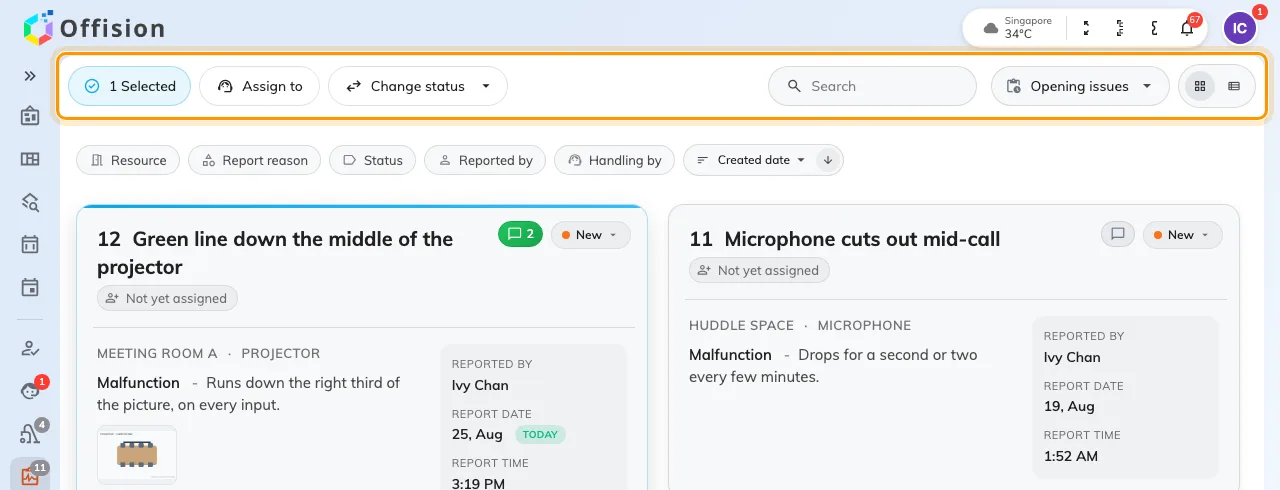
With tickets selected, the header turns into Assign to and Change status.
Tap a card to select it — or press Ctrl/Cmd + A for the lot, Esc to drop the selection — and the header turns into Assign to and Change status across everything selected. Both ask for confirmation and count what they are about to touch.
Use them for what they are good at: twelve Out of battery reports on the same floor after one round of battery changes.
What you cannot do from here
Deleting a ticket is not offered in the app, deliberately: a deleted ticket takes the room’s history with it. If one should never have been filed at all, that is a job for whoever runs the queue in the console.