

Reply to the person who reported it
The comment thread on a ticket is the only thing that reaches the person who reported the fault — who each comment notifies, what you may edit afterwards, and why a status change is not a reply.
Somebody reported a fault and is now waiting to hear. Nothing you do to the ticket’s status will tell them. A comment will.
What actually reaches whom
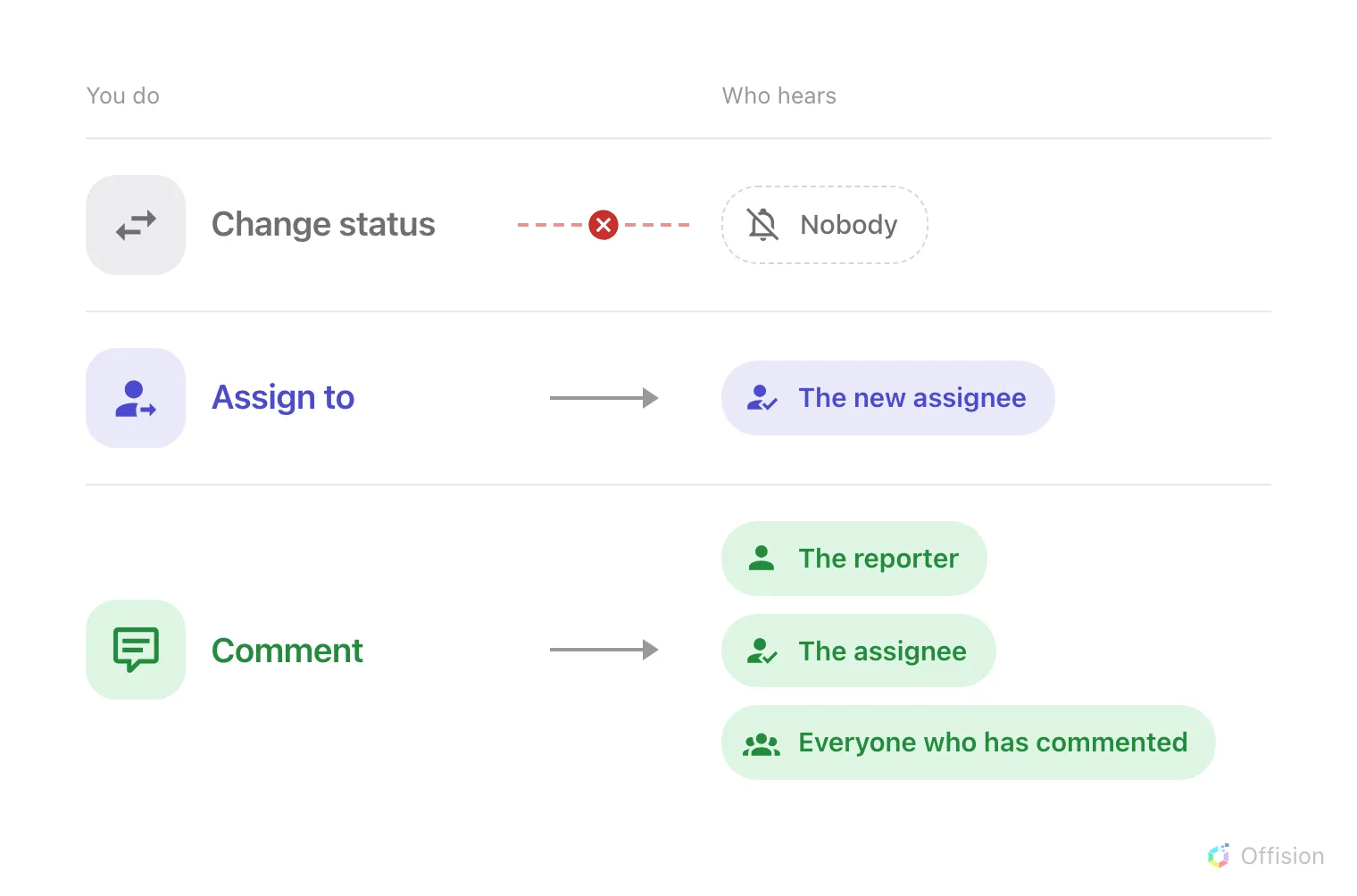
Of the three things you can do to a ticket, only one reaches the person who reported it.
That is the whole notification story from the staff side, and it surprises people about once per deployment. Offision emails when a ticket is reported and when one is assigned; every other announcement about a ticket is a comment. The full picture, including who is emailed at reporting time, is who gets told.
Open the thread
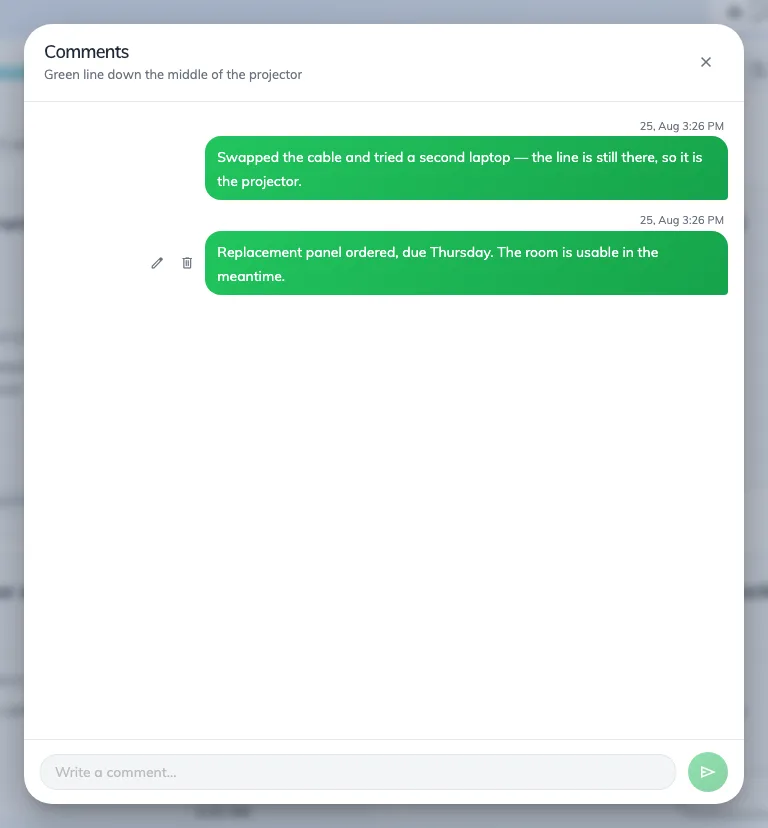
The comment thread on a ticket. Your own comments sit on the right.
The comment mark on a card — or on a row in list view — carries the number of comments and opens the thread. Where a ticket already has comments, the most recent one is quoted on the card face, and tapping that opens the thread too.
Type at the bottom and press Enter to send; Shift + Enter starts a new line instead.
Who a comment notifies
Each comment is announced in the app to three groups at once, minus yourself:
- the person who reported the fault — even if they have never commented, so your first reply always reaches them;
- whoever the ticket is assigned to;
- everybody who has already commented on it.
The reporter sees it against their own report in the app, where the status is live and the thread is readable. There is no email for a comment, so this is an announcement to people who are in Offision, not a message to an inbox.
Fixing what you wrote
Your own comments can be edited or deleted; other people’s cannot, and the buttons are simply not there. An edited comment is marked Edited from then on, and neither editing nor deleting notifies anybody — only a new comment does.