

How a service request works
Tea, cleaning and help are ordered two different ways — with the booking, or during it — and both end up in one queue. What decides which, and who gets told.
A service is something a person does for a booking: carrying in tea, cleaning the room afterwards, coming to fix a screen that will not wake up. You build a catalogue of them once, and people order from it.
The one thing to get right first
A service is ordered in one of two ways, and you choose which when you create it, not when somebody asks for it:
- A booking service is ordered as part of the booking, on the booking form.
- An in-use service is asked for while the meeting is already running — from the panel outside the door, the app, or a QR code on the table.
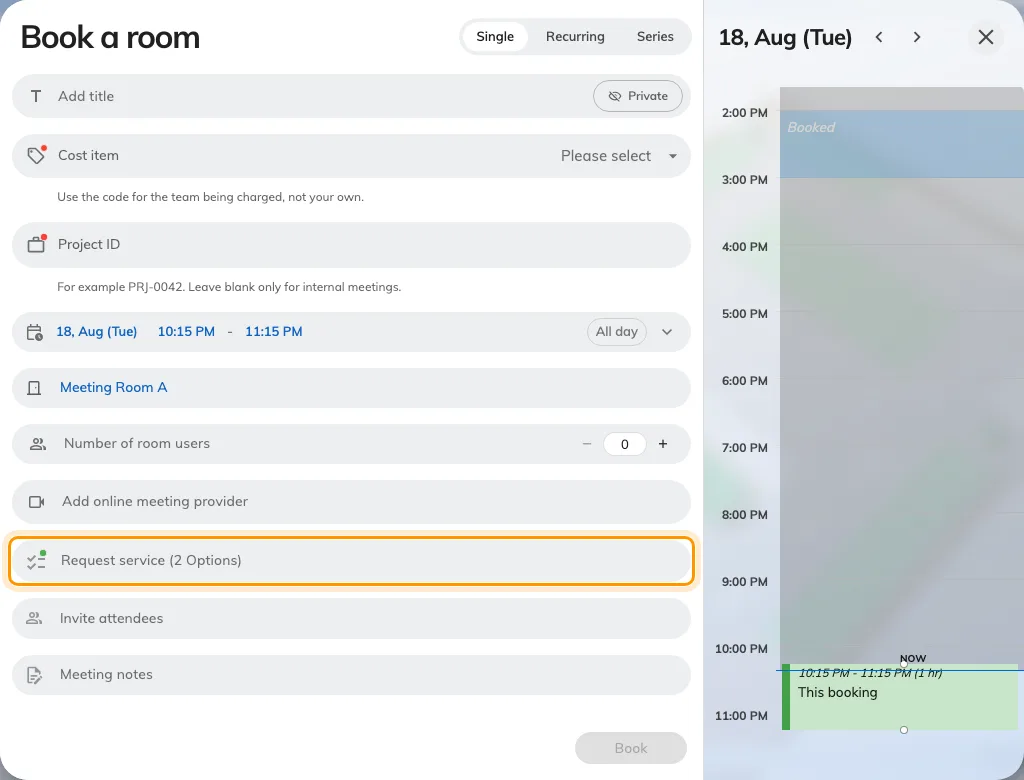
The booking form: services are ordered from the Request service row.
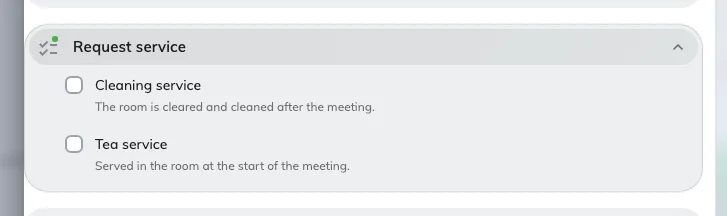
Opening it lists the booking services the chosen room offers.
What either one looks like to the person asking is Ask for tea, cleaning or help.
A service lives on one side or the other and never appears on both. So tea people want waiting for them at the start and a fresh pot at half past three is two services, not one, and setting up only the first is the commonest reason somebody says “I can’t ask for tea from the room”.
The two are kept apart in the console as well: they are separate pages, and the page you add a service from is what fixes its side.
Open ServiceWhy a booking service costs the room time
A booking service is known in advance, so it can be given preparation time before and after the meeting — twenty minutes to lay out the tea, fifteen to clear and clean afterwards.
That time is real. It is taken out of the room’s availability, which means a cleaning service with fifteen minutes after it genuinely stops the next booking starting until fifteen minutes after this one ends. This is the behaviour most often reported as “the room is blocked and nobody is in it”.
An in-use service has no preparation time at all and never affects the room’s calendar.
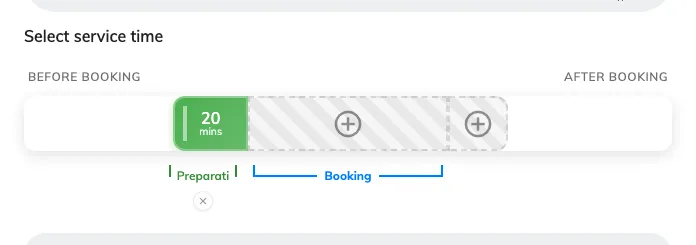
Preparation time on a booking service: laid out before the meeting, cleared after.
What happens after somebody asks
However it was ordered, every request joins the same queue:
New → In progress → Finished, or turned down as Rejected.
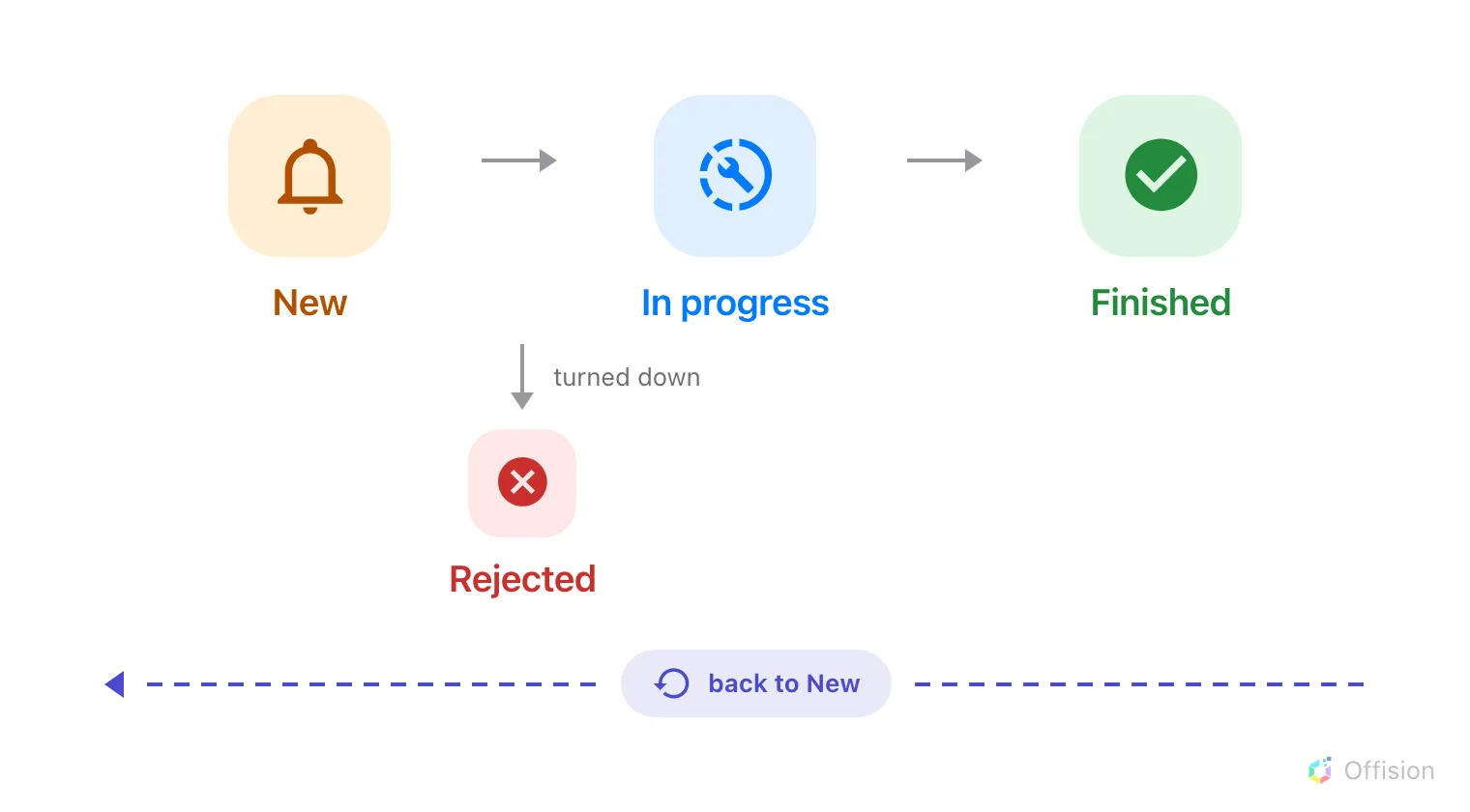
Three steps, one branch — and neither ending is final.
- A request arrives as New and service staff are notified straight away.
- It is assigned to somebody — by hand from the queue, or automatically where the service has been given an auto-assign policy.
- Staff move it to In progress and then Finished as they work.
- The person who asked is told only when the staff member chooses to notify them. A status changed in bulk never notifies anyone, which is worth knowing before somebody reports it as a fault.
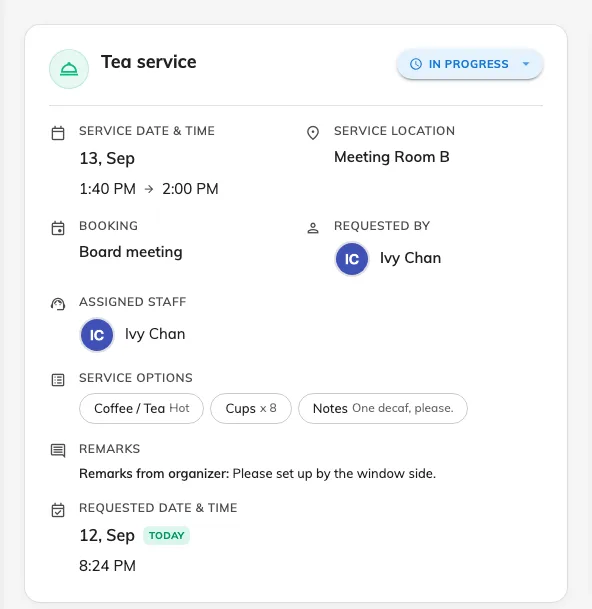
One request in the queue: what was asked for, the room, its status and who has it.
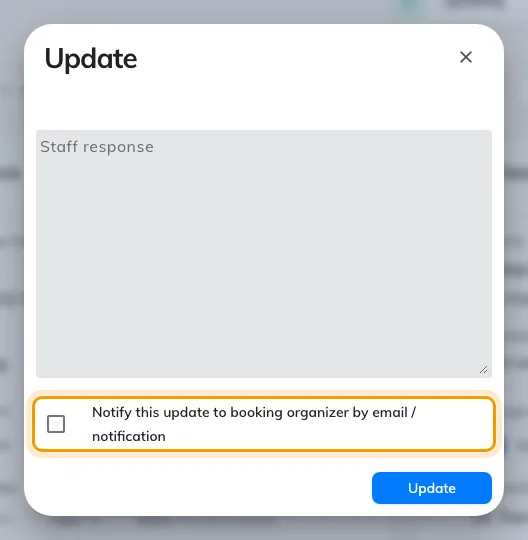
Moving a request on. The person who asked is told only if this is ticked.
Nothing here is one-way: a finished or rejected request can be put back to New. There is no cancelled state — removing a service from a booking, or deleting the booking, deletes the request and emails whoever was going to do it.
What Service does not decide
- Who may book the room. That is team space and booking rules, in Booking. Service only decides what can be asked for once the room is booked.
- When the room is open. A service has its own service hours — when the people who deliver it are working — and those are not the room’s business hours.
- Which building. Services are scoped by organization unit, not by site.