Neat
Neat
 Crestron


Law firms
A law firm already sends clients one link. They book a meeting room, with no Offision account.
Guest booking
Publish a page for clients, members, or visitors. They choose a room and a time, send their details, and receive a confirmed booking or a request your team can review.

Guests open your link, or the page on your site, and book a room you offer. You set the hours, the price, and whether it confirms at once or waits for your team. This used to be called public booking.
A law firm already uses guest booking for client meetings. The same kind of page fits training rooms, clinics, and studios.
A law firm already sends clients one link. They book a meeting room, with no Offision account.
Publish a classroom. Guests book one slot or several, and accept your terms before they submit.
Let someone book a consultation room for a set time. You choose an instant confirmation or a review.
Offer a studio or a hireable room with a rate and a deposit. Guests can upload proof before they book.
A client meeting page can offer different rooms, hours, and questions from a training page. Both still book the same rooms.
Share one link. The guest picks a room first or a time first, and can be confirmed immediately when the room policy allows it.
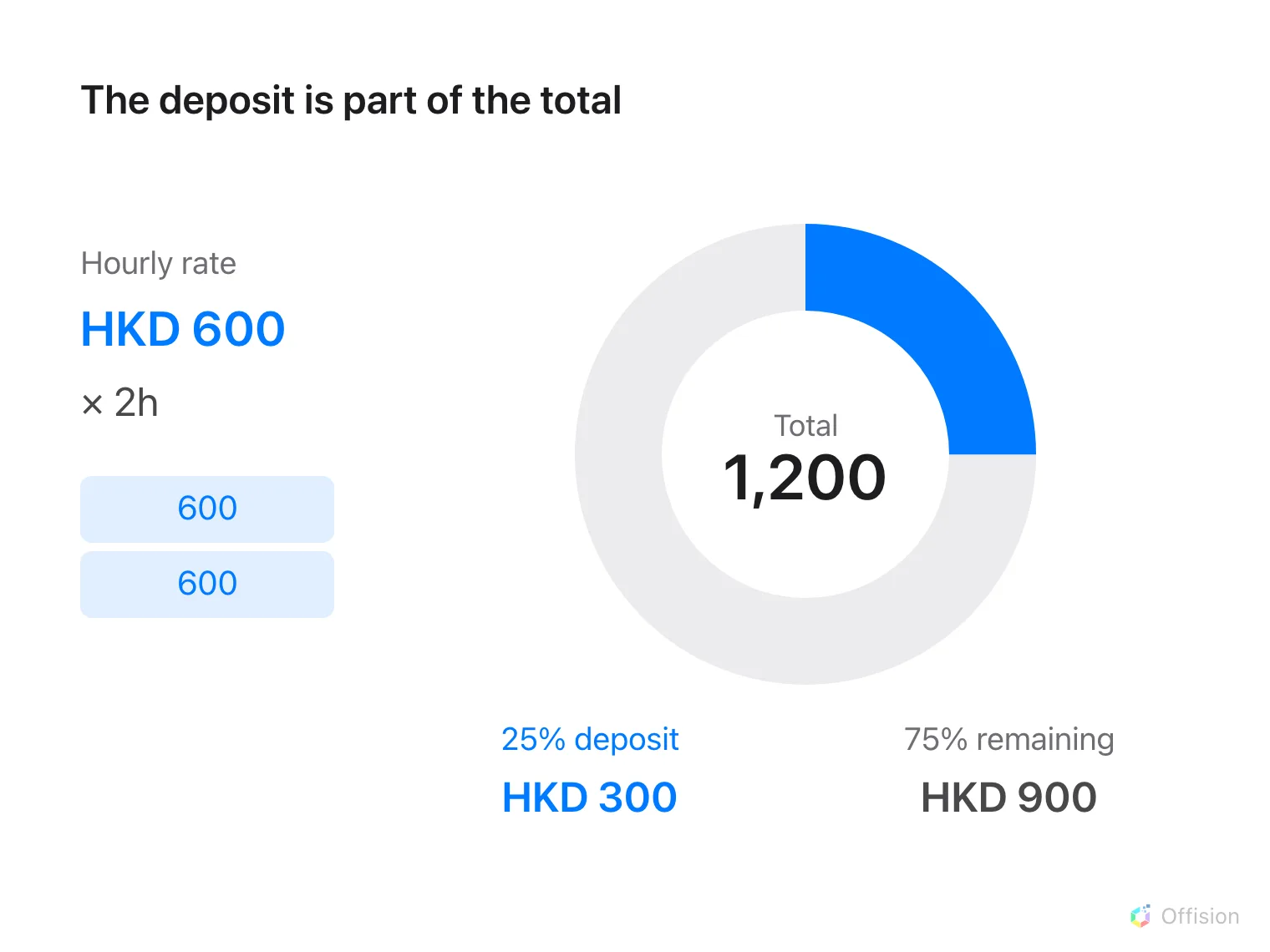
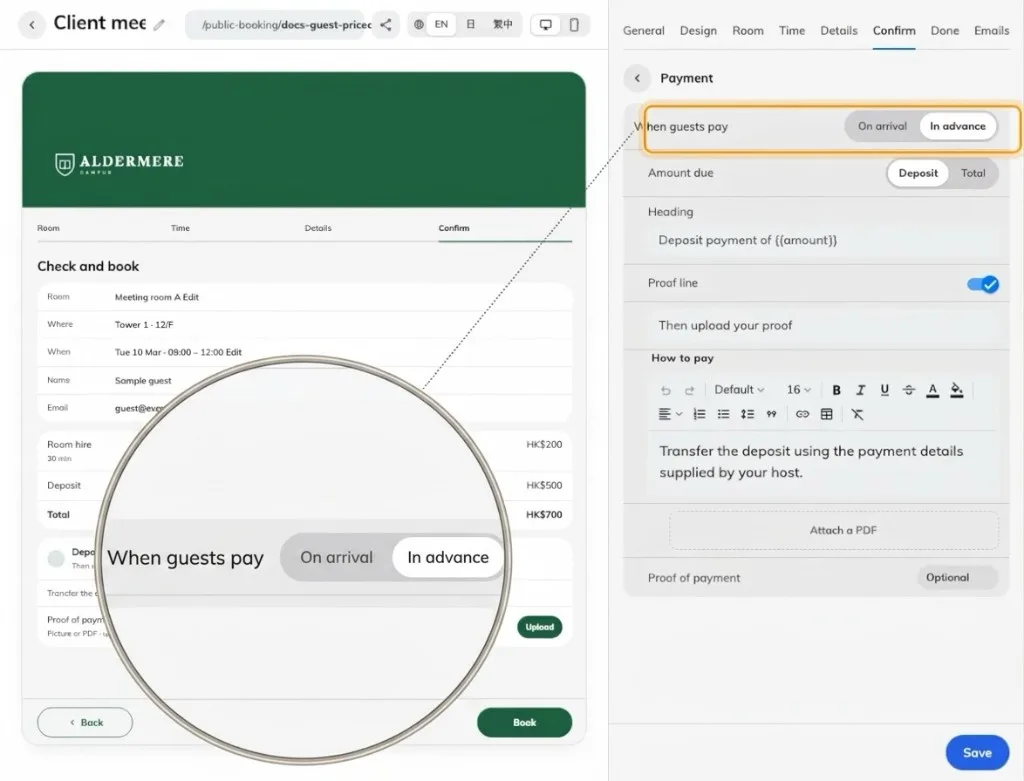
Show an hourly or day rate and a deposit that is part of the total. Guests can upload payment proof before they submit.
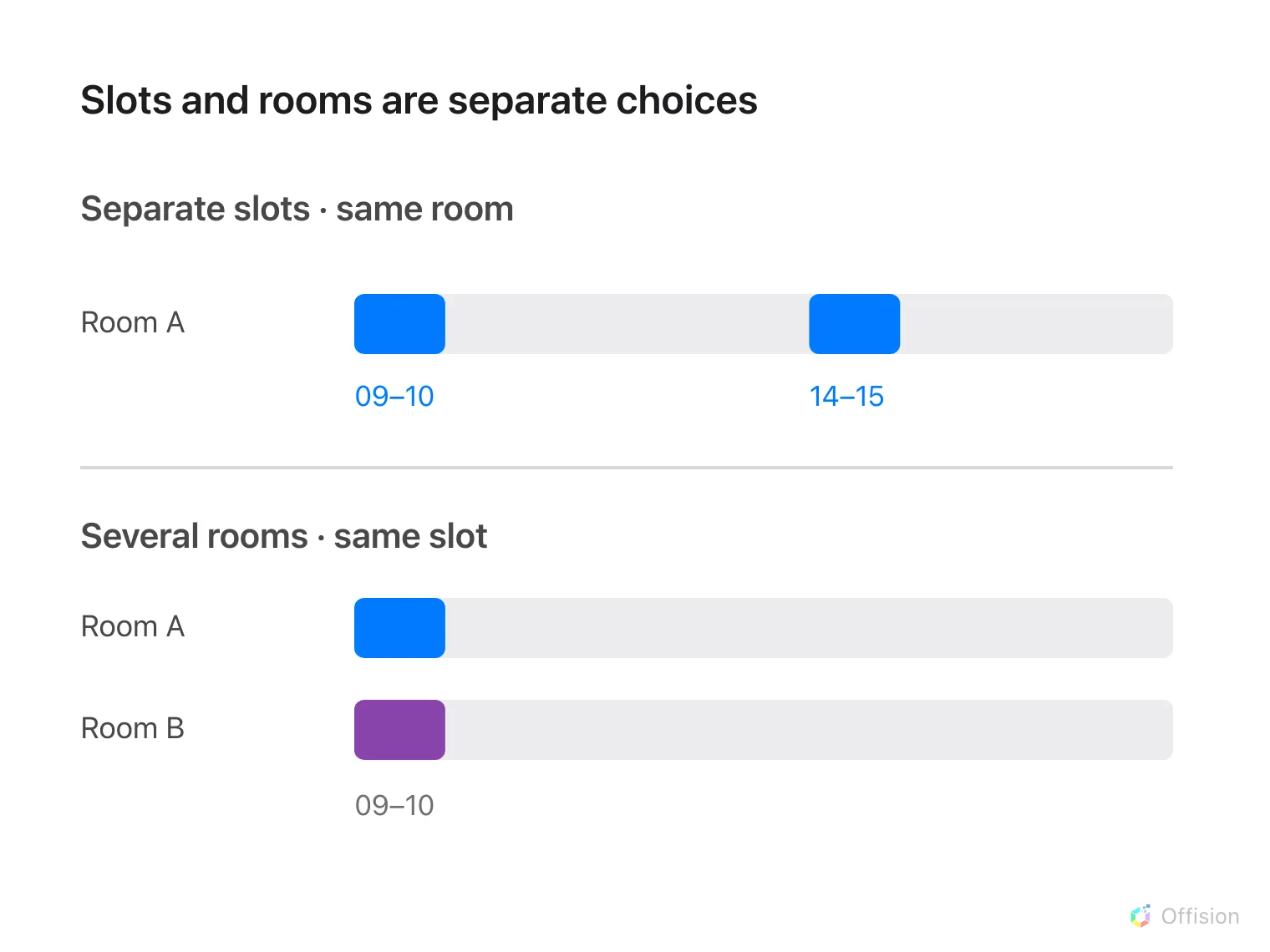
Let a guest book more than one slot in the same room, or the same slot in several rooms, and accept terms before submitting.
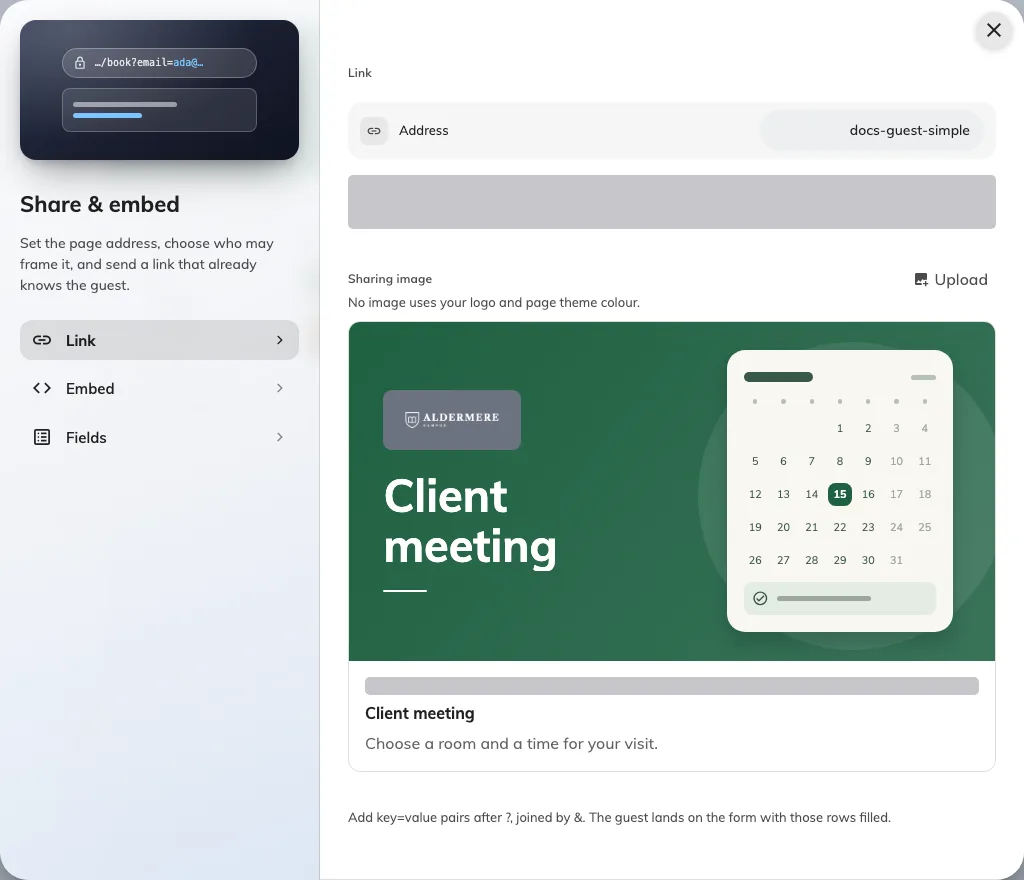
Style the page, turn on the languages you offer, and embed it on your website or send a link that already fills known fields.
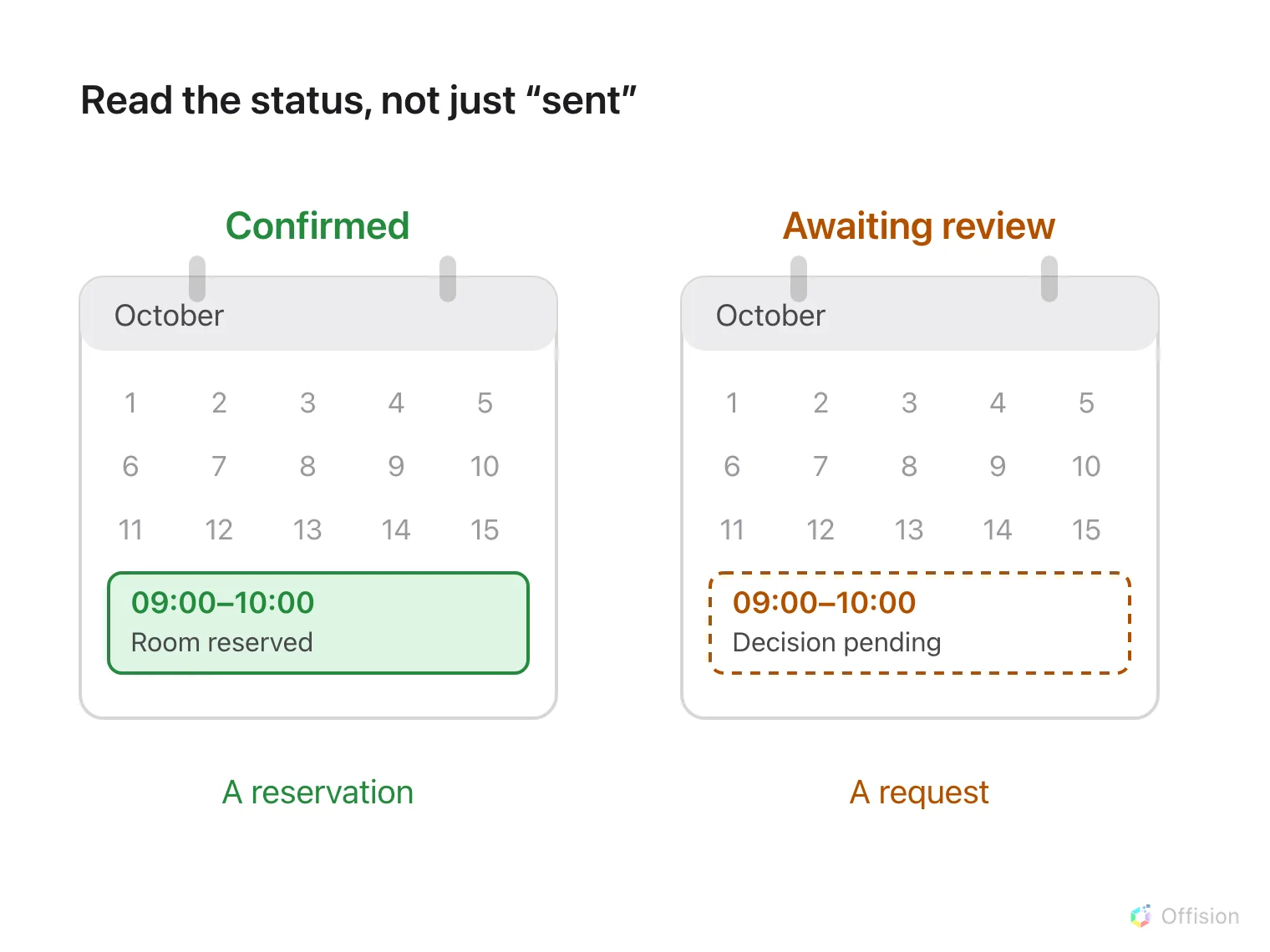
No account is required. The status after submission is what matters: confirmed, or still waiting for a decision.
Open the shared link and pick a language if the page offers one. Room-first, time-first, and closest-room flows all use the live calendar, including existing reservations and out-of-service periods.
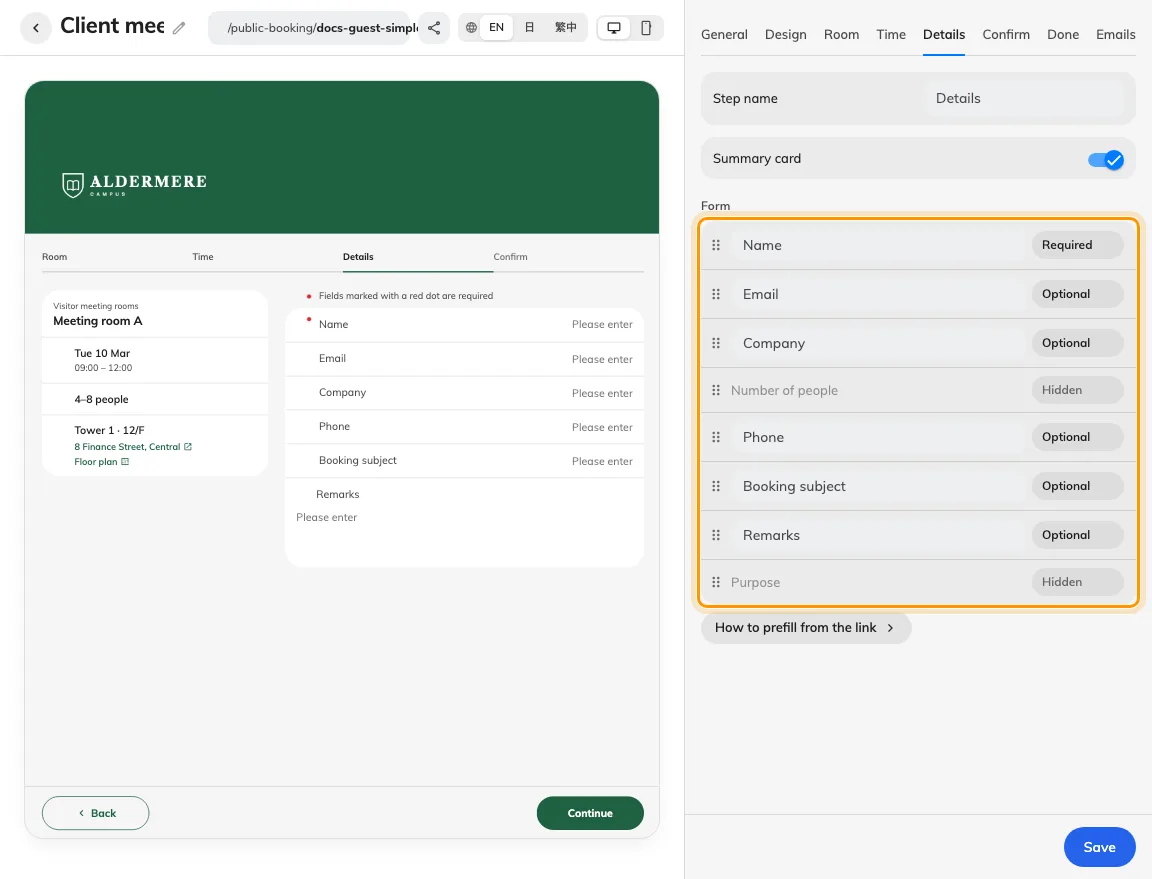
Fill the rows the page asks for. If email verification is on, enter the code. Read the recap, including any price or deposit, accept the terms, and upload proof when the page requires it.
Confirmed means the room is reserved. Awaiting review means staff still need to decide. The follow-up email can include a link to view or cancel that booking. Make another booking keeps the contact details and starts a new selection.
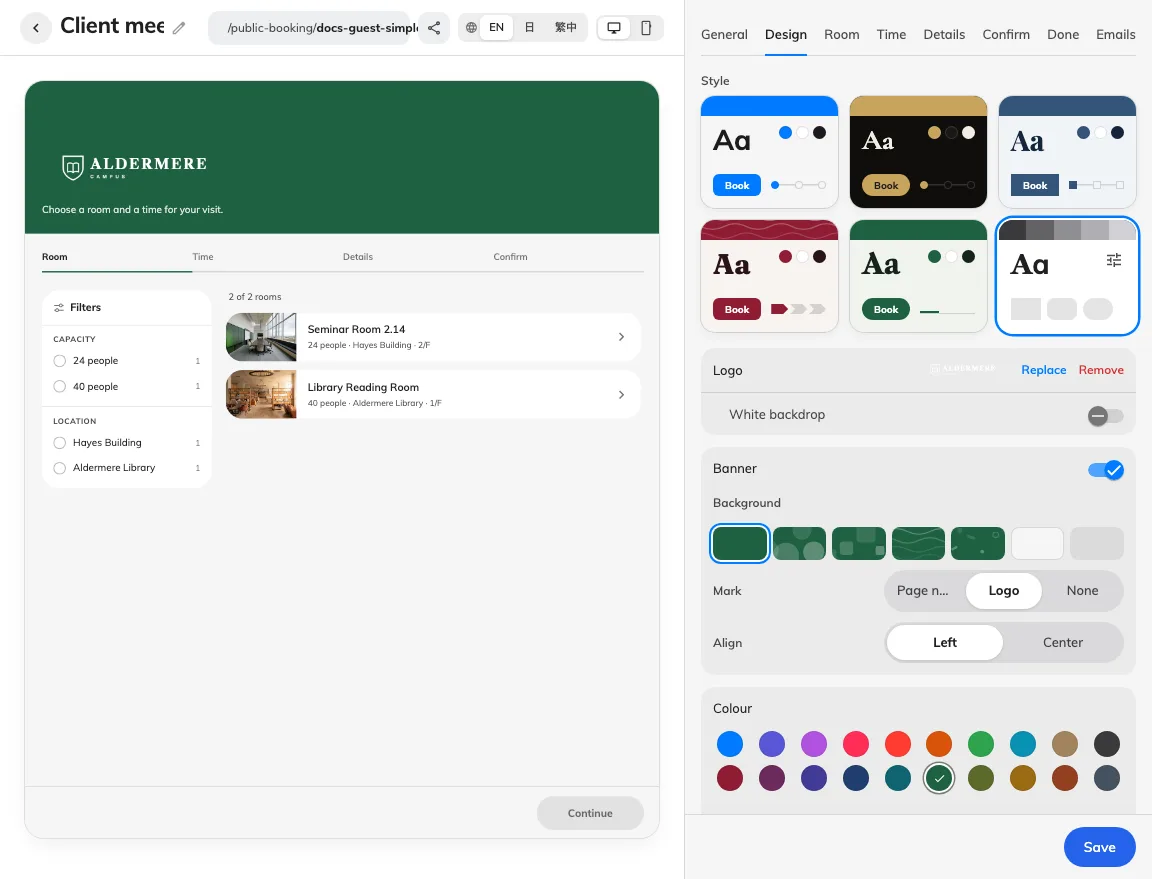
Choose a coordinated style, or set colours, type, logo, and banner yourself. Enable the languages guests should see. Share a direct link, a prefilled link, or embed code for your own site.
Add a plan in a currency and assign the rooms it covers. A room on no plan can show as free. A deposit is part of the total. Proof gives staff a file to check; it does not confirm that the transfer has settled.
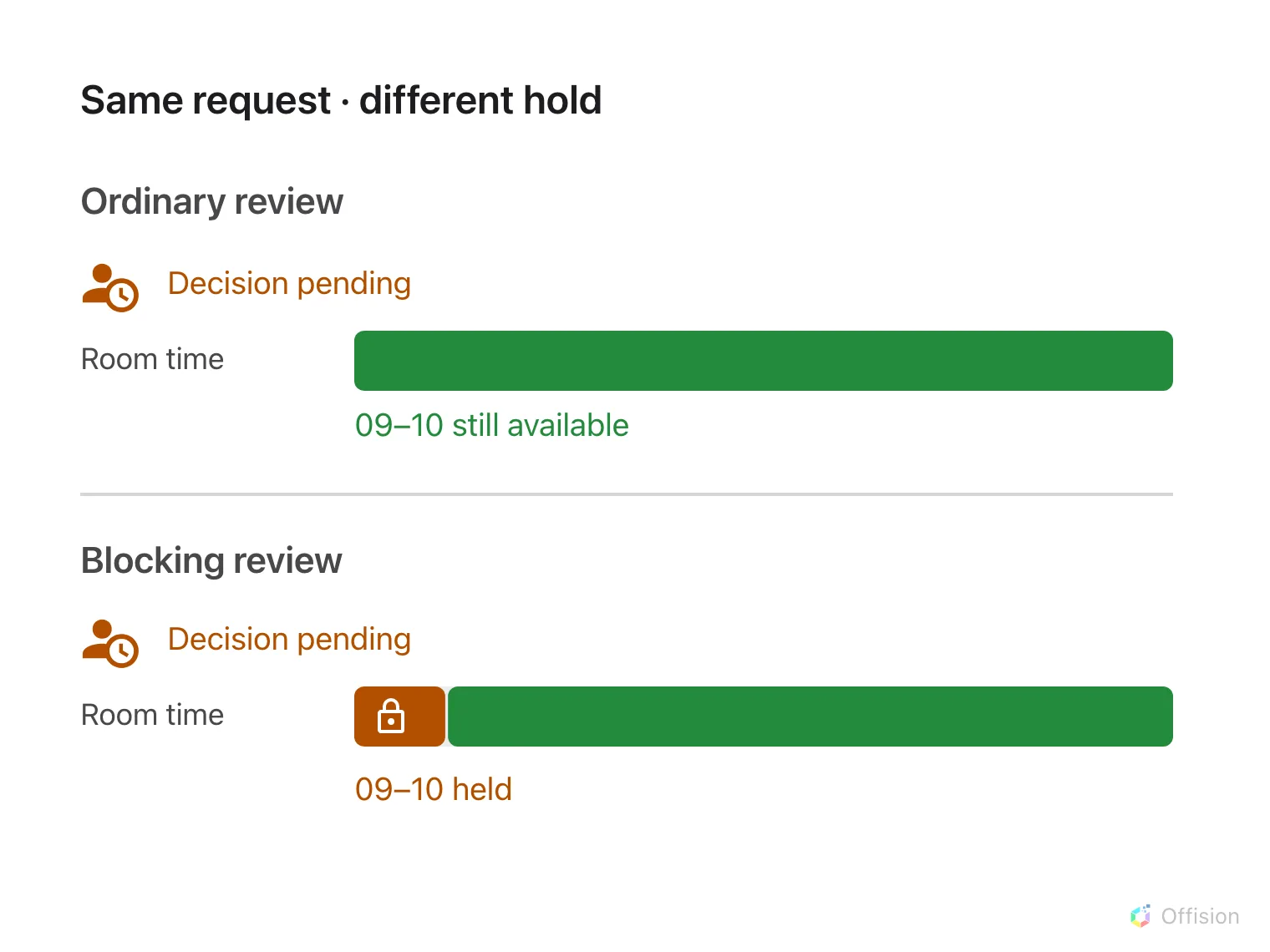
Instant confirmation, ordinary review, or blocking review comes from the room policy. Ordinary review leaves the time available. Blocking review holds it while staff decide. Customers are grouped by the email on the booking, and each reservation stays on the calendar.
Guest booking uses the rooms you already run. It does not replace internal booking or visitor check-in.
What a guest can do, and what staff still decide.
No. They open the published link or the page on your website, choose a room and a time, and submit their details.
No. A room must be selected on the page and licensed for guest booking. Existing reservations and out-of-service periods still block conflicts. Room booking rules, such as hours and lead time, apply only when you turn that option on.
Yes, when you add a pricing plan. You can show an hourly, block, or day rate, or mark the price as on request. A deposit is calculated as part of the total. Asking for proof attaches a file to the booking. Staff still verify the transfer.
Both wait for a staff decision. Ordinary review does not reserve the time, so someone else can still take it. Blocking review holds the period until you approve or reject. The guest sees confirmed only after the room is actually reserved.
Yes. Share the guest link, not the editor address. Embed code follows the sites you allow. Query keys can prefill visible fields, and a read-only field cannot be edited on the form. A link that carries an email is not proof that the holder owns that address.
The follow-up email can include a manage link for that booking, with a verification code. It is not a general sign-in. In Guest booking, Customers groups submissions that used the same email, and each reservation remains a separate booking.