
Problems you recognise Floor space
Booked is not occupied
Booking data tells you what people intended. Without check-in or sensors it overstates real use, and every conclusion drawn from it is optimistic.
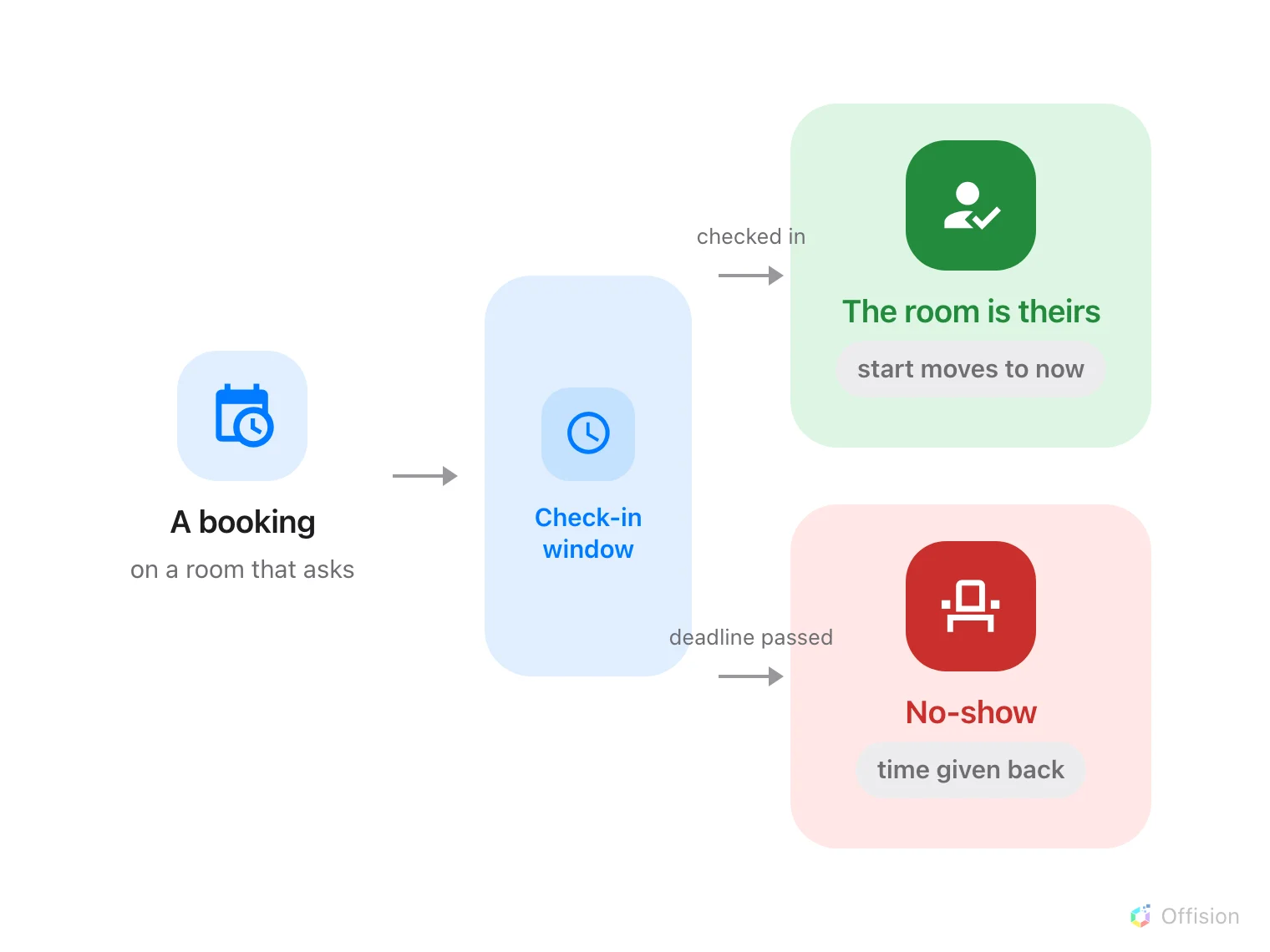
How check-in changes utilization
When Require check-in is on, Analytics compares booked hours to checked-in hours — no-shows drop out of occupied time so lease and portfolio decisions reflect meetings that actually happened.
Common questions
How long before we have usable data?
A few weeks of normal operation is usually enough to see weekly patterns and identify the peak day. Seasonal decisions benefit from longer.


Part of a larger guide
The lease review is in six weeks and you have no numbers
Deciding on floor space with badge counts and a show of hands is expensive in both directions — too much space, and too little.
Full article ›Averages hide peaks
A floor at 60% average utilization can still turn people away every Tuesday. You need the distribution, not the mean.
Read this guide ›Badge data limits
Access logs prove someone came in. They cannot tell you whether the shortage is desks, rooms, or the two large rooms everyone wants.
Read this guide ›Agree on metrics
Utilization, occupancy, attendance and booking rate answer different questions. Mixing them produces a deck that does not survive challenge.
Read this guide ›See it against your own rooms
Walk through your estate, your booking rules and your calendar setup with our team — or start free and try it on one floor.