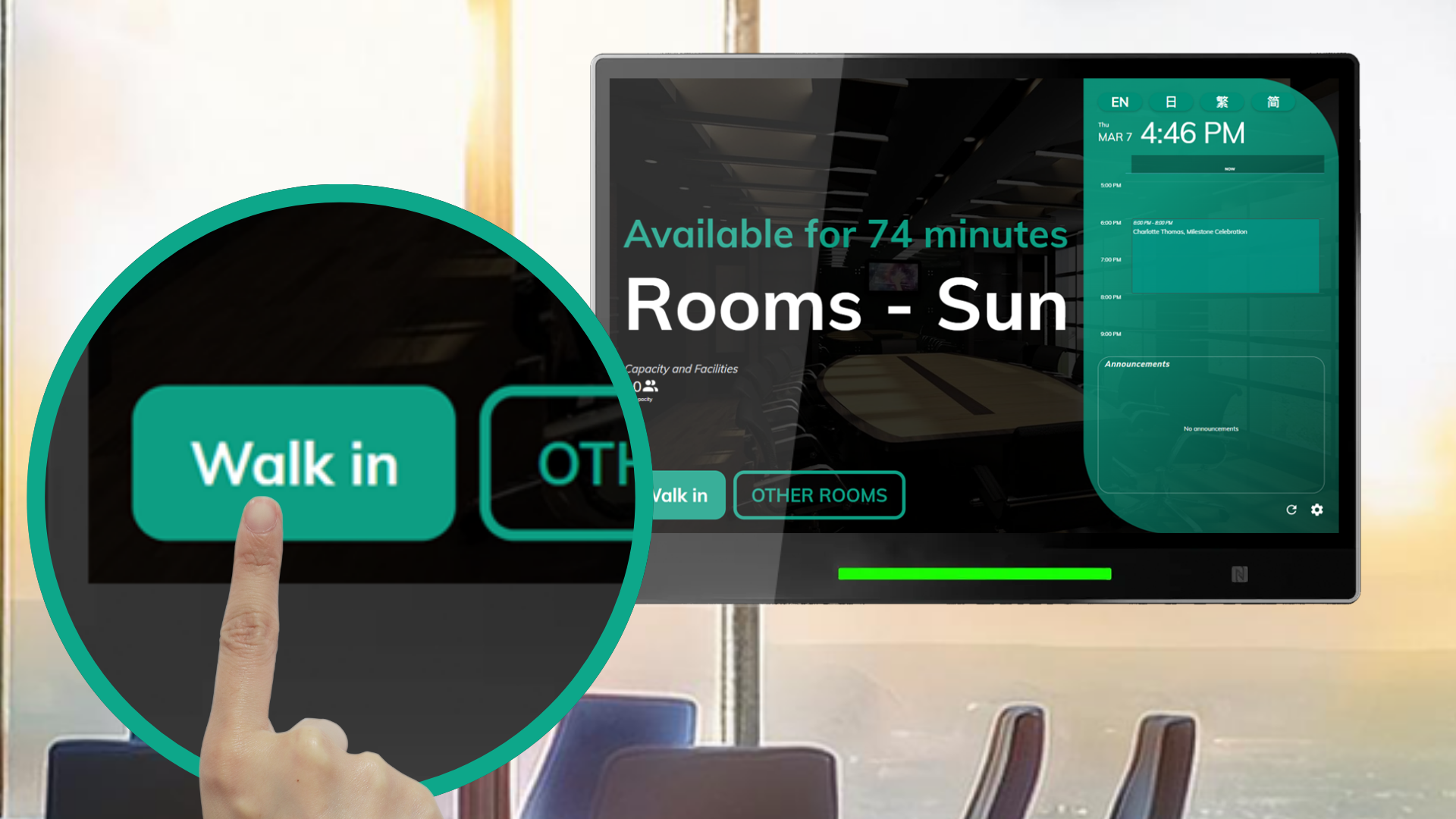
The **Skip User Identity for Quick Walk-In Bookings via Panel** feature in Offision allows walk-in bookings on the booking panel without identity verification. Users can reserve resources with one click, but the system won’t track user details.
洞察與最佳實踐,協助您優化工作空間
The Booking - Enable quick walk-in bookings on panel without user identity feature in Offision provides a quick and simplified way for users to make walk-in bookings. By skipping user identity verification, this feature allows users to reserve resources with a single click through the booking panel. Although convenient, this setting sacrifices the ability to track who is using the resource.
Key highlights of this feature include:
Identity Check Configuration:
Admins can configure whether user identity verification is required for walk-in bookings made via the booking panel.
Quick Walk-In Bookings:
When identity checks are skipped, users can instantly reserve resources with just one click, streamlining the booking process.
No User Tracking:
Skipping identity checks means the system cannot identify who is using the resource, limiting traceability.
Flexible Usage:
Ideal for public or shared spaces where fast access is more important than user tracking.
This feature balances convenience and accountability, offering flexibility for specific scenarios where quick access is prioritized over detailed user identification.
Quick and Easy Walk-In Bookings:
Streamlined Process:
Ideal for Public Spaces:
Reduces Barriers to Access:
Minimal User Input Required:
Customizable by Admins:
Increased Resource Utilization:
The Skip User Identity to Create Booking via Panel feature in Offision is designed for scenarios prioritizing quick access over user tracking. While it offers significant convenience and simplicity, organizations should carefully evaluate its use to ensure it aligns with their resource management policies and security requirements. Proper monitoring and configuration are essential to balance ease of use with accountability.
請依照以下步驟操作
Navigate to “Basic policy” and create / edit a policy
Navigate to “Create/Edit booking channel” tab and enable “Skip user verification in booking panel”
Navigate to the "Room," "Desk," and "Equipment" to create / edit resources
Set the policy to the resources
Navigate to “Basic policy” and create / edit a policy
Navigate to “Create/Edit booking channel” tab and enable “Skip user verification in booking panel”
Navigate to the "Room," "Desk," and "Equipment" to create / edit resources
Set the policy to the resources
備受全球機構信賴
加入數百間使用 Offision 提升工作空間管理效率的企業


©2026 ONES Software Ltd. All rights reserved.

 Neat 裝置
 Crestron