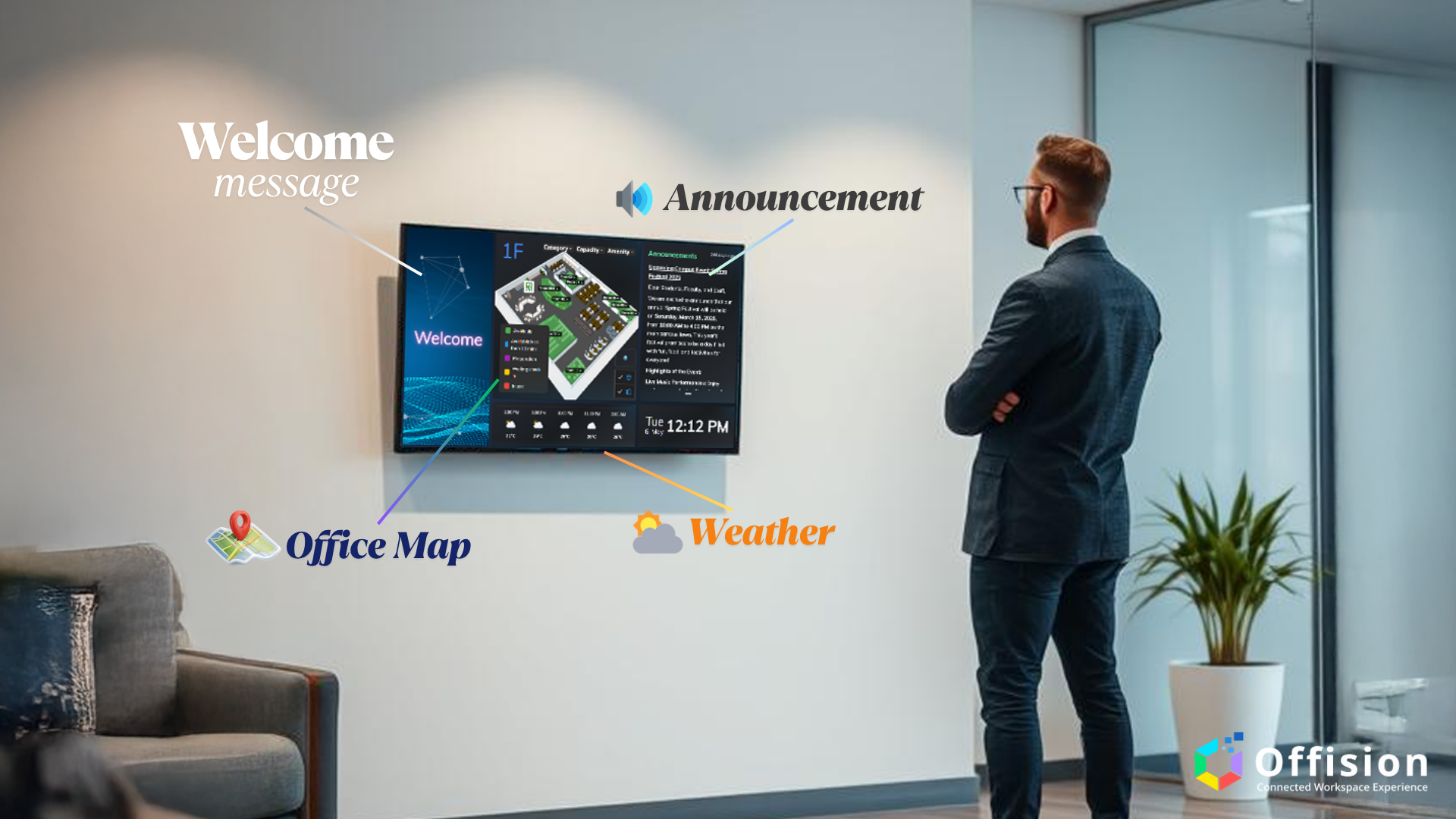
Offision empowers organizations to create personalized and dynamic signage layouts, enabling tailored workspace messaging that reflects brand identity and real-time operational context. This feature is essential for enhancing communication, navigation, and branding in modern, hybrid workplaces.
洞察與最佳實踐,協助您優化工作空間
Key Details
Visual Layout Editor
Design signage with an intuitive drag-and-drop editor. Add elements like room schedules, announcements, QR codes, maps, videos, and logos without code.
Brand Integration
Apply your brand’s colors, fonts, and logos across all signage screens. Use templates to ensure visual consistency across departments or office locations.
Dynamic Content Widgets
Include live widgets such as:
Meeting room occupancy
Visitor check-in status
Event countdowns
Emergency alerts
Weather and time
Real-Time Data Sync
Connect to Microsoft 365, Exchange, or Google Workspace calendars to reflect the latest room usage, meeting schedules, and booking statuses.
Multi-Zone Display Support
Divide screens into multiple sections—e.g., top banner for time, main area for meeting info, bottom ticker for alerts.
Device Compatibility
Runs on Crestron, LG/Samsung commercial displays, Huawei IdeaHub, and any HTML5-compatible screen. Supports portrait and landscape orientations.
Centralized Management
Manage all signage content from Offision’s cloud admin portal. Schedule layout changes by time, location, or day-of-week for targeted messaging.
Offline Resilience
Cached layouts ensure signage remains functional even if network connectivity is temporarily lost.
Pros
Professional Appearance
Delivers high-impact visuals that enhance office aesthetics and create a tech-forward environment.
User-Friendly Editor
Non-technical users can build and deploy signage with ease using the drag-and-drop interface.
Real-Time Updates
Reflect live data on screens—ideal for meetings, events, and visitor awareness.
Scalable Deployment
Deploy different layouts per location, floor, or room type—perfect for enterprise-scale environments.
Brand Consistency
Ensure every screen reflects your corporate identity, from headquarters to satellite offices.
Cross-Platform Support
Works seamlessly across browsers, tablets, smart displays, and integrated booking panels.
Flexible Scheduling
Show different content during working hours, after-hours, or special events—automatically.
Conclusion
Offision’s Signage Layout Customization transforms workplace communication with flexible, real-time, and brand-aligned displays. By combining powerful layout tools, real-time data sync, and centralized cloud control, organizations can inform, engage, and impress across all workplace environments. Whether guiding visitors, displaying schedules, or reinforcing branding, Offision signage enhances the modern office experience—efficiently and elegantly.
備受全球機構信賴
加入數百間使用 Offision 提升工作空間管理效率的企業


©2026 ONES Software Ltd. All rights reserved.

 Neat 裝置
 Crestron