Neat デバイス
 Crestron

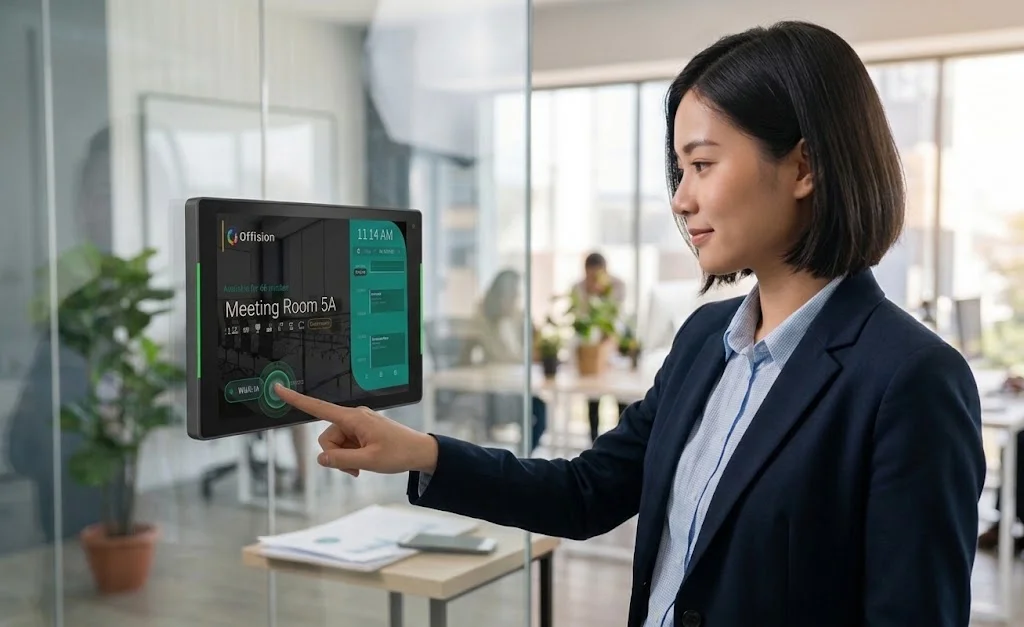
Panels answer a question at the door
パネルは廊下で「この部屋空いてる?」に答える。
Offision が今空き、次の予約、近くの空きを表示。
What panel colours meanMAIN.TRY_FREE_NO_CC
無料で始める導入前に プラットフォームの選び方
Panels solve one specific problem — the gap between what the calendar says and what the corridor shows. If you do not have that problem, buy fewer.
内容レビュー: 2026年9月
パネルは廊下で「この部屋空いてる?」に答える。
Offision が今空き、次の予約、近くの空きを表示。
What panel colours meanドアでタップチェックイン — 摩擦最小。
Offision で立っている場所でチェックイン。
Check-in at the booking panel部屋ごと一パネル、サイネージがフロア全体を案内。
Offision はロビーにサイネージ、ドアにパネル。
Booking status on signage配線が痛い — 電池ラベルで大部分を省略。
Offision 共有設定 — 10台から始め後展開。
Panel configurations同じ問題でも、グループごとに負担は違います——そして互いに話し合うことはほとんどありません。
They decide which rooms create the most corridor confusion, and should be equipped first.
They own power, network, gateway coverage and device health, which usually sets the practical rollout order.
They compare device and installation cost against the hours and space that better room hygiene returns.
Yes. Booking, check-in, visitors and analytics all work from web and mobile. Panels and displays are additions, not prerequisites.
No. E-paper labels run on battery and update wirelessly through a gateway, so only the gateway needs power and network.
No. Offision supports common room panels, desk devices and displays, and you can mix vendors and add sensors later.



©2026 ONES Software Ltd. All rights reserved.