Select another country/region to browse the content applicable to your location.
Issue Tracking System

Track & Resolve Issues Efficiently

Comprehensive ticketing system for workplace device management Report issues, assign support staff, and track resolutions with real-time notifications and location awareness

85% Faster Resolution
24/7 Issue Tracking
100% Visibility
Offision Ticket Management

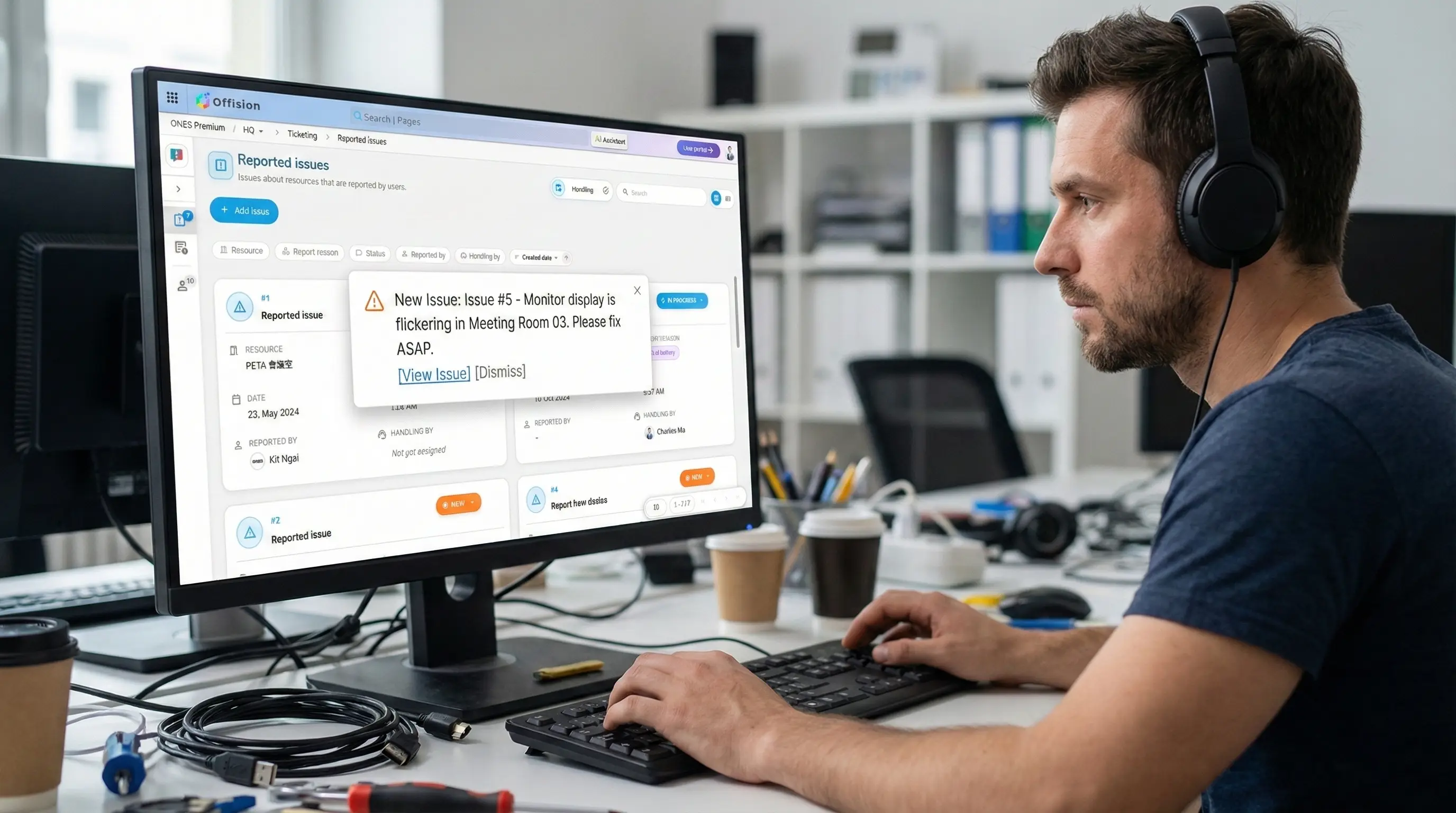
New Issue Reported

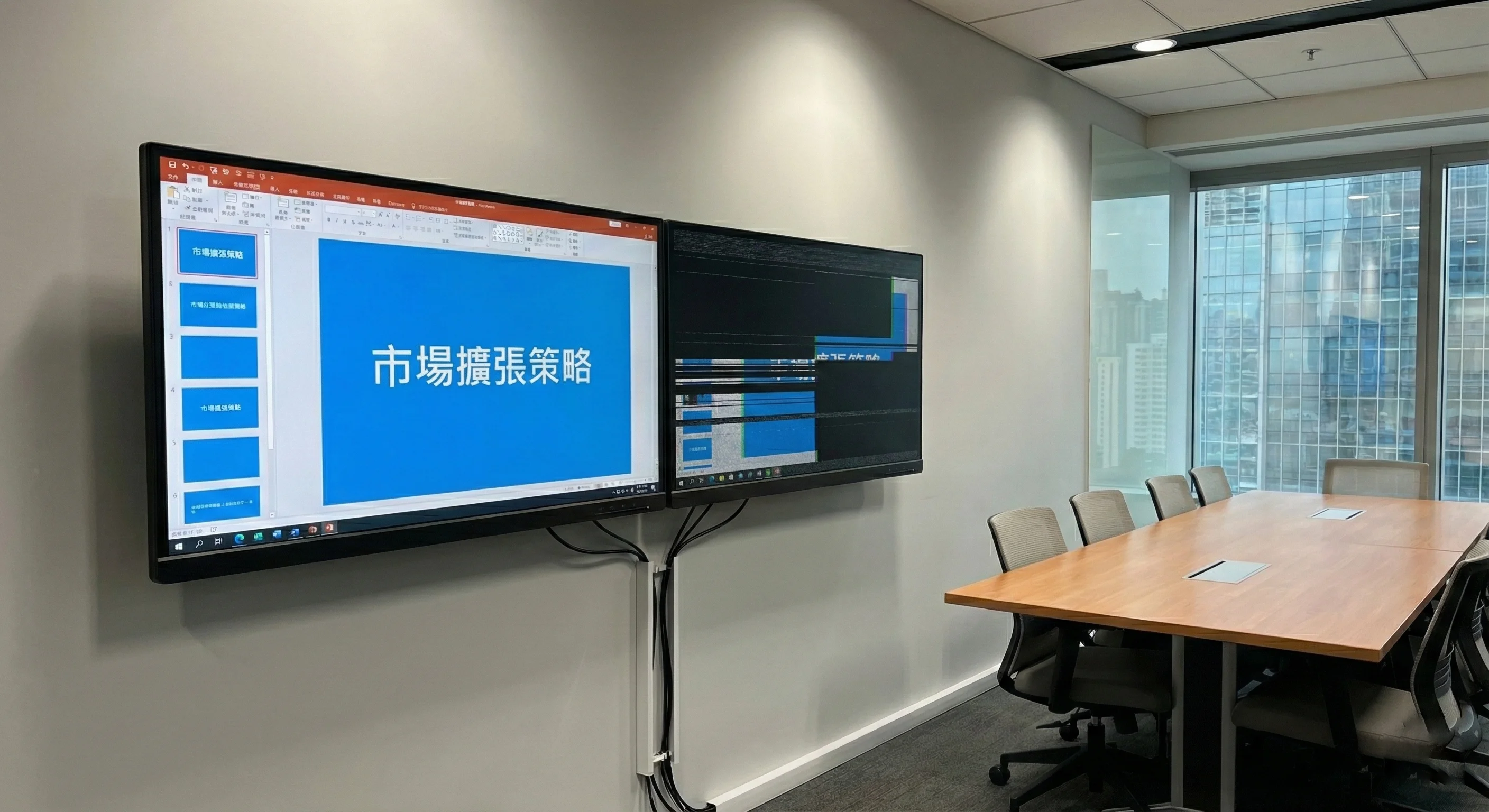
Monitor malfunction - Room 4A

Tech Assigned

John is on the way

Powerful Ticketing Features

Everything you need to manage, track, and resolve device issues across your workplace

Easy Issue Reporting

Users can quickly report device issues with detailed descriptions, photos, and automatic location tagging from any room panel or mobile device

Photo Attachments Auto Location Quick Templates

Smart Staff Assignment

Automatically assign tickets to available support staff based on expertise, location, and workload. Manual assignment is also available for managers

Auto-Assignment Skill Matching Load Balancing

Real-Time Notifications

Technical staff receive instant notifications with issue details and exact location Stay informed with push notifications, email alerts, and in-app updates

Push Notifications Email Alerts Teams Integration

Location Awareness

Technicians get precise location information including building, floor, room name, and interactive floor maps to quickly locate the issue

Floor Maps Room Details Navigation

Ticket Lifecycle Management

Track every ticket through its complete lifecycle with clear status indicators

New
In Progress
Resolved
Closed
NEW #TKT-2024-0847

Monitor Display Malfunction

Conference Room 4A, Floor 3

The right monitor is showing flickering display and occasional black screens during presentations.

Just now Sarah Johnson
Image capture for new issue reporting

Issue Reported

When a user reports an issue, a new ticket is automatically created with all relevant details. The system captures the location, device information, and user description

  • Automatic ticket creation with unique ID
  • Location automatically captured from device
  • Priority level auto-assigned based on issue type
  • Immediate notification sent to support team
  • Photo and video attachments supported
IN PROGRESS #TKT-2024-0847

Monitor Display Malfunction

Conference Room 4A, Floor 3

Assigned to: Mike Chen IT Support Specialist
On the way
5 min ago 2 updates

Being Worked On

Once a technician is assigned and begins work, the ticket moves to In Progress. The reporter can track real-time updates and the technician's location

  • Technician assigned with expertise matching
  • Real-time location tracking for technician
  • Live status updates and comments
  • Estimated time of arrival shown
  • In-app chat between reporter and technician
RESOLVED #TKT-2024-0847

Monitor Display Malfunction

Conference Room 4A, Floor 3

Resolution:

Replaced faulty HDMI cable and updated display drivers. Monitor now functioning normally.

Resolved in 23 min Pending feedback

Issue Fixed

When the technician completes the fix, they mark the ticket as resolved with a summary. The original reporter is notified to confirm the resolution

  • Resolution summary documented
  • Before/after photos can be attached
  • Time to resolution tracked
  • Reporter notified for confirmation
  • Satisfaction survey sent
CLOSED #TKT-2024-0847

Monitor Display Malfunction

Conference Room 4A, Floor 3

Resolved by: Mike Chen
Total time: 23 minutes
Rating:
Archived Added to analytics

Confirmed & Archived

After the reporter confirms the fix or after a set period, the ticket is closed and archived All data is retained for analytics and future reference

  • Full ticket history preserved
  • Data fed into analytics dashboard
  • Searchable for similar issues
  • Used for technician performance metrics
  • Contributes to predictive maintenance

Supported Issue Types

Report and track any workplace device or facility issue with categorized ticketing

Display Issues

Monitor malfunctions, flickering screens, resolution problems, and connection issues

Audio/Video Equipment

Conference cameras, microphones, speakers, and video conferencing system problems

Network & Connectivity

WiFi issues, ethernet problems, VPN connectivity, and network access requests

Computer & Devices

Desktop computers, laptops, keyboards, mice, and peripheral device issues

Access & Security

Door access, badge readers, security systems, and room access control issues

Facilities & Environment

Lighting, HVAC, furniture, and general room environment issues

Management Dashboard

Complete Visibility & Control

Manage all tickets from a centralized dashboard View status, assign staff, track metrics, and generate reports with powerful analytics

  • Real-time ticket overview
  • Staff workload management
  • Resolution time analytics
  • Custom reporting tools
app.offision.com/tickets
Ticket Management Dashboard

Real-World Scenarios

See how organizations use our ticketing system to resolve issues quickly

Conference Room Monitor Issue

A user notices the main display in the boardroom is flickering during an important presentation prep

1 User taps 'Report Issue' on the room panel
2 Selects 'Display Issue' and adds description
3 The IT technician receives a notification with the room location
4 Technician arrives, diagnoses loose cable
5 Issue resolved in 15 minutes, user confirms fix

Video Conference System Failure

The meeting room camera stops working 10 minutes before an important client call

1 User reports 'Camera not detected' as urgent
2 Priority ticket created, nearest AV tech alerted
3 Tech sees floor map, heads to meeting room
4 Quick USB re-seat fixes the camera
5 Meeting starts on time, crisis averted

Ready to Streamline Your IT Support?

Start tracking and resolving device issues faster with our comprehensive ticketing system